Autodesk Manufacturing Software
Connected Tools for Design, Analysis and Production data
Designers and engineers use Autodesk manufacturing software to develop products, analyse options, optimise performance, prepare fabrication drawings and manage product data within one connected workflow.
From the first model through to production detail, geometry, studies and drawings remain linked, so teams avoid rebuilding the same work at every stage.
Analysis and optimisation draw on the live design, letting engineers compare alternatives and refine performance before drawings are issued.
Fabrication drawings and managed data then take approved intent to the shop floor, with revisions kept clear for makers and reviewers.
Design Consulting is an Autodesk Gold Partner and Service Provider, offering Autodesk Software with wide range of complimentary software, training courses and services for Autodesks Ecosystem.
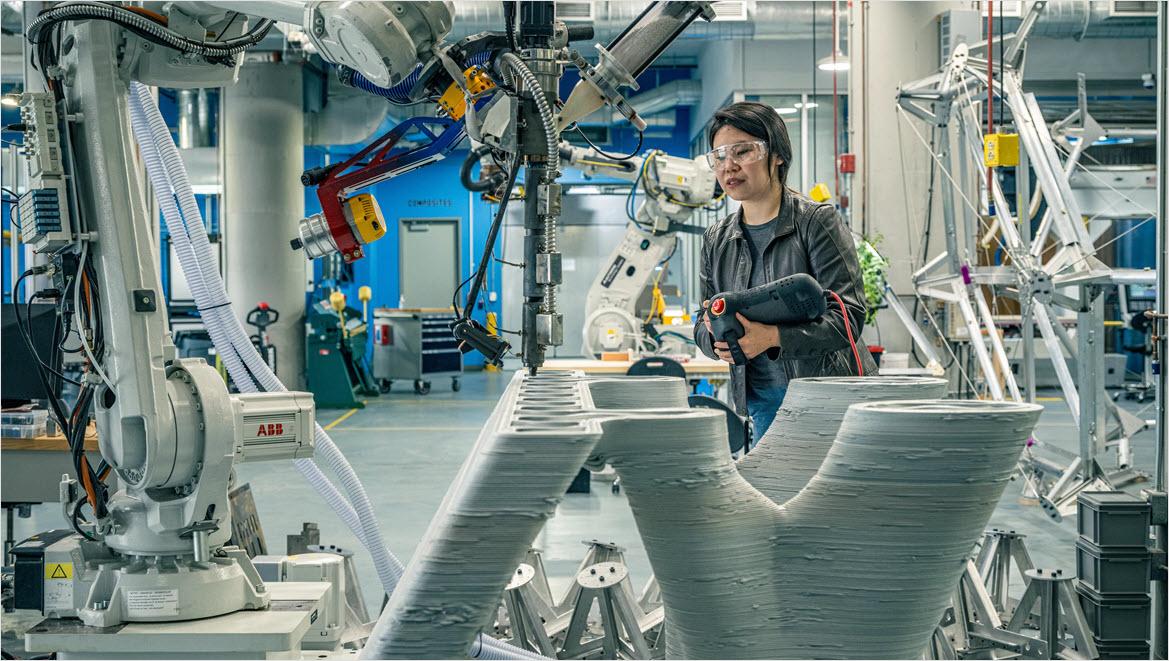
Challenges of Disconnected Manufacturing Data
Designers and engineers lose time when models, studies, fabrication drawings and product data live in separate files.
- Design: Balancing concept intent, codes, constructability and changing client requirements without losing coordination.
- Analysis: Keeping performance studies current as the model changes, and making results clear enough to guide decisions.
- Visualisation: Producing clear presentations that stay aligned with the latest design, not a separate outdated view.
- Collaboration: Sharing one coordinated set of drawings and models across disciplines, reviews and project stages.
A late change that never reaches analysis or the drawing set leaves teams deciding from stale information. Rework grows, reviews stall, and production starts from an incomplete picture.
Impacts and Flow-On Effects
Disconnected optimisation, documentation and data management then multiply the same gap across every handoff.
- Design Drift: Intent, codes, constructability and changing requirements pull apart. Without a shared model, coordination slips and the concept is diluted by last-minute fixes.
- Stale Analysis: Performance studies lag the current design. Results arrive too late or too unclear to guide choices, so teams either ignore them or rebuild the study from scratch.
- Misleading Visuals: Presentations become a separate, outdated view. Clients and reviewers react to images that no longer match the drawings, and decisions are made on the wrong picture.
- Broken Handoffs: Disciplines, reviews and stages work from different files. Clashes surface late, documentation is rebuilt, and the project loses time at every exchange.
- Compounding Cost: Each disconnected step adds rework. What starts as a small mismatch becomes delayed approvals, inconsistent documentation and a design that is harder to build as intended.
Autodesk Features and Benefits
- Clearer documentation: coordinated drawings reduce rework between design and delivery.
- Better decisions: analysis and generative studies stay linked to the model.
- Stronger presentations: visualization and shared review help clients see the design, not just the files.
- Smoother collaboration: concept, detail and review tools work as one workflow rather than separate tasks.
How Autodesk Software Supports Manufacturing
Designers and engineers need one path from concept to production. Autodesk manufacturing software supports design, analysis, optimisation, fabrication drawings and data management so each decision stays with the model. Teams can test options, document what will be made, and keep revisions organised for the people who build and review the work.
Shared models reduce repeated entry, while controlled data helps later stages trust the latest release. That connection supports everyday manufacturing project work. It gives manufacturing teams a practical way to move checked designs into documentation and controlled release.
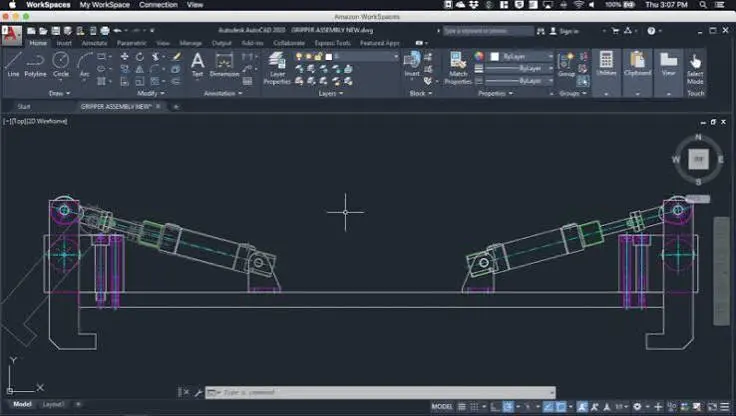
AutoCAD LT
Use AutoCAD LT within Autodesk manufacturing workflows to prepare accurate two-dimensional drawings and layouts, so fabrication documents keep the same design intent without redrawing.
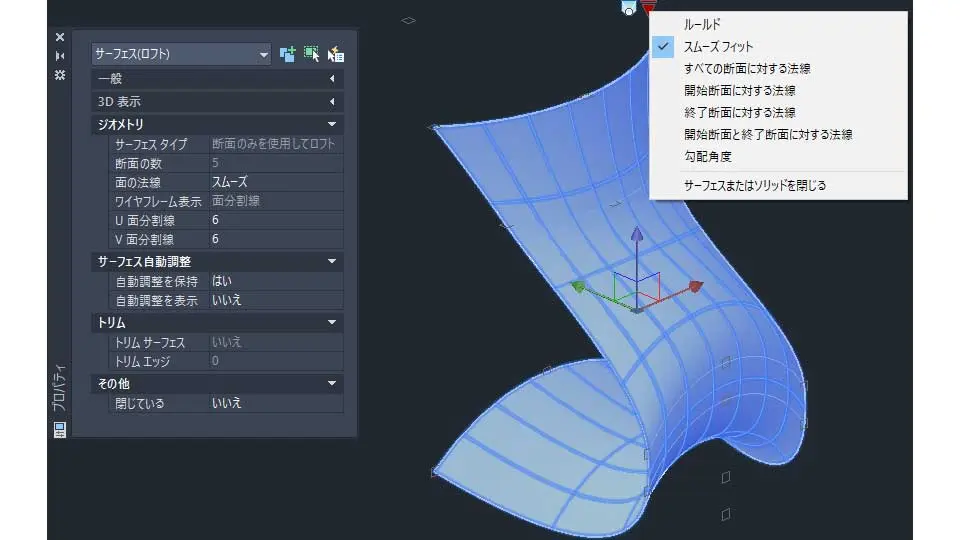
AutoCAD
AutoCAD helps manufacturing teams turn the current design into accurate production drawings, so dimensions, fit and shop-floor detail can be checked before a decision is fixed in the documentation.
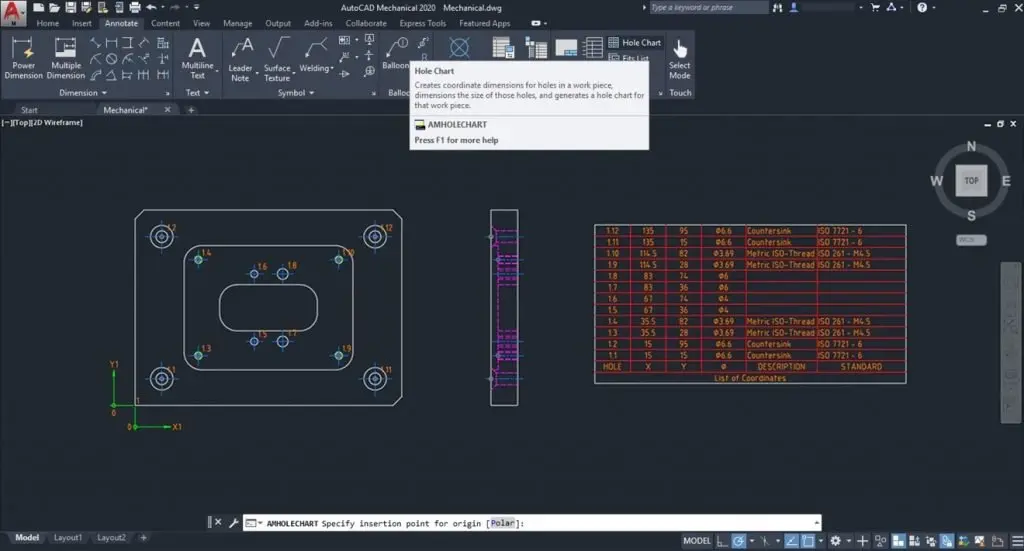
AutoCAD Mechanical
AutoCAD Mechanical lets manufacturing teams compare options and refine geometry, materials or parameters so each part meets performance needs, without starting a new file for every trial.
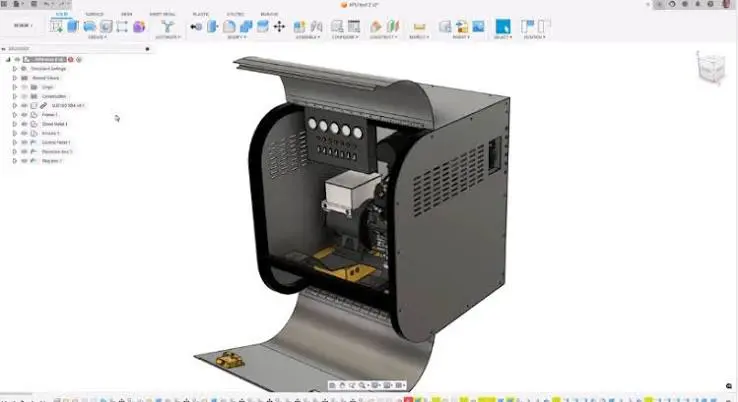
Fusion
The Fusion ecosystem unites design, analysis, CNC and collaboration software so manufacturing teams carry approved geometry into machining, studies and shared production detail that stays aligned with model changes.
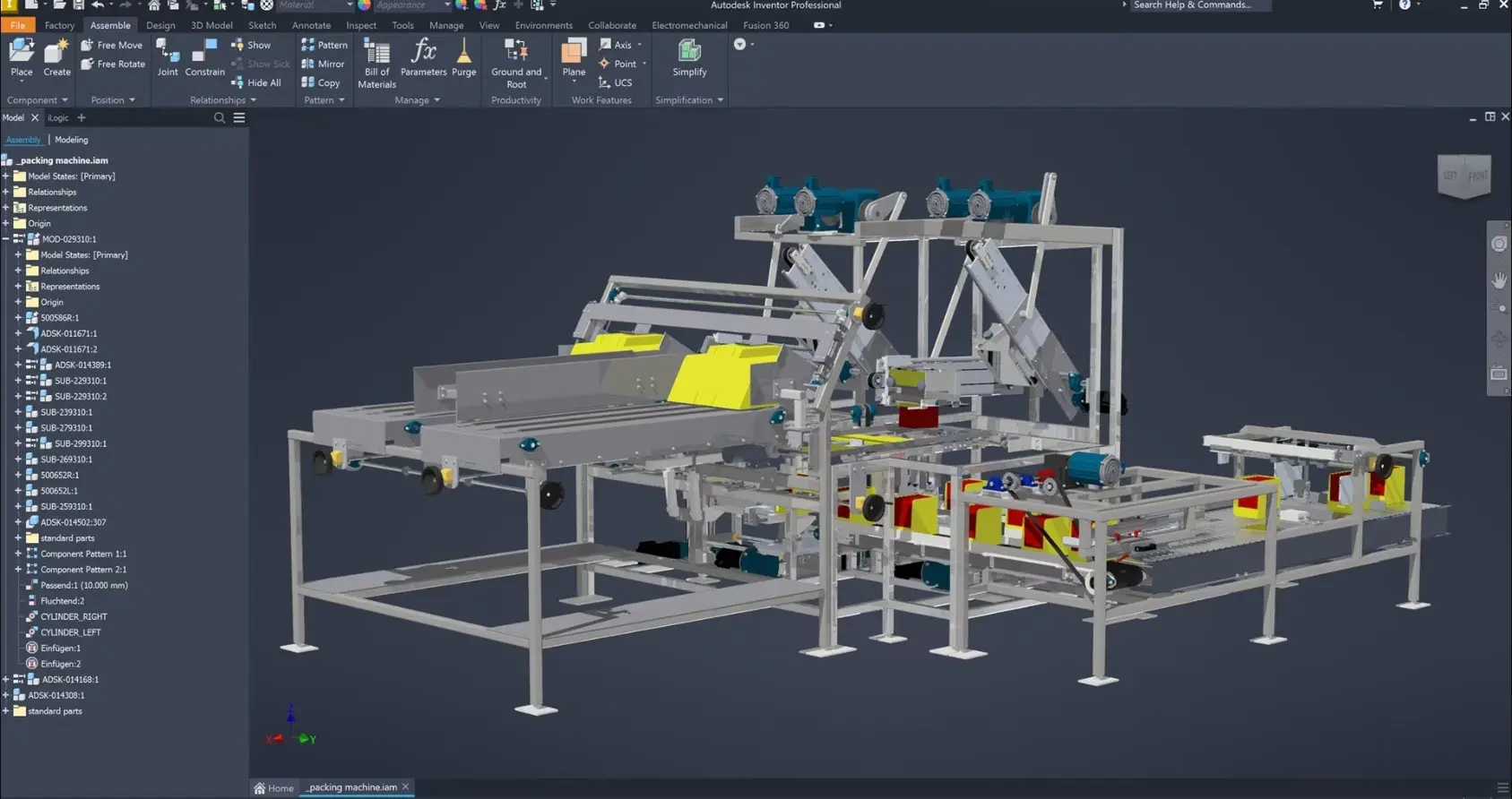
Inventor
Autodesk Inventor supports manufacturing by linking part and assembly models with drawings, so teams can refine geometry, check fit and carry approved design intent into production without rebuilding.
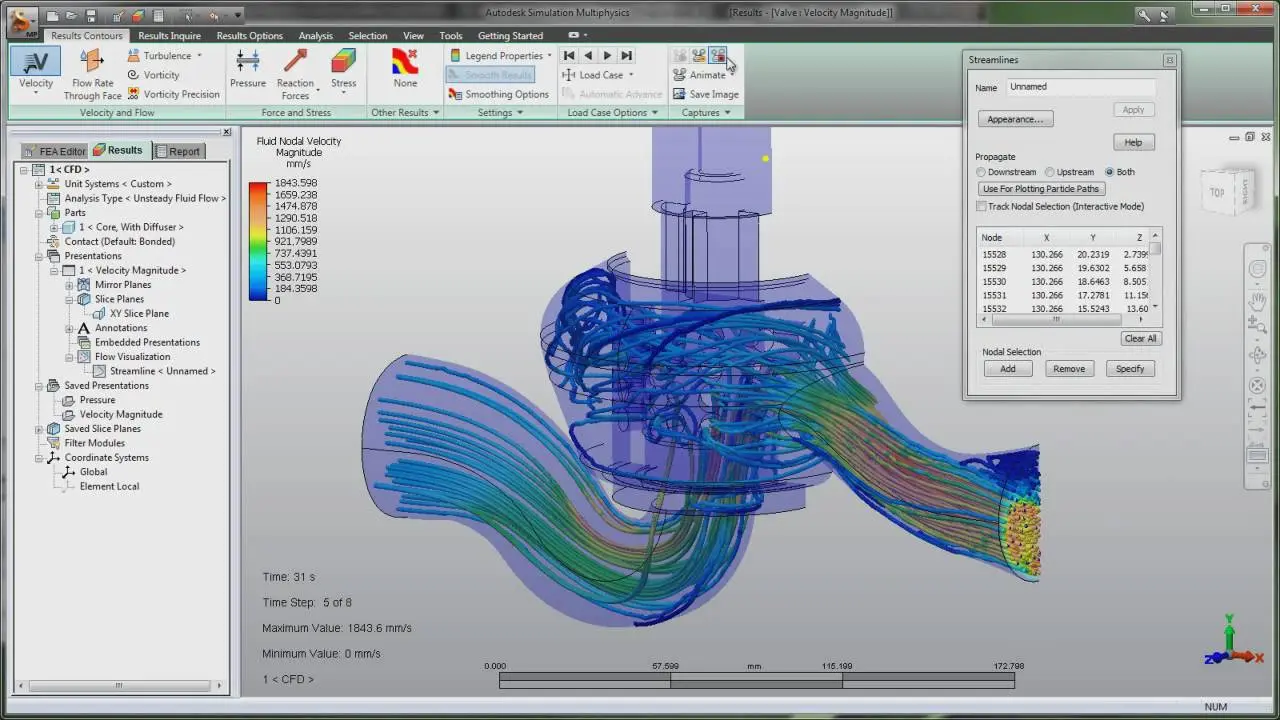
CFD Ultimate
Autodesk CFD Ultimate helps manufacturing teams analyse fluid flow and heat on the current design, so studies stay linked and update from one source when the model changes.
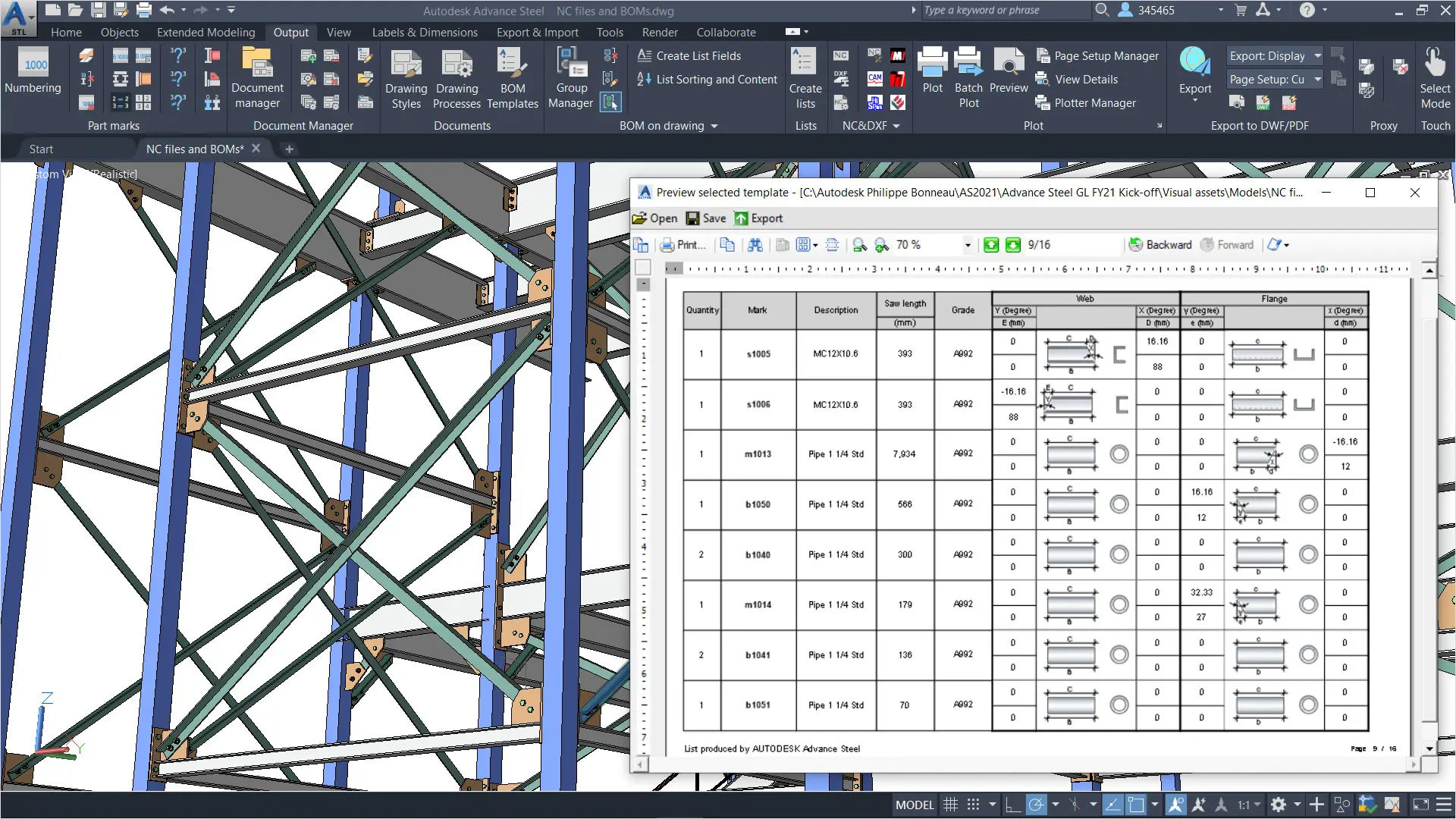
Advance Steel
Advance Steel supports manufacturing teams by detailing structural steel from one coordinated model, so fabricators, engineers and production staff share the same released drawings, lists and connection data.
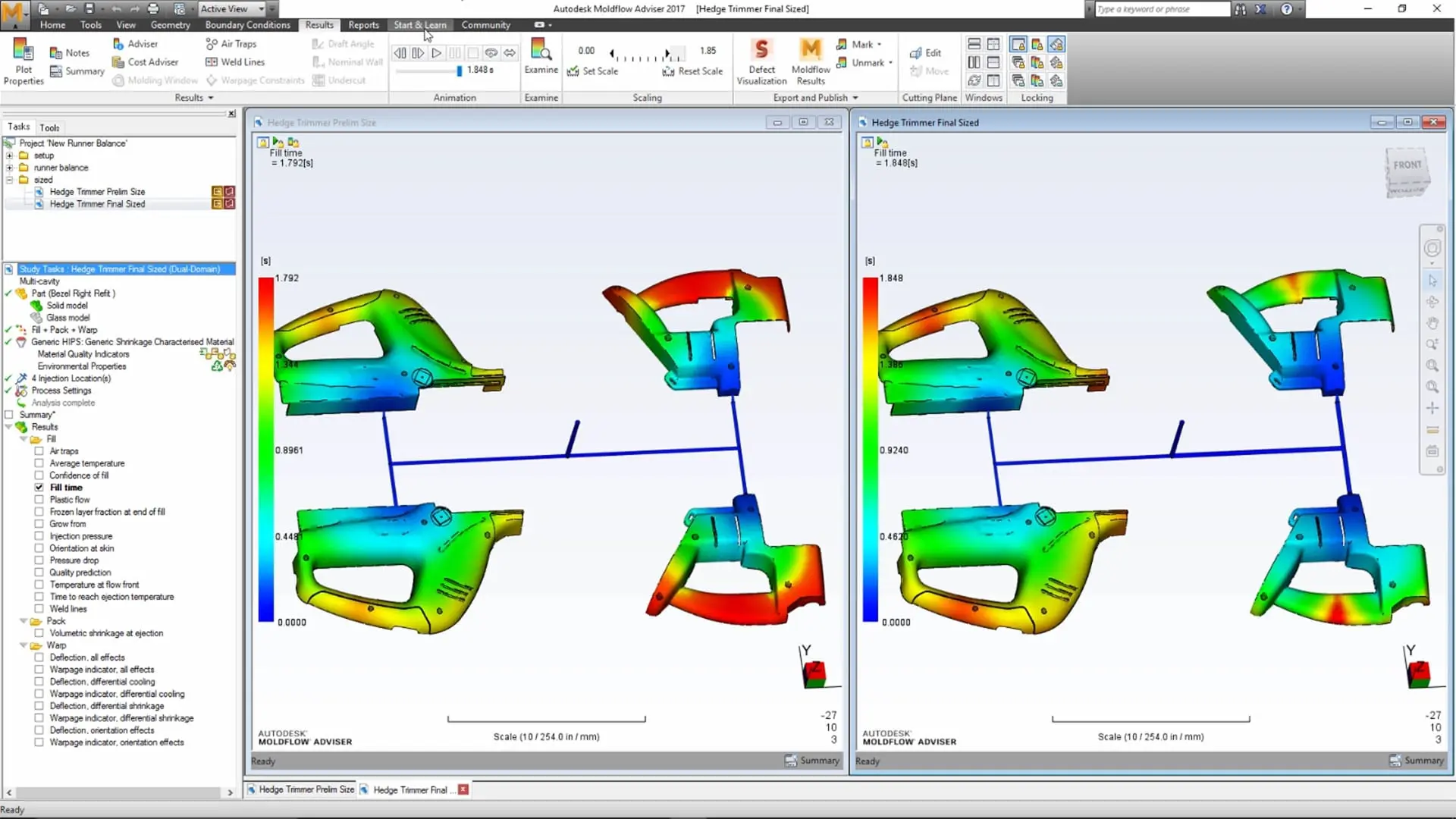
Moldflow Insight
Autodesk Moldflow Insight supports manufacturing by simulating injection moulding, cooling and warpage, so teams refine mould design, materials and process settings before the tooling is committed to production.
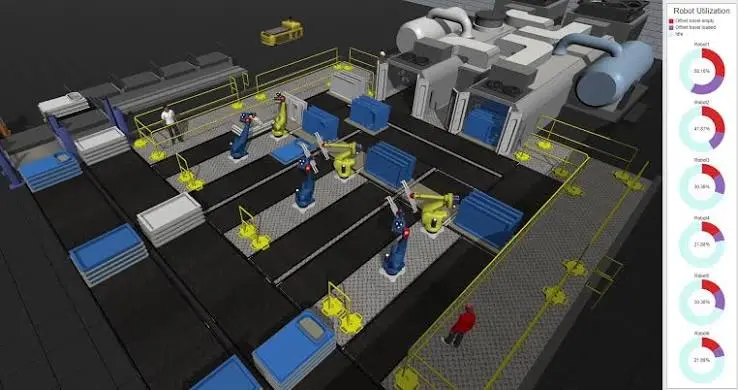
Flexsim
Manufacturing teams use a consistent Autodesk process for small jobs and larger programmes, with shared data control that grows as more people contribute across design, analysis and production.
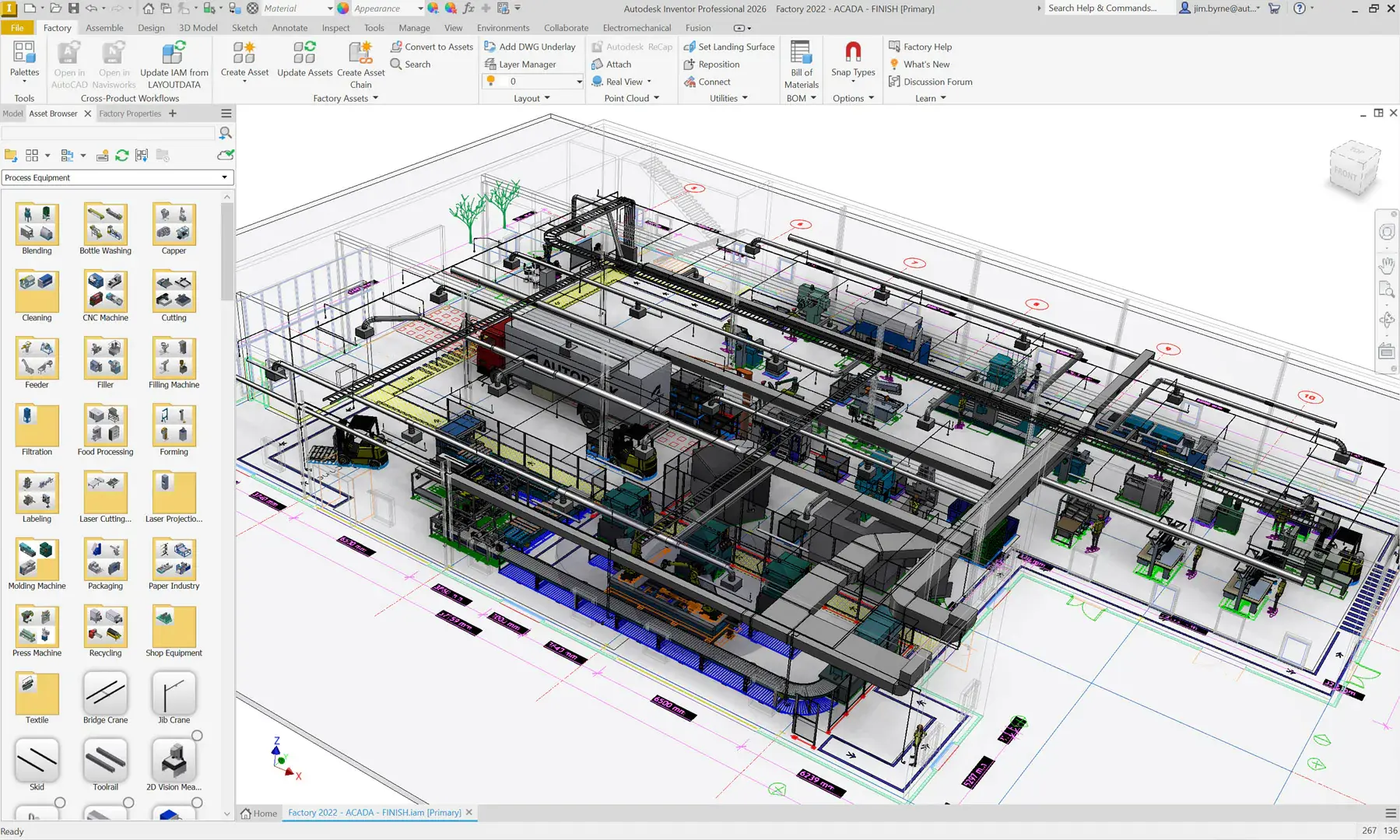
Product Design & Manufacturing Collection
Design, analyse and manufacture in one workflow.
AutoCAD, Inventor and Fusion sit alongside other products in this collection, including unique tools that can only be found in the PDM Collection such as Inventor Tolerance Analysis, CAM, Nesting and Factory Design Utilities. Together they support product design and manufacturing, from early models through engineering detail and production data, so teams can refine performance and issue coordinated drawings without rebuilding work at each stage.
Feature Matrix
| Capability | AutoCAD | AutoCAD LT | Fusion | Inventor | PDM Collection |
| 3D mechanical design | ✓ | — | ✓ | ✓ | ✓ |
| 2D drafting | ✓ | ✓ | ✓ | ✓ | ✓ |
| Analysis and simulation | — | — | ✓ | ✓ | ✓ |
| Design optimisation | — | — | ✓ | — | ✓ |
| Fabrication drawings | ✓ | ✓ | ✓ | ✓ | ✓ |
| Data management | — | — | ✓ | — | ✓ |
| CAM and machining | — | — | ✓ | — | ✓ |
| Collaboration | ✓ | — | ✓ | ✓ | ✓ |
Technical Comparison Matrix
| Software and Core Applications | AutoCAD LT | AutoCAD | Fusion | Inventor | PDM Collection |
| Native Dwg Drafting Application | ✓ | ✓ | — | — | ✓ |
| 3D Mechanical CAD Application | — | ◐ | ✓ | ✓ | ✓ |
| Integrated CAD/CAM Workspace | — | — | ✓ | — | ✓ |
| Autocad Mechanical Toolset | — | ✓ | — | — | ✓ |
| Autocad Electrical Toolset | — | ✓ | — | — | ✓ |
| Inventor Professional | — | — | — | ✓ | ✓ |
| Inventor Nastran | — | — | — | — | ✓ |
| Inventor CAD | — | — | — | — | ✓ |
| Inventor Tolerance Analysis | — | — | — | — | ✓ |
| Vault Basic | — | ✓ | — | — | ✓ |
| Factory Design Utilities | — | — | — | — | ✓ |
| Navisworks Manage | — | — | — | — | ✓ |
| 3ds Max | — | — | — | — | ✓ |
| 2D Drafting and Documentation | AutoCAD LT | AutoCAD | Fusion | Inventor | PDM Collection |
| Native Dwg Creation And Editing | ✓ | ✓ | — | — | ✓ |
| Layer And Linetype Management | ✓ | ✓ | ◐ | ◐ | ✓ |
| Blocks And Block Attributes | ✓ | ✓ | — | — | ✓ |
| Dynamic Blocks | ◐ | ✓ | — | — | ✓ |
| Xrefs And External Drawing References | ✓ | ✓ | — | — | ✓ |
| Model Space And Paper Space Layouts | ✓ | ✓ | — | — | ✓ |
| Parametric 2D Sketches | ◐ | ◐ | ✓ | ✓ | ✓ |
| Associative Drawing Views From 3d | — | ✓ | ✓ | ✓ | ✓ |
| Sections And Detail Views | ◐ | ✓ | ✓ | ✓ | ✓ |
| Gd&T And Manufacturing Annotations | ✓ | ✓ | ✓ | ✓ | ✓ |
| Parts Lists On Drawings | ◐ | ◐ | ✓ | ✓ | ✓ |
| Automated Drawing Updates From 3d | — | ◐ | ✓ | ✓ | ✓ |
| Batch Plotting And Pdf Publishing | ✓ | ✓ | ◐ | ✓ | ✓ |
| 3D Modelling and Mechanical Design | AutoCAD LT | AutoCAD | Fusion | Inventor | PDM Collection |
| 3D Solid Modelling | — | ✓ | ✓ | ✓ | ✓ |
| Parametric Feature-Based Modelling | — | ◐ | ✓ | ✓ | ✓ |
| Direct Modelling | — | ✓ | ✓ | ✓ | ✓ |
| Surface Modelling | — | ✓ | ✓ | ✓ | ✓ |
| Freeform / T-Spline Modelling | — | — | ✓ | ✓ | ✓ |
| Mesh Modelling And Editing | — | ✓ | ✓ | ◐ | ✓ |
| Sheet Metal Modelling | — | ◐ | ✓ | ✓ | ✓ |
| Flat Pattern Generation | — | — | ✓ | ✓ | ✓ |
| Weldment Design | — | ◐ | ◐ | ✓ | ✓ |
| Frame Generator | — | — | ◐ | ✓ | ✓ |
| Bolted Connection Generator | — | — | ◐ | ✓ | ✓ |
| Shaft And Gear Design Tools | — | ◐ | ◐ | ✓ | ✓ |
| Tube And Pipe Routing | — | ◐ | ◐ | ✓ | ✓ |
| Cable And Harness Design | — | ◐ | ◐ | ✓ | ✓ |
| Plastic Part And Mould Design | — | ◐ | ◐ | ✓ | ✓ |
| Large Assembly Modelling | — | ◐ | ✓ | ✓ | ✓ |
| iParts And iAssemblies | — | — | — | ✓ | ✓ |
| iLogic Rules And Configurators | — | — | — | ✓ | ✓ |
| Model-Based Definition (#D PMI) | — | — | ✓ | ✓ | ✓ |
| Assemblies and BOMs | AutoCAD LT | AutoCAD | Fusion | Inventor | PDM Collection |
| Component Assembly Structure | — | ◐ | ✓ | ✓ | ✓ |
| Assembly Constraints / Joints | — | — | ✓ | ✓ | ✓ |
| Motion Relationships | — | — | ✓ | ✓ | ✓ |
| Interference Detection | — | ◐ | ✓ | ✓ | ✓ |
| Assembly Contact And Clearance Checks | — | ◐ | ✓ | ✓ | ✓ |
| Associative BOM Generation | — | ◐ | ✓ | ✓ | ✓ |
| Structured And Parts-Only BOM Views | — | ◐ | ◐ | ✓ | ✓ |
| BOM Export To Spreadsheets | ◐ | ◐ | ✓ | ✓ | ✓ |
| Automated Drawing Parts Lists | — | ◐ | ✓ | ✓ | ✓ |
| Engineering Change Workflows | — | — | ◐ | ◐ | ◐ |
| Simulation and Engineering Analysis | AutoCAD LT | AutoCAD | Fusion | Inventor | PD&M Collection |
| Mass Properties And Centre Of Gravity | — | ✓ | ✓ | ✓ | ✓ |
| Basic Stress Analysis | — | — | ✓ | ✓ | ✓ |
| Modal / Frequency Analysis | — | — | ◐ | ✓ | ✓ |
| Thermal Analysis | — | — | ◐ | — | ✓ |
| Nonlinear FEA | — | — | ◐ | — | ✓ |
| Fatigue Analysis | — | — | ◐ | — | ✓ |
| Buckling Analysis | — | — | ◐ | — | ✓ |
| Dynamic Simulation | — | — | ◐ | ✓ | ✓ |
| Tolerance Stack-Up Analysis | — | — | ◐ | ◐ | ✓ |
| Generative Design | — | — | ◐ | — | ◐ |
| Topology / Shape Optimisation | — | — | ◐ | ✓ | ✓ |
| Injection Moulding Simulation | — | — | ◐ | ◐ | ◐ |
| CAM and Manufacturing | AutoCAD LT | AutoCAD | Fusion | Inventor | PDM Collection |
| 2d / 2.5D Milling | — | — | ✓ | — | ✓ |
| 3-Axis CNC Milling | — | — | ✓ | — | ✓ |
| 4-Axis Machining | — | — | ◐ | — | ✓ |
| 5-Axis Simultaneous Machining | — | — | ◐ | — | ✓ |
| CNC Turning | — | — | ✓ | — | ✓ |
| Mill-Turn Programming | — | — | ◐ | — | ✓ |
| Toolpath Simulation | — | — | ✓ | — | ✓ |
| NC Code Post-Processing | — | — | ✓ | — | ✓ |
| Drilling And Hole Recognition | — | — | ✓ | — | ✓ |
| Sheet Metal Nesting | — | — | ◐ | — | ✓ |
| Additive Manufacturing Setup | — | — | ✓ | ◐ | ✓ |
| Manufacturing Inspection Workflows | — | — | ◐ | — | ◐ |
| Electrical and Electronics | AutoCAD LT | AutoCAD | Fusion | Inventor | PDM Collection |
| 2D Electrical Schematics | — | ✓ | — | — | ✓ |
| Intelligent Electrical Symbols | — | ✓ | — | — | ✓ |
| Electrical Wire Numbering | — | ✓ | — | — | ✓ |
| Electrical Panel Layouts | — | ✓ | — | — | ✓ |
| PLC I/O Documentation | — | ✓ | — | — | ✓ |
| PCB Schematic Capture | — | — | ✓ | — | ✓ |
| PCB Board Layout | — | — | ✓ | — | ✓ |
| eCAD/mCAD Collaboration | — | — | ✓ | ◐ | ✓ |
| 3D Cable And Harness Routing | — | — | ◐ | ✓ | ✓ |
| Automation and Customisation | AutoCAD LT | AutoCAD | Fusion | Inventor | PDM Collection |
| Autolisp | ✓ | ✓ | — | — | ✓ |
| Autocad .net API / Objectarx | — | ✓ | — | — | ✓ |
| Fusion API / Scripting | — | — | ✓ | — | ✓ |
| Inventor API / oLogic | — | — | — | ✓ | ✓ |
| Rules-Based Product Configuration | ◐ | ◐ | ◐ | ✓ | ✓ |
| Automated Model Generation | — | ◐ | ✓ | ✓ | ✓ |
| Automated Drawing Generation | — | ◐ | ✓ | ✓ | ✓ |
| Custom Add-Ins And Integrations | ◐ | ✓ | ✓ | ✓ | ✓ |
| Visualisation and Interoperability | AutoCAD LT | AutoCAD | Fusion | Inventor | PDM Collection |
| Realistic Material Appearances | — | ✓ | ✓ | ✓ | ✓ |
| Photorealistic Rendering | — | ✓ | ✓ | ✓ | ✓ |
| Animation And Presentation | — | ◐ | ✓ | ✓ | ✓ |
| Advanced 3ds Max Rendering | — | — | — | — | ✓ |
| STEP Import / Export | — | ✓ | ✓ | ✓ | ✓ |
| IGES Import / Export | — | ✓ | ✓ | ✓ | ✓ |
| STL Mesh Export | — | ✓ | ✓ | ✓ | ✓ |
| OBJ Mesh Export | — | ◐ | ✓ | ✓ | ✓ |
| GLB / GLTF Export | — | — | ✓ | ✓ | ✓ |
| DXF Export | ✓ | ✓ | ✓ | ✓ | ✓ |
| PDF Drawing Export | ✓ | ✓ | ✓ | ✓ | ✓ |
| Import Third-Party Cad Formats | ◐ | ◐ | ✓ | ✓ | ✓ |
| AnyCAD File Associativity | — | — | — | ✓ | ✓ |
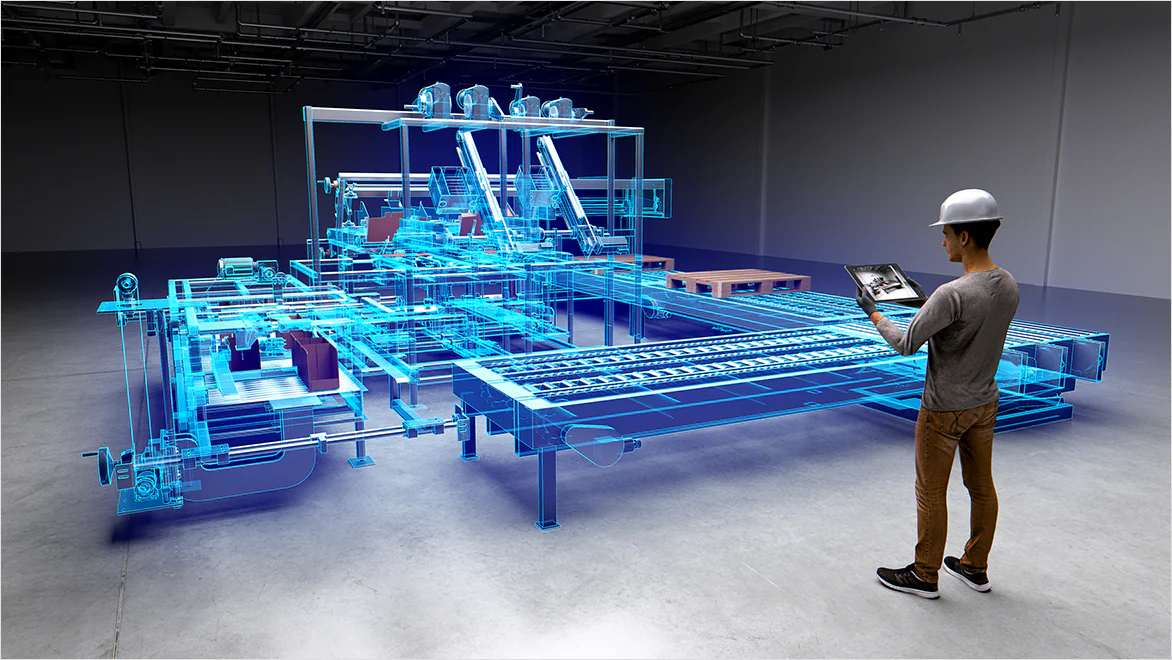
Fusion
Aligned Design Through to Production Data
Within the Fusion range, design, analysis, optimisation, fabrication and data tools stay connected, so a product is modelled once and then studied on that same geometry rather than on a detached copy.
After a revision is approved, drawings can be issued from the design that was checked, while managed records show which version is current.
That shared thread lowers the chance that the shop floor builds from an older file, or that a study is overlooked when documentation goes out.
Fusion Manage and Operations keeps product data, jobs, workflows and lifecycles in one managed process, so teams can follow changes, hand work on cleanly and stay aligned through everyday production.
Complimentary Software and Services for Autodesk Software
Design Consulting offers a complete ecosystem of complementary software, training, and professional services designed to extend the power of Autodesk solutions. Alongside our training courses for tools like Revit, AutoCAD, Inventor, and Vault, we deliver expert services for design automation, CAD/BIM setup, template development, and Vault deployments and migrations. We supply software tools to enhance Autodesk workflows through intelligent automation, batch variant rendering, and real-time visualisation systems. We also develop web-based configurators and custom plug-ins that streamline product design, quoting, and sales processes. From parametric modeling to programming services, Design Consulting helps engineering and design teams unlock efficiency, consistency, and scalability across their entire digital design environment.
With this ecosystem of software and services, Design Consulting provides End to End Solutions that connect data, models, applications, systems, employees, departments, customers and suppliers, enabling seamless collaboration, streamlined workflows, and accelerated decision-making across the entire product and project lifecycle. By integrating design, automation, and digital delivery, your business becomes more efficient, reduces manual effort, saves time, and ultimately increases profitability.
Why Choose Design Consulting | Autodesk Gold Partner | Autodesk Service Provider
Design Consulting is a trusted Autodesk Gold Partner and Autodesk Service Provider. Design Consulting empowers architects, engineers, manufacturers, and builders with smart software, systems, automation, and digital tools that provide Autodesk end-to-end solutions that are connected with systems and machines. As an Autodesk Gold Partner, we deliver tailored solutions that simplify workflows, reduce costs, and drive better project outcomes.
About DC Autodesk Courses Services Configurators CRM/ERP Batch Imagery
Talk with us about Autodesk Manufacturing
Contact Design Consulting to discuss Autodesk manufacturing software for design, analysis, optimisation, fabrication drawings and data management.
Fill out the contact form below or contact us on 1800 490 514, info@designconsulting.com.au or by live chat