




Autodesk Inventor 2D Detailing Training Course
- 8-Hours (4 x 2-Hour Sessions) Training
- Delivered remotely over MS Teams - Contact Us for On-Site/Face to Face Training
- Sessions are recorded and download links are provided after each session for your future use and reference.
- Pricing is based on 1-3 people. Additional people are at an additional cost of $550 per person.
- Volume Discounts apply for 5+. Please contact us.
- Training is usually broken up into 2 or 4-hour sessions in the morning and flexible (i.e. consecutive or Monday, Wednesday, Friday, etc.)
- Training sessions can start within 14 days of booking
- Courses are private and topics can be customised to suit
- Includes Certificate of Completion
- Training manuals are an additional $145 Ex. GST per digital manual
Download PDF Brochure
Autodesk Inventor 2D Detailing Training Course Introduction
The Autodesk Inventor 2D Detailing Training Course provides practical instructor-led training for mechanical engineers, designers, drafters, manufacturing professionals, and Autodesk Inventor users who need to create professional manufacturing documentation and presentation drawings from Autodesk Inventor models and assemblies.
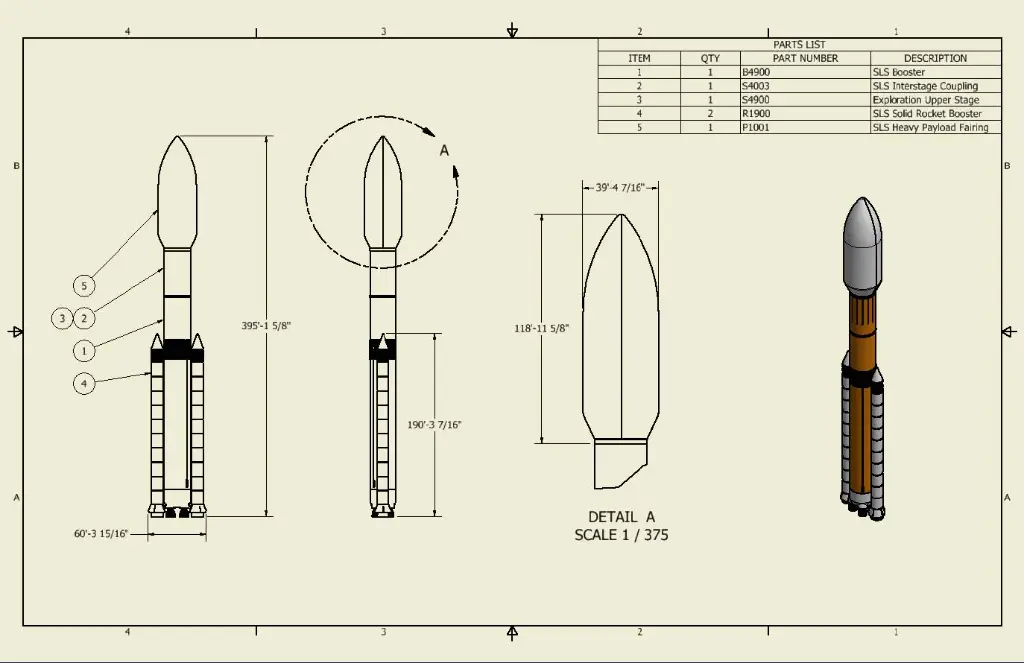
This course focuses on the complete process of communicating engineering designs through 2D drawings and presentation files. Participants learn how to create drawing templates, generate detailed drawing views, annotate designs, create exploded assembly views, and produce manufacturing-ready documentation using Autodesk Inventor Professional.
Whether you are producing fabrication drawings, assembly documentation, installation instructions, or technical presentations, this training provides the skills required to effectively communicate design intent and support manufacturing, assembly, and maintenance processes.
The Autodesk Inventor 2D Detailing Training Course teaches industry best practices for creating clear, accurate, and professional engineering documentation directly from Autodesk Inventor models.
Autodesk Inventor 2D Detailing Training Course - Dimensioning, Symbols and Annotations
Engineering documentation remains a critical part of product development and manufacturing workflows. Autodesk Inventor provides powerful drawing and presentation tools that enable designers and engineers to create fully detailed documentation directly from 3D models.
This training focuses on creating and managing drawing templates, standards, styles, drawing views, dimensions, annotations, exploded views, and presentation files to improve communication throughout the product lifecycle.
Participants will learn how to efficiently generate professional documentation while maintaining links to design data and supporting engineering change management processes.
What You'll Learn - Documentation, BOM's, Revision Tables, Exploded, Detail and Section Views
Participants attending this course will learn how to:
- Create and maintain drawing templates
- Configure drawing standards and styles
- Generate drawing views from parts and assemblies
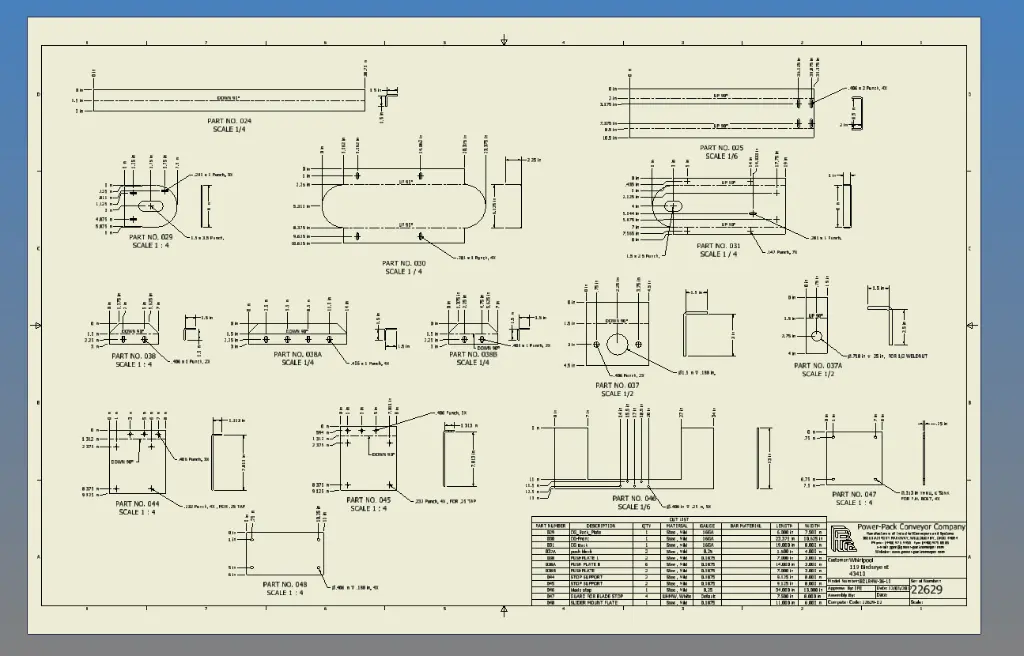
- Create detailed manufacturing documentation
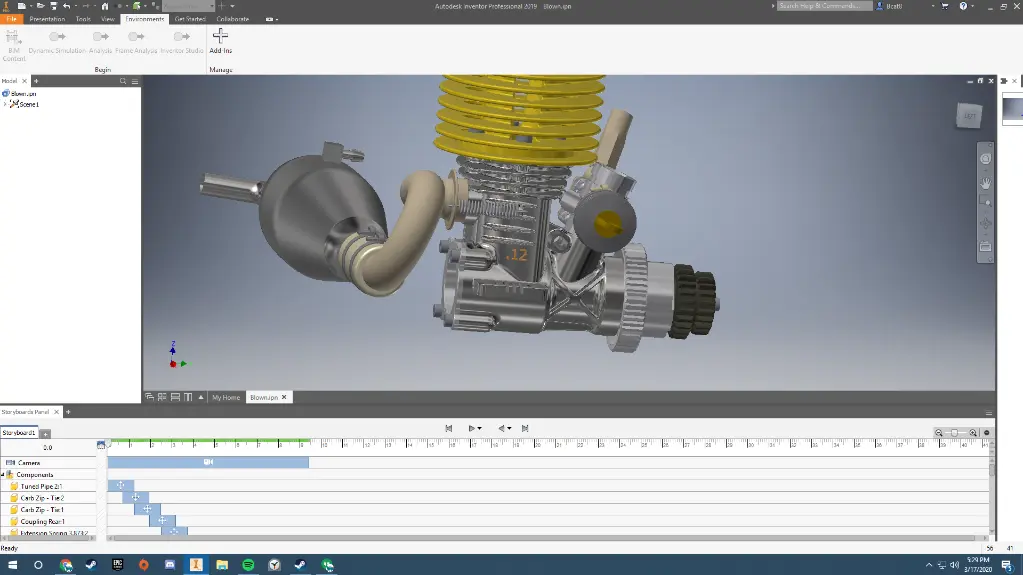
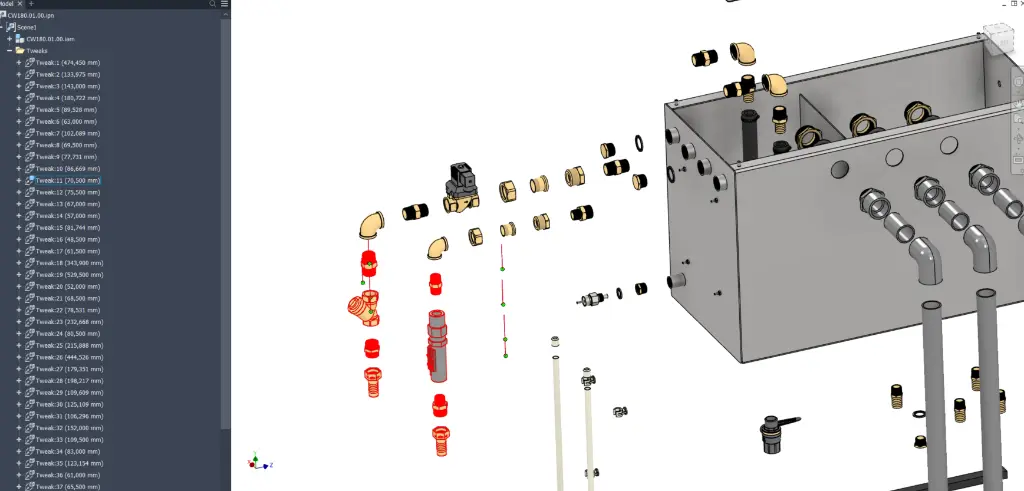
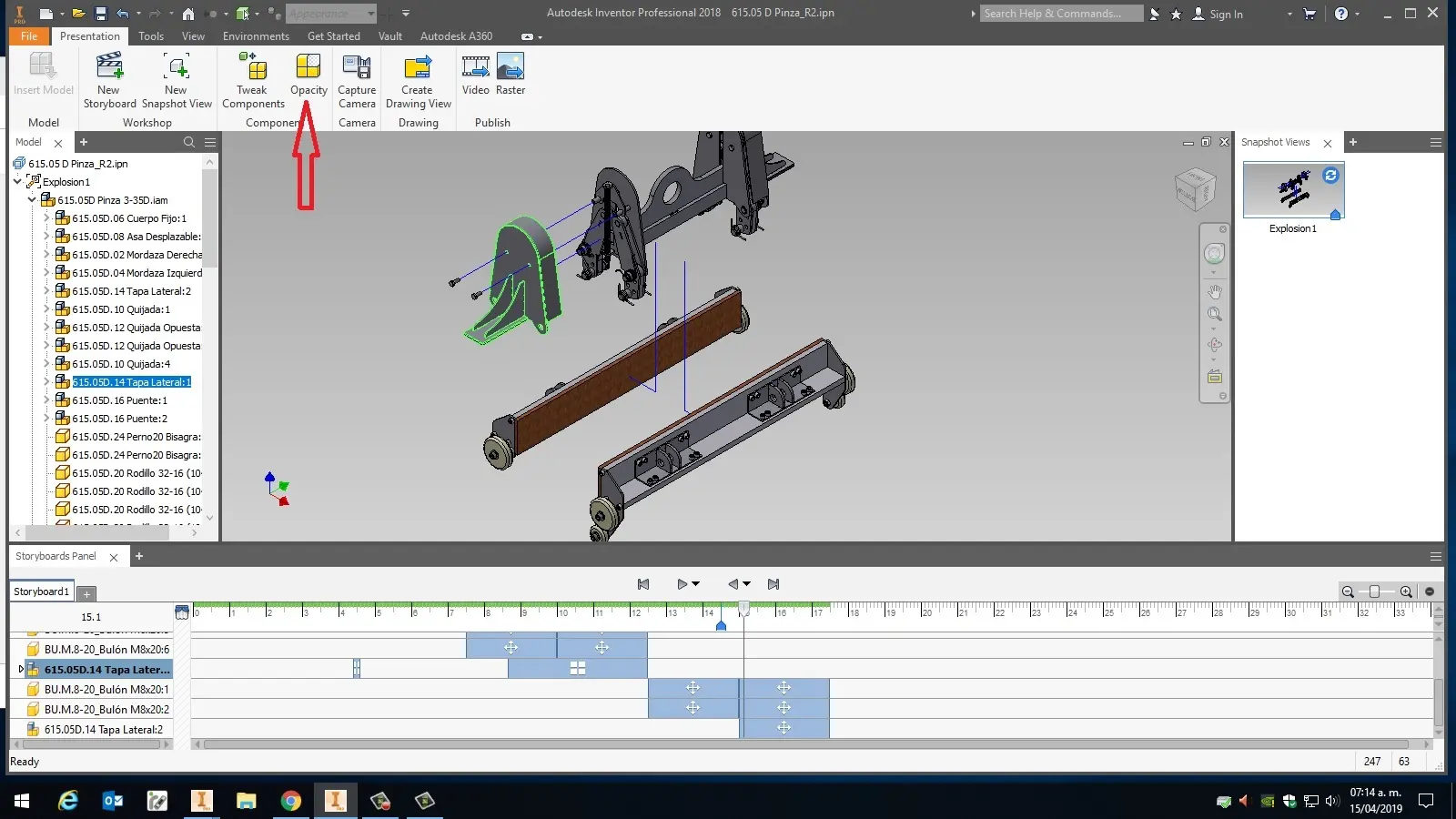
- Create and manage exploded assembly views
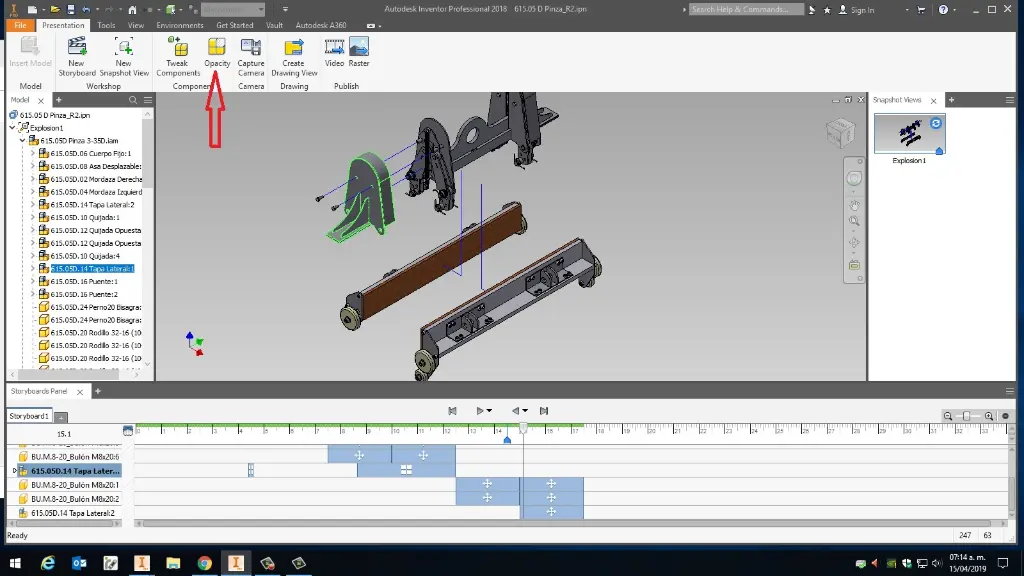
- Build presentation files
- Create linear and rotational tweaks
- Group and organise presentation sequences
- Create animated assembly presentations
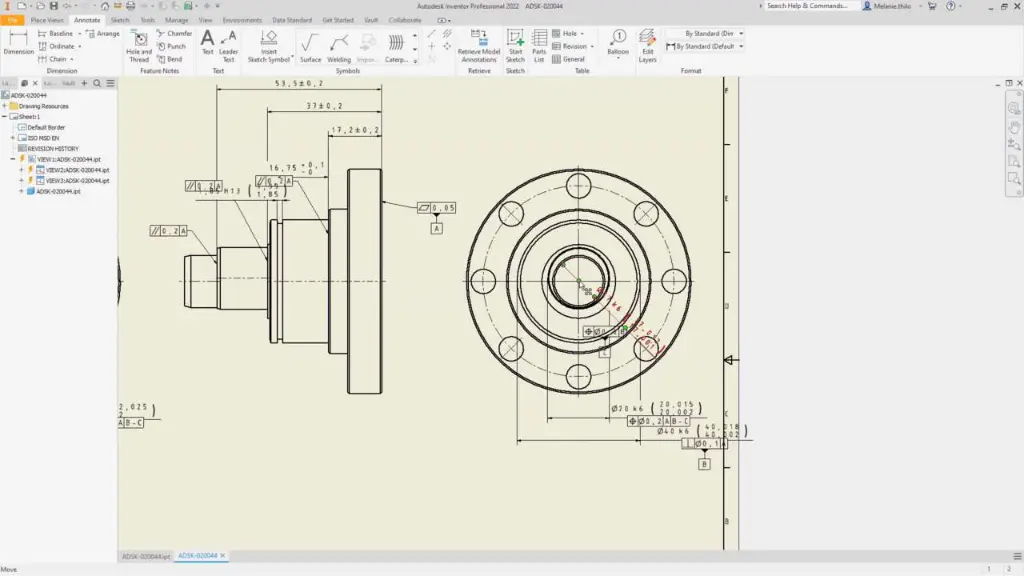
- Add dimensions and annotations
- Document assemblies for manufacturing and installation
- Produce professional engineering drawings
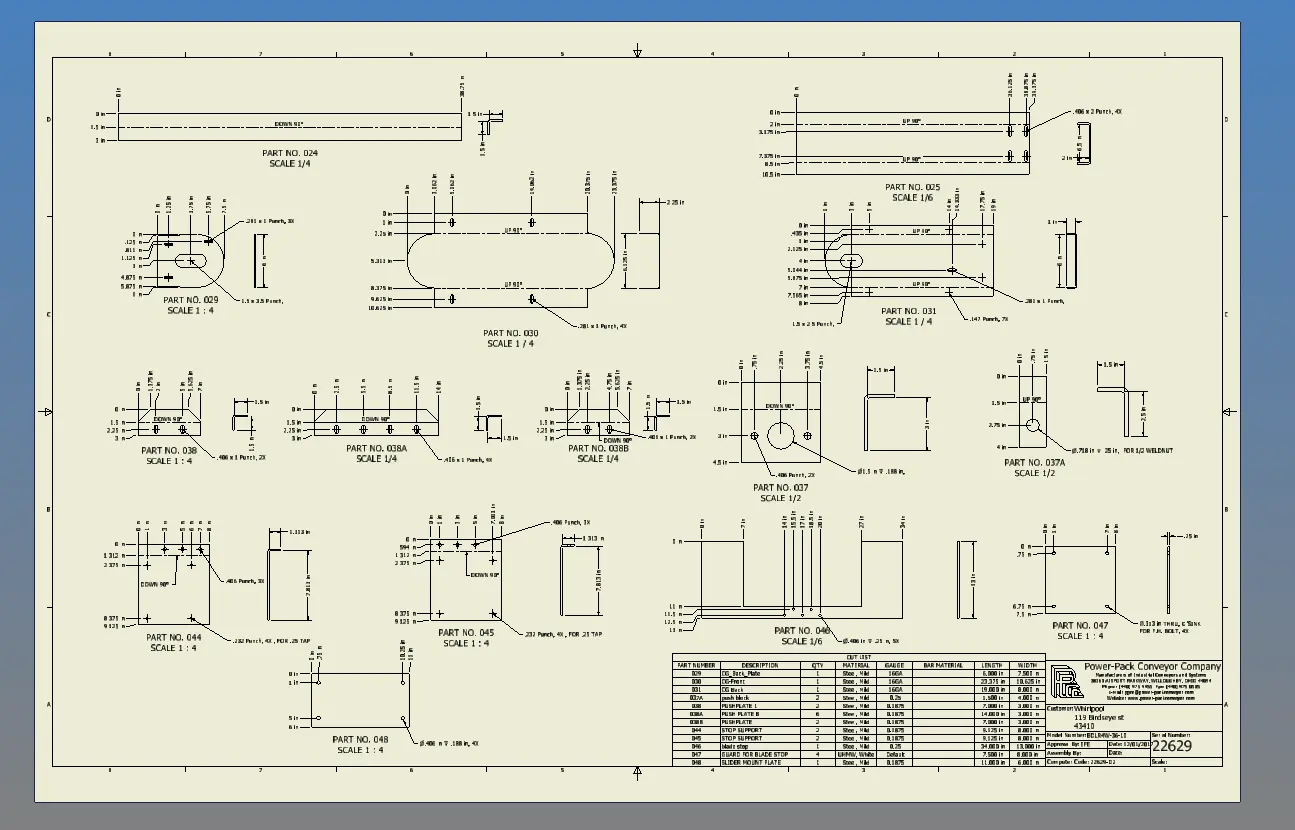
Autodesk Inventor 2D Detailing Training Course Outline - Professional 2D Fabrication Drawings
Chapter 1: Drawing Templates, Standards and Styles
1.1 Creating Drawing Templates
1.2 Managing Standards and Styles
1.3 Customising Drawing Environments
1.4 Best Practices for Documentation
Chapter 2: Creating Drawing Views
2.1 Base Views
2.2 Projected Views
2.3 Section Views
2.4 Detail Views
2.5 Assembly and Presentation Views
Chapter 3: Annotation and Documentation
3.1 Dimensions
3.2 Notes and Symbols
3.3 Centre Marks and Centrelines
3.4 Drawing Annotation Standards
3.5 Documentation Best Practices
Chapter 4: Creating Presentation Files
4.1 Introduction to Presentation Files
4.2 Creating Exploded Views
4.3 Understanding Tweak Operations
4.4 Managing Presentation Representations
Chapter 5: Advanced Presentation Techniques
5.1 Linear Tweaks
5.2 Rotation Tweaks
5.3 Grouping and Reordering Tweaks
5.4 Animation Controls
5.5 Communicating Assembly Sequences
Chapter 6: Final Documentation and Output
6.1 Drawing Updates and Revisions
6.2 Publishing Documentation
6.3 Exporting Drawings
6.4 Sharing Design Information
6.5 Documentation Best Practices
Who Should Attend the Autodesk Inventor 2D Detailing Training Course
This course is suitable for:
- Mechanical Engineers
- Product Designers
- Design Engineers
- Manufacturing Engineers
- Drafting Professionals
- CAD Managers
- Technical Documentation Specialists
- Autodesk Inventor Users
- Industrial Designers
- Engineering Consultants
The course is ideal for professionals responsible for creating manufacturing drawings, assembly documentation, installation instructions, technical publications, and engineering deliverables.
Autodesk Inventor 2D Detailing Training Course Prerequisites
Participants should have completed an Autodesk Inventor Introduction to Solid Modelling course or possess equivalent experience using Autodesk Inventor Professional.
A good understanding of part modelling, assemblies, and general Inventor workflows is recommended to maximise the benefits of this training.
Enrol Now in the Autodesk Inventor 2D Detailing Training Course
Develop the skills required to create professional engineering documentation using Autodesk Inventor Professional. Learn how to generate accurate manufacturing drawings, build exploded assembly presentations, create technical documentation, and communicate design intent effectively across engineering and manufacturing teams.
Enrol today to improve your documentation workflows and gain practical experience creating production-ready drawings and presentation files using Autodesk Inventor.
Why Choose Design Consulting | Autodesk Gold Partner | Autodesk Service Provider
Design Consulting is a trusted Autodesk Gold Partner and Autodesk Service Provider. Design Consulting empowers architects, engineers, manufacturers, and builders with smart software, systems, automation, and digital tools that provide Autodesk end-to-end solutions that are connected with systems and machines. As an Autodesk Gold Partner, we deliver tailored solutions that simplify workflows, reduce costs, and drive better project outcomes.
About DC Autodesk Courses Services Configurators CRM/ERP Batch Imagery
Ready to Design with Precision and Speed?
Transform the way you create, visualise, simulate, and deliver designs, reports and drawings. Contact us today to explore training, services and subscription options or request a demo.
Fill out the contact form below or contact us on 1800 514 490, info@designconsulting.com.au or by live chat