Autodesk Vault Deployment Services
Expert Implementation of Vault Basic and Professional
Design Consulting provides professional services to deploy Autodesk Vault Basic or Vault Professional. Our fixed-cost engagements begin with a free scope of work for small to medium sized deployments.
We handle server and network requirements, system configuration, data migration, user training, and ongoing support. Deployments can be on-premise or in the cloud, with or without the Job Processor for Vault Professional.
Design Consulting is an Autodesk Gold Partner and Service Provider, offering Autodesk Software with wide range of complimentary software, training courses and services for Autodesks Ecosystem.
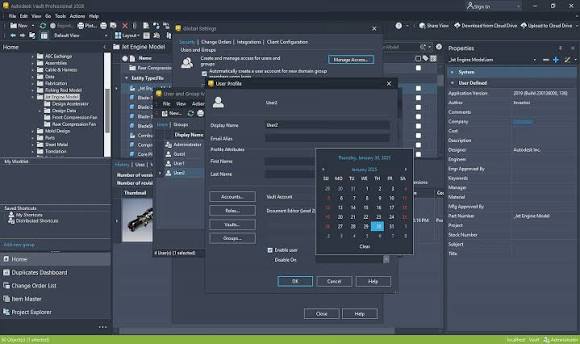
Autodesk Vault Deployment
Professional Implementation for Vault Basic and Professional
Design Consulting offers a free scope of work for small to medium sized Vault deployments. Our fixed cost approach includes comprehensive training, detailed server and network requirements analysis, full system configuration, and seamless data migration.
Whether you require an on-premise installation or a cloud deployment, we support both Vault Basic and Vault Professional editions. For Vault Professional, we also configure the optional Job Processor to enable automated publishing and notification workflows.
- Centralised CAD Management – Securely organise and manage engineering files, drawings, assemblies, and documentation.
- Version Control – Track design changes, maintain file history, and retrieve previous versions.
- CAD Reference Management – Maintain relationships between parts, assemblies, drawings, and external references.
- Advanced Search – Quickly locate files using properties, metadata, and saved searches.
- Concurrent Engineering – Enable multiple designers to collaborate while controlling file modifications.
- Design Reuse – Copy existing designs and reuse components without manually rebuilding file relationships.
- Lifecycle and Revision Management – Control design approvals, releases, and revisions with Vault Professional.
- Job Processing and Automation – Automate publishing and background processing with Vault Professional and optional JP Pro enhancements.
- ERP and PLM Integration – Connect Vault Professional with manufacturing, business, and product lifecycle management systems.
Autodesk Vault Deployment Process
A Structured, Fixed-Cost Approach to Autodesk Vault Implementation
Design Consulting takes a structured approach to Autodesk Vault deployment, beginning with an assessment of your engineering workflows, CAD applications, existing files, infrastructure and business requirements.
For small to medium-sized deployments, we offer a free initial scope of work to define the proposed implementation, configuration, training and migration requirements. Once the scope is agreed, we can provide a fixed-cost deployment proposal, giving your organisation greater certainty over implementation costs and deliverables.
Our deployment services cover Autodesk Vault Basic and Autodesk Vault Professional, including Professional environments with or without Job Processor automation. We also help you determine whether an on-premise deployment or managed Vault Cloud environment best suits your organisation.
Our Deployment Process
1. Discovery and Free Scope of Work
Review your existing CAD data, number of users, applications, engineering workflows, server environment and deployment objectives. Define the recommended Vault edition, implementation scope and deliverables.
2. Server and Network Requirements
Assess server specifications, SQL Server requirements, storage capacity, network connectivity, security, backups and remote access. Determine whether on-premise or DC Cloud hosting is most appropriate.
3. Installation and Configuration
Install Autodesk Vault Server and the required clients, configure CAD integrations, establish Vault settings and implement the agreed folder structures, permissions, properties and workflows.
4. CAD Data Migration (Optional)
Review and prepare existing engineering files, resolve agreed data issues and migrate CAD information into Vault while preserving file relationships wherever supported.
5. Training and User Adoption
Deliver live instructor-led training for administrators and users, covering Vault operations, CAD integration, engineering workflows and company-specific procedures.
6. Testing, Go-Live and Support
Validate the configured environment, assist with deployment to users and provide technical support to help your engineering team transition to the new system.
The final scope, fixed cost and implementation timeframe depend on factors such as data volume, number of users, required configuration, integrations and migration complexity.
Autodesk Vault Basic Deployment
Centralised CAD File Management Without Complex Engineering Workflows
Autodesk Vault Basic provides centralised CAD file management for organisations wanting to control engineering files, maintain file history and improve collaboration between designers.
Design Consulting configures Vault Basic to work with your existing CAD environment, helping teams manage Inventor assemblies, AutoCAD drawings and associated design documentation while reducing the risks of duplicated files, overwritten work and broken file references.
A typical Autodesk Vault Basic deployment can include:
- Autodesk Vault Server installation and configuration
- Autodesk Data Management Server and database setup
- Vault creation and naming conventions
- User accounts, authentication and access permissions
- Folder structures and engineering file organisation
- Integration with supported Autodesk CAD applications
- Check-in, check-out and file version management
- Drawing Title Block mapping
- Inventor IPJ Project Configuration
- File and Drawing Template mapping
- Content Center and Other Library mapping
- File property mapping and metadata configuration
- Working folder and local workspace configuration
- CAD file relationship and reference management
- Existing CAD data assessment and migration
- Backup and restore procedures
- Administrator and user training
- Go-live assistance and technical support
Vault Basic is particularly suitable for smaller engineering teams that need structured file management without the advanced item management, lifecycle, revision and Engineering Change Order capabilities of Vault Professional.
The configuration is tailored to your business rather than applying a generic folder structure or workflow.
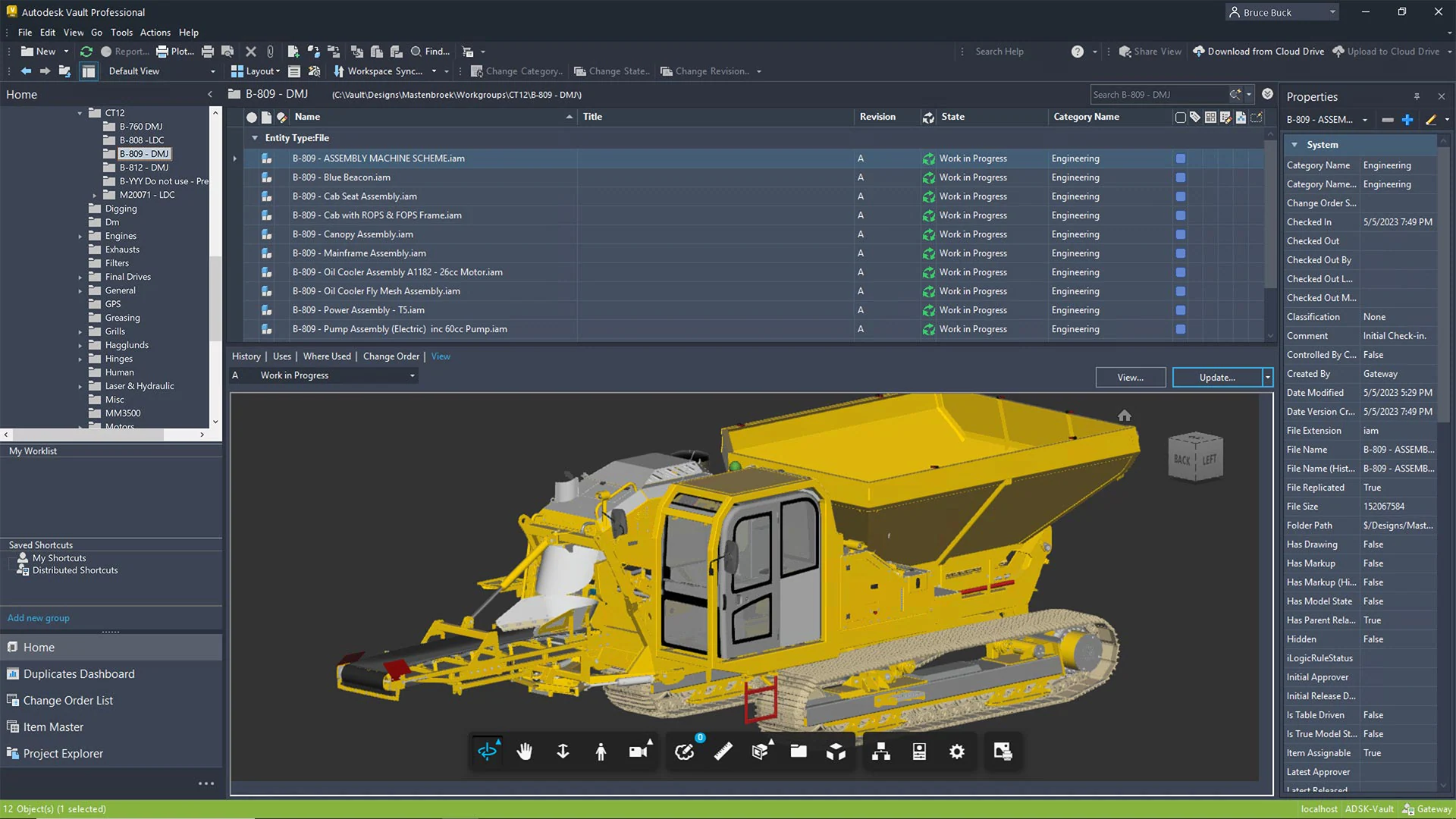
Autodesk Vault Professional Deployment
Advanced Engineering Data Management, Revision Control and Change Management
Autodesk Vault Professional extends CAD file management with advanced engineering data management capabilities, supporting organisations that require controlled revisions, lifecycle workflows, item management, Bills of Materials and Engineering Change Orders.
A typical Autodesk Vault Professional deployment can include:
- Autodesk Vault Professional Server and client installation
- Database, storage and server configuration
- User accounts, groups, roles and security permissions
- Vault categories and category assignment rules
- Drawing Title Block mapping
- Inventor IPJ Project Configuration
- File and Drawing Template mapping
- Content Center and Other Library mapping
- Custom properties and engineering metadata
- Property mapping between Vault and CAD applications
- File naming and numbering schemes
- Folder structures and engineering data organisation
- Lifecycle definitions and state transitions
- Revision schemes and revision management
- Engineering release and approval workflows
- Item Master configuration
- Bill of Materials management
- Engineering Change Order configuration
- ECO routing, review and approval responsibilities
- Vault Thin Client access configuration
- CAD integration for supported Autodesk applications
- CAD data migration and validation
- Job Processor configuration where required
- User and administrator training
- Testing, deployment and technical support
For manufacturing organisations, Vault Professional can also be integrated with ERP, PLM and other business systems to connect engineering information with purchasing, production and operations.
We can configure a straightforward engineering release process or develop more advanced workflows incorporating multiple departments, engineering approvals and automated processing.

Autodesk Vault Professional Job Processor
Automate Engineering File Publishing, Processing and Notifications
Autodesk Vault Professional Job Processor enables organisations to process supported engineering tasks in the background, reducing the need for designers to perform repetitive publishing and file-processing operations manually.
Design Consulting configures Job Processor environments to support automated workflows around engineering file management, document publishing and release processes.
Depending on your applications, requirements and available automation tools, Job Processor solutions can support:
- Automated PDF publishing of engineering drawings
- DWF and DWFx visualisation file generation
- CAD file processing and property synchronisation
- Scheduled or queued engineering processing
- Processing triggered by supported Vault events and lifecycle changes
- Custom publishing workflows and downstream file generation
- Engineering release documentation
- Custom notifications associated with processing or workflow events
- Additional processing through custom Vault applications and integrations
Some capabilities require custom programming, additional automation tools or specific Autodesk applications and licences.
We can configure Job Processor on dedicated on-premise infrastructure or host it through DC Cloud.
For organisations with high drawing volumes or frequent engineering releases, a dedicated Job Processor can help reduce manual work and free up engineering workstations.
Autodesk Vault On-Premise Deployment
Deploy Autodesk Vault Within Your Own IT Infrastructure
Design Consulting provides on-premise Autodesk Vault deployment services for organisations that prefer to host their engineering data management system within their own server and network environment.
Our team works with your IT department or external IT provider to assess server specifications, operating system compatibility, SQL Server requirements, storage capacity, network performance and backup arrangements.
We install and configure Autodesk Vault Server, establish the required database and file store, connect engineering workstations and configure the agreed Vault functionality.
On-premise deployment can suit organisations with existing server infrastructure, internal IT resources, specific security requirements or local network performance considerations.
Design Consulting can also assist with Vault upgrades, server replacements, database migrations and moving an existing Vault environment to new infrastructure.
Following deployment, we provide user training, administrator guidance and technical support to help maintain a reliable engineering data management environment.
Autodesk Vault Cloud Deployment
Fully Managed Autodesk Vault Hosting Without On-Premise Servers
DC Vault Cloud provides a managed hosting environment for Autodesk Vault Basic and Vault Professional, reducing the need for organisations to purchase, maintain and administer dedicated on-premise server infrastructure.
Design Consulting manages the cloud infrastructure and supports the Vault application environment, helping engineering teams access centralised CAD data across offices and remote locations.
Our managed hosting services can include server provisioning, Vault installation, infrastructure monitoring, backups, security, maintenance, application support and technical assistance.
Vault Cloud is particularly valuable for organisations with distributed engineering teams, multiple offices or limited internal IT resources.
We can deploy new Vault environments directly into DC Cloud or assist with migrating existing on-premise Vault installations to a managed environment.
For Vault Professional users, dedicated Job Processor resources can also be incorporated to support automated engineering documentation and file processing.
With predictable hosting arrangements and a single provider for infrastructure and application support, DC Vault Cloud offers a practical alternative to managing Autodesk Vault servers internally.

Advanced Autodesk Vault Deployments
Connect Autodesk Vault with Engineering, Manufacturing and Business Systems
For organisations requiring more than standard CAD data management, Design Consulting develops advanced Autodesk Vault Professional solutions that connect engineering information with wider business processes.
These deployments can incorporate ERP and PLM integrations, cloud collaboration platforms, custom applications, automated engineering workflows and specialised data exchange.
Our Vault and programming specialists work together to develop solutions around your organisation's engineering standards, manufacturing processes and operational requirements.
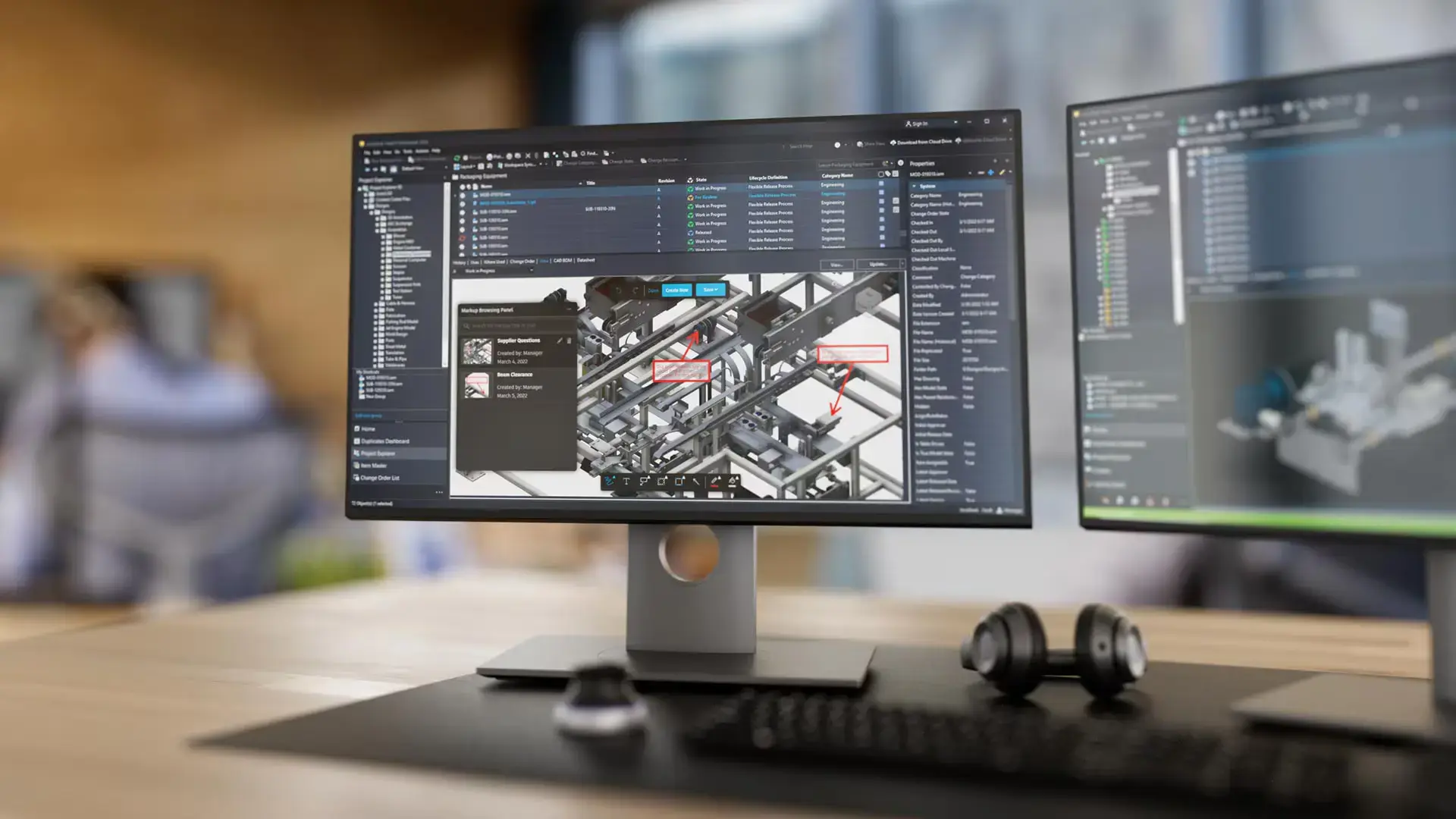
Vault Professional Integrations
We specialise in integrating Vault Professional with Autodesk Forma, Fusion Manage, ERP, PLM, and SharePoint systems. Our solutions enable semi or bi-directional BOM transfer between Vault and ERP or PLM platforms, ensuring accurate data synchronisation across your product development and manufacturing systems.
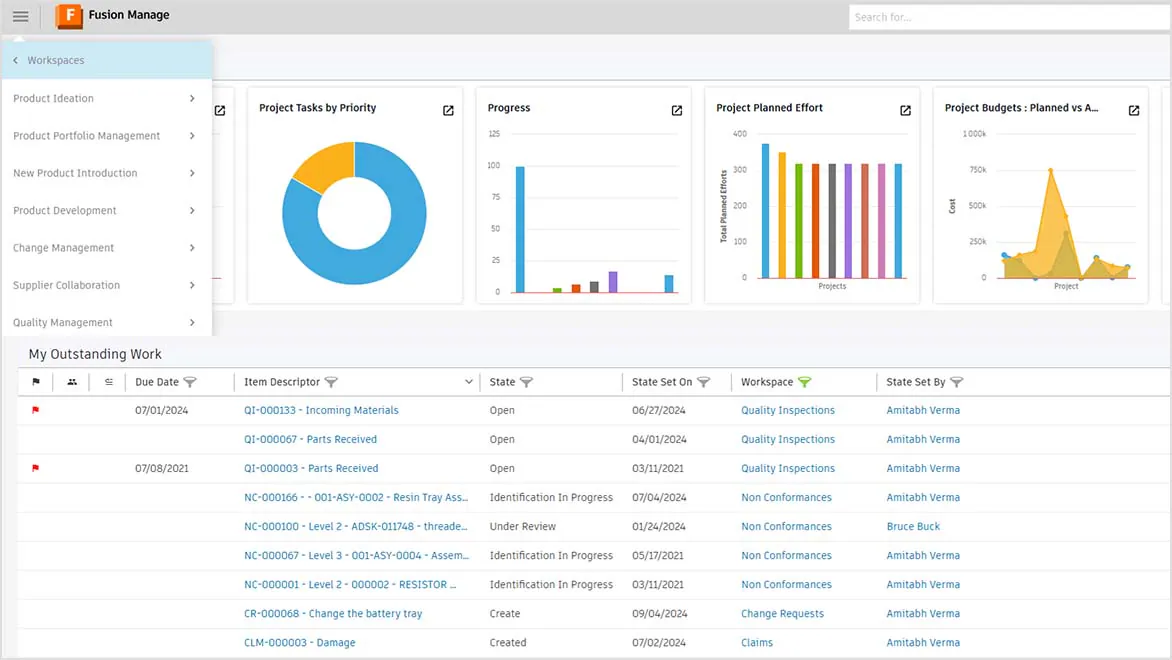
Vault PLM Integration
We implement Vault PLM integrations that maintain accurate product data across design and enterprise systems. Bi-directional synchronisation ensures engineering changes are reflected in PLM while maintaining full revision history and compliance.
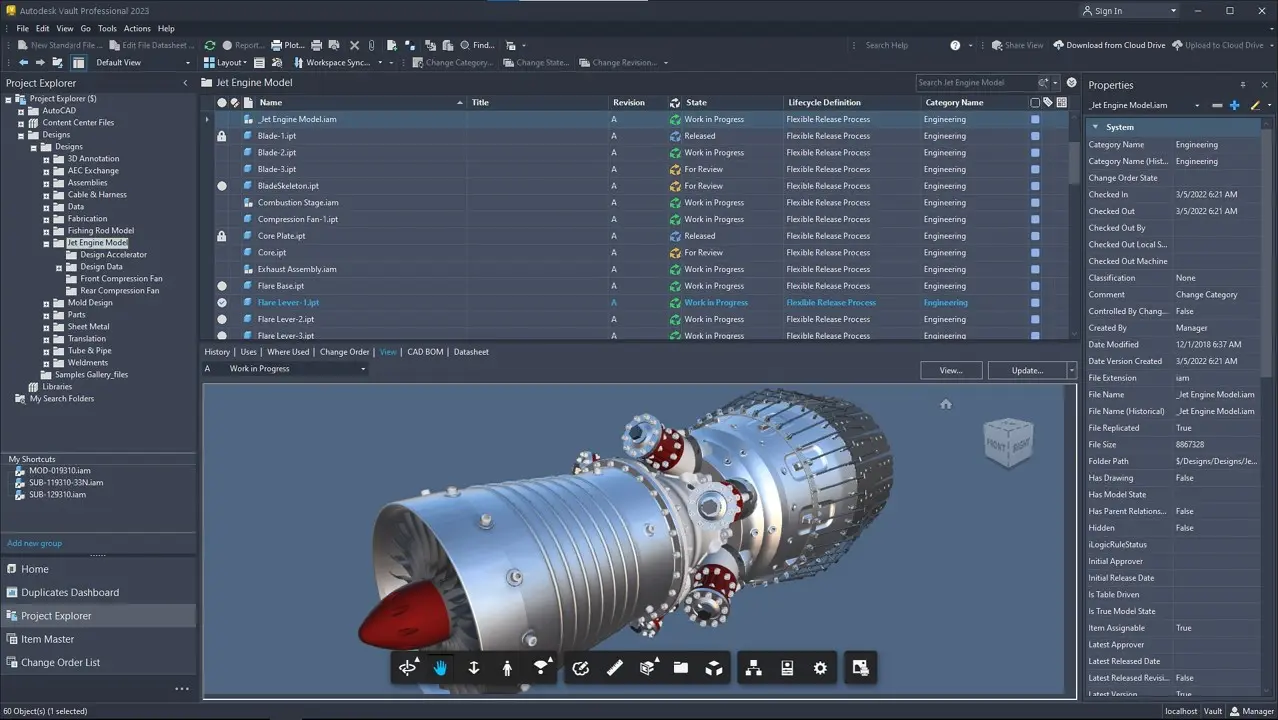
Vault ERP/PLM
For organisations running both ERP and PLM platforms, we design comprehensive integration architectures. This creates a unified ecosystem where engineering data in Vault flows accurately to both systems with appropriate semi or bi-directional BOM and metadata synchronisation.
Why Trust Design Consulting?
Over 20 Years of Autodesk Vault Deployment and Engineering Data Management Experience
Design Consulting brings more than 20 years of experience in Autodesk Vault deployment, configuration, migration and engineering data management.
Our team has completed hundreds of Vault deployments, supporting organisations ranging from sole traders and small engineering businesses through to environments with approximately 400 users across multiple sites.
We have also implemented Vault solutions for companies requiring engineering collaboration between offices located around the world.
This experience gives us an understanding of the technical and operational challenges associated with different Vault environments, from straightforward CAD file management to complex multi-site engineering systems.
Unlike providers focused solely on server installation, Design Consulting combines a dedicated Autodesk Vault team with specialist programming capabilities.
Our Vault and development teams can work together to configure engineering workflows, develop custom applications, automate processing and connect Vault with ERP, PLM and other business systems.
As an Autodesk Gold Partner and Authorised Autodesk Service Provider, we provide software expertise, implementation services, training and technical support through one experienced team.
Whether you're deploying Vault Basic for a small design office or integrating Vault Professional with complex manufacturing systems, Design Consulting can provide the expertise to support your implementation.
Complementary Autodesk Solutions
Design Consulting offers a complete ecosystem of complementary software, training, and professional services designed to extend the power of Autodesk solutions. Alongside our training courses for tools like Revit, AutoCAD, Inventor, and Vault, we deliver expert services for design automation, CAD/BIM setup, template development, and Vault deployments and migrations. We supply software tools to enhance Autodesk workflows through intelligent automation, batch variant rendering, and real-time visualisation systems. We also develop web-based configurators and custom plug-ins that streamline proces
With this ecosystem of software and services, Design Consulting provides End to End Solutions that connect data, models, applications, systems, employees, departments, customers and suppliers, enabling seamless collaboration, streamlined workflows, and accelerated decision-making across the entire product and project lifecycle.
Design Consulting | Autodesk Gold Partner | Autodesk Service Provider
Design Consulting is a trusted Autodesk Gold Partner and Autodesk Service Provider. Design Consulting empowers architects, engineers, manufacturers, and builders with smart software, automation, and digital tools that provide Autodesk end-to-end solutions that are connected with systems and machines. As an Autodesk Gold Partner, we deliver tailored solutions that simplify workflows, reduce costs, and drive better project outcomes.
With headquarters in Melbourne, Design Consulting have staff in most Australian capital cities, with expertise across most Autodesk applications and management systems and an in-house programming team, to get the most out of your Autodesk investment.
Get Started with Autodesk Vault
Deploy Autodesk Vault with Confidence
From Vault Basic to advanced Vault Professional, cloud hosting and ERP/PLM integration, Design Consulting delivers tailored deployment solutions backed by over 20 years of experience.
Fill out the contact form below or contact us on 1800 490 514, info@designconsulting.com.au or by live chat