Autodesk Vault Data Management
Secure Product Data Management and Lifecycle Solutions
Effective engineering and design data management is essential for maintaining quality, productivity, and collaboration across project teams. Autodesk Vault provides scalable Product Data Management (PDM) solutions, from Vault Basic for essential file management, version control, and secure data storage to Vault Professional for advanced workflows, revision management, engineering change orders, and integration with business systems. Autodesk Vault Cloud extends these capabilities through centrally hosted infrastructure, enabling secure remote access, improved collaboration across multiple locations, and reduced on-premises IT requirements. Together, these solutions help architecture, engineering, and manufacturing organisations streamline design processes, protect intellectual property, maintain data integrity, and manage engineering information throughout the product lifecycle.
Design Consulting is an Autodesk Gold Partner and Service Provider, offering Autodesk Software with wide range of complimentary software, training courses and services for Autodesks Ecosystem.
Autodesk Data Management Deploy Vault Vault Migration Request Price
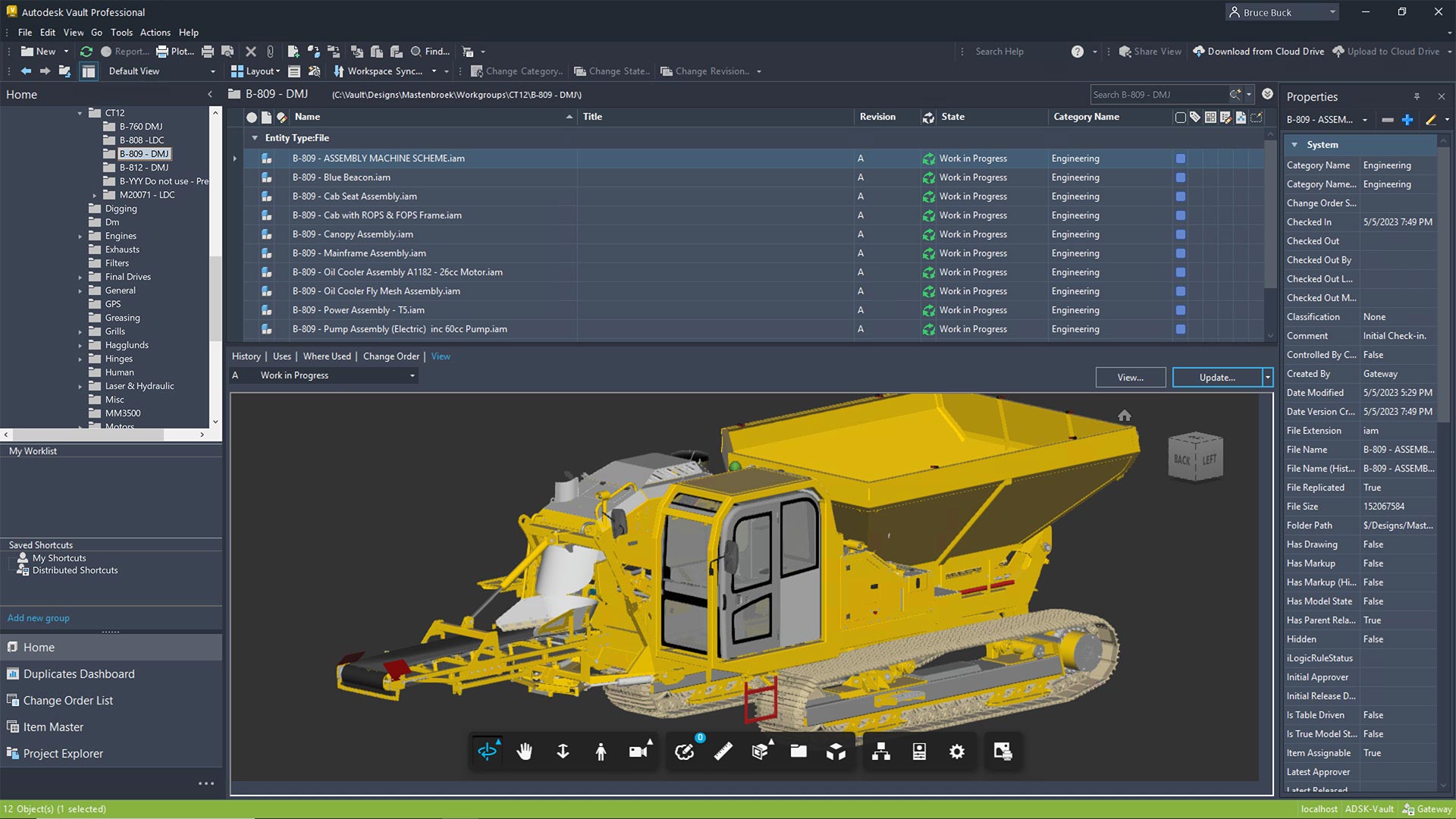
Autodesk Vault Features
Powerful Engineering Data Management and Automation
Autodesk Vault provides a centralised Product Data Management (PDM) solution for managing CAD files, engineering documentation, and design workflows. Integrated with Autodesk Inventor, AutoCAD, and other design applications, Vault helps teams maintain accurate information, control revisions, and automate repetitive processes throughout the engineering lifecycle.
Key Features
- Centralised CAD Management – Securely organise and manage engineering files, drawings, assemblies, and documentation.
- Version Control – Track design changes, maintain file history, and retrieve previous versions.
- CAD Reference Management – Maintain relationships between parts, assemblies, drawings, and external references.
- Advanced Search – Quickly locate files using properties, metadata, and saved searches.
- Concurrent Engineering – Enable multiple designers to collaborate while controlling file modifications.
- Design Reuse – Copy existing designs and reuse components without manually rebuilding file relationships.
- Lifecycle and Revision Management – Control design approvals, releases, and revisions with Vault Professional.
- Job Processing and Automation – Automate publishing and background processing with Vault Professional and optional JP Pro enhancements.
- ERP and PLM Integration – Connect Vault Professional with manufacturing, business, and product lifecycle management systems.
Benefits of Autodesk Vault
Improve Productivity, Collaboration and Design Accuracy
Autodesk Vault helps engineering and manufacturing organisations reduce administrative overhead, minimise errors, and improve collaboration. By replacing manual file management with structured processes, teams spend less time managing documents and more time designing, innovating, and delivering projects.
Key Benefits
- Increased Productivity – Reduce time spent searching, copying, renaming, and managing CAD files.
- Reduced Design Errors – Minimise accidental overwrites, missing references, and outdated drawings.
- Improved Collaboration – Provide engineering teams with controlled access to shared design information.
- Greater Data Integrity – Maintain accurate file relationships, revision histories, and engineering records.
- Faster Design Reuse – Find and repurpose existing designs instead of recreating components.
- Standardised Processes – Establish consistent engineering workflows, file management, and approval procedures.
- Scalable Data Management – Grow from Vault Basic to Vault Professional, Cloud, ERP, and PLM solutions.
Autodesk Data Management for AutoCAD and Inventor
Effectively manage your design data with Autodesk’s Vault solutions, built to support AutoCAD and Inventor users across teams and locations. From local file control with Vault Basic to full lifecycle with Pro and cloud collaboration with Vault Cloud and Vault PLM, there’s a scalable solution for every workflow. Secure your intellectual property, reduce rework, and streamline revision control all while keeping your engineering teams aligned and productive.

Compare Vault, Cloud, ERP and PLM Editions
Autodesk Vault Basic
Securely organise and manage your AutoCAD and Inventor files with Autodesk Vault Basic. Track file versions, prevent accidental overwrites, maintain data integrity, and improve collaboration through centralised design data management.
Autodesk Vault Professional
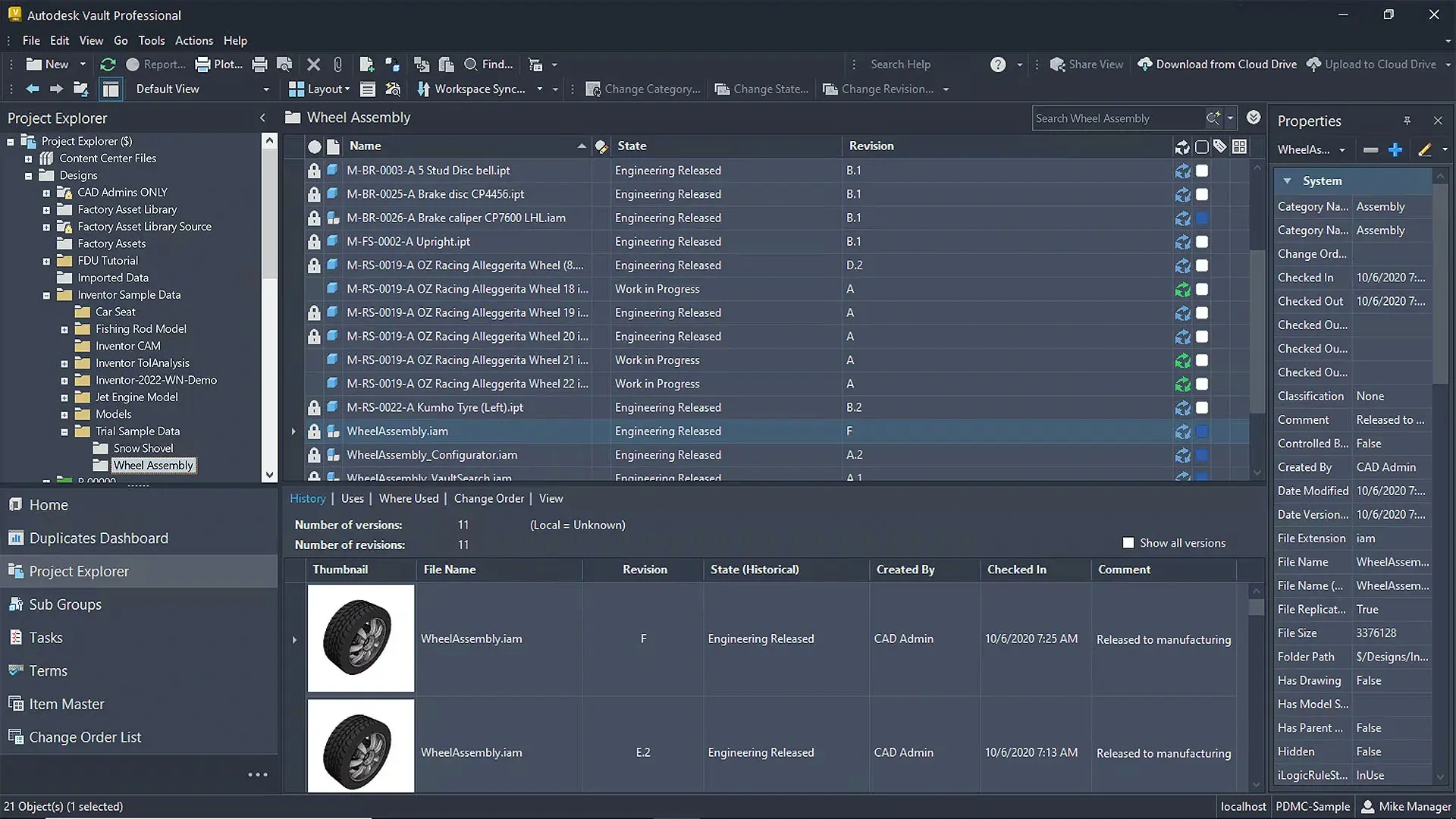
Streamline engineering workflows with Autodesk Vault Professional. Manage CAD files, revisions, engineering change orders, and approvals while improving collaboration, automating processes, and maintaining control over design data throughout the product lifecycle.
Vault Professional with Job Processor
Enhance Autodesk Vault Professional with JP Pro for advanced job processing, workflow automation, and notifications. Automate PDF, DWF, and DXF creation, streamline background tasks, and improve productivity with intelligent job management and real-time alerts.
Vault Cloud
Simplify engineering data management with Autodesk Vault Cloud. Securely access and collaborate on CAD files from anywhere, with fully managed cloud hosting available for Vault Basic, Vault Professional, Professional with Job Processor, and Professional with JP Pro.
Vault ERP
Connect engineering and business operations with Autodesk Vault Professional and integrated ERP. Streamline CAD data management, bills of materials, inventory, purchasing, manufacturing, and project workflows through automated processes and seamless data integration.
Vault PLM
Connect engineering data and business processes with Autodesk Vault PLM. Streamline engineering changes, approvals, bills of materials, and team collaboration through integrated CAD data management and cloud-based PLM.
Vault Basic Vs Vault Professional Vs Vault Professional with JP Pro
|
|
Vault Basic |
Vault Professional |
Vault Professional w. JP Pro |
|
Check In/Check-Out |
● |
● |
● |
Version Control | ● | ● | ● |
|
Copy Design |
● |
● |
● |
|
Renaming |
● |
● |
● |
|
Granular Permissions |
|
● |
● |
|
Revision Control |
● |
● |
|
|
Lifecycles |
● |
● |
|
|
Automatic Numbering Schemes |
● |
● |
|
|
Engineering Change Orders |
● |
● |
|
|
BOM Management |
● |
● |
|
|
Custom Processes |
● |
● |
|
|
Sync to BIM 360 / Fusion |
● |
● |
|
|
Free Thin Client |
● |
● |
|
|
Vault Office Support |
● |
● |
|
|
AutoCAD LT Support |
● |
● |
|
|
Automated Revision Tables |
● |
||
|
Automated File Publishing |
|
|
● |
|
On-Demand File Publishing |
|
|
● |
|
Email Notifications |
|
|
● |
Vault Professional Vs Vault Professional with JP Pro
Autodesk Vault Professional can be configured with Autodesks Job Processor for basic functionality, while adding a Subscription of JP Pro, provides advanced functionality on trigger and on-demand.
| Vault Professional | Vault Professional w. JP Pro | |
| PDF Export | Limited | Yes |
| DWG Export | Limited | Yes |
| STEP Export | Limited | Yes |
| DXF Export | Limited | Yes |
| Revision Table Update | Limited | Yes |
| BOM Export | No | Yes |
| PDF Watermarking | No | Yes |
| 3D DWG Export | No | Yes |
| IGES Export | No | Yes |
| SAT Export | No | Yes |
| STL Export | No | Yes |
| 3D PDF Export | No | Yes |
| GLB Export | No | Yes |
| Image Export | No | Yes |
| iLogic and API Scripts | No | Yes |
| Batch Export (Multiple Jobs) | No | Yes |
| Job Sequencing | No | Yes |
| Email Notifications | No | Yes |
| Advanced File Naming | No | Yes |
| Advanced File Location | No | Yes |
| Automated File Publishing | No | Yes |
| On-Demand File Publishing | No | Yes |
Publish from Job Server | Yes | Yes |
Publish from Client Machine | No | Yes |
Challenges Without Autodesk Vault
Is Manual CAD File Management Costing Your Business Time and Money?
Managing engineering files through Windows Explorer, network drives, or general-purpose cloud storage can introduce significant inefficiencies. As projects grow, maintaining file references, tracking revisions, and coordinating multiple designers becomes increasingly complex, increasing the risk of costly errors and rework.
Common Engineering Data Management Challenges
- Lost or Missing Files – Difficulty locating drawings, assemblies, and supporting documents across complex folder structures.
- Broken CAD References – Moving or renaming files can disrupt relationships between models, drawings, and assemblies.
- Duplicate and Outdated Files – Multiple copies make identifying the latest approved design difficult.
- Accidental Overwrites – Designers risk overwriting colleagues' changes without controlled file management.
- Manual Revision Tracking – Tracking changes through filenames, spreadsheets, or folder structures is inefficient.
- Limited Design Visibility – Teams struggle to identify file relationships, ownership, and project status.
- Repetitive Administrative Tasks – Manual file publishing, renaming, and documentation consume valuable engineering time.
- Disconnected Business Systems – Engineering data may require manual re-entry into ERP, manufacturing, and PLM systems.
How Autodesk Vault Solves These Challenges
Take Control of Your Engineering Data
Autodesk Vault replaces fragmented file management with a structured, centralised environment designed specifically for engineering and CAD workflows. By combining intelligent searching, reference management, version control, and automation, Vault helps organisations eliminate common data management problems while improving design accuracy and operational efficiency.
Engineering Challenge | Autodesk Vault Solution |
|---|---|
Lost or difficult-to-find files | Centralised storage and metadata searching |
Broken CAD references | Managed file relationships and reference-aware operations |
Duplicate or outdated drawings | Version history and controlled design reuse |
Accidental file overwrites | Check-in, check-out, and file ownership controls |
Manual revision tracking | Automated version history and Professional revision management |
Uncontrolled design approvals | Vault Professional lifecycle and approval workflows |
Repetitive CAD publishing | Job Processor and optional JP Pro automation |
Disconnected engineering and ERP data | Vault Professional integration with business systems |
Limited remote collaboration | Vault Cloud hosting and supported remote-access solutions |
These capabilities allow engineering teams to establish reliable processes, reduce manual administration, and maintain better control over design information from concept through manufacturing.
Vault Automation with DC Apps JP Pro
The most advanced job processor for Autodesk Vault
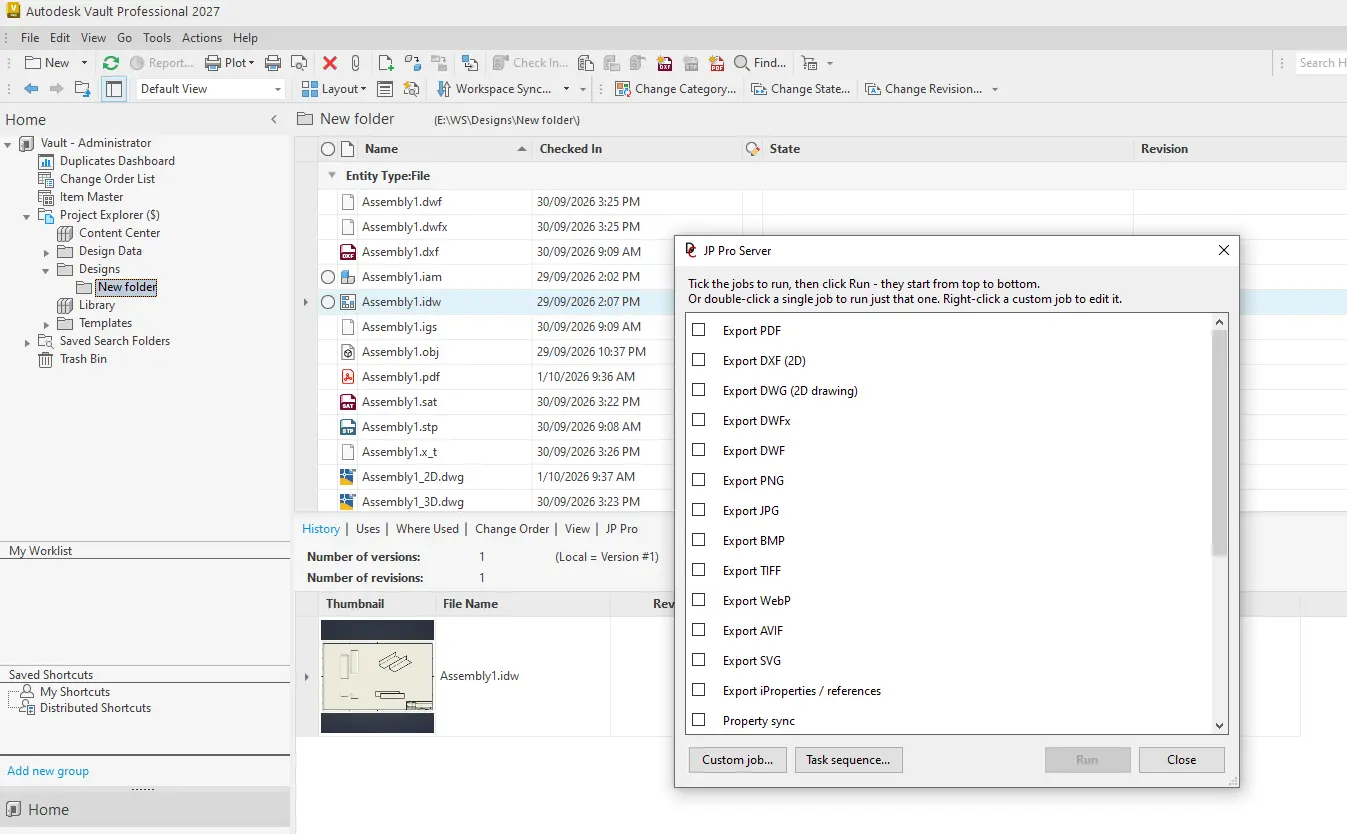
JP Pro takes Autodesk Vault Professional automation to the next level with advanced job processing, intelligent workflow automation, and seamless CAD integration. Automate PDF, DXF, STEP and other file exports, batch processing, job sequencing, file publishing, and notifications while reducing manual tasks and improving engineering productivity.
Available in Local and Server editions, JP Pro delivers flexible, scalable automation for engineering and manufacturing teams of all sizes.
JP Pro Server + Client 5-Pack
Maximise Autodesk Vault Professional automation with JP Pro Server and five client licences. Centralise advanced job processing, automate CAD exports, batch processing, job sequencing, and notifications across your engineering team.
JP Pro Server Client 5-Pack
Expand your JP Pro Server deployment with five additional client licences. Enable more users to access advanced job processing, automated file publishing, batch exports, and streamlined engineering workflows.
JP Pro Local Client
Automate Autodesk Vault Professional workflows directly from your workstation with JP Pro Local Client. Perform advanced CAD exports, batch processing, file publishing, and job automation without requiring a dedicated JP Pro Server.
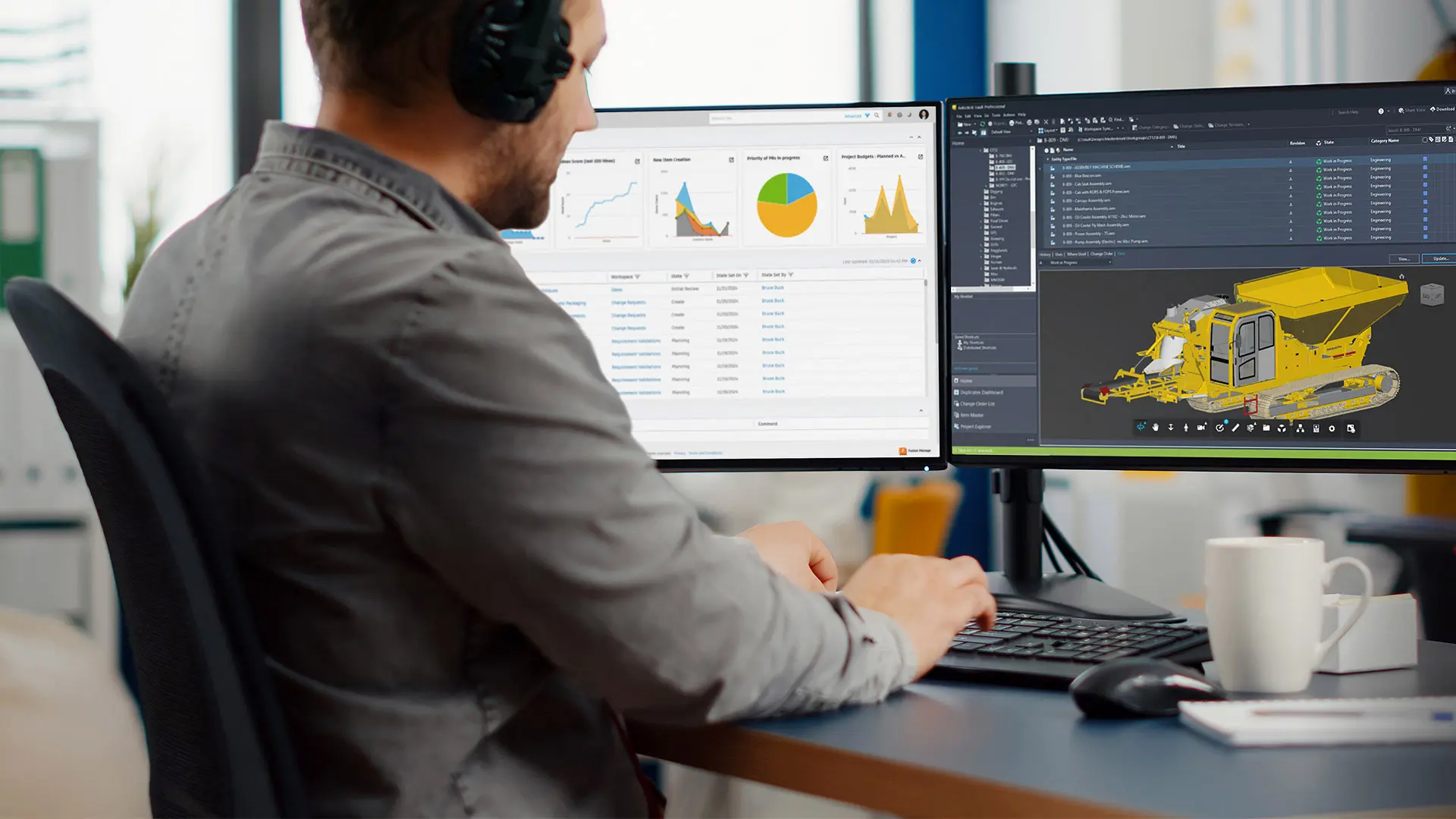
Vault PDM Vs ERP and PLM Solutions
Contact Us
Autodesk Vault PDM, ERP and PLM Solutions
Autodesk Vault provides a scalable foundation for managing engineering data, connecting design workflows with business operations and product lifecycle management. From traditional Product Data Management (PDM) to integrated Enterprise Resource Planning (ERP) and Product Lifecycle Management (PLM), Design Consulting delivers solutions that connect engineering, manufacturing and business teams.
Product Data Management (PDM)
Centralise engineering files, manage revisions, control design changes and streamline collaboration with Autodesk Vault Basic and Professional. Maintain accurate CAD data, automate workflows and improve productivity throughout the design process.
Enterprise Resource Planning (ERP)
Extend Autodesk Vault Professional with integrated ERP capabilities to connect engineering with inventory, purchasing, manufacturing, sales, finance and project management. Synchronise engineering data and bills of materials to reduce manual entry and streamline business operations.
Product Lifecycle Management (PLM)
Combine Autodesk Vault Professional with Autodesk Fusion Manage to connect engineering data with cloud-based PLM workflows. Manage product development, engineering changes, approvals, quality processes and supplier collaboration throughout the product lifecycle.
Integrated PDM, ERP and PLM
Unify Autodesk Vault Professional, ERP and Fusion Manage (PLM) into a connected engineering and business management platform. Integrate CAD data, manufacturing operations, business processes and product lifecycle workflows to improve visibility, collaboration and efficiency across the organisation.
| Vault Basic | Vault Professional | Vault ERP | Vault PLM | Vault ERP PLM | |
| CAD file management | Yes | Yes | Yes | Yes | Yes |
| Check-in / check-out | Yes | Yes | Yes | Yes | Yes |
| File version control | Yes | Yes | Yes | Yes | Yes |
| AutoCAD / Inventor integration | Yes | Yes | Yes | Yes | Yes |
| Revision and lifecycle management | Limited | Yes | Yes | Yes | Yes |
| Engineering change orders | No | Yes | Yes | Yes | Yes |
| CAD job processing | No | Yes | Yes | Yes | Yes |
| Engineering BOM management | Limited | Yes | Yes | Yes | Yes |
| Item management | No | Yes | Yes | Yes | Yes |
| ERP integration | No | Limited | Yes | Limited | Yes |
| Inventory management | No | No | Yes | No | Yes |
| Purchasing and procurement | No | No | Yes | No | Yes |
| Sales and CRM | No | No | Yes | No | Yes |
| Manufacturing orders | No | No | Yes | No | Yes |
| Production scheduling | No | No | Yes | No | Yes |
| Accounting and invoicing | No | No | Yes | No | Yes |
| Business project management | No | No | Yes | Limited | Yes |
| Cloud PLM workflows | No | No | No | Yes | Yes |
| Advanced change management | No | Limited | Limited | Yes | Yes |
| Product lifecycle tracking | No | Limited | Limited | Yes | Yes |
| Supplier collaboration | No | Limited | Limited | Yes | Yes |
| Quality management | No | No | Limited | Yes | Yes |
| New product introduction | No | No | Limited | Yes | Yes |
| Cross-department approvals | No | Limited | Limited | Yes | Yes |
| Vault–Fusion Manage connector | No | No | No | Yes | Yes |
| Integrated ERP + PLM | No | No | No | No | Yes |
Autodesk Vault vs Windows Explorer and Cloud Storage
Why CAD Files Need More Than Traditional File Storage
Windows Explorer, network drives, and cloud storage platforms such as OneDrive, Dropbox, and Google Drive provide convenient ways to store and share files. However, they are not purpose-built for managing complex CAD assemblies, engineering references, revision histories, and controlled design workflows.
Autodesk Vault goes beyond traditional file storage by understanding relationships between CAD files, tracking design changes, and providing specialised tools for engineering collaboration and data management.
Autodesk Vault vs Traditional File Storage
Feature | Windows Explorer | Cloud Storage | Autodesk Vault |
|---|---|---|---|
Centralised file storage | Yes | Yes | Yes |
File searching | Limited | Yes | Yes |
File version history | Limited | Yes | Yes |
Concurrent Design | No | No | Yes |
CAD reference management | No | No | Yes |
CAD-aware file renaming | No | No | Yes |
Check-in / check-out | No | Limited | Yes |
Design reuse / Copy Design | No | No | Yes |
CAD metadata searching | Limited | Limited | Yes |
Automatic Numbering Schemes | No | No | Yes (Pro) |
Revision management | No | No | Yes (Pro) |
Engineering approvals | No | Limited | Yes (Pro) |
Automated CAD publishing | No | No | Yes (Pro) |
Engineering BOM management | No | No | Yes (Pro) |
ERP / PLM integration | Limited | Limited | Yes (Pro) |
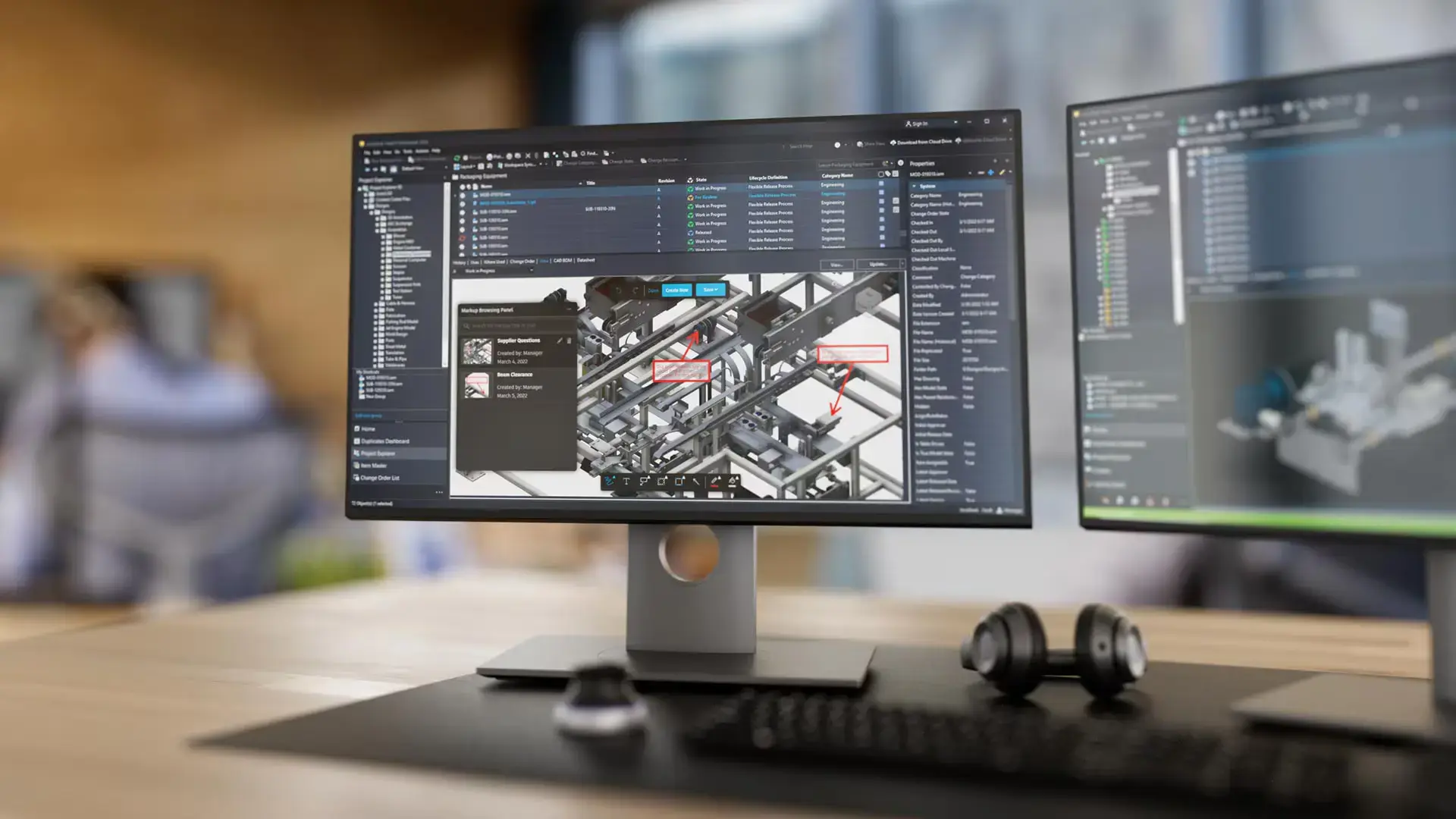
Autodesk Vault Cloud
Autodesk Vault provides powerful data management, automation, revision control and seamless CAD integration. Vault Cloud extends these capabilities to a secure, scalable cloud environment, enabling engineering teams to collaborate from anywhere without on-premise infrastructure.
Available in Australia with expert local support, Vault Cloud offers annual or monthly subscriptions, secure encrypted SSL access, full redundancy and single sign-on for authorised users.
Vault Cloud is a fully managed hosted environment which includes:
- IT and Vault Server Administration and Maintenance
- Premium Technical Support
- Authorised users can connect to Vault from anywhere with an internet connection
- 500GB Vault Storage
- 500GB Vault Back up
- Off-Site Back Up
Vault Basic Cloud
Securely manage AutoCAD and Inventor files with Autodesk Vault Basic Cloud. Access centralised design data, track versions, and collaborate remotely through secure cloud hosting without on-premise infrastructure.
Vault Professional Cloud
Streamline engineering workflows with Autodesk Vault Professional Cloud. Manage CAD files, revisions, approvals, and engineering changes with secure remote access, centralised data management, and cloud-based collaboration.
Vault Pro Cloud with Job Processor
Automate engineering workflows with Autodesk Vault Professional Cloud and Job Processor. Manage CAD files, revisions, and approvals while automating PDF and DWF generation through secure, centrally hosted infrastructure.
Vault Pro Cloud with JP Pro
Maximise engineering productivity with Autodesk Vault Professional Cloud and JP Pro. Automate advanced file exports, job sequencing, batch processing, publishing, and notifications with secure cloud access and streamlined engineering workflows.
Compare Autodesk Vault On-Premise Vs Vault Cloud
Vault On-Premise (Vault Basic and Professional) is installed and managed on your own servers, giving you full control over data security, custom workflows, and integration with local infrastructure. In contrast, Vault Cloud is a fully hosted SaaS solution provided by DC, that eliminates hardware maintenance, provides automatic updates, and enables seamless collaboration across distributed teams without the need for on-site IT management.
|
|
Vault On-Premise Server |
Vault Cloud Server |
|
Cloud Access |
No |
Yes |
|
Server and Network Infrastructure |
Customer Supplied |
Included |
|
Operating System |
Customer to Install |
Included |
|
SQL Database |
Customer to Install |
Included |
|
Server Maintenance & Updates |
Customer to Manage |
Included |
|
Vault Administration & Updates |
Customer to Manage |
Included |
|
Server Back-Ups |
Customer to Manage |
Included |
|
Vault Back-Ups |
Customer to Manage |
Included |
|
Off-Site Back-ups |
Customer to Setup |
Included |
|
Redundancy |
Customer to Setup |
Included |
Autodesk Vault Training Courses
Develop your skills with Autodesk Vault training courses designed for engineering and manufacturing professionals. From Vault Basic fundamentals to advanced Vault Professional administration, lifecycle management, revision control, and Job Processor automation, our practical courses help users and administrators streamline workflows, improve collaboration, and maximise productivity. Available through flexible online, remote, and instructor-led training options.
Autodesk Vault Training Course
Master Autodesk Vault fundamentals with practical, instructor-led training. Learn file management, version control, user administration, property mapping, and AutoCAD and Inventor integration to improve engineering data management and collaboration.
Autodesk Vault Professional Training Course
Build on your Autodesk Vault skills with this advanced add-on course to the Autodesk Vault Training Course. Explore Vault Professional features including lifecycle management, revision control, engineering change orders, item management, Job Processor automation, and advanced administration.
Complimentary Software and Services for Autodesk Software
Design Consulting offers a complete ecosystem of complementary software, training, and professional services designed to extend the power of Autodesk solutions. Alongside our training courses for tools like Revit, AutoCAD, Inventor, and Vault, we deliver expert services for design automation, CAD/BIM setup, template development, and Vault deployments and migrations. We supply software tools to enhance Autodesk workflows through intelligent automation, batch variant rendering, and real-time visualisation systems. We also develop web-based configurators and custom plug-ins that streamline product design, quoting, and sales processes. From parametric modeling to programming services, Design Consulting helps engineering and design teams unlock efficiency, consistency, and scalability across their entire digital design environment.
With this ecosystem of software and services, Design Consulting provides End to End Solutions that connect data, models, applications, systems, employees, departments, customers and suppliers, enabling seamless collaboration, streamlined workflows, and accelerated decision-making across the entire product and project lifecycle. By integrating design, automation, and digital delivery, your business becomes more efficient, reduces manual effort, saves time, and ultimately increases profitability.
Design Consulting | Autodesk Gold Partner | Autodesk Service Provider
Design Consulting is a trusted Autodesk Gold Partner and Autodesk Service Provider. Design Consulting empowers architects, engineers, manufacturers, and builders with smart software, automation, and digital tools that provide Autodesk end-to-end solutions that are connected with systems and machines. As an Autodesk Gold Partner, we deliver tailored solutions that simplify workflows, reduce costs, and drive better project outcomes.
With headquarters in Melbourne, Design Consulting have staff in most Australian capital cities, with expertise across most Autodesk applications and management systems and an in-house programming team, to get the most out of your Autodesk investment.
Ready to Manage your Data and Lifecycles?
Speak with our team today to see how Autodesk tools can help you manage your project data from concept to completion.
Fill out the contact form below or contact us on 1800 490 514, info@designconsulting.com.au or by live chat