

Autodesk Inventor Sheet Metal Training Course
- 8-Hours (4 x 2-Hour Sessions) Training
- Delivered remotely over MS Teams - Contact Us for On-Site/Face to Face Training
- Sessions are recorded and download links are provided after each session for your future use and reference.
- Pricing is based on 1-3 people. Additional people are at an additional cost of $550 per person.
- Volume Discounts apply for 5+. Please contact us.
- Training is usually broken up into 2 or 4-hour sessions in the morning and flexible (i.e. consecutive or Monday, Wednesday, Friday, etc.)
- Training sessions can start within 14 days of booking
- Courses are private and topics can be customised to suit
- Includes Certificate of Completion
- Training manuals are an additional $145 Ex. GST per digital manual

Autodesk Inventor Sheet Metal Training Course Introduction
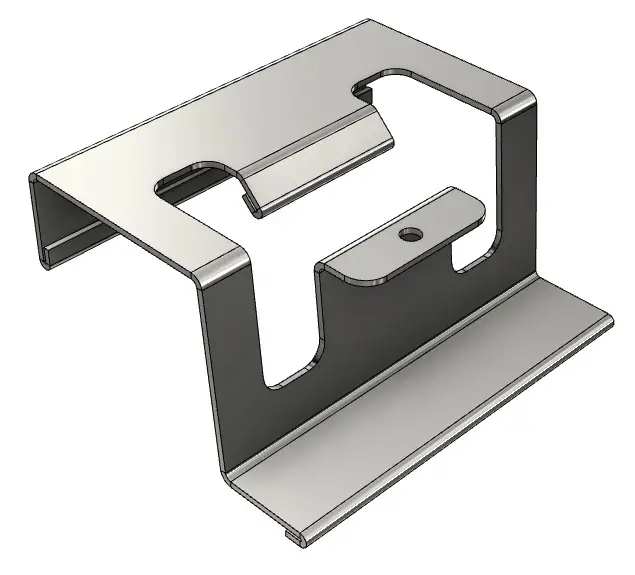
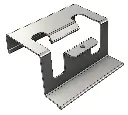
Learn how to design, unfold, and manufacture sheet metal components in this Autodesk Inventor Sheet Metal Course. This course focuses on real-world workflows used in fabrication and manufacturing, helping you produce accurate flat patterns, reduce errors, and speed up production.
Autodesk Inventor Sheet Metal Course - Sheet Metal Design Fundamentals Training
Learn how to design, unfold, and manufacture sheet metal components using Autodesk Inventor. This private and customisable instructor-led course provides a comprehensive foundation in sheet metal design, covering everything from core modelling techniques to flat pattern generation and fabrication-ready outputs. Through hands-on projects and guided instruction, participants will gain the skills to create accurate sheet metal parts, apply industry-standard rules, and produce production-ready drawings and files.
What You'll Learn - Material Thickness Rules, Bend Radius, K-Factors and Flat Patterns
- Sheet Metal Fundamentals
- Sheet metal environment and workflows
- Material thickness, rules, and styles
- Bend radius, K-factor, and bend allowance
- Core Modelling Tools
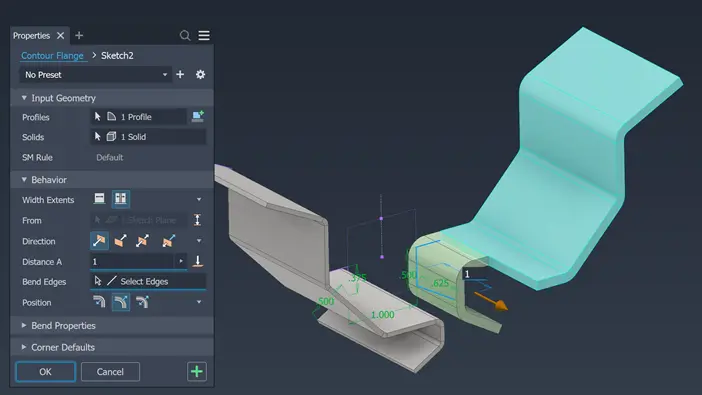
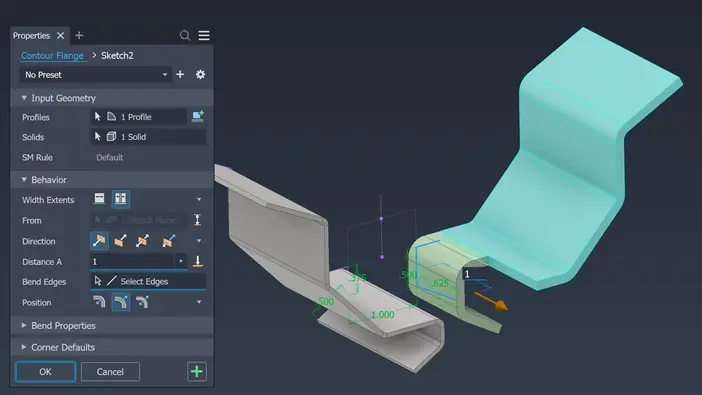
- Face, flange, and contour flange
- Hems, folds, and bends
- Cuts, punches, and corner treatments
- Advanced Sheet Metal Techniques
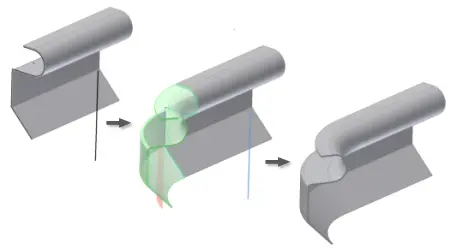
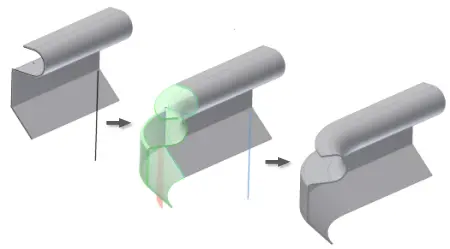
- Lofted flanges and complex forms
- Multi-body sheet metal design
- Parametric and rule-driven modelling
- Flat Patterns & Fabrication
- Generate and edit flat patterns
- Export DXF/DWG for CNC, laser, and plasma cutting
- Prepare fabrication-ready files
- Drawings & Documentation
- Create production drawings
- Dimensioning and annotation
- BOMs and manufacturing outputs
Autodesk Inventor Sheet Metal Course Guide Contents
Chapter 1: Introduction to Sheet Metal Modelling
- Sheet metal concepts
- Sheet metal terminology
- Sheet metal environment
- Sheet metal design process
Chapter 2: Sheet Metal Base Features
- Applying sheet metal defaults
- Creating base faces
- Contour flanges and contour rolls
Chapter 3: Sheet Metal Secondary Features
- Sheet metal parameters
- Bend relief shapes
- Secondary faces, flanges, and rolls
Chapter 4: Flanges
- Creating flanges
- Corner relief options
Chapter 5: Bending Sheet Metal
- Hems
- Folds
- Bends
Chapter 6: Corner Rounds and Chamfers
- Corner rounds
- Corner chamfers
Chapter 7: Sheet Metal Cuts
- Cut features and holes
- Punch tools and punch creation
- Cuts using surfaces
Chapter 8: Corner Seams
- Corner seams and mitres
- Corner rips
- Seam and bend conversions
Chapter 9: Flat Pattern Environment
- Creating flat patterns
- Orientation and clean-up
- Bend angles and punch representation
- Exporting to DXF/DWG
Chapter 10: Lofted Flange and Rips
- Lofted flange
- Rip features
Chapter 11: Unfold and Refold
- Unfolding and refolding geometry
Chapter 12: Multi-Body Sheet Metal Modelling
- Multi-body workflows
Chapter 13: Documentation and Annotation
- Sheet metal drawings
- Bend and punch notes
- Bend tables and punch tables
- Bend order and centrelines
Chapter 14: Converting Parts to Sheet Metal
- Converting solid models
- Working with non-ruled surfaces
Who Should Attend the Autodesk Inventor Sheet Metal Training Course
- New users of Autodesk Inventor
- Inventor Users wanting to learn the Sheet Metal Tools
- Draftspersons transitioning to 3D
- Engineering professionals seeking formal training
Autodesk Inventor Sheet Metal Course Prerequisites
No prior 3D CAD experience required. Familiarity with Inventor and Windows OS is expected; a basic understanding of engineering drawings is helpful.
Enrol Now Autodesk Inventor Sheet Metal Training Course
Start your journey in digital sheet metal fabrication, detailing and design. Contact Design Consulting today to register or learn more about our Inventor training options.
Ready to Design with Precision and Speed?
Transform the way you create, visualise, simulate, and deliver designs, reports and drawings. Contact us today to explore training, services and subscription options or request a demo.
Fill out the contact form below or contact us on 1800 490 514, info@designconsulting.com.au or by live chat