Autodesk Design Solutions
Software for Designing Ideas, Models and Products
Autodesk tools help project teams carry design work from initial concepts through to coordinated documentation within a connected workflow. Using shared project information, users can prepare precise 2D drawings, build rich 3D models, assess performance and generate clear visual material that reflects the current design. Model-based methods keep drawings, schedules and related outputs aligned as the project develops, so revisions are applied consistently rather than manually repeated.
This supports architects, designers and engineers in working more productively, improving coordination, limiting avoidable rework and delivering designs that are clearly resolved and ready for construction. By linking design development and documentation more closely, teams can maintain accuracy, communicate decisions more effectively and move forward with greater confidence at each stage of the process.
Design Consulting is an Autodesk Gold Partner and Service Provider, offering Autodesk Software with wide range of complimentary software, training courses and services for Autodesks Ecosystem.
Autodesk Solutions Industries Workflows End to End Solutions Training
Challenges Across Design Projects
Design work becomes harder when ideas, models, analysis, drawings and project data are spread across separate tools and files. Teams lose visibility, updates are missed and decisions are made from information that no longer reflects the latest design intent.
The impact reaches every stage. Time is lost recreating work, checking versions and resolving inconsistencies between what was designed, what was reviewed and what was documented. Small changes can trigger wider knock-on effects across coordination, approvals, costing and delivery.
- Design complexity: balancing creativity, performance, compliance, manufacturability and changing project requirements without losing control.
- Disconnected workflows: re-entering geometry and data between tools increases effort and creates avoidable errors.
- Outdated analysis and visuals: studies, simulations and presentations can fall behind the live design and mislead decisions.
- Coordination pressure: contributors across disciplines, teams and stages need clear, current information to work from the same direction.
Impacts and Flow On Effects
These issues create flow-on effects beyond the design phase. Delays in one area can slow reviews, affect downstream documentation, introduce procurement risk and increase rework during production or delivery. When information is not connected, each handoff becomes another opportunity for misalignment.
- Slower approvals caused by incomplete or inconsistent project information
- More rework when updates are not reflected across drawings, models and documents
- Higher coordination effort between teams working from separate sources of truth
- Greater procurement risk when design changes are not communicated clearly
- Reduced confidence in decisions when analysis, visuals or documentation fall out of date
Autodesk Design Software Features & Benefits
Autodesk design software supports teams across architecture, engineering, manufacturing and product development with tools for drafting, 3D modelling, visualisation, analysis and documentation. The applications can be used for a wide range of workflows, from detailed 2D design and coordinated model-based projects to presentation and design review. Organisations can choose solutions that suit their current needs and expand their software environment as requirements, project scale and collaboration demands develop.
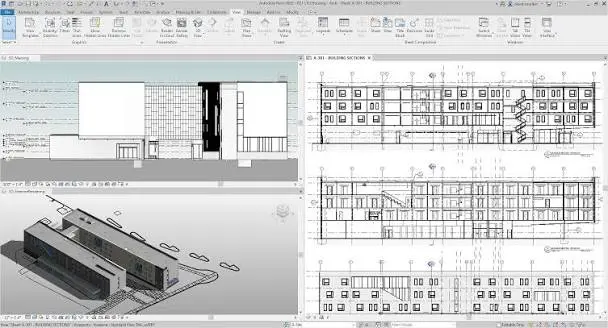
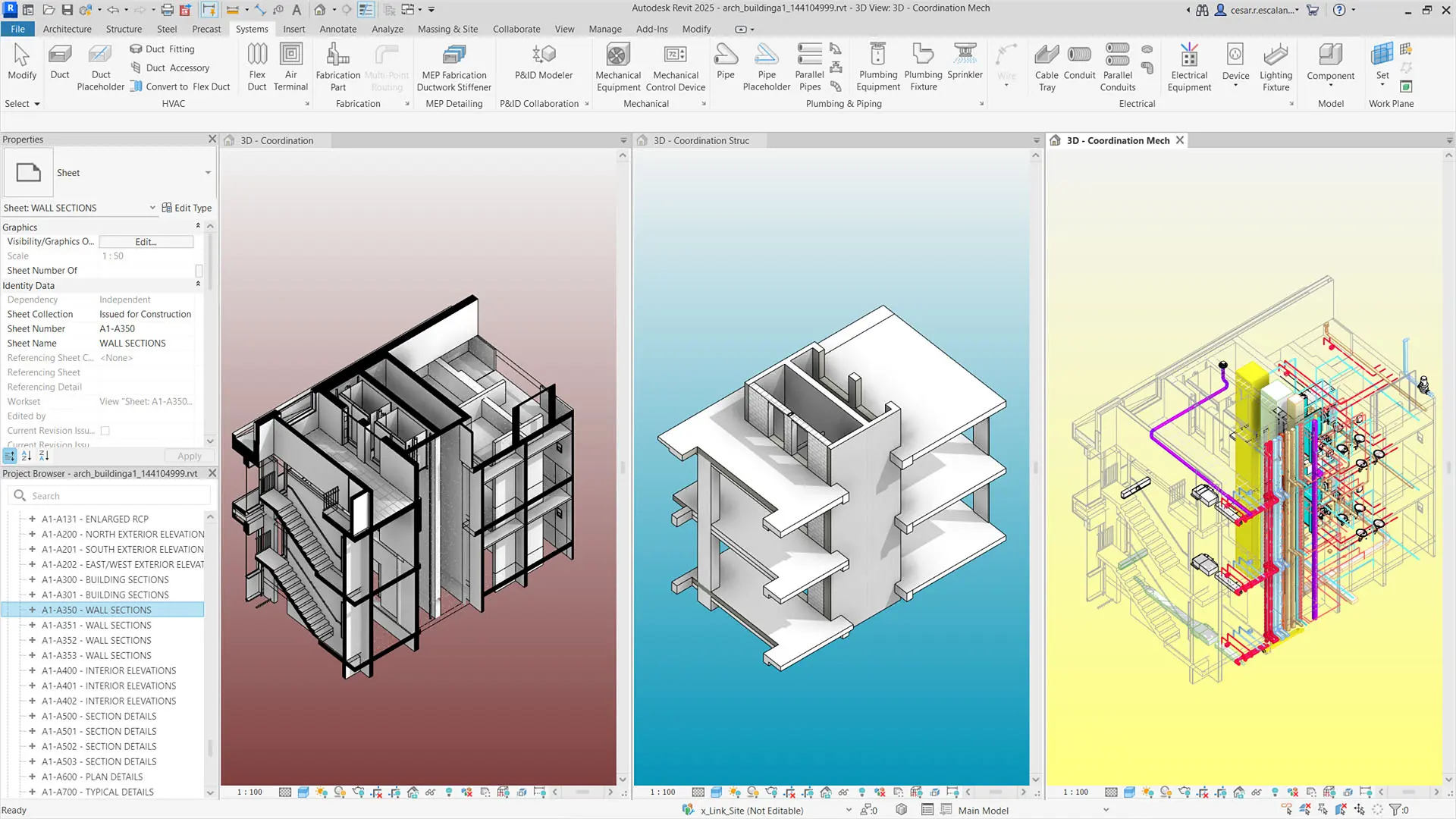
Intelligent 2D & 3D Design
Develop intelligent 2D drawings and coordinated 3D models with Autodesk design software, helping teams document accurately, communicate clearly and keep plans, sections, details and visual outputs aligned throughout the design process.
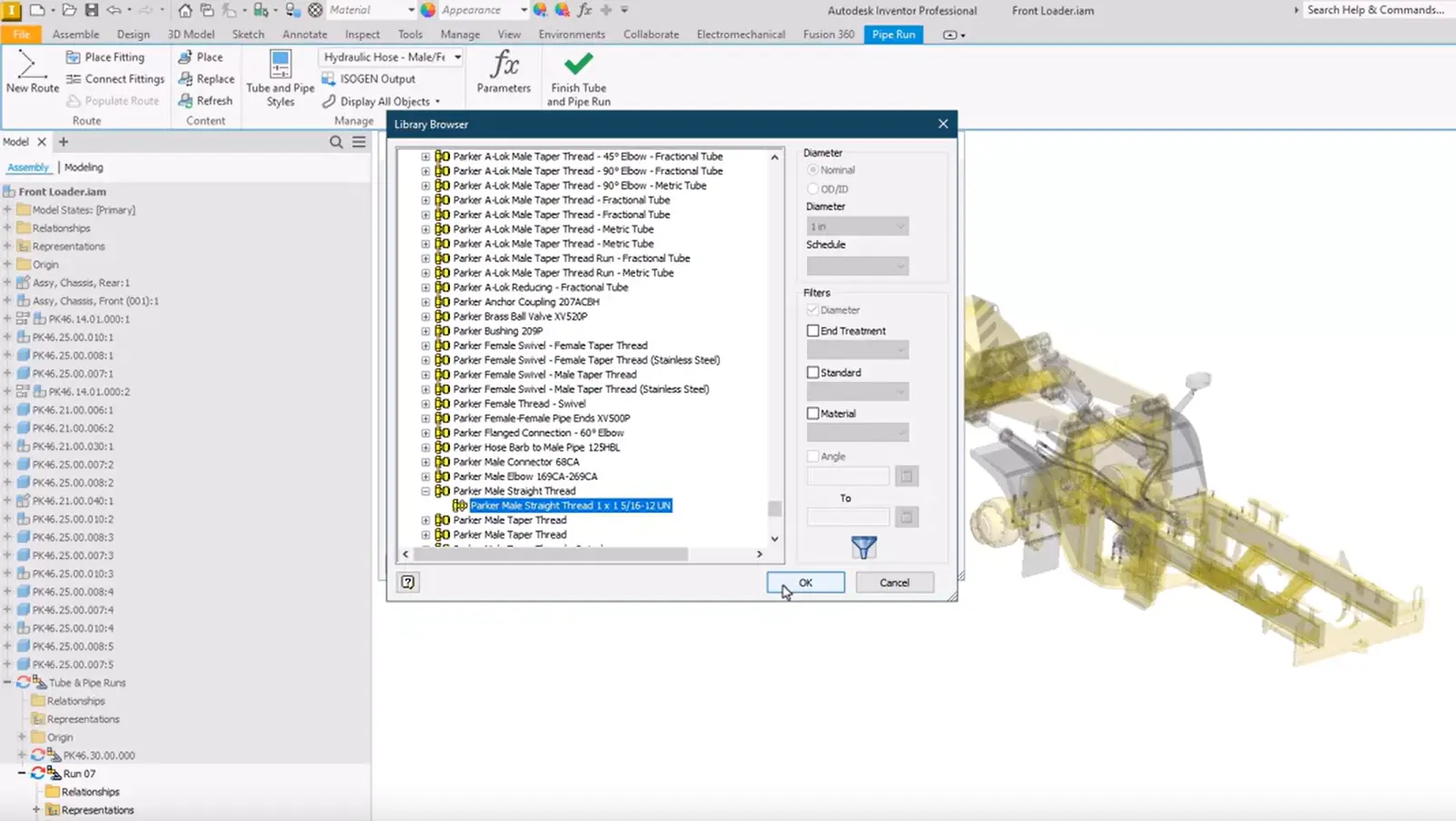
Parametric Modelling & Design Flexibility
Autodesk software supports parametric design, helping teams explore alternatives, refine geometry and update layouts more smoothly as projects progress. Connected elements maintain consistency across the model and improve coordinated decision-making.
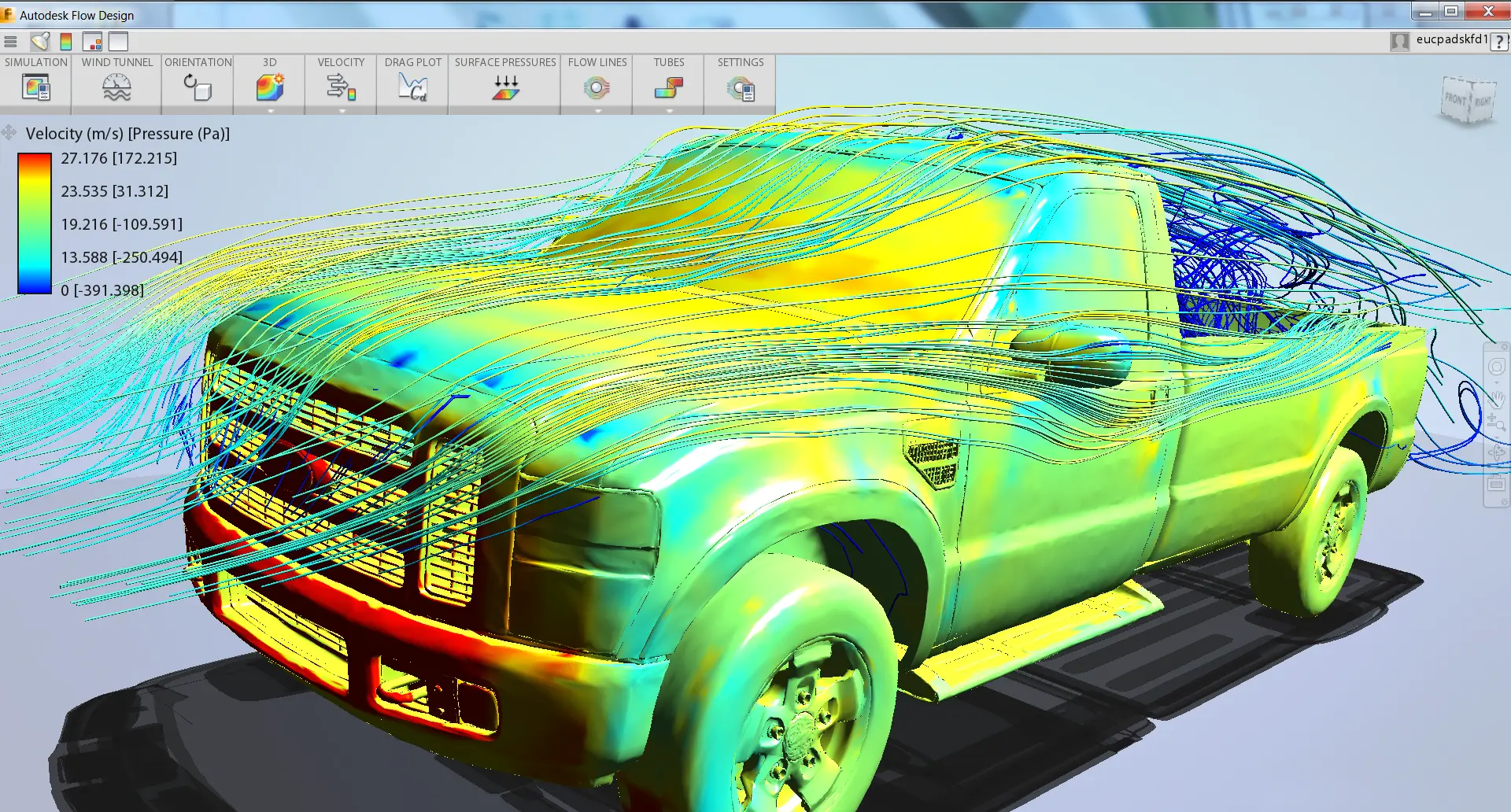
Simulation & Design Validation
Use simulation and design validation tools within Autodesk workflows to test performance, review options and support better-informed decisions while keeping models, drawings and related project information aligned.
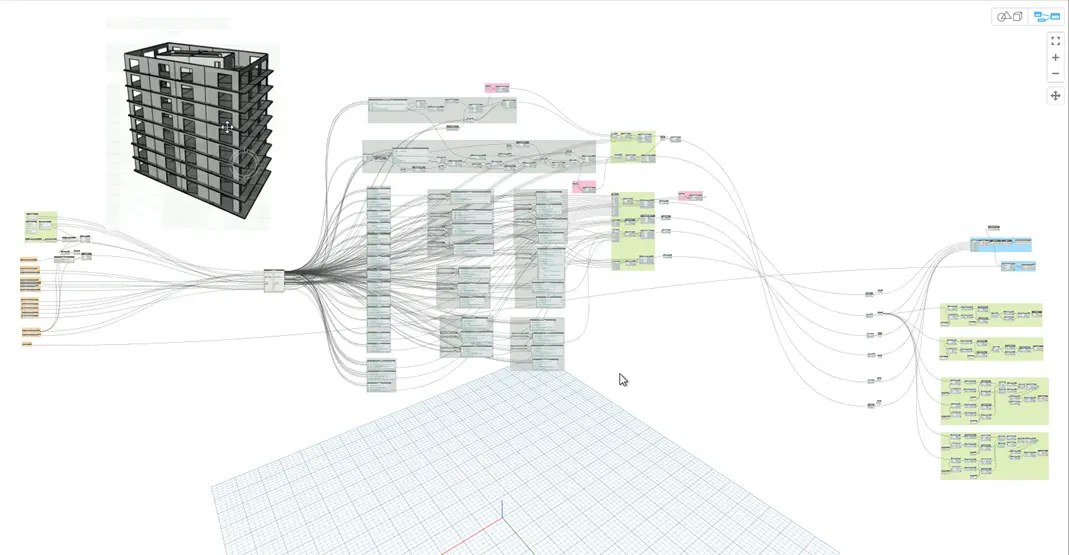
Design Automation & Productivity
Automate repetitive design tasks, standardise outputs and speed up documentation across Autodesk design software. Improve consistency, reduce manual effort and help teams move from concept to coordinated deliverables with greater accuracy.
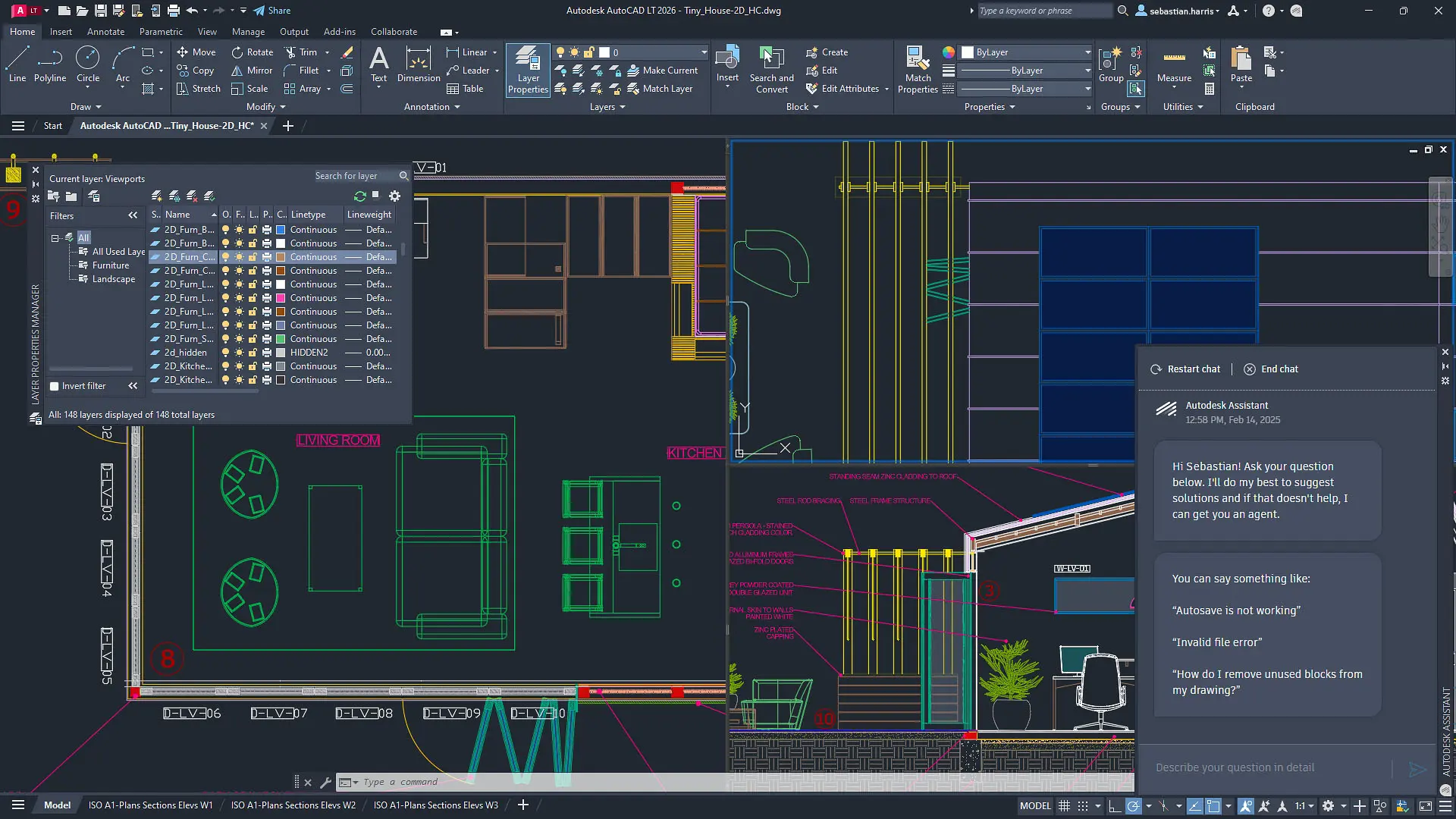
Integrated Design & Documentation
Tools that connect design development with coordinated documentation, helping teams create accurate drawings and detailed models while keeping project information aligned as changes are made.
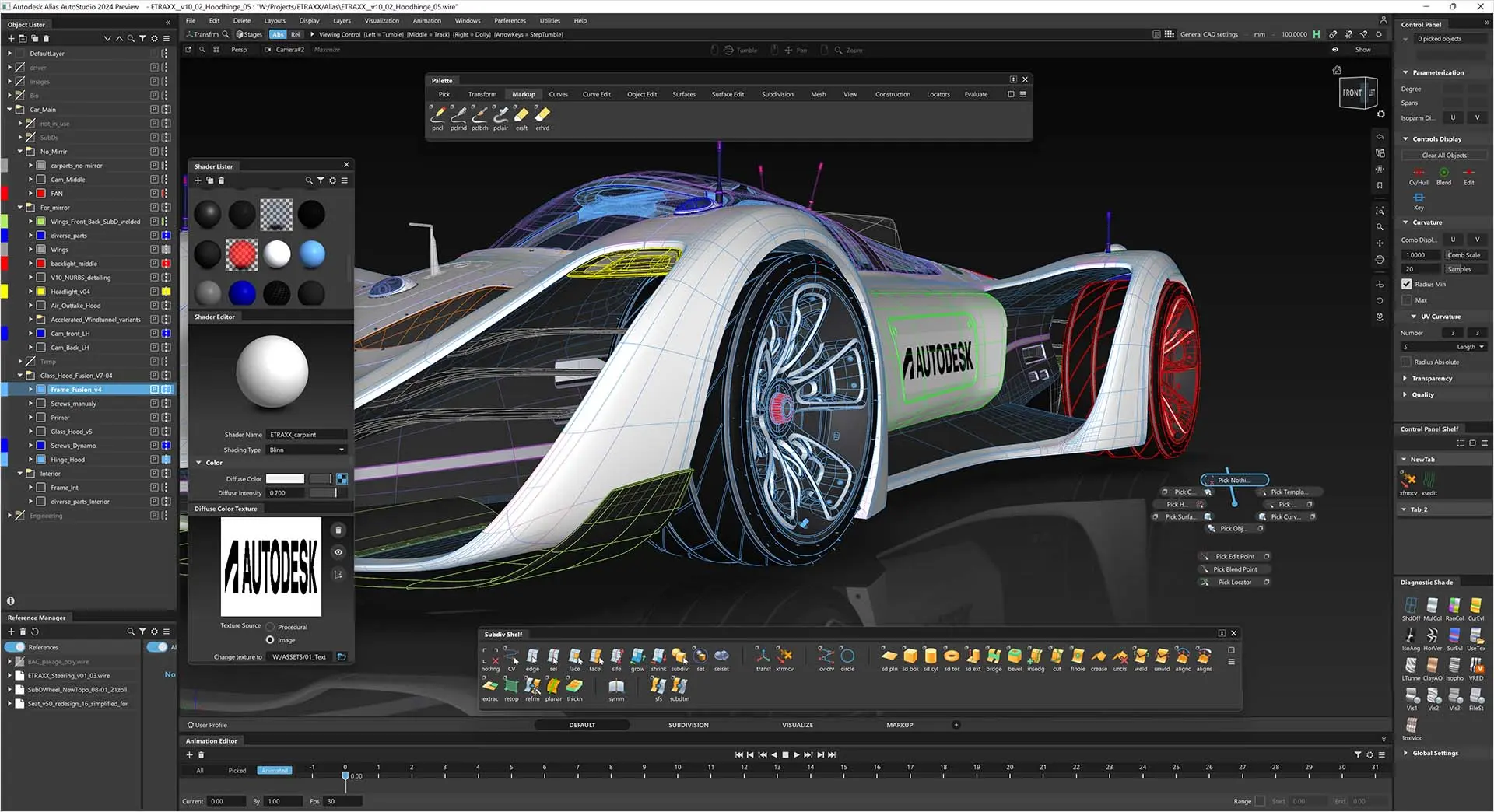
Surface & Freeform Modelling
Autodesk design software supports concept development, detailed modelling and coordinated documentation, helping teams refine product and project ideas with accurate tools, connected information and clearer communication throughout the design process.
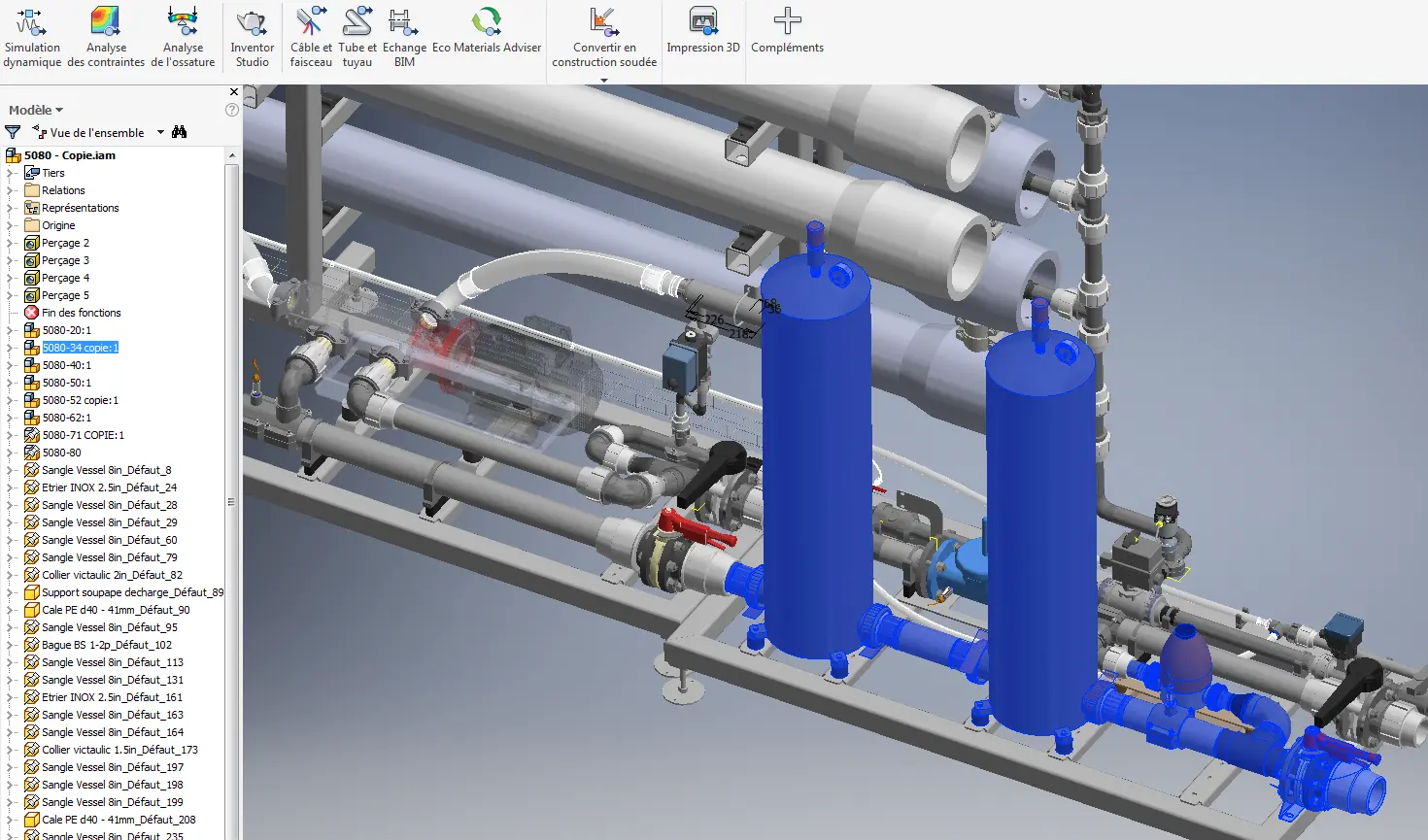
Assembly Design
Tools for product development support detailed component modelling, integrated part relationships and efficient creation of accurate designs within a connected Autodesk workflow.
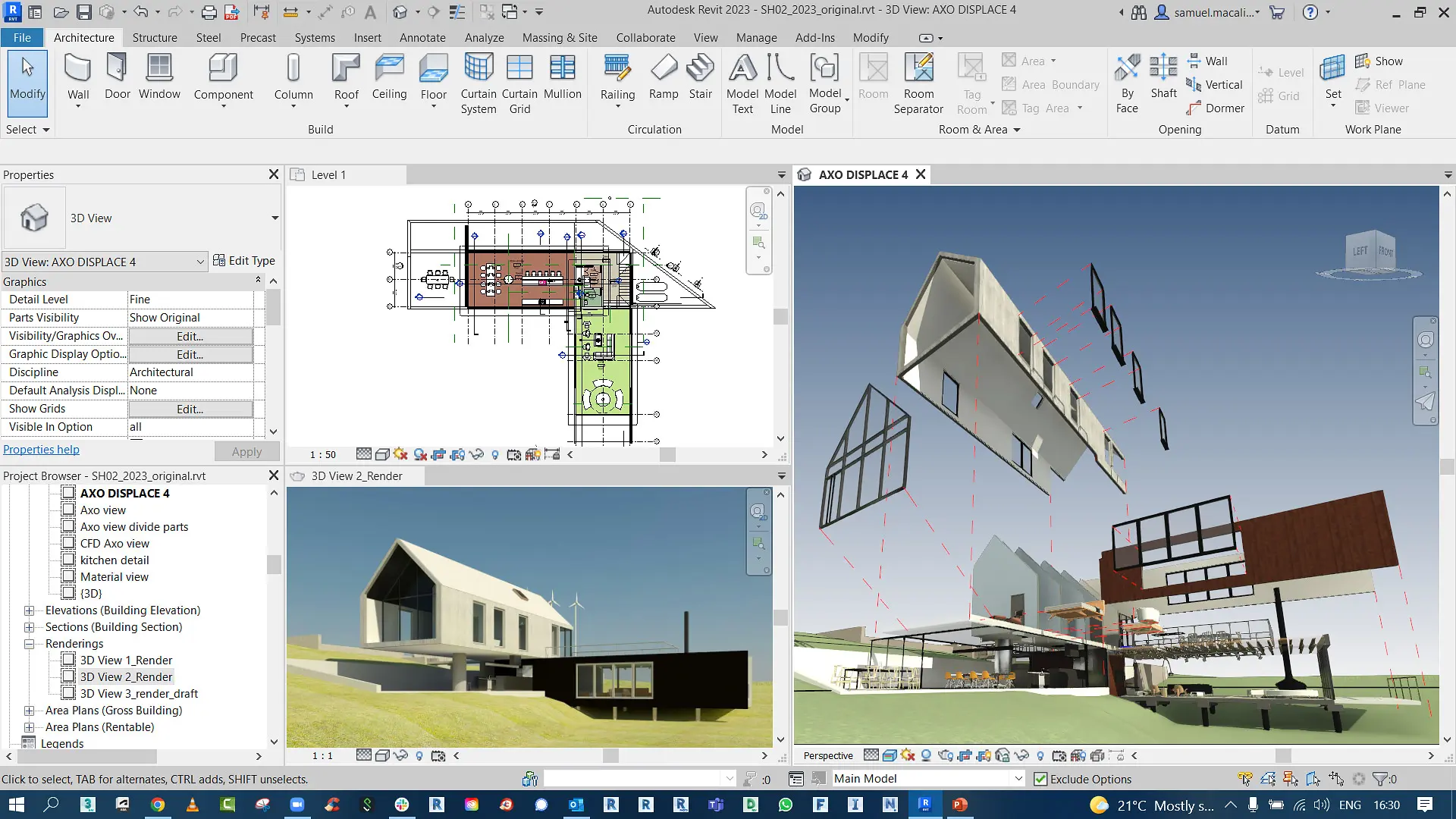
BIM & Intelligent Modelling
Connected design tools support coordinated digital workflows, helping teams create accurate drawings, develop detailed 3D models, test performance and produce current documentation and visuals from shared project information.
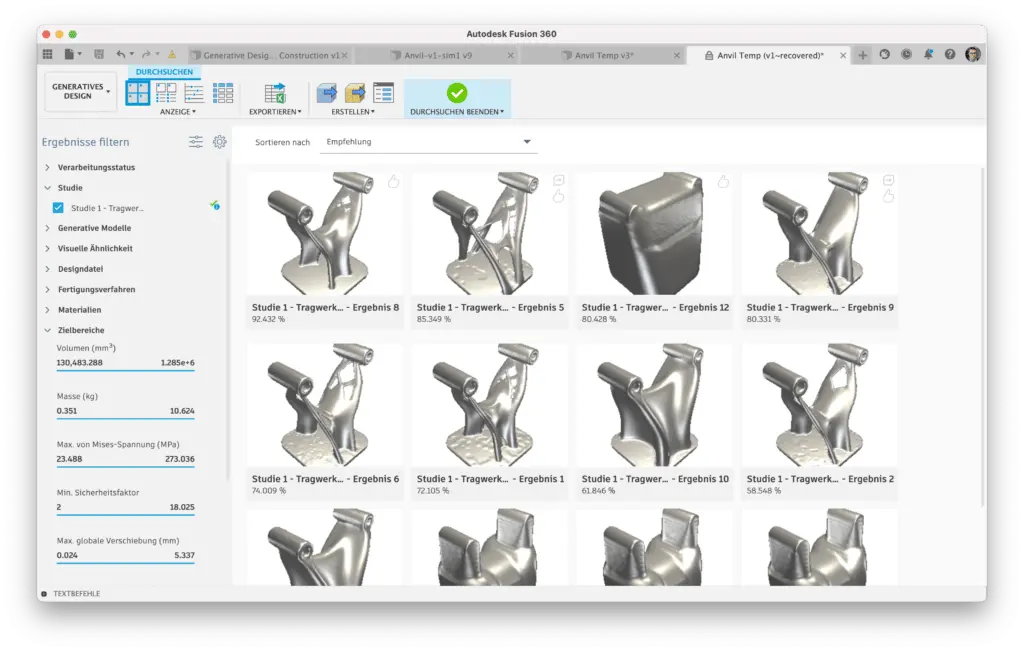
Generative & Optimisation Tools
Advanced Autodesk applications support design exploration and performance-led refinement, helping teams test options, improve outcomes and develop practical, well-resolved proposals within an integrated workflow.
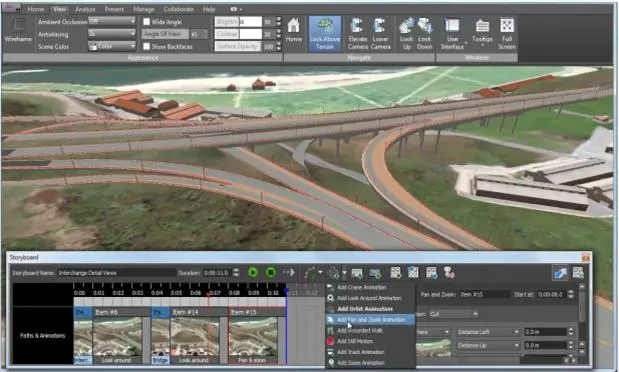
Industry-Specific Design Tools
Access purpose-built modelling, drafting and documentation tools tailored to architectural, mechanical, electrical, structural, civil and industrial design workflows. Work with specialised commands and intelligent objects rather than relying on generic CAD tools.
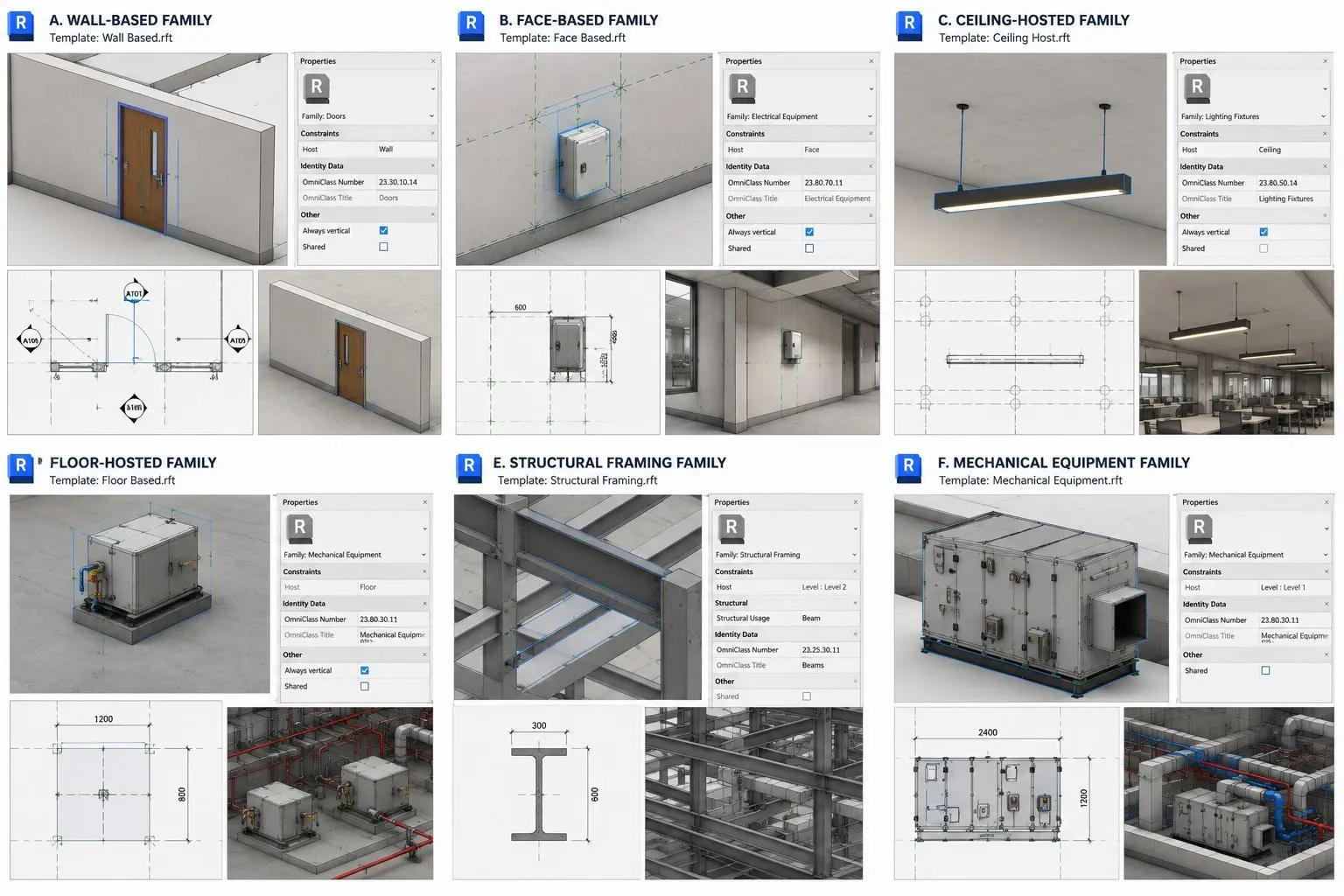
Intelligent Components & Industry Libraries
Accelerate design with industry-specific components, standard parts, symbols, materials and configurable assemblies. Improve consistency, reduce manual modelling and streamline the creation of accurate, standards-based designs.
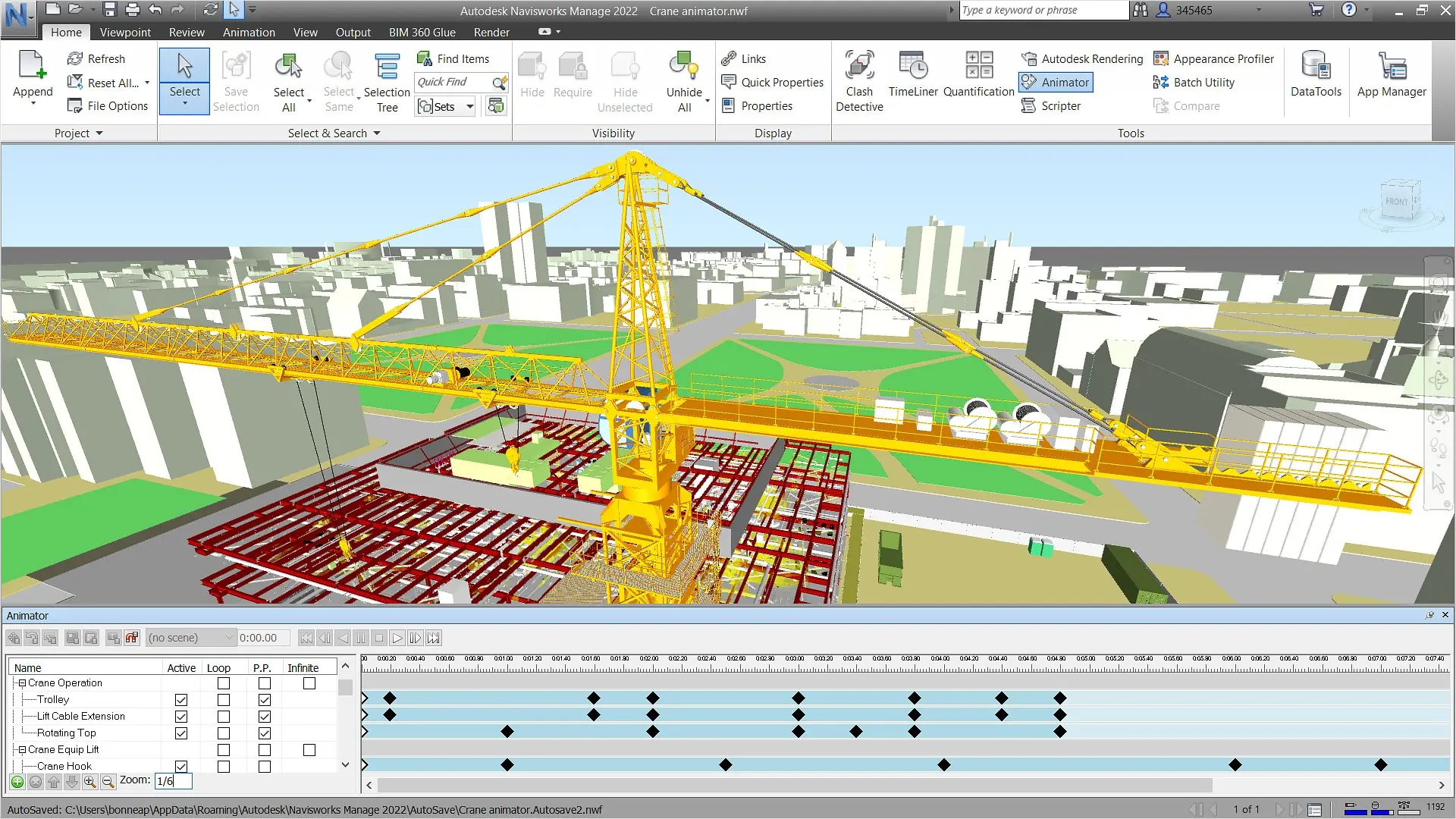
Multidisciplinary Design Coordination
Coordinate information between architects, engineers, designers, fabricators and contractors. Improve interoperability, minimise design conflicts and maintain consistent project information across specialised workflows.
Autodesk Design Software Features & Benefits
Autodesk design software supports teams across architecture, engineering, manufacturing and product development with tools for drafting, 3D modelling, visualisation, analysis and documentation. The applications can be used for a wide range of workflows, from detailed 2D design and coordinated model-based projects to presentation and design review. Organisations can choose solutions that suit their current needs and expand their software environment as requirements, project scale and collaboration demands develop.
Intelligent 2D & 3D Design
Develop intelligent 2D drawings and coordinated 3D models with Autodesk design software, helping teams document accurately, communicate clearly and keep plans, sections, details and visual outputs aligned throughout the design process.
Parametric Modelling & Design Flexibility
Autodesk software supports parametric design, helping teams explore alternatives, refine geometry and update layouts more smoothly as projects progress. Connected elements maintain consistency across the model and improve coordinated decision-making.
Simulation & Design Validation
Use simulation and design validation tools within Autodesk workflows to test performance, review options and support better-informed decisions while keeping models, drawings and related project information aligned.
Design Automation & Productivity
Automate repetitive design tasks, standardise outputs and speed up documentation across Autodesk design software. Improve consistency, reduce manual effort and help teams move from concept to coordinated deliverables with greater accuracy.
Integrated Design & Documentation
Tools that connect design development with coordinated documentation, helping teams create accurate drawings and detailed models while keeping project information aligned as changes are made.
Surface & Freeform Modelling
Autodesk design software supports concept development, detailed modelling and coordinated documentation, helping teams refine product and project ideas with accurate tools, connected information and clearer communication throughout the design process.
Assembly Design
Tools for product development support detailed component modelling, integrated part relationships and efficient creation of accurate designs within a connected Autodesk workflow.
BIM & Intelligent Modelling
Connected design tools support coordinated digital workflows, helping teams create accurate drawings, develop detailed 3D models, test performance and produce current documentation and visuals from shared project information.
Generative & Optimisation Tools
Advanced Autodesk applications support design exploration and performance-led refinement, helping teams test options, improve outcomes and develop practical, well-resolved proposals within an integrated workflow.
Industry-Specific Design Tools
Access purpose-built modelling, drafting and documentation tools tailored to architectural, mechanical, electrical, structural, civil and industrial design workflows. Work with specialised commands and intelligent objects rather than relying on generic CAD tools.
Intelligent Components & Industry Libraries
Accelerate design with industry-specific components, standard parts, symbols, materials and configurable assemblies. Improve consistency, reduce manual modelling and streamline the creation of accurate, standards-based designs.
Multidisciplinary Design Coordination
Coordinate information between architects, engineers, designers, fabricators and contractors. Improve interoperability, minimise design conflicts and maintain consistent project information across specialised workflows.
Autodesk Design Software
Autodesk software supports the development of ideas, models and products within a connected design workflow. It enables teams to create accurate 2D drawings, produce detailed 3D models, review performance and prepare clear visual outputs using shared project information. As designs evolve, model-based processes help keep drawings, schedules and related documents coordinated, reducing manual updates and improving consistency. This helps architects, designers and engineers work more efficiently, strengthen collaboration and deliver well-resolved designs with greater confidence.
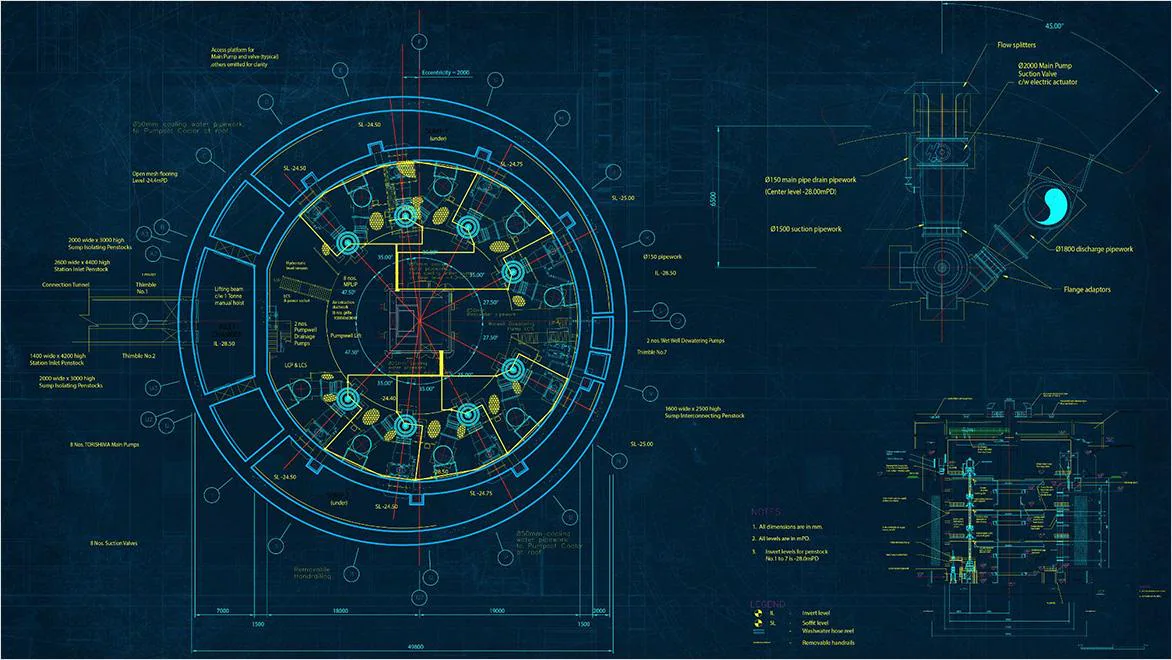
AutoCAD LT for 2D drawings
Create and mark up accurate 2D drawings within a familiar CAD environment. Architecture teams rely on AutoCAD LT to produce documentation that stays consistent, well organised and straightforward to share.
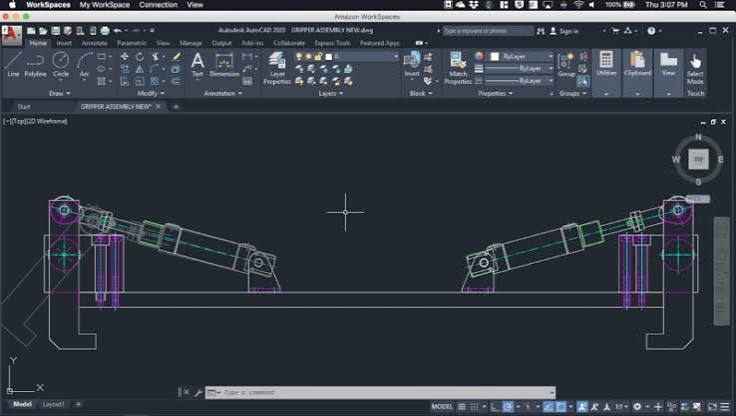
AutoCAD for 2D and 3D
Produce accurate 2D documentation and detailed 3D models within a single CAD workspace, from initial massing studies to sheet sets ready for consultant review.
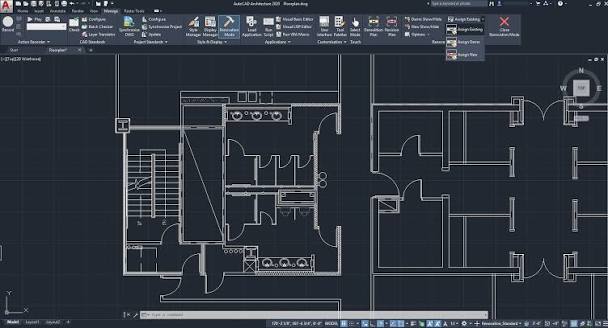
AutoCAD Specialised Toolsets
AutoCAD includes specialised toolsets for architecture, electrical design, mechanical drafting and plant workflows, helping teams work faster with industry-specific features, libraries and automation.
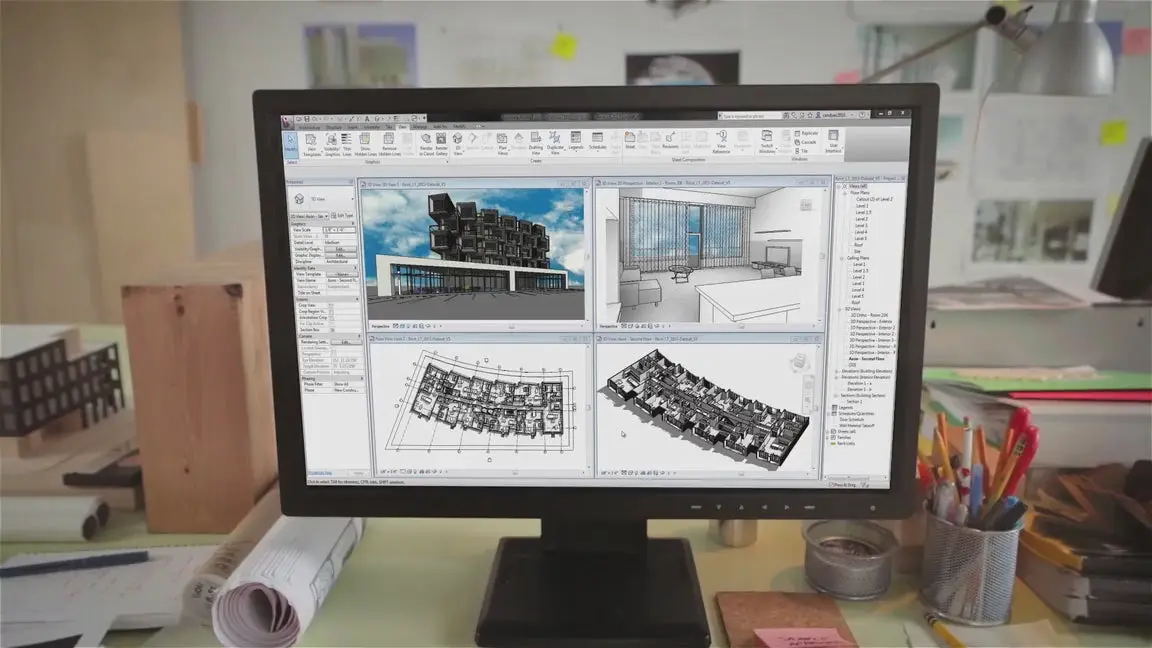
Revit LT for Smaller Practices
Create an integrated architectural model and generate schedules alongside accurate 2D drawings. Revit LT offers smaller practices a more streamlined route from early design through to completed documentation without the cost of full Revit.
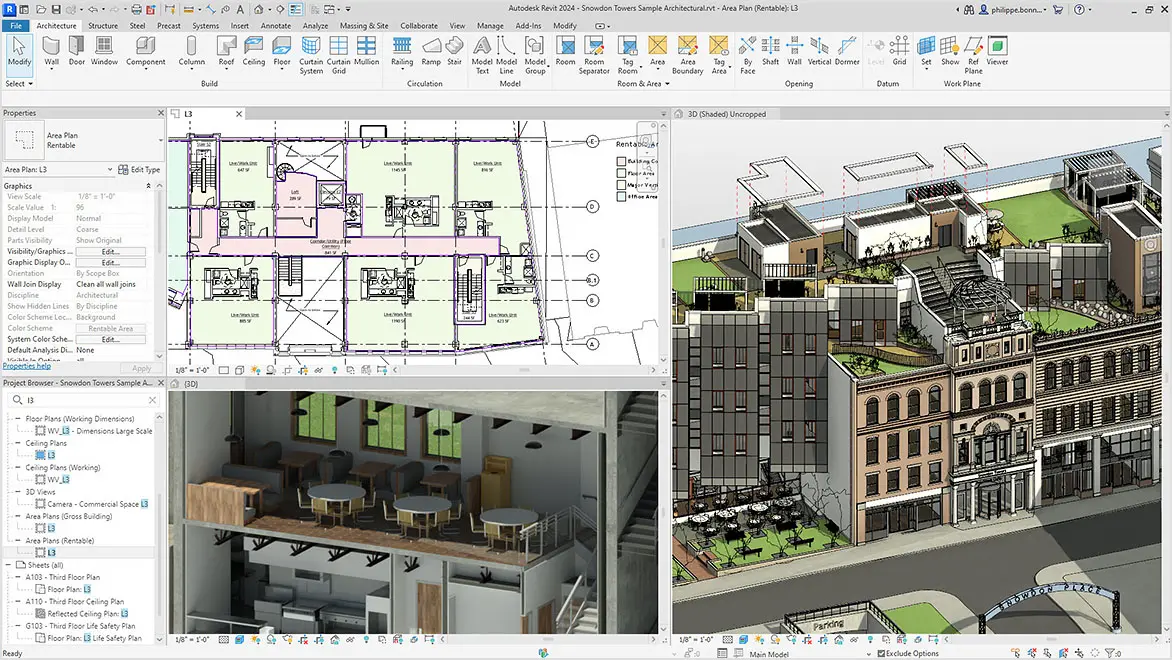
Revit for Coordinated Design
Work from a single model to take designs from early concepts through to detailed development. Produce drawings and schedules, while reviewing visualisations, analysis and design alternatives that remain aligned to the same design intent.
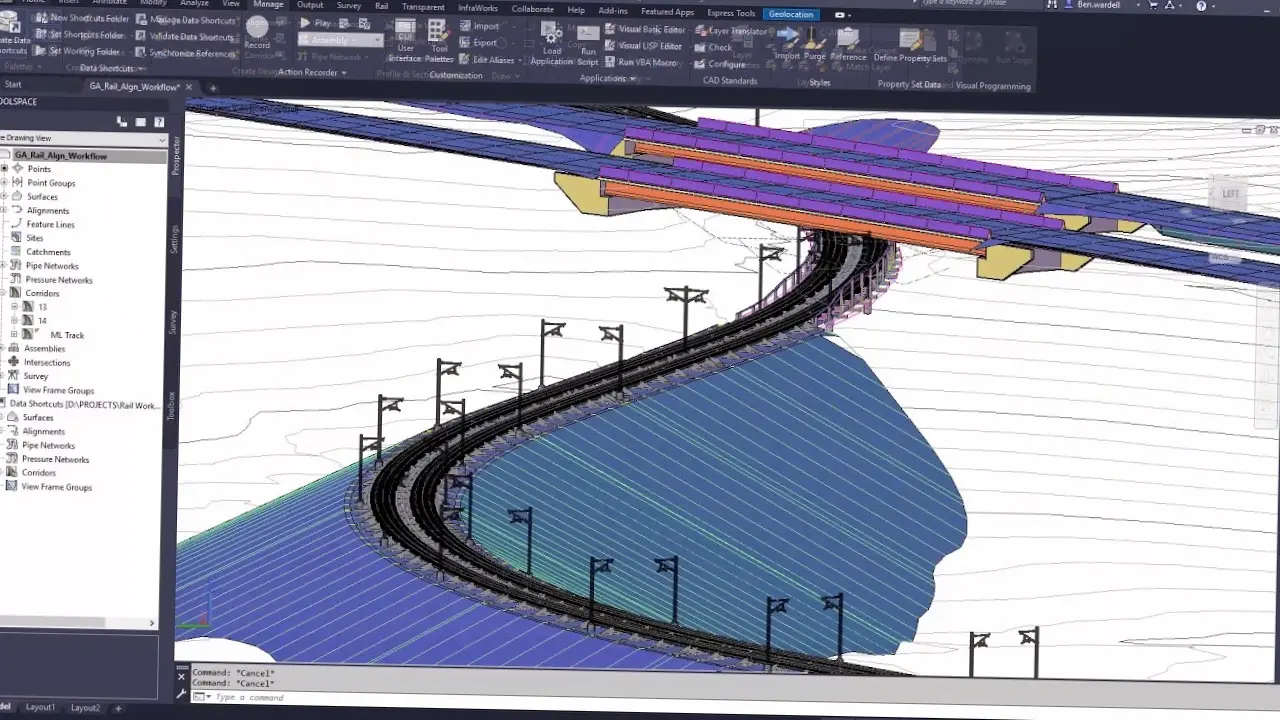
Civil 3D for Infrastructure and Civil Works Design
Use Autodesk Civil 3D to develop intelligent site, road and drainage designs with dynamic modelling and coordinated documentation, helping teams manage revisions efficiently across day-to-day infrastructure and land development projects.
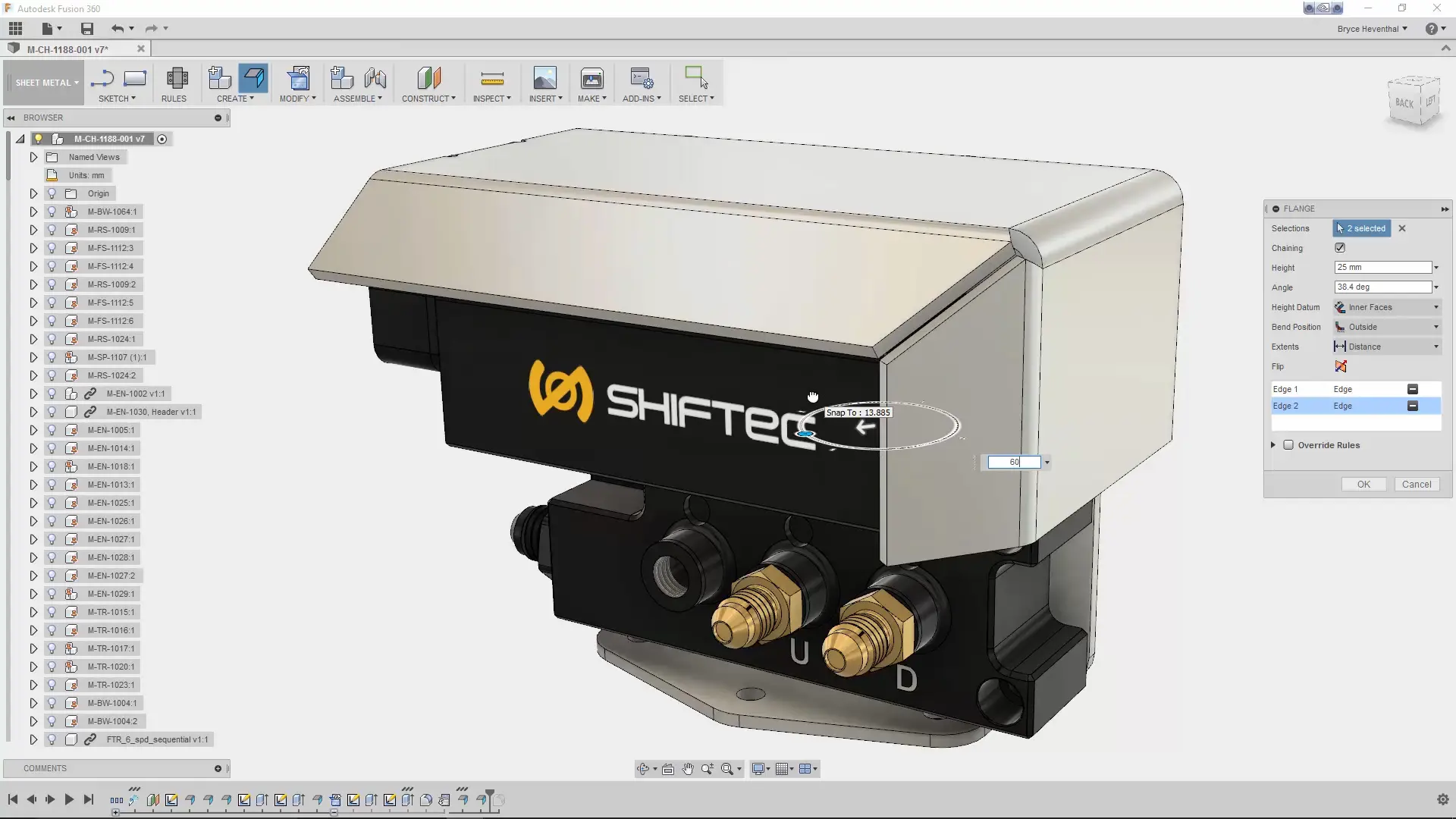
Fusion for Manufacturing Design
Fusion streamlines manufacturing design by uniting modelling, engineering and production preparation in a single workspace. Develop parts, assess fit and performance, and ready machining data while continuity from design choices through to manufacture.
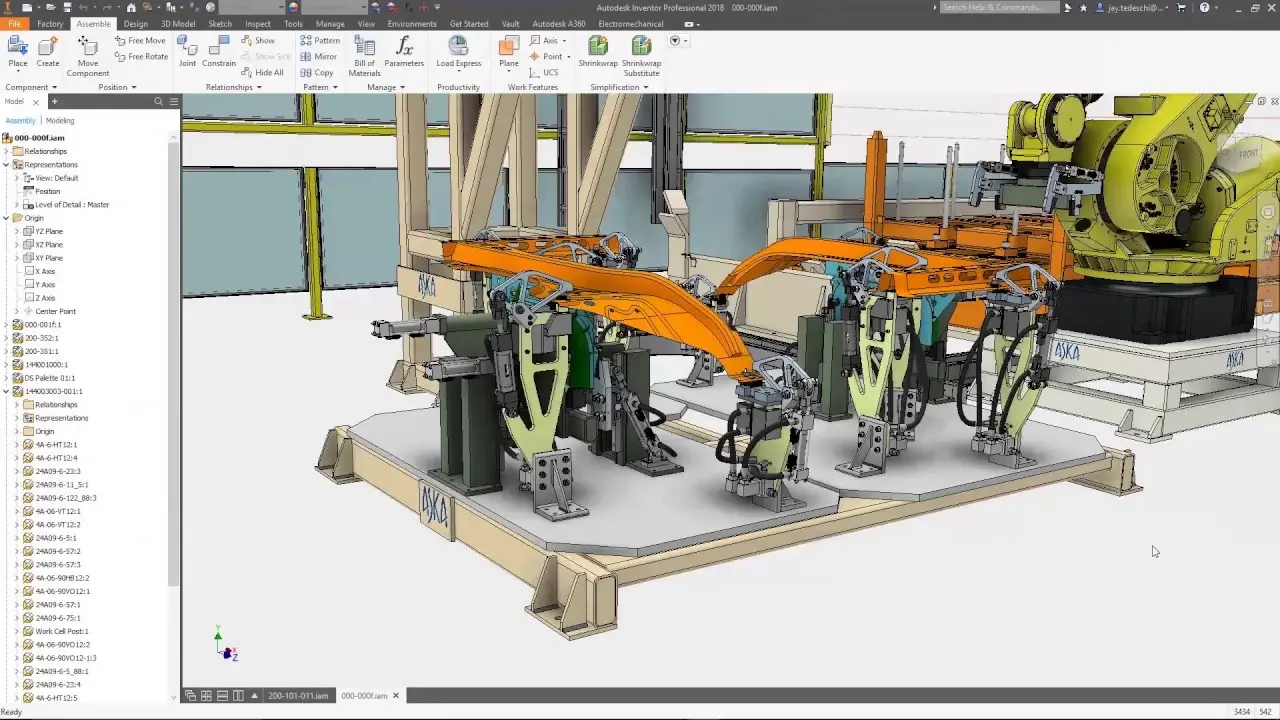
Inventor for Mechanical Design
Inventor supports mechanical design with intelligent 3D modelling, detailed assemblies and production-ready documentation, helping engineering teams refine components, test fit and function, and manage design changes with greater accuracy and efficiency.
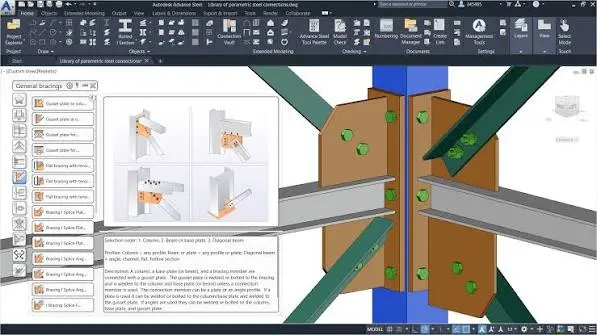
Advance Steel for Structural Steel Design
Advance Steel supports structural steel design with intelligent 3D modelling, automated connection detailing, fabrication-ready drawings and coordinated material outputs, helping engineers and detailers improve accuracy, efficiency and project delivery.
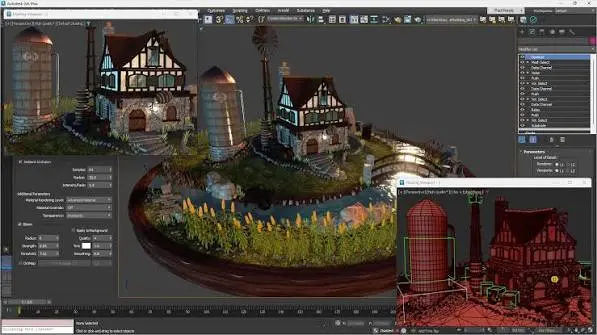
3ds Max for Film, TV and Game Design
Autodesk 3ds Max supports film, television and game design with advanced 3D modelling, animation, rendering and visualisation tools. Creative teams can build detailed assets, develop believable environments and produce high-quality motion content efficiently.
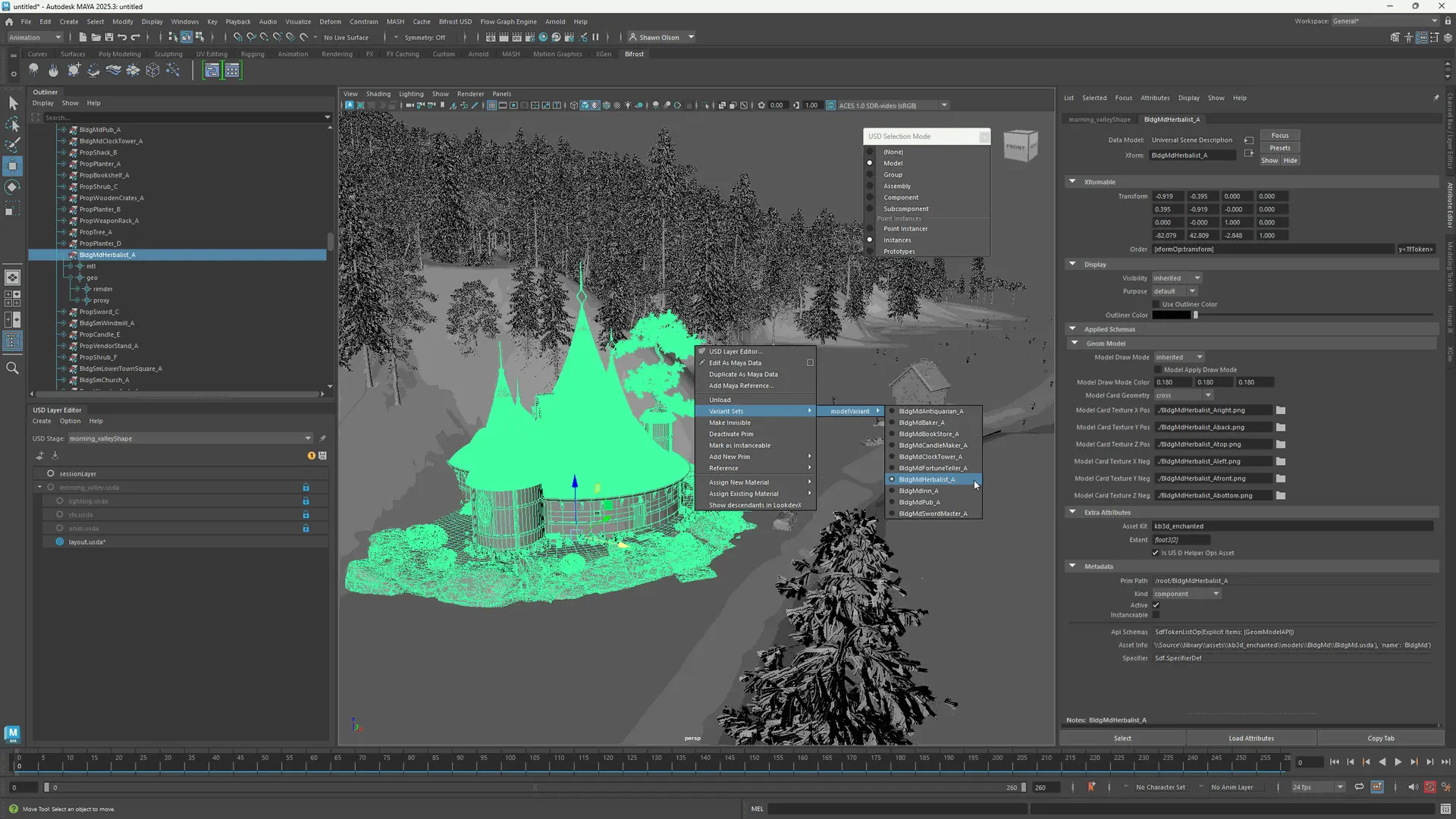
Maya for Film, TV and Game Design
Autodesk Maya supports film, television and game design with powerful 3D animation, modelling, simulation and rendering tools. Creative teams can craft expressive characters, immersive worlds and compelling visual sequences with efficient, production-ready workflows.
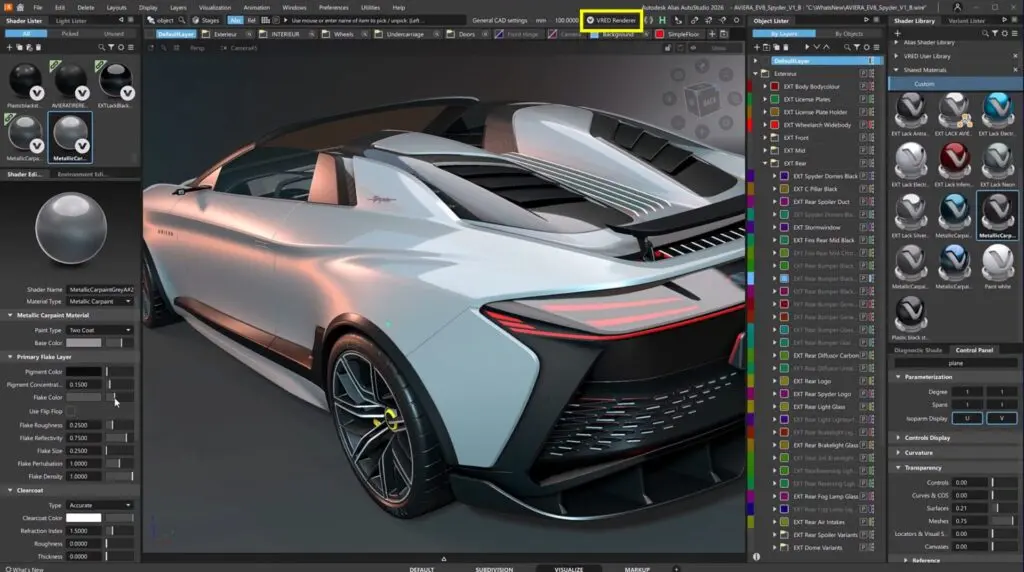
Alias for Advanced Surfacing Design
Alias supports advanced surfacing design with precise curve and form creation, high-quality Class-A modelling and refinement tools that help designers develop complex, production-ready surfaces with greater control, consistency and visual quality.
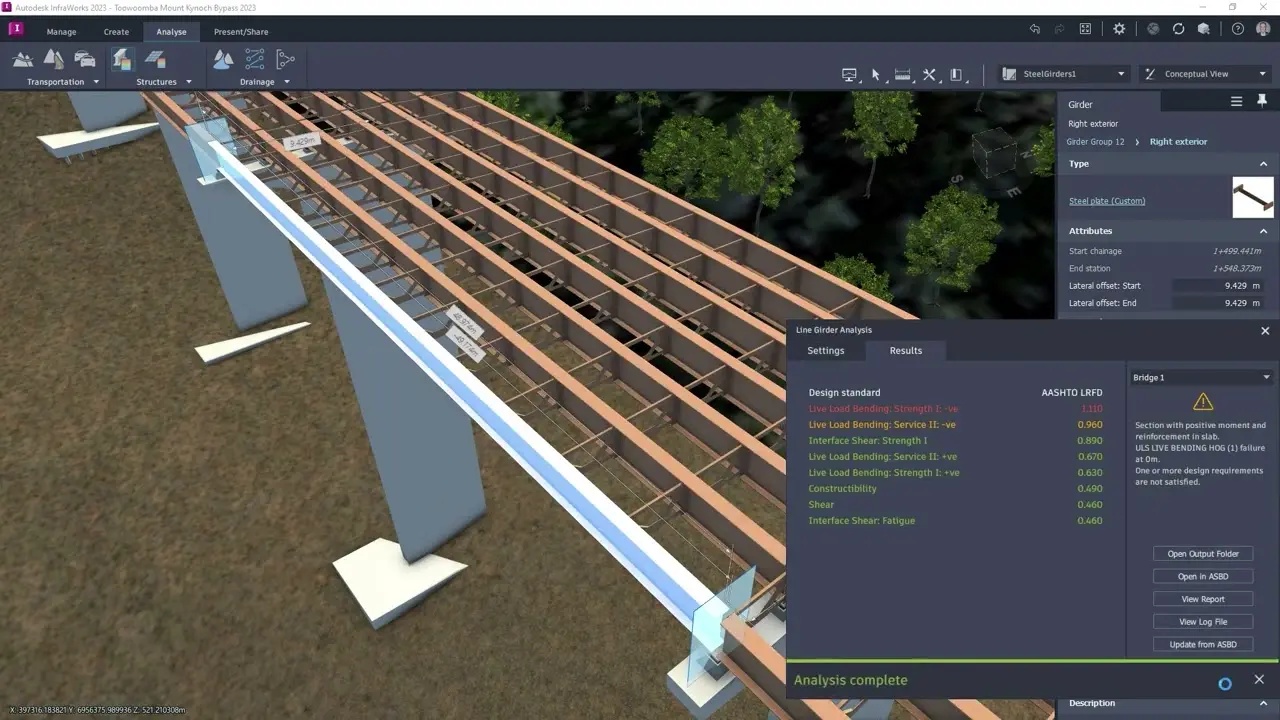
Infraworks for Conceptual Infrastructure Design
InfraWorks supports conceptual infrastructure design with context-rich modelling, early-stage planning and visual communication tools that help teams develop roads, bridges and civil proposals with greater clarity, coordination and confidence.
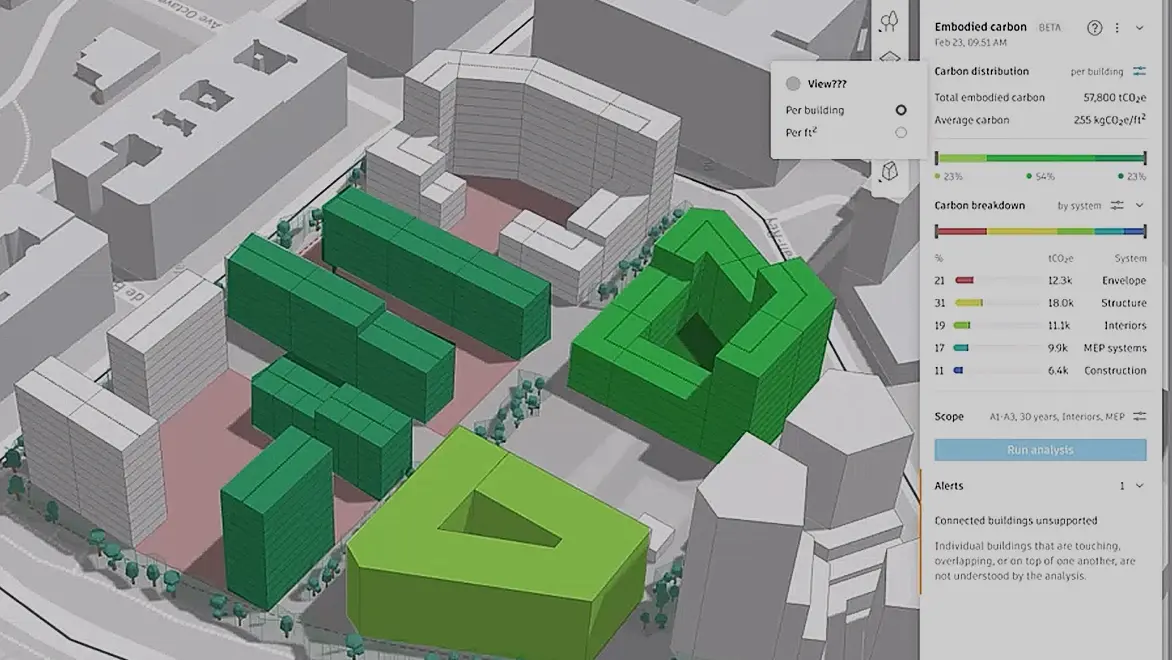
Forma for Conceptual Site & Building Design
Forma supports conceptual site and building design with early-stage planning, contextual analysis and clear visual exploration tools that help teams assess options, shape proposals and make more informed design decisions from the outset.
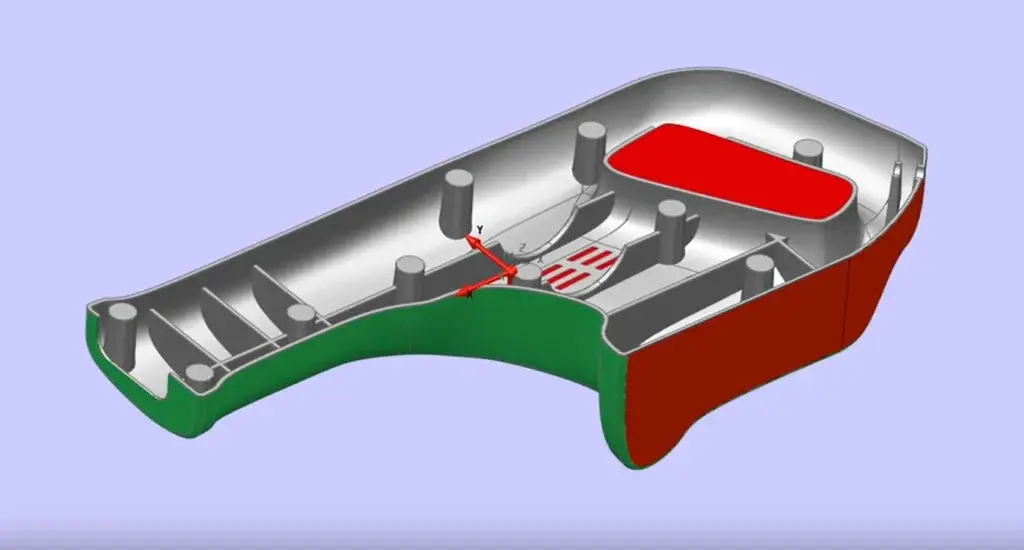
PowerShape for Complex Manufacturing Geometry Design
PowerShape supports complex manufacturing geometry design with specialist tools for preparing intricate 3D models, refining surfaces, repairing imported data and creating accurate geometry ready for downstream engineering and production workflows.
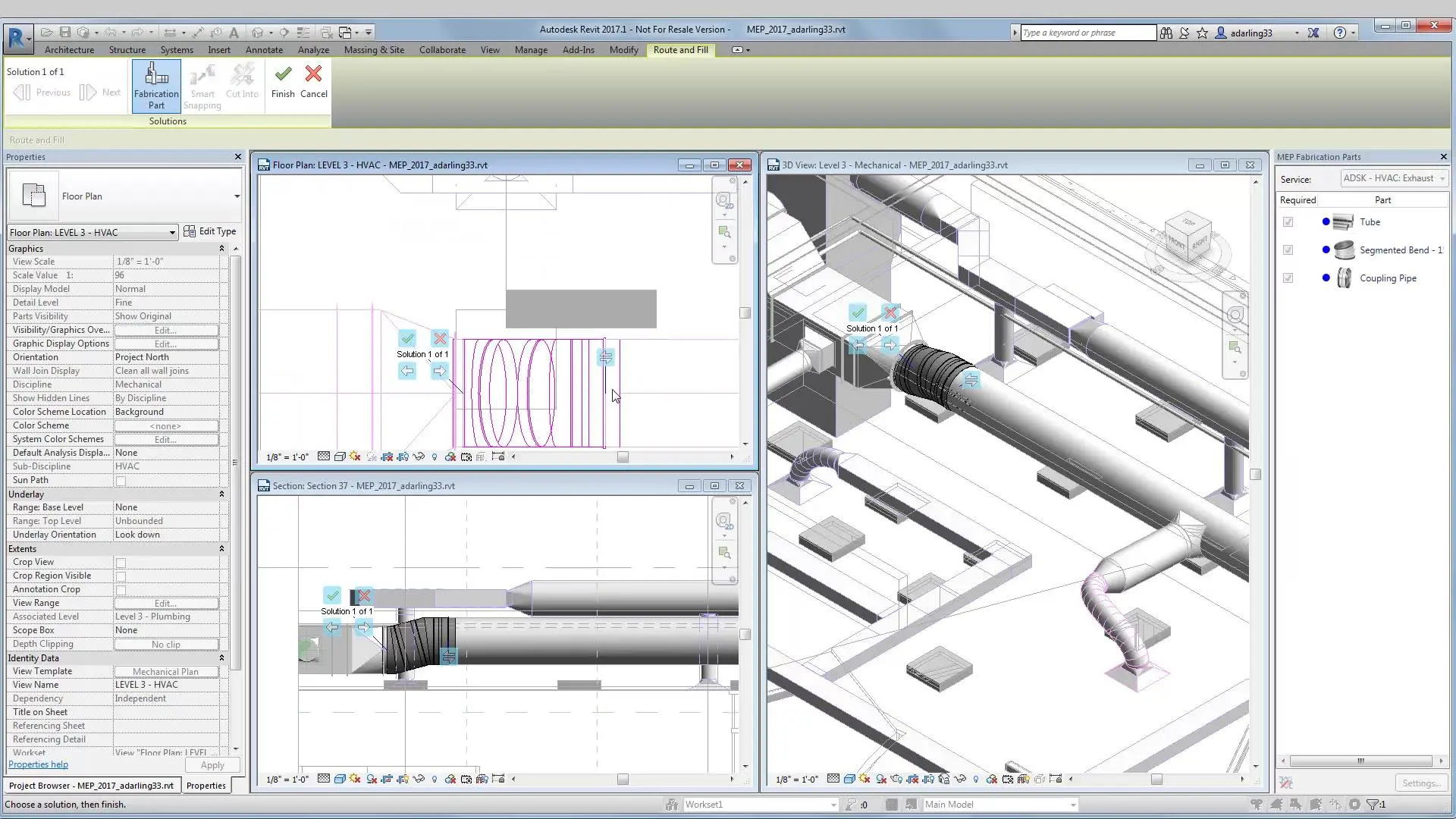
Fabrication CADmep for MEP Design
Fabrication CADmep supports MEP detailing with accurate modelling, spooling and fabrication-ready output, helping teams coordinate design intent, reduce rework and prepare reliable information for manufacture and installation.
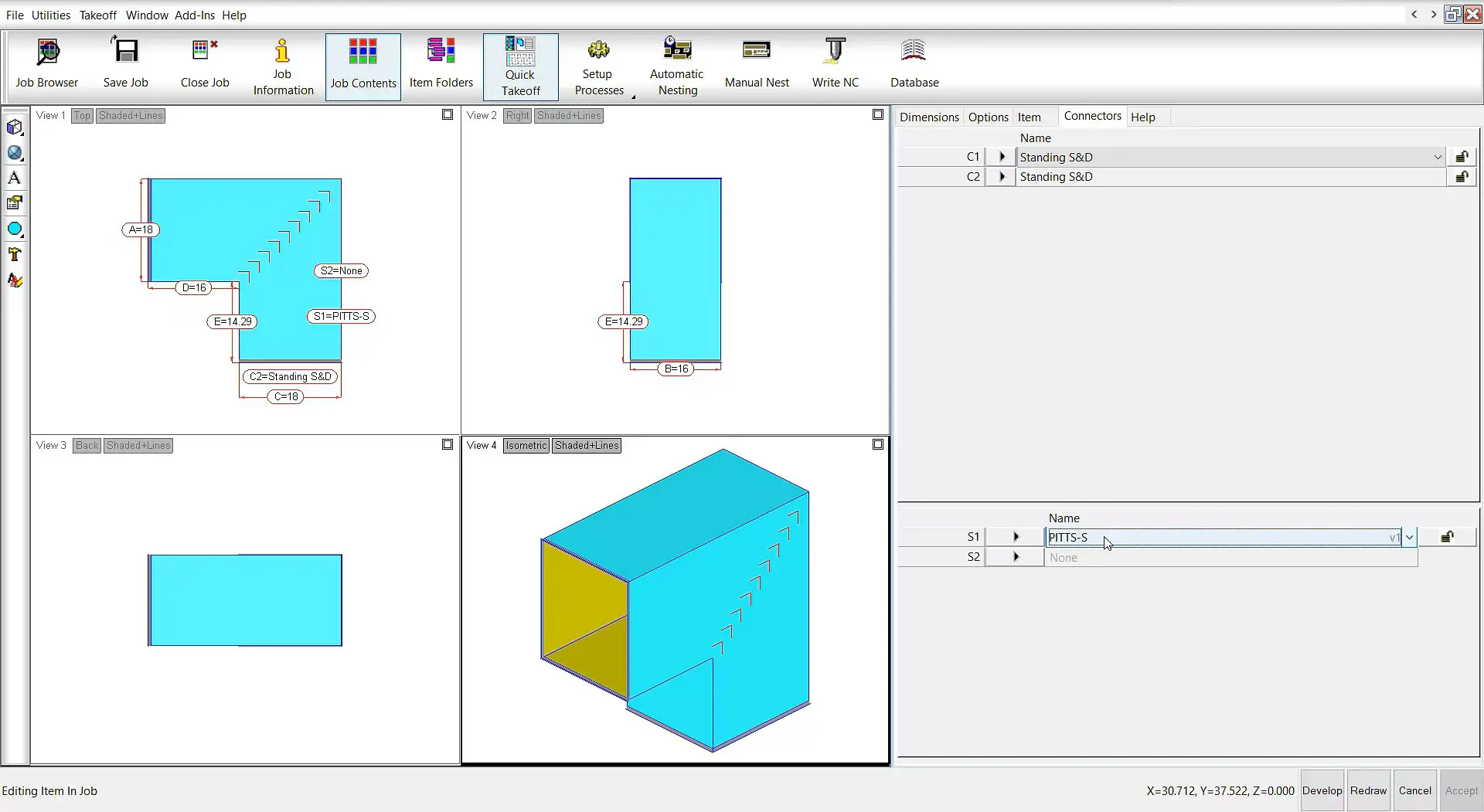
Fabrication CAMduct for Duct Fabrication Design
Fabrication CADmep and CAMduct help MEP teams develop, produce and install building services systems with precise modelling, spool generation, sheet metal workflows and fabrication output that improve coordination and cut avoidable rework.
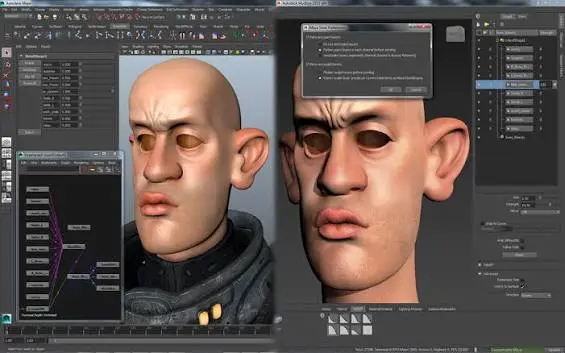
Mudbox for Digital Sculpting and Texturing
Mudbox supports digital sculpting and texture painting with an intuitive toolset for shaping high-resolution models, adding fine surface detail and creating realistic maps, helping artists refine concepts and produce assets for visualisation, games and film workflows.
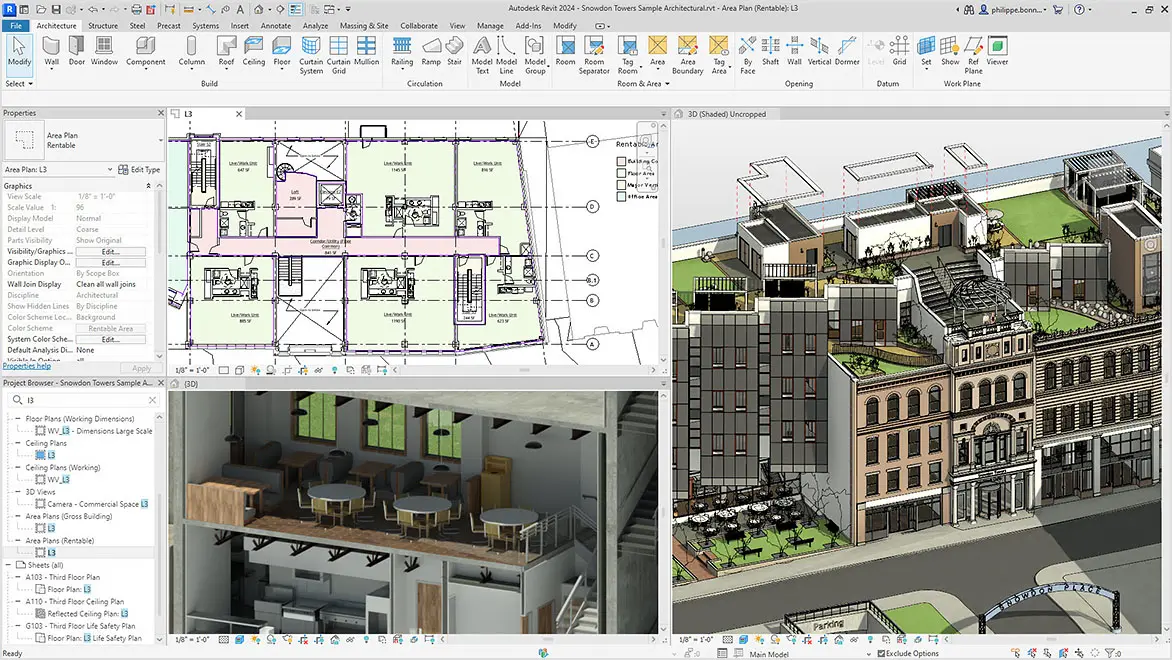
Architecture, Engineering and Construction Industry Collection
The AEC Collection combines established applications for building and infrastructure work within a connected set of design workflows, helping teams progress from sketch-level thinking to coordinated project information. It brings together tools for drafting, BIM development, civil engineering, model review, visual communication and production documentation, so architects, engineers and consultants can work with greater continuity across disciplines.
In addition to the main platforms used for modelling, detailing and coordination, the subscription provides access to further software that broadens what project teams can do during planning and design. These added applications support areas such as structural bridge design, early-stage massing and site studies, specialist detailing and other focused tasks that sit alongside core AEC delivery. Because these programs are included within the collection rather than sold on their own, organisations gain a wider design toolkit that supports concept work, refinement, analysis and presentation throughout the project lifecycle.
Buy AEC Collection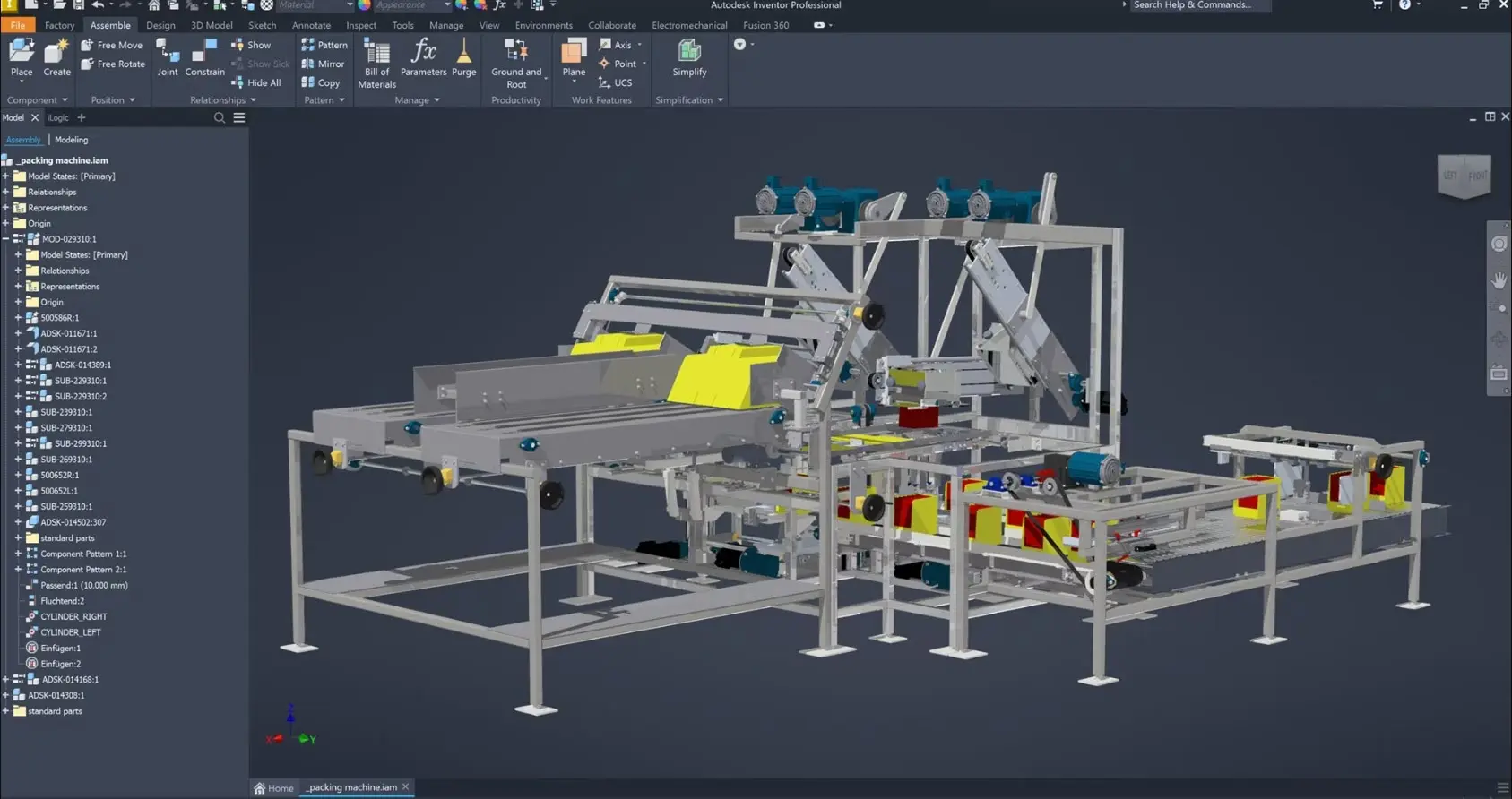
Product Design and Manufacturing Industry Collection
The PDM Collection brings together essential tools for industrial design, engineering and production within a connected workflow. It includes software for concept development, 3D modelling, mechanical design, simulation, visualisation, documentation and data management, helping teams move from early ideas to detailed, manufacture-ready outputs with greater consistency. By working across an integrated set of applications, designers and engineers can refine products more efficiently, coordinate changes more clearly and maintain accuracy throughout development.
Alongside the core applications used for modelling and engineering, the collection also provides access to further design software that extends capability across specialist tasks. These added tools support areas such as advanced product design, factory and equipment layout, nesting, rendering and broader workflow support. As these applications are available as part of the collection and not offered as individual purchases, organisations gain a broader set of design resources to support development, optimisation and presentation across the product lifecycle.
Buy PDM Collection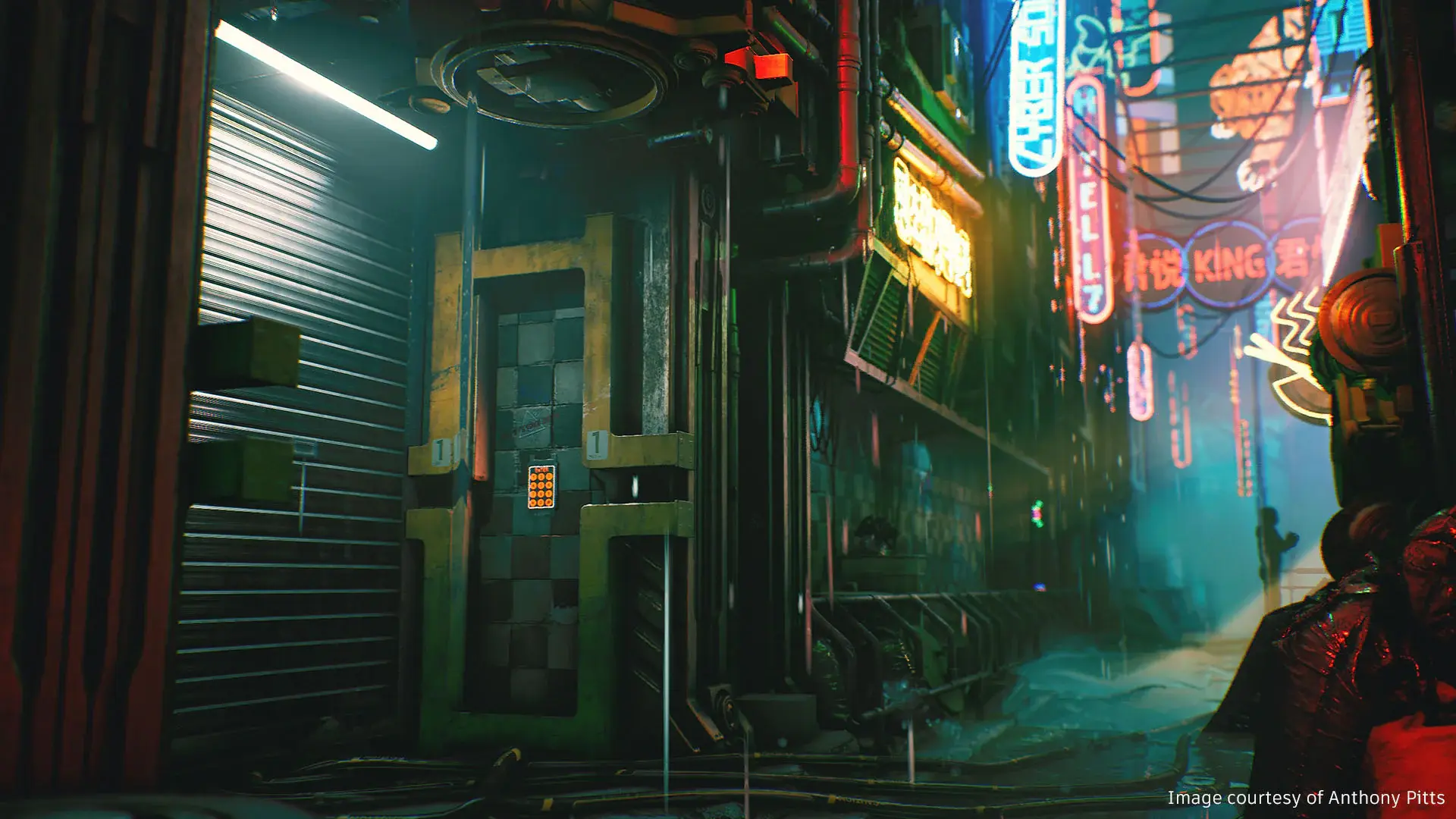
Media and Entertainment Industry Collection
The M&E Industry Collection brings together key creative applications within a connected production environment, helping artists and studios move from early ideas to finished content with greater consistency. It includes software for 3D modelling, animation, effects, rendering, compositing and visual development, allowing teams to work across different stages of film, television, games and immersive media production while keeping workflows more closely aligned.
Alongside the core tools used for asset creation and finishing, the subscription also includes extra creative applications that extend what teams can produce during design and production. These additional programs support specialist tasks such as character work, motion graphics, simulation, digital sculpting and look development. As these tools are provided as part of the collection and are not available to purchase individually, studios gain a broader creative toolkit to support experimentation, refinement and delivery across the full production process.
Buy M&E CollectionFeature Matrix Table
| AutoCAD LT | AutoCAD | Revit | Civil 3D | Fusion | Inventor | 3ds Max | |
| 2D Drafting | ✓ | ✓ | ✓ | ✓ | ✓ | ✓ | ◐ |
| 3D Modelling | — | ✓ | ✓ | ✓ | ✓ | ✓ | ✓ |
| Parametric Design | ◐ | ✓ | ✓ | ✓ | ✓ | ✓ | ✓ |
| BIM Design | — | — | ✓ | ◐ | — | — | — |
| Mechanical Design | — | ◐ | — | — | ✓ | ✓ | ◐ |
| Architectural Design | ✓ | ✓ | ✓ | ◐ | ◐ | ◐ | ✓ |
| Civil Engineering Design | ◐ | ◐ | ◐ | ✓ | — | — | ◐ |
| Product Design | ◐ | ✓ | — | — | ✓ | ✓ | ✓ |
| Assembly Modelling | — | ◐ | ◐ | ◐ | ✓ | ✓ | ◐ |
| Surface Modelling | — | ✓ | ◐ | ✓ | ✓ | ✓ | ✓ |
| Freeform Modelling | — | ◐ | ◐ | ◐ | ✓ | ✓ | ✓ |
| Design Variations | ◐ | ◐ | ✓ | ✓ | ✓ | ✓ | ✓ |
| Design Automation | ◐ | ✓ | ✓ | ✓ | ✓ | ✓ | ✓ |
| Drawing Documentation | ✓ | ✓ | ✓ | ✓ | ✓ | ✓ | ◐ |
| Material Schedules / BOM | ◐ | ◐ | ✓ | ✓ | ✓ | ✓ | ◐ |
| 3D Visualisation | — | ✓ | ✓ | ✓ | ✓ | ✓ | ✓ |
| Animation | — | ◐ | ◐ | ◐ | ✓ | ✓ | ✓ |
| Rendering | — | ✓ | ✓ | ◐ | ✓ | ✓ | ✓ |
| Cloud Collaboration | ◐ | ✓ | ✓ | ✓ | ✓ | ✓ | ◐ |
Technical Comparison Matrix
| Modelling Technology | AutoCAD LT | AutoCAD | Revit | Civil 3D | Fusion | Inventor | 3ds Max |
| 2D Vector Geometry | ✓ | ✓ | ✓ | ✓ | ✓ | ✓ | ✓ |
| 3D Solid Modelling | — | ✓ | ✓ | ✓ | ✓ | ✓ | ◐ |
| B-Rep Modelling | — | ✓ | ◐ | ✓ | ✓ | ✓ | ◐ |
| Parametric Feature History | — | — | ✓ | ◐ | ✓ | ✓ | ✓ |
| Geometric Constraints | ✓ | ✓ | ✓ | ✓ | ✓ | ✓ | ✓ |
| Direct Modelling | — | ✓ | ◐ | ✓ | ✓ | ✓ | ✓ |
| Subdivision / Mesh Modelling | — | ✓ | ◐ | ✓ | ✓ | ◐ | ✓ |
| NURBS Surface Modelling | — | ✓ | ◐ | ◐ | ✓ | ✓ | ✓ |
| T-Spline Modelling | — | — | — | — | ✓ | ✓ | — |
| Design & Engineering | AutoCAD LT | AutoCAD | Revit | Civil 3D | Fusion | Inventor | 3ds Max |
| Assembly Constraints / Joints | — | — | — | — | ✓ | ✓ | ◐ |
| Sheet Metal Design | — | ◐ | — | — | ✓ | ✓ | — |
| Frame / Structural Member Design | — | ◐ | ✓ | ◐ | ◐ | ✓ | — |
| Piping And Tube Design | — | ✓ | ✓ | ◐ | ✓ | ✓ | ◐ |
| Electrical Schematic Design | ◐ | ✓ | ✓ | ◐ | ✓ | ◐ | — |
| PCB Design | — | — | — | — | ✓ | — | — |
| Terrain And Surface Design | — | ◐ | ✓ | ✓ | — | — | ✓ |
| Road / Corridor Modelling | — | — | — | ✓ | — | — | ◐ |
| BIM Families And Components | — | — | ✓ | ◐ | — | — | — |
| Design Options / Configurations | ◐ | ◐ | ✓ | ✓ | ✓ | ✓ | ✓ |
| Documentation & Data | AutoCAD LT | AutoCAD | Revit | Civil 3D | Fusion | Inventor | 3ds Max |
| Associative 2D Drawings | ✓ | ✓ | ✓ | ✓ | ✓ | ✓ | ◐ |
| Automated Schedules / BOM | ◐ | ◐ | ✓ | ✓ | ✓ | ✓ | ◐ |
| DWG Native Support | ✓ | ✓ | ◐ | ✓ | ◐ | ◐ | ◐ |
| DXF Import / Export | ✓ | ✓ | ✓ | ✓ | ✓ | ✓ | ✓ |
| STEP Interoperability | — | ✓ | — | ◐ | ✓ | ✓ | ◐ |
| IFC Interoperability | — | ◐ | ✓ | ◐ | — | ◐ | ◐ |
| STL Import / Export | — | ✓ | ✓ | ✓ | ✓ | ✓ | ✓ |
| Point-Cloud Support | — | ✓ | ✓ | ✓ | ◐ | ◐ | ✓ |
| Automation & Customisation | AutoCAD LT | AutoCAD | Revit | Civil 3D | Fusion | Inventor | 3ds Max |
| AutoLISP | ✓ | ✓ | — | ✓ | — | — | — |
| .NET API | — | ✓ | ✓ | ✓ | — | ✓ | ✓ |
| Python Scripting / API | — | — | ✓ | ◐ | ✓ | ◐ | ✓ |
| Visual Scripting | — | — | ✓ | ✓ | — | — | ✓ |
| Rules-Based Design Automation | ◐ | ✓ | ✓ | ✓ | ✓ | ✓ | ✓ |
| Custom Add-Ins / Plugins | ◐ | ✓ | ✓ | ✓ | ✓ | ✓ | ✓ |
| Visualisation | AutoCAD LT | AutoCAD | Revit | Civil 3D | Fusion | Inventor | 3ds Max |
| Materials And Textures | — | ✓ | ✓ | ✓ | ✓ | ✓ | ✓ |
| Photorealistic Rendering | — | ✓ | ✓ | ◐ | ✓ | ✓ | ✓ |
| Lighting And Cameras | — | ✓ | ✓ | ◐ | ✓ | ✓ | ✓ |
| Keyframe Animation | — | ◐ | — | — | ◐ | ◐ | ✓ |
| Walkthrough / Flythrough | — | ✓ | ✓ | ✓ | ✓ | ✓ | ✓ |
Ready to Design?
Talk to Design Consulting about bringing concept development, modelling, documentation and project information into one connected design workflow.
Fill out the contact form below or contact us on 1800 490 514, info@designconsulting.com.au or by live chat.
Ready to connect your design and build workflows?
Speak with our team about connecting design and build workflows, from concept models through coordinated delivery.
Fill out the form below, call 1800 490 514, email info@designconsulting.com.au, or use live chat.