
Autodesk Revit Families Training Course
- 16-Hours (8 x 2-Hour Sessions) Training
- Delivered remotely over MS Teams
- Sessions are recorded and download links are provided after each session for your future use and reference.
- Pricing is based on 1-3 people. Additional people are at an additional cost of $1,100 per person.
- Volume Discounts apply for 5+ people.
- Training is usually broken up into 2 or 4-hour sessions in the morning and flexible (i.e. consecutive or Monday, Wednesday, Friday, etc.)
- Training sessions can start within 14 days of booking
- Courses are private and topics can be customised to suit
- Includes Certificate of Completion
- Training manuals are an additional $145 Ex. GST per digital manual
Autodesk Revit Families Course – Family Creation, Parametric Modelling and BIM Content Training
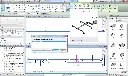
The Autodesk Revit Families Training Course teaches Revit users how to create, modify, test, and manage intelligent BIM content using the Revit Family Editor. Rather than relying solely on downloaded content, participants learn how to develop families that suit their organisation's design, documentation, scheduling, and BIM standards.
Training covers the complete family creation workflow, from selecting the correct family template and establishing reference planes through to creating geometry, applying constraints, defining parameters, creating family types, and testing families within Revit projects.
Participants also develop skills in more advanced family functionality including formulas, nested families, shared parameters, visibility controls, materials, arrays, lookup-driven content, and family library management.
Autodesk describes reference planes as the framework or "skeleton" of a parametric family, with geometry constrained to this framework so parameters can control its behaviour. The course follows this structured approach to creating reliable and maintainable Revit content.
Revit Family Creation Training – Parameters, Constraints and Intelligent BIM Content
Revit families are more than 3D objects. Well-developed families contain geometry, information, parameters, behaviours, materials, visibility controls, and family types that determine how components interact with a BIM project.
The Autodesk Revit Families Training Course teaches participants how to develop families that can respond intelligently to project requirements without unnecessarily increasing model complexity.
Participants learn the differences between system, loadable, and in-place families and concentrate on developing reusable loadable families using RFA files and the Family Editor. Autodesk's documentation confirms that loadable families contain both the geometric definition of an element and parameters used to control it.
What You'll Learn – Revit Family Creation, Parameters, Formulas and Parametric Modelling
- Navigate and use the Revit Family Editor
- Select appropriate family templates and categories
- Establish reference planes and reference lines
- Create parametric family frameworks
- Build solid and void geometry
- Apply dimensions and constraints
- Create type and instance parameters
- Develop multiple family types
- Control dimensions, materials, and visibility with parameters
- Create and apply formulas
- Build nested and shared families
- Associate parameters between nested and host families
- Create parametric arrays and repeated components
- Test and flex families before deployment
- Load and test custom families within Revit projects
- Develop consistent BIM content and family standards
Revit's Family Types functionality allows multiple types or sizes to be created within one family, while formulas can be used to calculate parameter values and control geometry.
What You'll Learn – Revit Family Creation, Parameters, Formulas and Parametric Modelling
- Navigate and use the Revit Family Editor
- Select appropriate family templates and categories
- Establish reference planes and reference lines
- Create parametric family frameworks
- Build solid and void geometry
- Apply dimensions and constraints
- Create type and instance parameters
- Develop multiple family types
- Control dimensions, materials, and visibility with parameters
- Create and apply formulas
- Build nested and shared families
- Associate parameters between nested and host families
- Create parametric arrays and repeated components
- Test and flex families before deployment
- Load and test custom families within Revit projects
- Develop consistent BIM content and family standards
Revit's Family Types functionality allows multiple types or sizes to be created within one family, while formulas can be used to calculate parameter values and control geometry.
Revit Families Topics Covered – Family Editor, Parametric Families and BIM Content Creation
- Revit Family Editor
- Family templates
- Family categories
- Loadable families
- Reference planes and reference lines
- Constraints and dimensions
- Type parameters
- Instance parameters
- Shared parameters
- Family parameters
- Family types
- Parametric geometry
- Extrusions, blends, revolves and sweeps
- Solid and void forms
- Materials
- Visibility parameters
- Detail levels
- Subcategories
- Formulas
- Conditional formulas
- Arrays
- Nested families
- Shared nested families
- Parameter association
- Family testing and flexing
- Family library standards
- BIM content management
- Family performance and optimisation
Customised Revit Family Development During Training
The Autodesk Revit Families Training Course can be customised around the actual BIM content your organisation needs to develop.
Instead of completing only generic exercises, participants can work with their own family requirements and company standards. This allows the instructor to demonstrate family creation principles while developing content relevant to real projects.
Training can be customised for architectural, structural, MEP, interiors, building products, fabrication, equipment, and specialist BIM requirements.
Examples can include doors, windows, furniture, equipment, fixtures, structural components, mechanical equipment, electrical components, plumbing fixtures, annotation content, and manufacturer-specific BIM objects.
This approach provides both a training outcome and a commercial outcome: participants develop their Revit Family Editor skills while establishing practical content and standards that can continue to be developed after the course.
Autodesk Revit Families Training Course Contents
Chapter 1: Introduction to Revit Families and the Family Editor
- Understanding Revit families
- System, loadable, and in-place families
- Navigating the Family Editor
- Understanding RFA files
- Family creation workflow
Chapter 2: Family Templates, Categories and Hosting
- Selecting the correct family template
- Family categories
- Hosted and non-hosted families
- Face-based and work plane-based content
- Planning family behaviour before modelling
Chapter 3: Reference Planes, Reference Lines and Constraints
- Creating reference planes
- Creating reference lines
- Establishing the family framework
- Applying dimensions and constraints
- Locking geometry correctly
Chapter 4: Creating Family Geometry
- Extrusions
- Blends
- Revolves
- Sweeps
- Swept blends
- Solid and void geometry
- Openings and cut geometry
Chapter 5: Parameters and Family Types
- Family parameters
- Type parameters
- Instance parameters
- Creating labelled dimensions
- Creating multiple family types
- Controlling geometry parametrically
Chapter 6: Formulas and Parametric Behaviour
- Creating formulas
- Calculated dimensions
- Conditional family behaviour
- Parameter relationships
- Testing parametric relationships
- Building intelligent family logic
Chapter 7: Materials, Subcategories and Visibility
- Material parameters
- Family subcategories
- Object styles
- Visibility parameters
- Detail levels
- Controlling graphical representation
Chapter 8: Nested and Shared Families
- Creating nested families
- Host and nested family relationships
- Associating parameters
- Shared versus non-shared families
- Scheduling nested components
- Managing complex family structures
Chapter 9: Arrays and Repeated Components
- Parametric arrays
- Array constraints
- Repeated nested components
- Controlling quantities
- Testing variable family configurations
Chapter 10: Annotation and 2D Family Content
- Symbolic lines
- Detail components
- Generic annotations
- Annotation families
- Visibility by view and detail level
- Combining 2D and 3D family information
Chapter 11: Testing, Flexing and Troubleshooting Families
- Flexing parameters
- Testing family types
- Loading families into projects
- Testing family behaviour
- Identifying broken constraints
- Troubleshooting parameter relationships
- Improving family reliability
Chapter 12: Revit Family Standards and Content Management
- Family naming conventions
- Parameter standards
- Shared parameter strategies
- Family library structures
- Quality assurance
- Content deployment
- Maintaining company BIM libraries
Optional Chapter: Advanced Parametric Revit Families
- Advanced formulas
- Conditional parameters
- Complex constraints
- Advanced arrays
- Multi-configuration families
- Parametric design strategies
Optional Chapter: Revit MEP Family Creation
- MEP family categories
- Mechanical and electrical components
- Plumbing components
- Connector requirements
- MEP parameters
- Testing families in building systems
Optional Chapter: Manufacturer and Product BIM Families
- Converting product information into BIM content
- Product types and configurations
- Manufacturer parameters
- Product data and scheduling
- Material options
- Creating reusable manufacturer BIM libraries
Optional Chapter: Revit Family Library and Company Standards
- BIM content standards
- Family naming conventions
- Shared parameters
- Library structures
- Family auditing
- Content approval procedures
- Company-wide deployment

Who Should Attend the Autodesk Revit Families Training Course
- Architects
- BIM Managers
- BIM Coordinators
- Revit Users
- Architectural Designers
- Interior Designers
- Structural Engineers
- Structural Designers
- Mechanical Engineers
- Electrical Engineers
- Hydraulic and Plumbing Designers
- Building Services Engineers
- BIM Content Developers
- Building Product Manufacturers
- CAD and BIM Managers
- Digital Engineering Teams
This course is particularly valuable for organisations that want to reduce their reliance on inconsistent third-party families and establish reliable, reusable Revit content developed around their own BIM, documentation, scheduling, and modelling standards.
Autodesk Revit Families Training Course Prerequisites
Participants should have a working knowledge of Autodesk Revit, including basic modelling, views, properties, dimensions, and project navigation.
Previous family creation experience is not required. The course progresses from Family Editor fundamentals through to parametric content, formulas, nested families, and more advanced family development workflows.
Enrol Now in the Remote Autodesk Revit Families Training Course
Develop the skills to create professional, intelligent, and reusable Revit families that meet your organisation's BIM and project requirements.
Delivered online live with an instructor, the Autodesk Revit Families Training Course combines structured family creation principles with practical exercises and real-world BIM content development.
Training can also be customised around your organisation's existing Revit families, BIM standards, manufacturer content, or upcoming project requirements, allowing your team to develop valuable production content while learning the skills required to create and maintain it independently.
Ready to Design with Precision and Speed?
Transform the way you create, visualise, simulate, and deliver designs, reports and drawings. Contact us today to explore training, services and subscription options or request a demo.
Fill out the contact form below or contact us on 1800 490 514, info@designconsulting.com.au or by live chat