
Autodesk Fusion Machine Connect
Enhance Your Workflow with Autodesk Fusion Machine Connect
Available in Annual Subscription or 3-Year Subscription
Autodesk Fusion Machine Connect revolutionises your manufacturing processes by seamlessly integrating CNC machines with cloud-based data management. Streamline production and boost efficiency through real-time machine monitoring and predictive maintenance capabilities. Choose from flexible purchasing options like Annual or 3-Year Subscription to fit your business needs. Elevate your manufacturing potential with this advanced connectivity solution.
Autodesk Fusion Machine Connect – Revolutionising CNC Automation Integration




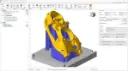
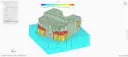
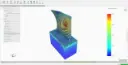
Autodesk Fusion Machine Connect is an advanced software solution designed to streamline and enhance CNC machine operations. It seamlessly integrates real-time machine data into the Autodesk Fusion 360 platform, providing manufacturers with unprecedented control and flexibility. By bridging the gap between digital design and physical production, it optimises workflows and minimises errors. This comprehensive solution supports diverse industries, allowing for faster and more efficient production processes.
Ideal for manufacturers and engineers, Autodesk Fusion Machine Connect stands out with its robust capabilities in CNC machine integration. Whether in aerospace, automotive, or consumer goods, this tool caters to various industry needs by aligning machine data with design insights. With statistics indicating up to 30% reduction in downtime, it helps businesses achieve greater productivity and cost efficiency. The powerful analytics and reporting features ensure ongoing performance improvements in production environments.
Autodesk Fusion Machine Connect Software
At the core of this package is Autodesk Fusion Machine Connect Software, At the core of this package is Autodesk Fusion Machine Connect, designed to transform how industries manage CNC workflows. Integrating seamlessly with Fusion 360, it enables real-time tracking and analysis of machine operations, enhancing productivity. Engage in a streamlined protocol of design, simulation, and production with:
Real-Time Data Integration
One of the standout features of Autodesk Fusion Machine Connect is its ability to integrate real-time data from CNC machines directly into the Fusion 360 environment. This live data stream provides manufacturers with critical insights into machine performance and production status. Users can monitor machine health and make necessary adjustments promptly, minimising interruptions and maximising productivity.
Enhanced Machine Communication
Autodesk Fusion Machine Connect facilitates enhanced communication between digital designs and physical CNC machines. By supporting a wide range of machine protocols, it ensures seamless connectivity and data transfer. This feature allows for consistent updates and synchronisation, optimising machine commands to improve precision and efficiency of the machining process.
Predictive Maintenance Capabilities
With predictive maintenance capabilities, Autodesk Fusion Machine Connect foresees potential machine failures before they occur. By analysing machine data patterns, it provides alerts and maintenance schedules, preventing unforeseen breakdowns. This feature significantly reduces downtime, ensuring machines run smoothly and prolongs their lifespan.
Detailed Reporting and Analytics
The software includes comprehensive reporting and analytics tools that allow users to review production data closely. Reports can be customised to include various metrics such as production time, error rates, and machine utilisation. These analytics help in identifying trends and opportunities for process enhancements, driving continuous improvement in manufacturing operations.
Customisation Options
Autodesk Fusion Machine Connect offers extensive customisation options to cater to specific manufacturing requirements. Users can tailor machine interfaces, data streams, and analytics dashboards to match their operational goals. This flexibility ensures that the software can adapt to various production environments, maximising its utility and effectiveness in different industrial settings.
What's Included in Autodesk Fusion Machine Connect?
When you subscribe, you get access to cutting-edge features that drive efficiency and innovation in machine operations. This package includes a host of tools designed for optimising CNC integration, reporting, and machine management, providing a comprehensive solution for modern manufacturers.
Machine Integration Dashboard
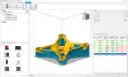
The Machine Integration Dashboard is a central hub for monitoring and managing CNC machine operations. It provides a user-friendly interface for viewing real-time data and machine statuses. With intuitive controls and visualisations, it streamlines the decision-making process and enhances operational transparency.
Live Data Feed
The Live Data Feed tool continuously streams machine performance metrics and operational data into the Fusion 360 ecosystem. This tool allows users to track every aspect of machine functionality, from spindle speed to motor torque. Immediate access to live data can greatly augment responsiveness and adaptability in production environments.
Performance Analytics Suite
This comprehensive suite offers detailed analytics on machine performance and operations. Users can generate customised reports focusing on productivity, efficiency, and error rates. The suite provides data-driven insights that are pivotal for refining and enhancing manufacturing processes.
Maintenance Scheduler
The Maintenance Scheduler predicts and plans routine maintenance tasks based on machine data analytics. By ensuring timely servicing and repairs, it helps prevent unexpected downtimes. This tool empowers businesses to maintain high standards of machine reliability and productivity.
Custom Interface Designer
With the Custom Interface Designer, users can personalise their integration experience, tailoring the software interface to match specific operational needs. It allows for adjustments in data displays, control settings, and workflow configurations, creating a bespoke setup for every manufacturing scenario.
Error Analysis Tool
The Error Analysis Tool investigates and reports on discrepancies or malfunctions within CNC operations. By pinpointing errors and suggesting corrective measures, it assists in maintaining quality control standards. This tool helps minimise defects and rework, ensuring optimal productivity levels.
Remote Monitoring Connectivity
Remote Monitoring Connectivity allows operators to oversee CNC machines from any location. Ideal for global operations, this feature provides access to vital data and control functionalities via secure internet connections. It enhances flexibility and allows managers to maintain oversight and control over distributed manufacturing environments.
DC Products and Services
Bundle and Save when you get Accessory Products or Services
Training Courses
From fundamentals advanced to custom courses, covering all Autodesk products for design, visualisation, simulation, automation and collaboration.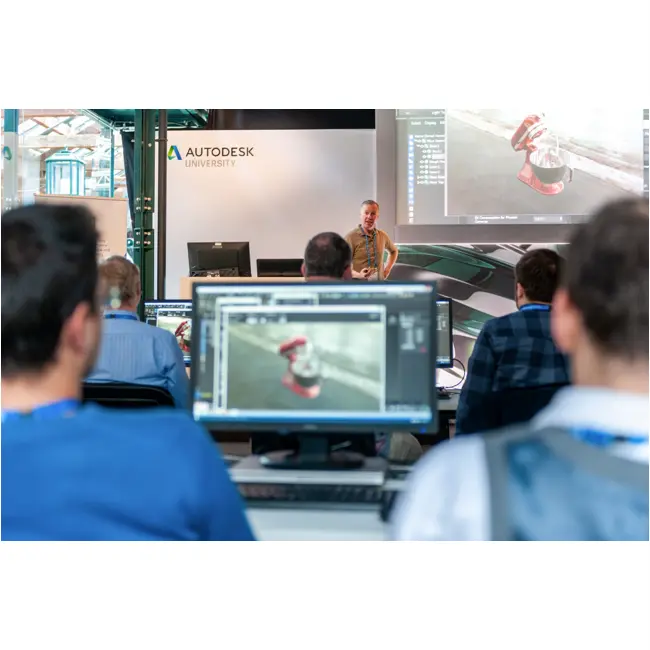
Services
DC has a range of services, including support, consulting, templates, libraries, design automation, system deployments, custom add-ins and more.

Bluebeam
PDF Collaboration software from Bluebeam enhances and captures communication across teams and projects.

Autodesk Fusion Machine Connect Key Benefits
Improved Workflow Efficiency
Autodesk Fusion Machine Connect streamlines workflows by integrating machine operations with design data, reducing manual interventions. This interconnectedness allows for faster transitions from design to production, saving time and resources.
Reduced Downtime
By using predictive maintenance and real-time monitoring, downtimes are significantly reduced. Early detection of potential issues ensures machines remain operational and optimised for production.
Enhanced Production Quality
The precision and accuracy of CNC operations are enhanced, leading to higher quality outcomes. Machine Connect ensures that designs are executed with exactitude, minimising errors and rework.
Greater Resource Management
The software promotes better resource management through efficient scheduling and precise control over manufacturing processes. Businesses can utilise assets more effectively, resulting in cost savings and elevated production capabilities.
Instructor-Led Training
Users of Autodesk Fusion Machine Connect have access to instructor-led training sessions, enhancing their ability to maximise software benefits. This training supports rapid adoption and proficiency in utilising advanced features.
Scalability
The solution is scalable, accommodating small and large-scale manufacturing operations alike. Its customisation capabilities ensure that it evolves with an enterprise's growing needs, making it a future-proof investment.
Autodesk Fusion Machine Connect
is Ideal For
- Manufacturers Seeking Automation Solutions
- CNC Machine Operators
- Mechanical Engineers
- Production Managers
- Industrial Designers
- Supply Chain Professionals
Licencing Options
Choose from flexible Autodesk subscription plans including:
- Annual Subscription
- 3-Year Subscription
All plans include automatic software updates, Autodesk support access, and secure cloud-based file storage.
Flexible Options
Choose from flexible Autodesk subscription plans including:
- Annual Subscription
- 3-Year Subscription
-
Flex Token Usage Based
All plans include automatic software updates, Autodesk support access, and secure cloud-based file storage.
Why Choose Design Consulting | Autodesk Gold Partner | Autodesk Service Provider
Design Consulting is a trusted Autodesk Gold Partner and Autodesk Service Provider. Design Consulting empowers architects, engineers, manufacturers, and builders with smart software, automation, and digital tools that provide Autodesk end-to-end solutions that are connected with systems and machines. As an Autodesk Gold Partner, we deliver tailored solutions that simplify workflows, reduce costs, and drive better project outcomes.
About DC Training Courses Services Configurators 2D/3D-CRM and ERP Batch Imagery
Get Autodesk Fusion Machine Connect Today
Unlock the full potential of Autodesk Fusion Machine Connect to revolutionise your CNC operations. Experience unparalleled integration and control, driving productivity and efficiency in your manufacturing environment. Contact Design Consulting to request a quote, schedule a demo, or speak with an Autodesk-certified expert.
Ready to Design with Precision and Speed?
Transform the way you create, visualise, simulate, and deliver designs, reports and drawings. Contact us today to explore training, services and subscription options or request a demo.
Fill out the contact form below or contact us on 1800 490 514, info@designconsulting.com.au or by live chat