

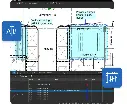
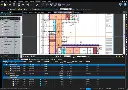
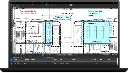
Bluebeam Training Course
- 8-Hours (4 x 2-Hour Sessions) Training
- Delivered remotely over MS Teams
- Sessions are recorded and download links are provided after each session for your future use and reference.
- Pricing is based on 1-3 people. Additional people are at an additional cost of $550 per person.
- Volume Discounts apply for 5+ people.
- Training is usually broken up into 2 or 4-hour sessions in the morning and flexible (i.e. consecutive or Monday, Wednesday, Friday, etc.)
- Training sessions can start within 14 days of booking
- Courses are private and topics can be customised to suit
- Includes Certificate of Completion
- Training manuals are an additional $145 Ex. GST per digital manual
Bluebeam Training Course – PDF Markup, Measurement, Takeoff and Collaboration Training
The Bluebeam Training Course teaches architecture, engineering and construction professionals how to review, mark up, measure, organise and collaborate on PDF drawings and project documentation using Bluebeam.
Participants learn practical workflows for navigating construction drawings, creating professional markups, developing reusable Tool Sets, calibrating drawing scales, performing measurements and quantity takeoffs, managing review information and comparing drawing revisions.
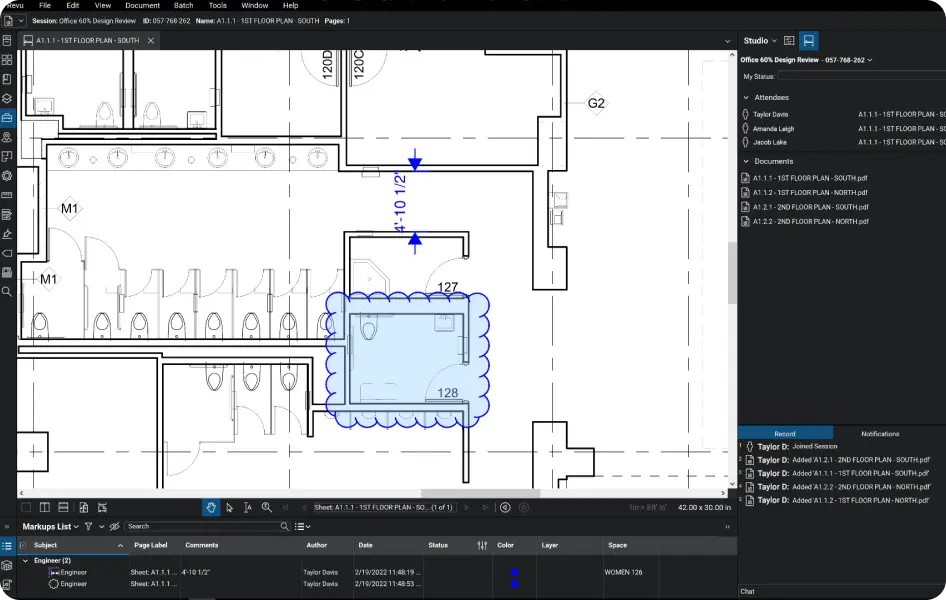
Training also covers the Markups List for tracking and managing project information, along with Bluebeam Studio for collaborative document review and project workflows.
Rather than using Bluebeam simply as a PDF viewer, participants learn how to establish structured digital workflows that can improve drawing reviews, estimating, quantity takeoffs, design coordination, quality assurance and project communication.
The course is suitable for users of Bluebeam Basics, Core, Complete and Max. Functionality available within Bluebeam varies according to subscription level, and relevant differences are identified throughout the training.
Bluebeam PDF Markup, Measurement and Construction Drawing Workflows
Bluebeam provides specialised PDF tools for professionals working with drawings, specifications and technical project documentation.
The Bluebeam Training Course teaches participants how to use these tools as part of practical architecture, engineering and construction workflows.
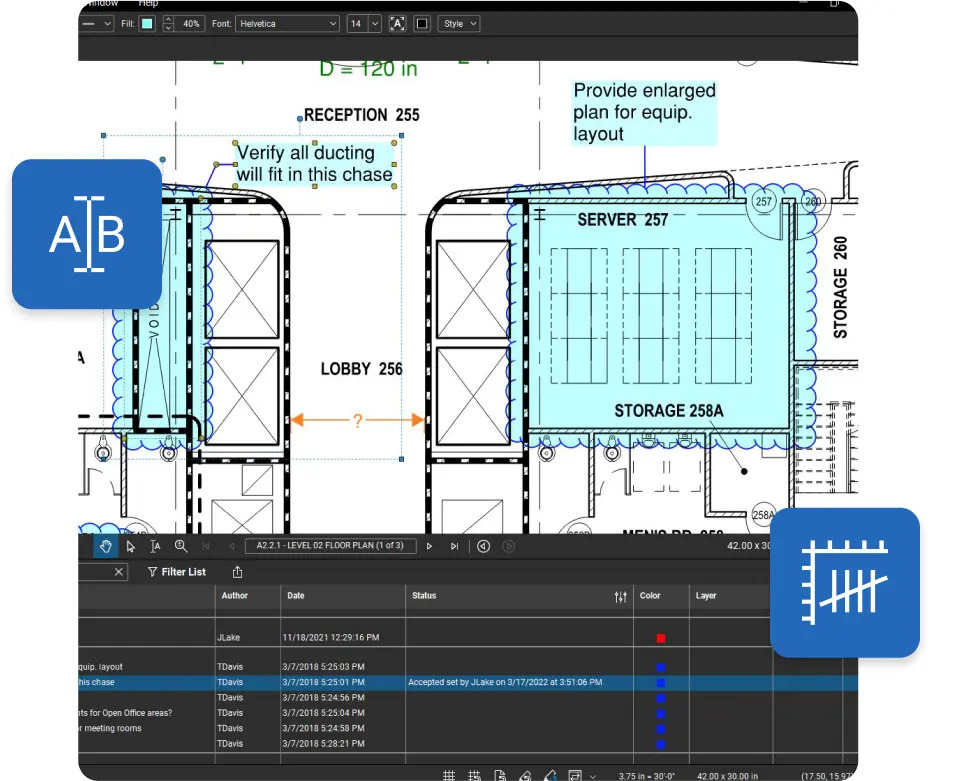
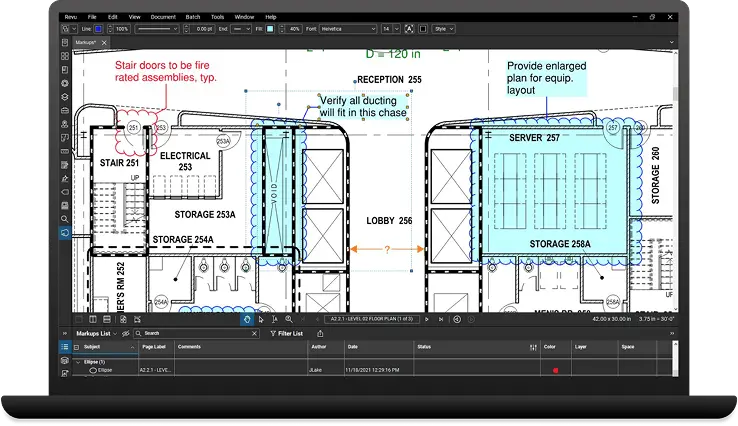
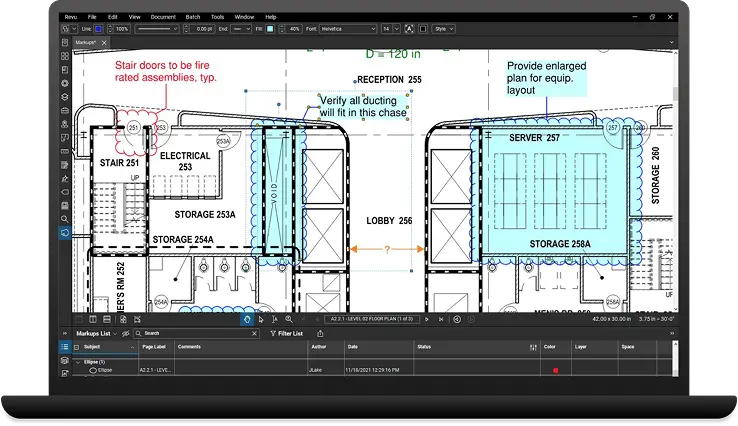
Participants learn how to create and manage markups including text, callouts, clouds, lines, shapes and review comments. Markup properties can be configured and reusable tools stored within the Tool Chest, allowing individuals and organisations to establish consistent symbols, colours, properties and review standards.
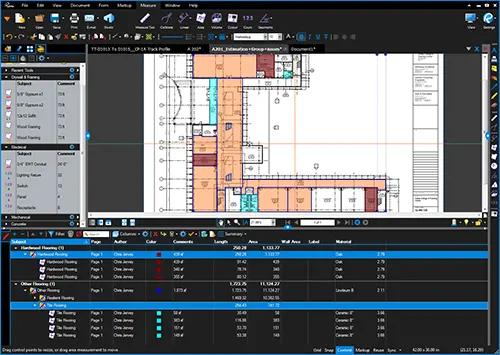
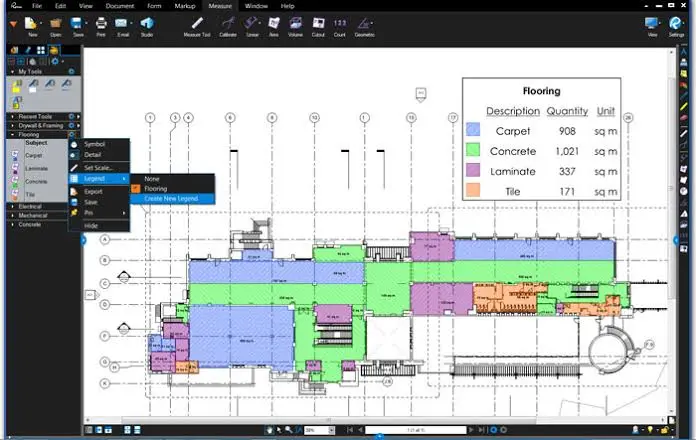
Measurement workflows cover drawing calibration, scale, length, area and other measurement tools available within the participant's Bluebeam subscription. These capabilities can be applied to quantity takeoffs, estimating, design reviews and construction documentation.
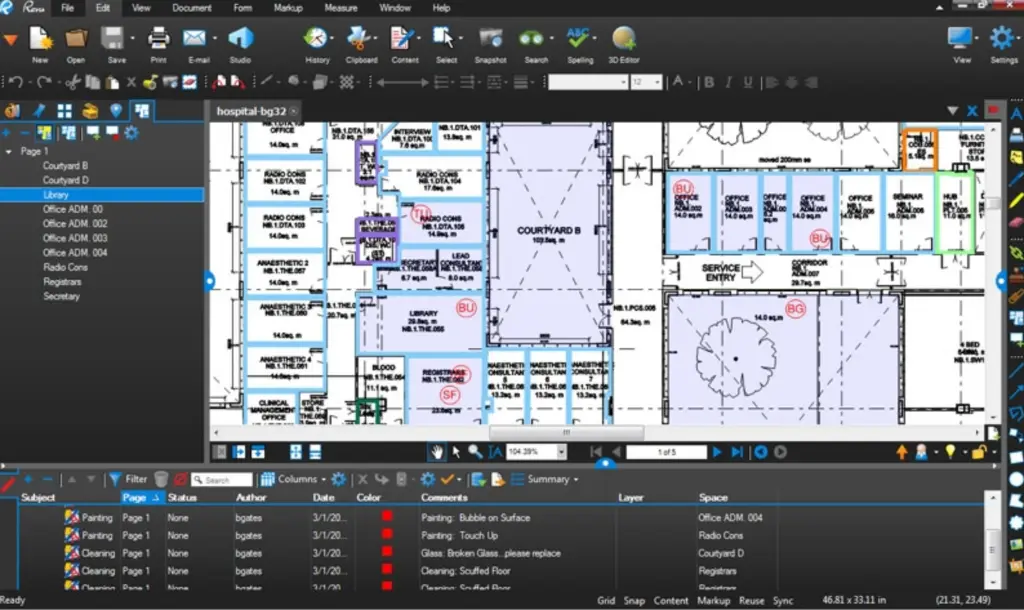
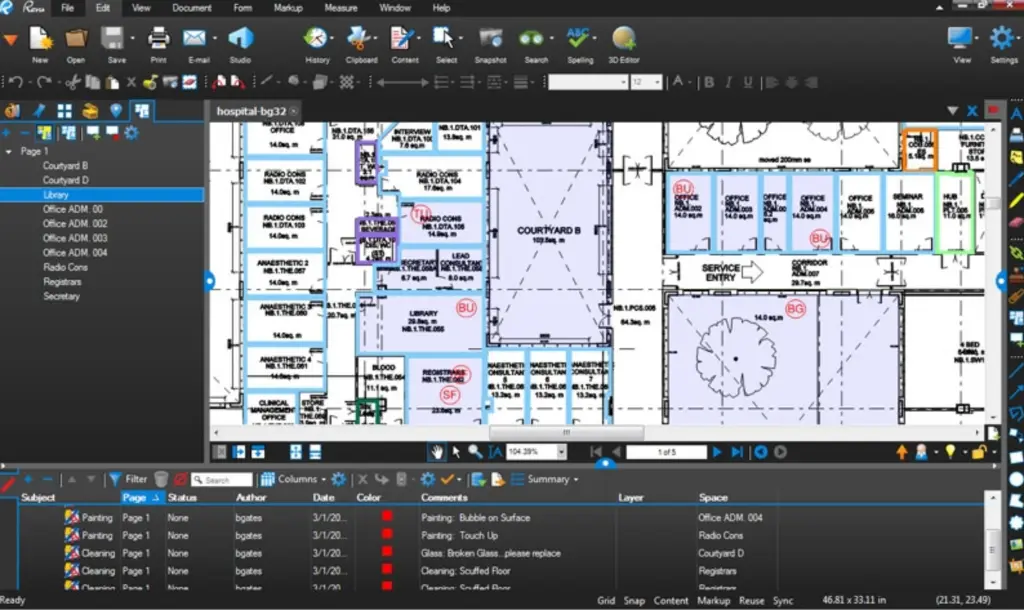
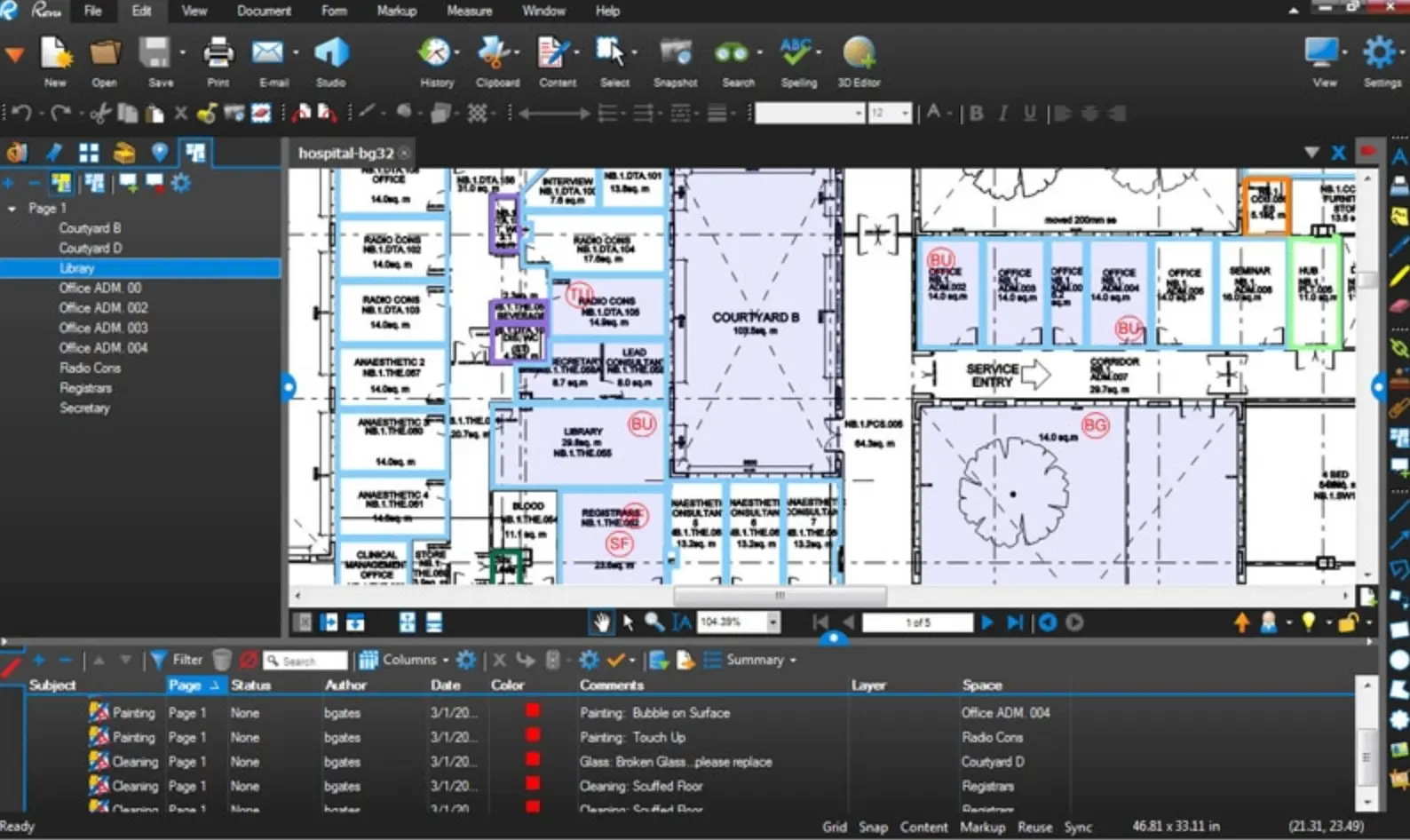
The course also covers methods for organising markup and measurement information through the Markups List, helping users sort, filter, track and report project information more efficiently.
What You'll Learn – Bluebeam Markups, Measurements, Takeoffs and Collaboration
- Navigate the Bluebeam interface and PDF drawing environment
- Configure profiles, toolbars and panels
- Navigate large drawing sets efficiently
- Create text, callout, cloud, line and shape markups
- Modify markup appearance and properties
- Create standardised markup workflows
- Create and manage reusable Tool Sets
- Use the Tool Chest to improve productivity
- Set and calibrate drawing scales
- Perform drawing measurements
- Complete quantity takeoffs
- Organise measurement and takeoff information
- Work with the Markups List
- Sort and filter markup information
- Create custom columns and statuses
- Track drawing review comments
- Create markup and measurement summaries
- Manage PDF pages and drawing packages
- Compare drawing revisions
- Overlay drawings to identify changes
- Work with Bluebeam Studio
- Participate in collaborative drawing reviews
- Develop consistent Bluebeam standards and workflows
Bluebeam automatically records markups in the Markups List, allowing information such as author, subject, status, date and comments to be managed as structured project data. Combined with reusable Tool Sets and measurement workflows, this allows Bluebeam to support much more than basic PDF annotation.
Bluebeam Topics Covered – Markups, Tool Chest, Measurements, Takeoffs and Studio
- Bluebeam interface
- Bluebeam Basics, Core, Complete and Max
- Profiles
- Toolbars
- Panels
- PDF navigation
- Thumbnails
- Bookmarks
- Search
- Markups
- Text boxes
- Callouts
- Clouds
- Lines and arrows
- Shapes
- Highlights
- Markup properties
- Subjects and labels
- Tool Chest
- My Tools
- Recent Tools
- Custom Tool Sets
- Properties Mode
- Drawing Mode
- Drawing scale
- Calibration
- Length measurements
- Area measurements
- Perimeter measurements
- Polylength measurements
- Count measurements
- Quantity takeoffs
- Measurement properties
- Markups List
- Sorting and filtering
- Custom columns
- Statuses
- Markup summaries
- Measurement summaries
- PDF page management
- Compare Documents
- Overlay Pages
- Drawing revisions
- Studio Sessions
- Studio Projects
- Collaborative reviews
- Project documentation workflows
Customised Bluebeam Workflows During Training
The Bluebeam Training Course can be customised around the actual PDF, drawing review, estimating and project documentation workflows used within your organisation.
Instead of completing only generic exercises, participants can work with their own drawings, Tool Sets, markup standards, takeoff requirements and project documentation. This allows the instructor to demonstrate Bluebeam principles while applying them to practical workflows relevant to your projects.
Training can be customised for architecture, engineering, construction, estimating, quantity surveying, infrastructure, building services, project management, design review and document control requirements.
Examples can include creating company Tool Sets, developing standard markup conventions, configuring drawing review statuses, establishing measurement and takeoff workflows, comparing drawing revisions, managing consultant reviews and developing collaborative Studio processes.
This approach provides both a training outcome and a commercial outcome: participants improve their Bluebeam skills while establishing practical standards and workflows that can continue to be used across future projects.
Bluebeam Training Course Contents
Chapter 1: Bluebeam Fundamentals and PDF Navigation
- Understanding the Bluebeam environment
- Basics, Core, Complete and Max subscription plans
- Navigating the Bluebeam interface
- Menus and toolbars
- Working with panels
- Opening and managing PDF documents
- Navigating construction drawings
- Thumbnails and bookmarks
- Searching PDF documents
- Zooming and panning
- Working with multiple documents
- Profiles and workspace configuration
- Creating an efficient Bluebeam workspace
Chapter 2: Markups, Annotations and the Tool Chest
- Creating text markups
- Text boxes and callouts
- Clouds and Cloud+
- Lines and arrows
- Shapes and highlights
- Freehand markups
- Adding comments
- Markup colours and line styles
- Fill and opacity
- Text and font properties
- Subjects and labels
- Setting default properties
- Copying and reusing markup styles
- Understanding the Tool Chest
- My Tools and Recent Tools
- Creating custom Tool Sets
- Properties Mode and Drawing Mode
- Importing and exporting Tool Sets
- Creating consistent company markup standards
Chapter 3: Drawing Scale, Measurements and Quantity Takeoffs
- Understanding PDF drawing scale
- Setting drawing scales
- Calibrating drawings
- Working with different measurement units
- Checking scale accuracy
- Length measurements
- Area measurements
- Perimeter measurements
- Polylength measurements
- Count measurements
- Measurement properties
- Measuring quantities from drawings
- Creating takeoff measurements
- Colour coding measurements
- Using subjects and labels
- Creating reusable takeoff tools
- Organising quantity information
- Developing consistent takeoff standards
- Reviewing and checking measurements
Chapter 4: Markups List, Review Management and Reporting
- Understanding the Markups List
- Viewing markup information
- Authors, subjects and comments
- Dates and status information
- Measurement information
- Sorting markup data
- Filtering markups
- Filtering by subject
- Filtering by author
- Filtering by status
- Creating custom columns
- Creating custom statuses
- Tracking drawing review comments
- Managing outstanding items
- Recording review responses
- Creating markup summaries
- Creating measurement summaries
- Exporting markup information
- Using markup data for project reporting
Chapter 5: PDF Management, Drawing Comparison and Overlays
- Managing PDF drawing packages
- Combining PDF documents
- Inserting and extracting pages
- Replacing pages
- Reordering and rotating pages
- Understanding drawing revision workflows
- Comparing PDF documents
- Identifying drawing changes
- Reviewing comparison markups
- Working with Compare Documents
- Overlaying drawing revisions
- Aligning drawings
- Using colours to identify differences
- Comparing multiple revisions
- Reviewing consultant drawing updates
- Managing revised documentation
- Developing structured drawing review workflows
Chapter 6: Bluebeam Studio and Collaborative Project Workflows
- Introduction to Bluebeam Studio
- Understanding Studio Sessions
- Understanding Studio Projects
- Creating and joining Studio Sessions
- Uploading project drawings
- Inviting participants
- Collaborative markups
- Reviewing participant activity
- Tracking comments and markups
- Managing project documents
- Sharing project information
- Organising project files
- Collaborative drawing reviews
- Reviewing a drawing package
- Applying standardised markups
- Performing measurements and takeoffs
- Managing review information through the Markups List
- Comparing drawing revisions
- Collaborating with project stakeholders
- Creating final review information
- Developing repeatable Bluebeam project workflows
Who Should Attend the Bluebeam Training Course
- Architects
- Architectural Designers
- Engineers
- Engineering Consultants
- Builders
- Construction Professionals
- Project Managers
- Construction Managers
- Contract Administrators
- Estimators
- Quantity Surveyors
- BIM Managers
- BIM Coordinators
- Digital Engineering Teams
- Draftspersons
- Designers
- Site Managers
- Site Supervisors
- Document Controllers
- Building Services Professionals
- Infrastructure Professionals
- Government Project Teams
This course is particularly valuable for organisations that want to move away from inconsistent PDF review processes and establish standardised Bluebeam workflows for markups, measurements, takeoffs, drawing reviews and project collaboration.
Bluebeam Training Course Prerequisites
No previous Bluebeam experience is required.
Participants should have general Windows computer skills and an understanding of PDF documents. Familiarity with architectural, engineering or construction drawings is beneficial for participants undertaking measurement and quantity takeoff exercises.
Participants should have Bluebeam installed and access to an appropriate Basics, Core, Complete or Max subscription.
Some functionality varies according to the subscription plan. For example, measurement, document comparison and advanced takeoff functionality may require a higher subscription level. The instructor will identify these differences where applicable during training.
Enrol Now in the Remote Bluebeam Training Course
Develop the skills to review, mark up, measure and manage PDF drawings more efficiently using Bluebeam.
Delivered online live with an instructor, the Bluebeam Training Course combines structured software training with practical exercises covering markups, Tool Sets, measurements, takeoffs, drawing comparison, document management and collaborative project workflows.
Training can also be customised around your organisation's existing drawings, Tool Sets, estimating processes, review standards and project requirements, allowing your team to establish valuable production workflows while developing the skills required to use and maintain them independently.
Ready to Design with Precision and Speed?
Transform the way you create, visualise, simulate, and deliver designs, reports and drawings. Contact us today to explore training, services and subscription options or request a demo.
Fill out the contact form below or contact us on 1800 490 514, info@designconsulting.com.au or by live chat