Autodesk Software for Fabrication Industries
Connected Design and Manufacturing
Autodesk software supports teams delivering manufactured building components and metalwork by bringing design development, technical detailing, fabrication drawings and project data into one connected process from early ideas through to issue.
Model-based tools keep geometry, coordination and documentation aligned, making it easier to update items such as folded sheet components, duct systems, steel frames, façades and balustrades without losing control of the wider package.
Because analysis and refinement remain linked to the live model, teams can review alternatives, improve buildability and resolve practical details before releasing information for manufacture.
Design Consulting is an Autodesk Gold Partner and Service Provider, offering Autodesk Software with wide range of complimentary software, training courses and services for Autodesks Ecosystem.
Autodesk Solutions Industries Workflows End to End Solutions Training
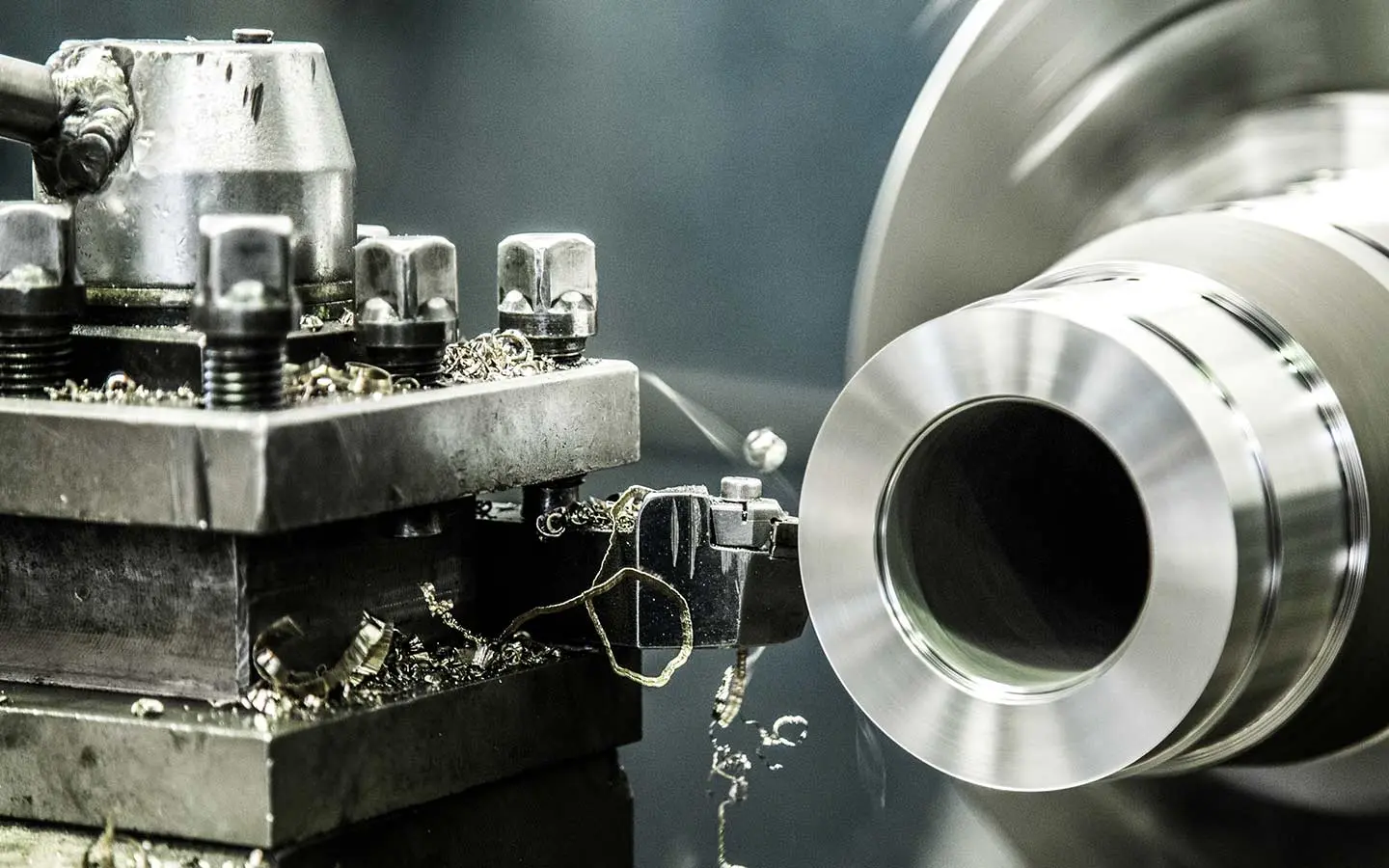
Challenges of Disconnected Fabrication Work
Designers and engineers lose time when design, analysis, optimisation, drawings and data live in separate files.
- Design: Balancing concept intent, codes, constructability and changing client requirements without losing coordination.
- Analysis: Keeping performance studies current as the model changes, and making results clear enough to guide decisions.
- Visualisation: Producing clear presentations that stay aligned with the latest design, not a separate outdated view.
- Collaboration: Sharing one coordinated set of drawings and models across disciplines, reviews and project stages.
A late change that never reaches the model leaves studies and fabrication drawings out of step. Teams issue packages from stale views, rework grows, and shops build from information that no longer matches the design.
When design, analysis, drawings and data drift apart
Reviews then stall without a single shared set.
- Design Drift: Intent, codes, constructability and changing requirements pull apart. Without a shared model, coordination slips and the concept is diluted by last-minute fixes.
- Stale Analysis: Performance studies lag the current design. Results arrive too late or too unclear to guide choices, so teams either ignore them or rebuild the study from scratch.
- Misleading Visuals: Presentations become a separate, outdated view. Clients and reviewers react to images that no longer match the drawings, and decisions are made on the wrong picture.
- Broken Handoffs: Disciplines, reviews and stages work from different files. Clashes surface late, documentation is rebuilt, and the project loses time at every exchange.
- Compounding Cost: Each disconnected step adds rework. What starts as a small mismatch becomes delayed approvals, inconsistent documentation and a design that is harder to build as intended.
Impacts of Connected Fabrication Work
When design, analysis, optimisation, drawings and data stay connected, one update supports the next quickly instead of opening a new gap.
- Design: Balancing concept intent, codes, constructability and changing client requirements without losing coordination.
- Analysis: Keeping performance studies current as the model changes, and making results clear enough to guide decisions.
- Visualisation: Producing clear presentations that stay aligned with the latest design, not a separate outdated view.
- Collaboration: Sharing one coordinated set of drawings and models across disciplines, reviews and project stages.
Fewer stale packages reach the shop, reviews use the same shared set, and rework falls because drawings follow the model the team has already checked.
Flow-on effects for teams, drawings and data
Fabricators then receive clearer instructions, and project data remains traceable long after issue.
- Design Drift: Intent, codes, constructability and changing requirements pull apart. Without a shared model, coordination slips and the concept is diluted by last-minute fixes.
- Stale Analysis: Performance studies lag the current design. Results arrive too late or too unclear to guide choices, so teams either ignore them or rebuild the study from scratch.
- Misleading Visuals: Presentations become a separate, outdated view. Clients and reviewers react to images that no longer match the drawings, and decisions are made on the wrong picture.
- Broken Handoffs: Disciplines, reviews and stages work from different files. Clashes surface late, documentation is rebuilt, and the project loses time at every exchange.
- Compounding Cost: Each disconnected step adds rework. What starts as a small mismatch becomes delayed approvals, inconsistent documentation and a design that is harder to build as intended.
Autodesk Features and Benefits
How Autodesk Supports Metal Fabrication Industries
Autodesk software gives designers and engineers a connected path from the model to the shop. Design tools develop parts and assemblies with the detail fabrication needs. Analysis checks fit, strength and performance before a package is issued.
Optimisation refines material, weight and manufacturability while the geometry is still easy to change. Fabrication drawings then carry that approved intent into views, dimensions and notes a workshop can follow. Data management holds models, drawings and related files under revision control, so the issued set matches the decision the team has made.
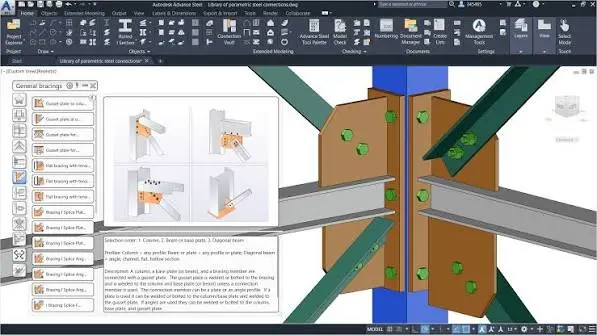
Structural Steel Design
Develop structural steelwork for fabrication with Autodesk tools that connect detailing, coordination and drawings so updates stay consistent across the live model.
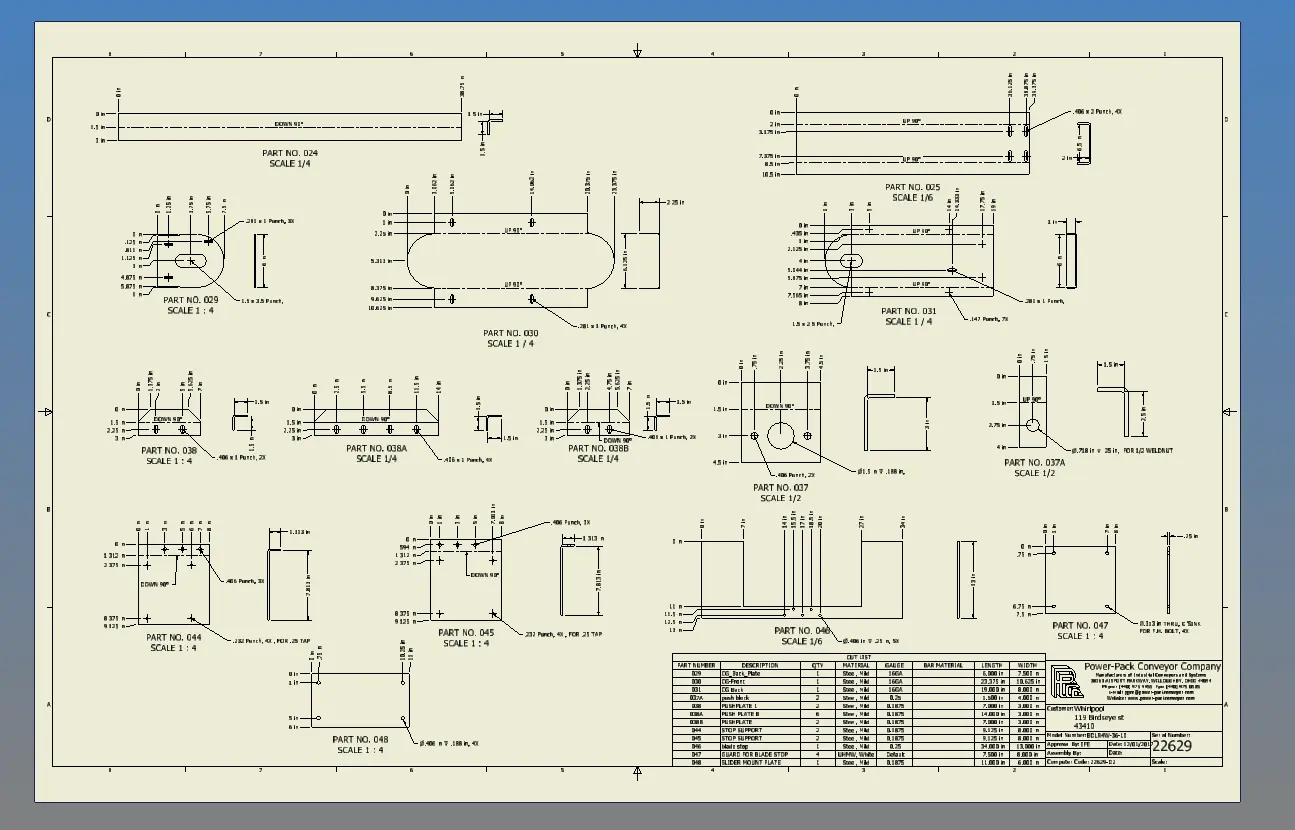
Create Fabrication Drawings
Produce views, dimensions, notes and sheets from the approved model, so the workshop receives drawings that match the design the team signed off.
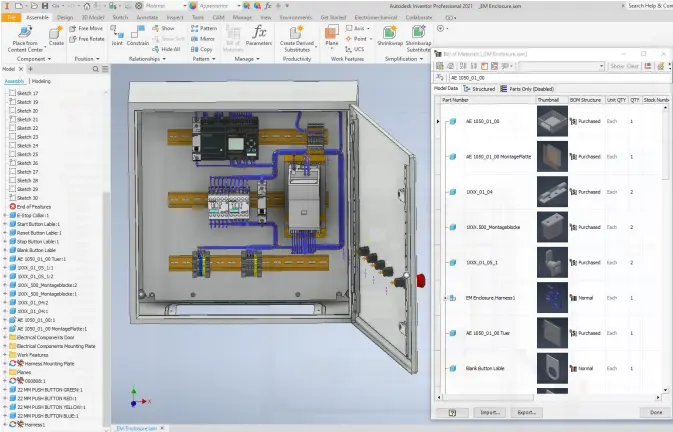
Bill of Materials
Link the bill of materials to the model so changes update parts, quantities and schedules with the rest of the package.
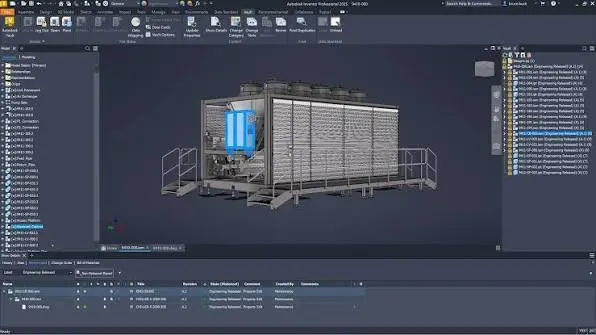
Manage Models and Drawings
Store models, drawings and related files with clear ownership, so the fabrication set can be found, reviewed and released without hunting through folders.
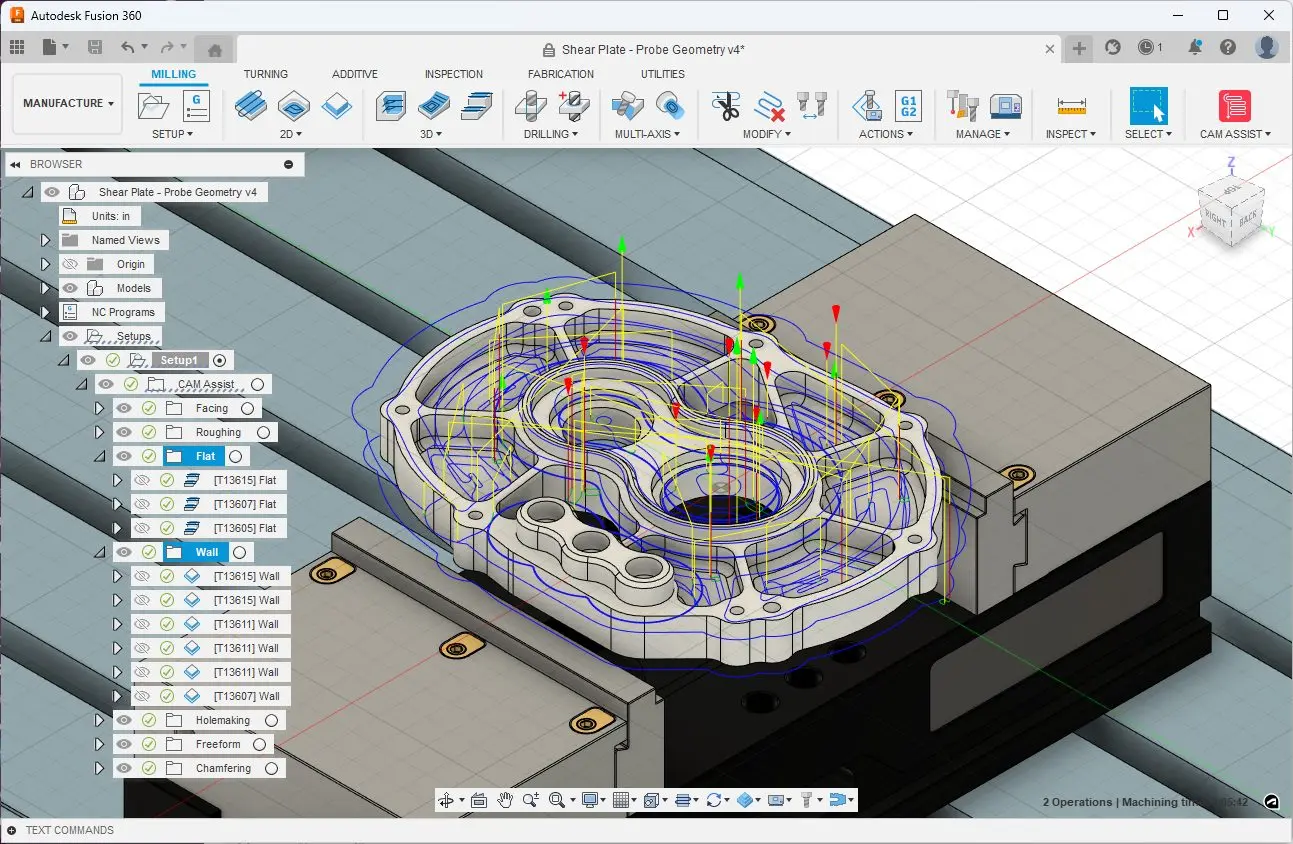
CNC
Model-based Autodesk solutions help fabrication teams by connecting design with manufacturing with integrated CAD/CAM software.
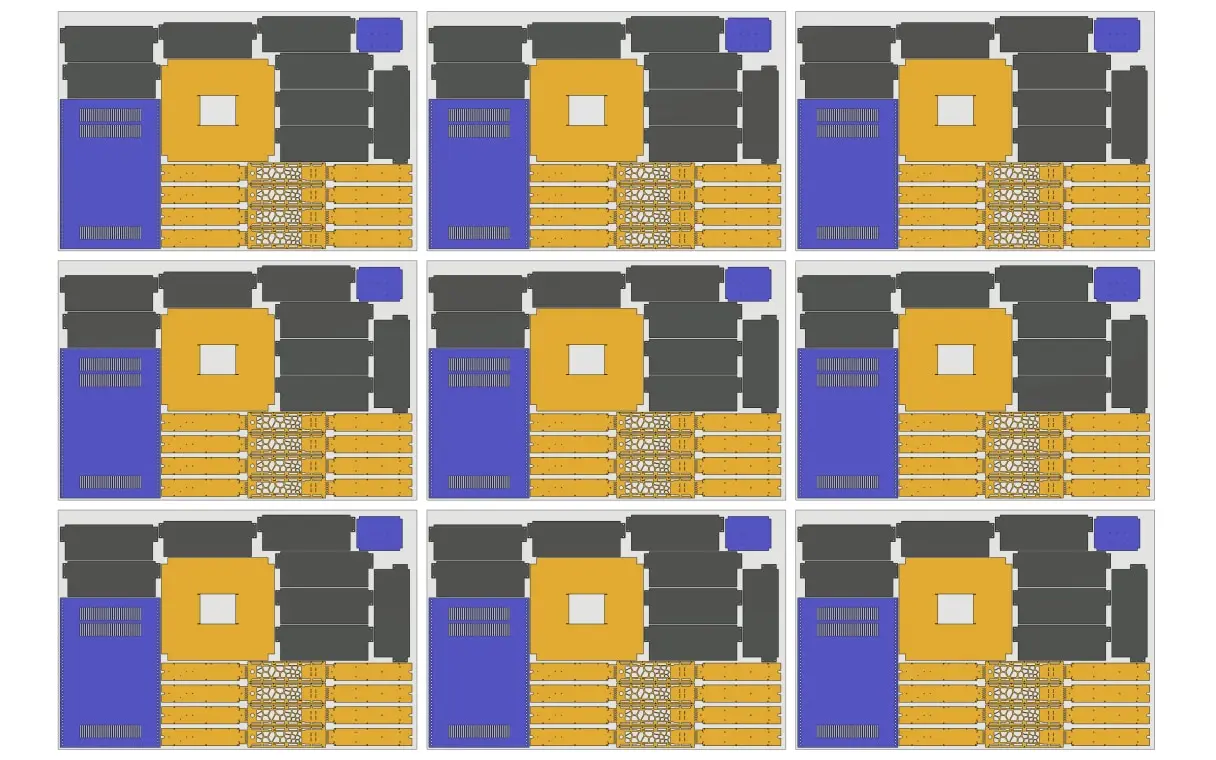
Nesting
Apply Autodesk nesting software to optimise sheet and plate layouts, reduce material waste and keep cutting information aligned with current fabrication outputs.
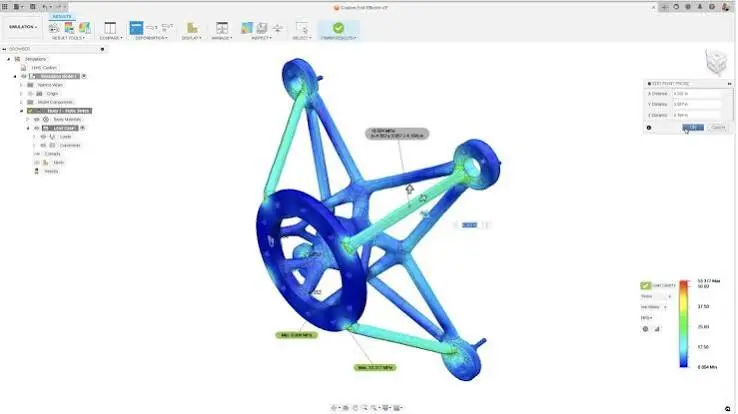
Analyse Before You Issue
Check fit, clearance, strength and performance against the same model, so problems surface before a fabrication package reaches the shop.
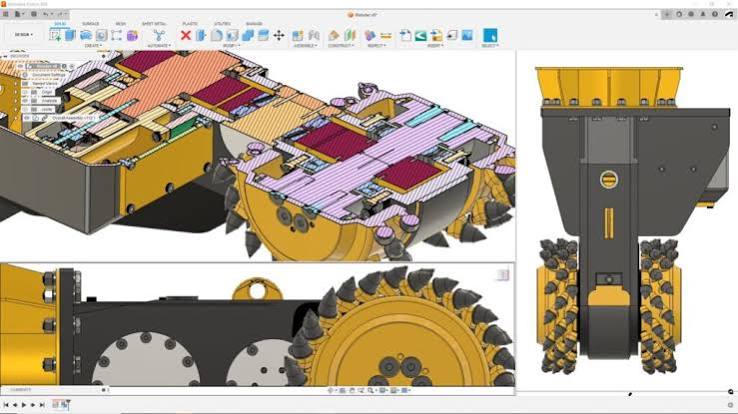
Design with a Buildable Model
Develop parts and assemblies in a model that carries dimensions, features and design intent through to fabrication, so later drawings start from agreed geometry.
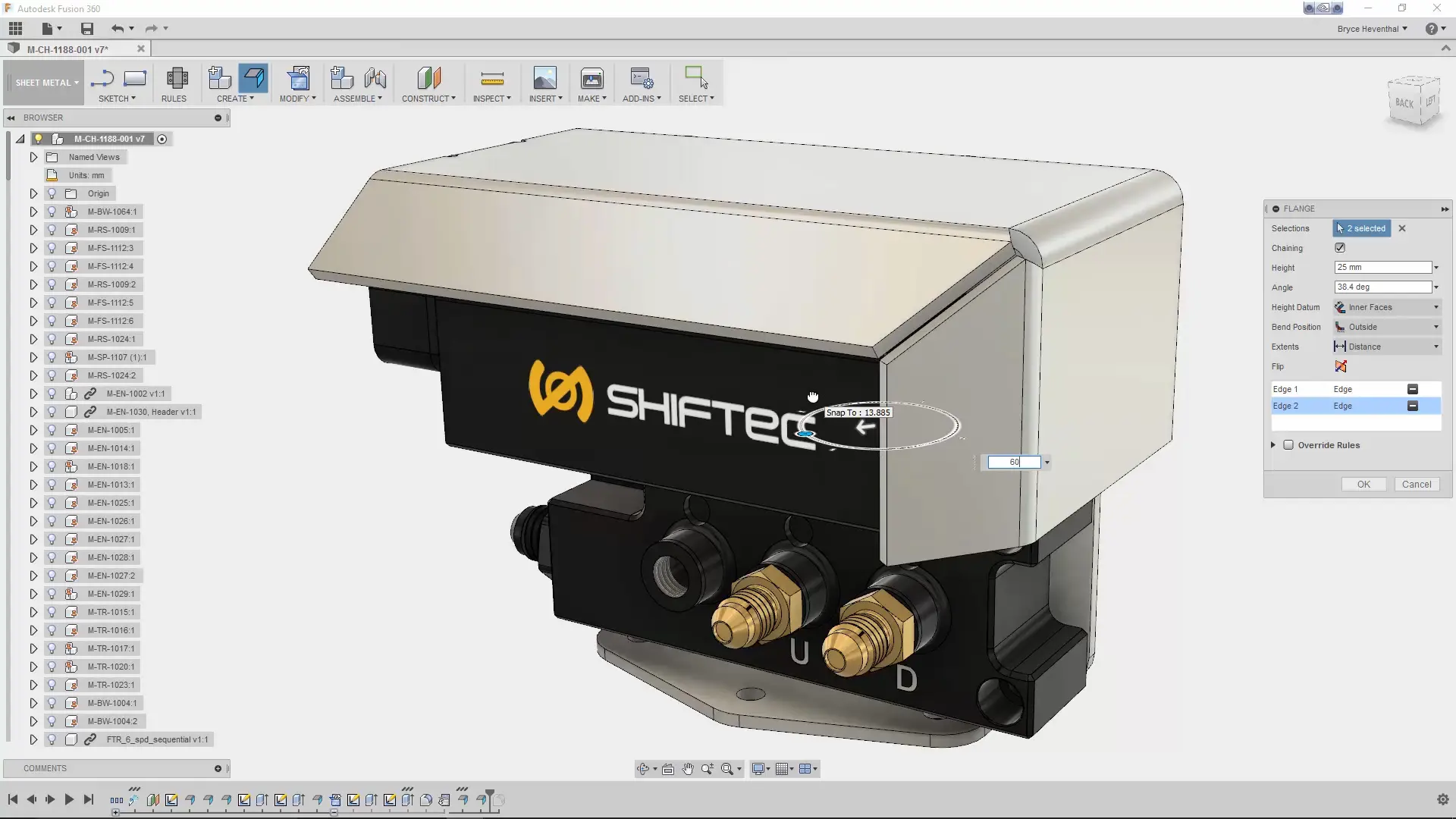
Sheet Metal Design
Develop sheet metal components in Autodesk software with accurate folded geometry, coordinated detailing and fabrication drawings that stay aligned as designs change.
Autodesk Fabrication Software
Fabrication teams need connected tools for detailing, estimating, manufacturing and installation. These Autodesk applications cover that path, from precise shop drawings to model-based fabrication and coordinated site delivery. Autodesk offers a range of software solutions for small to large fabrication shops, helping MEP, steel and sheet metal fabricators turn designs into accurate, buildable parts.
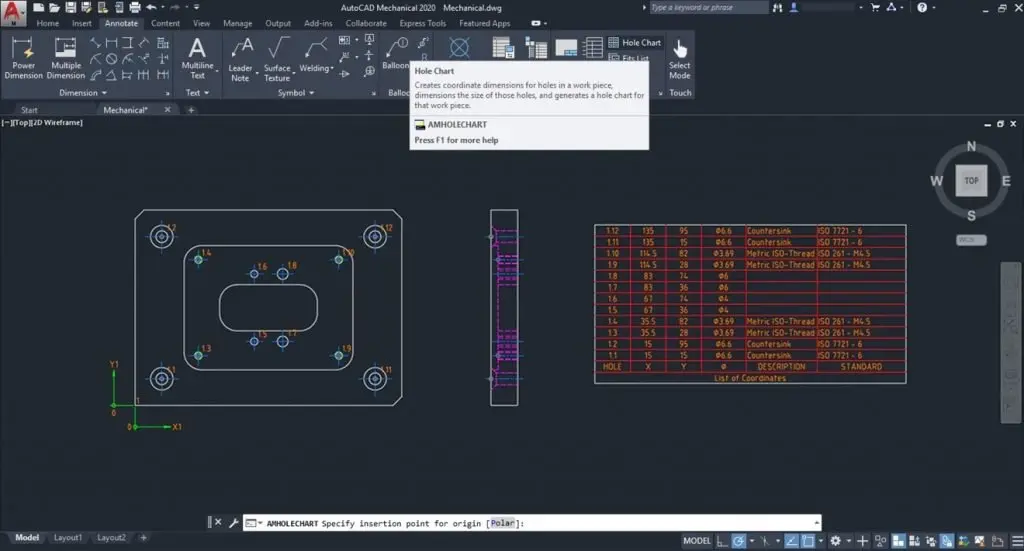
AutoCAD LT - 2D Design & Drawings
AutoCAD LT is built for precise 2D drafting and documentation. Create, edit, and annotate drawings in a familiar CAD workflow, with the tools architecture teams use to keep plans clear, consistent, and ready to share.
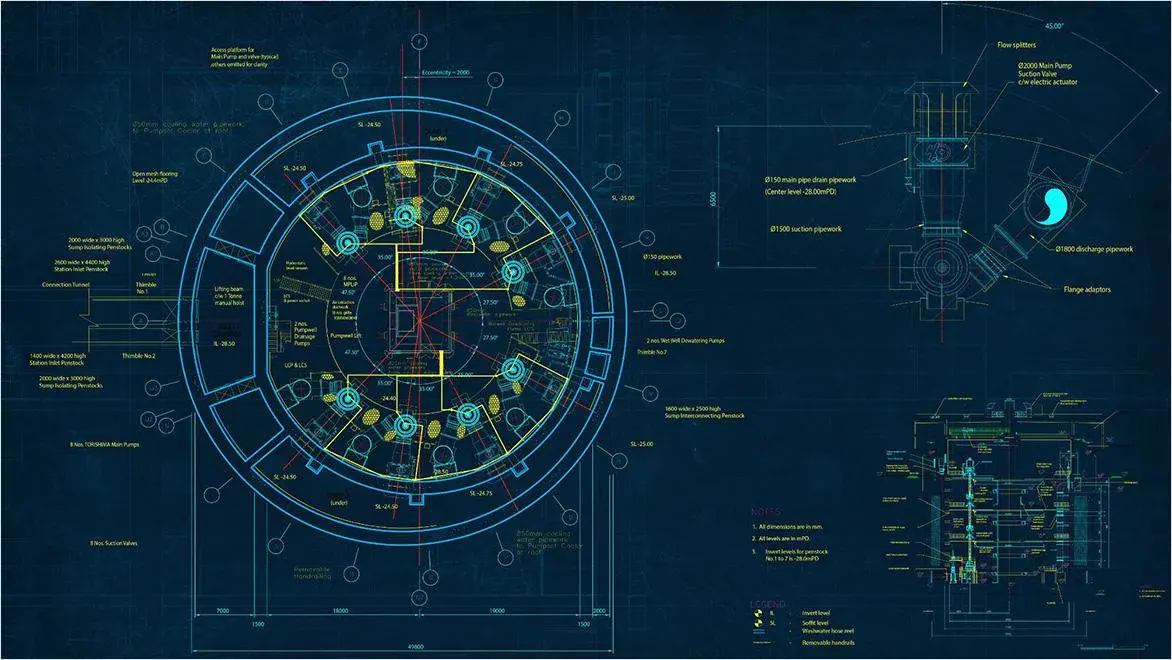
AutoCAD - 2D Design, Drawings & 3D Modelling
AutoCAD supports fabrication by helping teams develop accurate models, prepare workshop drawings and keep documentation coordinated as designs progress from concept work to production information.
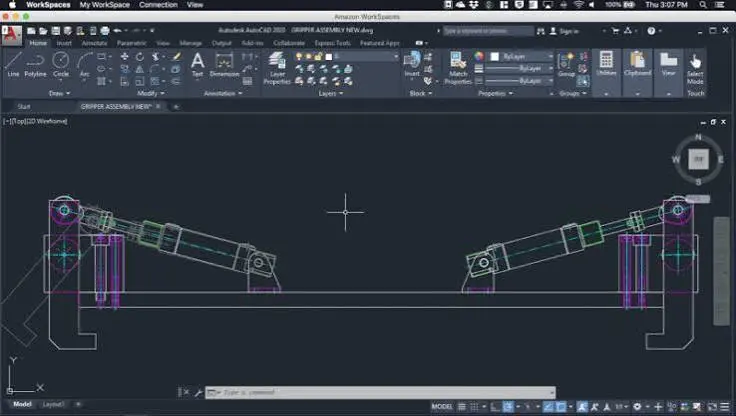
AutoCAD Mechanical - Specialised Toolsets
AutoCAD Mechanical helps fabrication teams produce and refine manufacturing drawings with industry-specific tools for detailing, annotation, parts lists and standards-based workflows within a familiar AutoCAD environment.
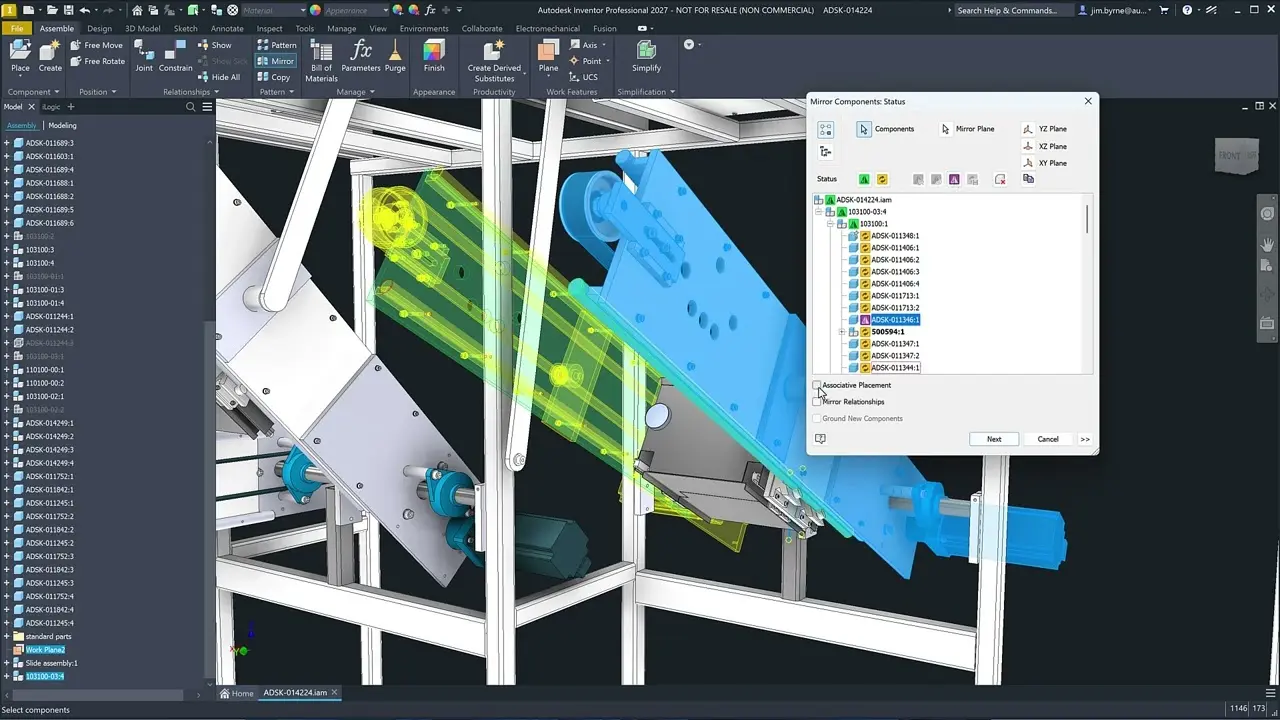
Inventor - 3D Mechanical Design
Autodesk Inventor supports precise 3D design of parts and assemblies for fabrication. Model components, create manufacturing drawings and keep geometry aligned as details change through to issue.
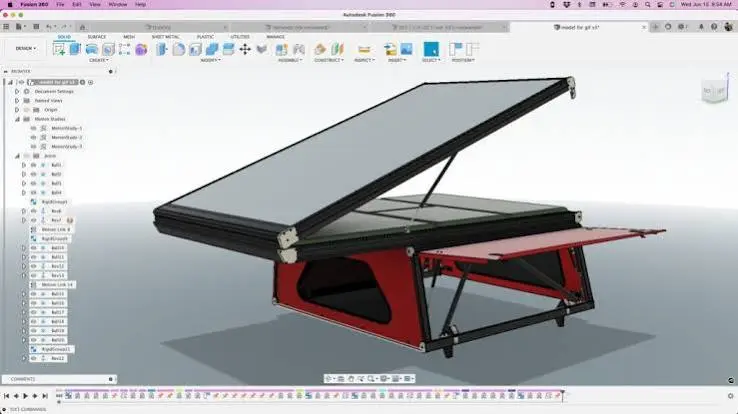
Fusion – Fabrication Design Software
Autodesk Fusion supports coordinated CAD/CAM design development, technical detailing and manufacturing workflows, helping teams refine components, manage changes efficiently.
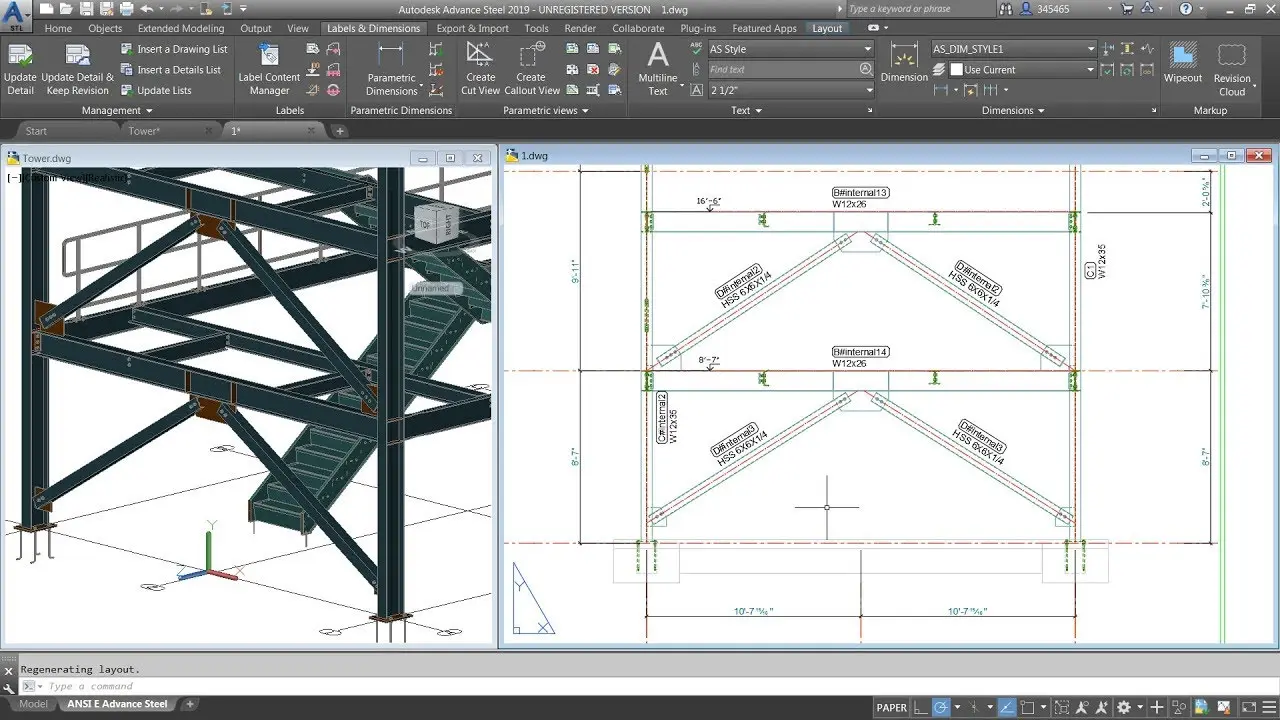
Advance Steel
Advance Steel supports fabrication design with 3D steel detailing, connection modelling and automatic drawing production, helping teams coordinate structural components and issue consistent information.
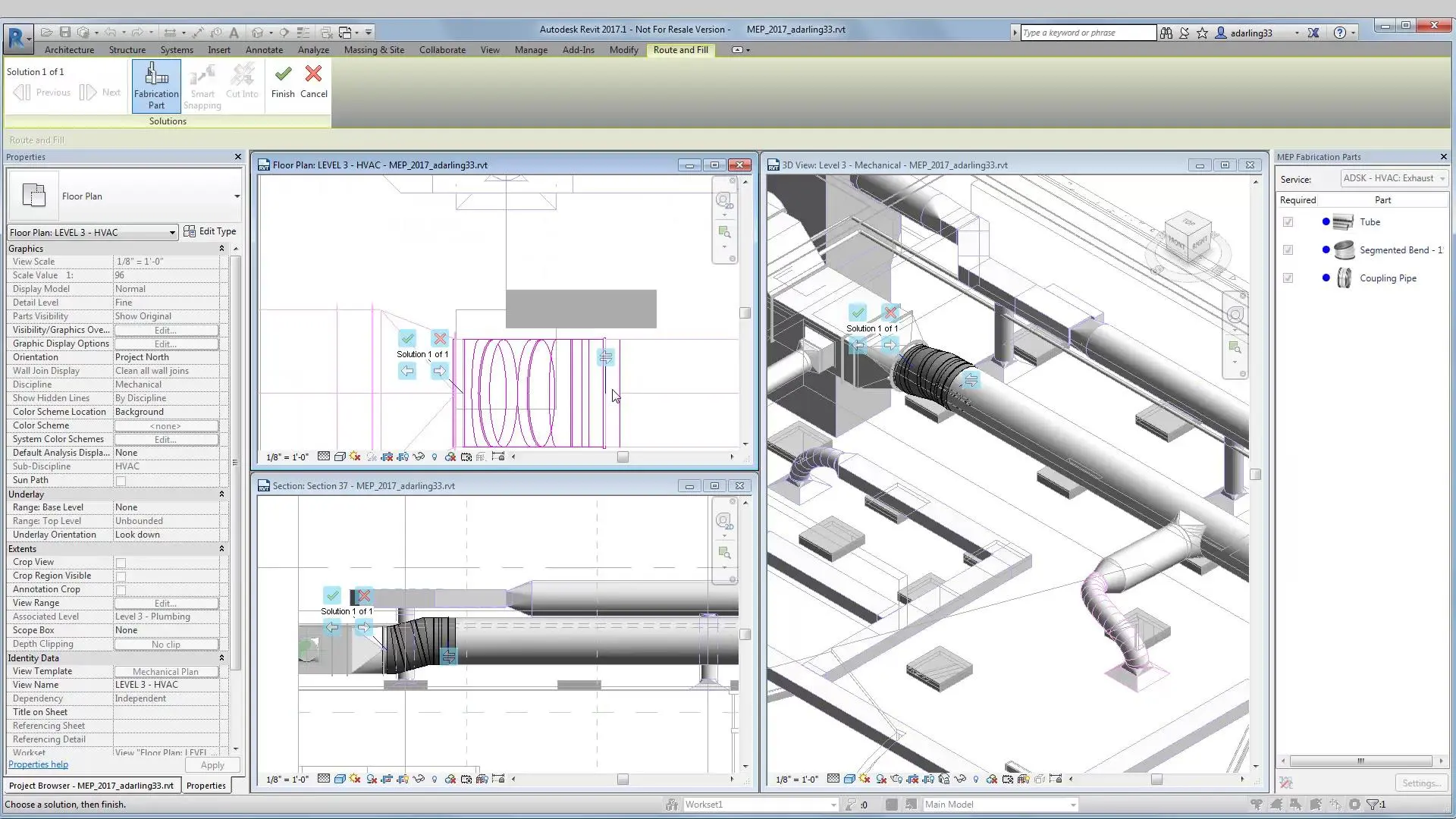
CADmep
Autodesk CADmep supports fabrication design with tools for detailed MEP modelling, accurate fabrication drawings and coordinated content, helping teams prepare manufacture-ready projects.
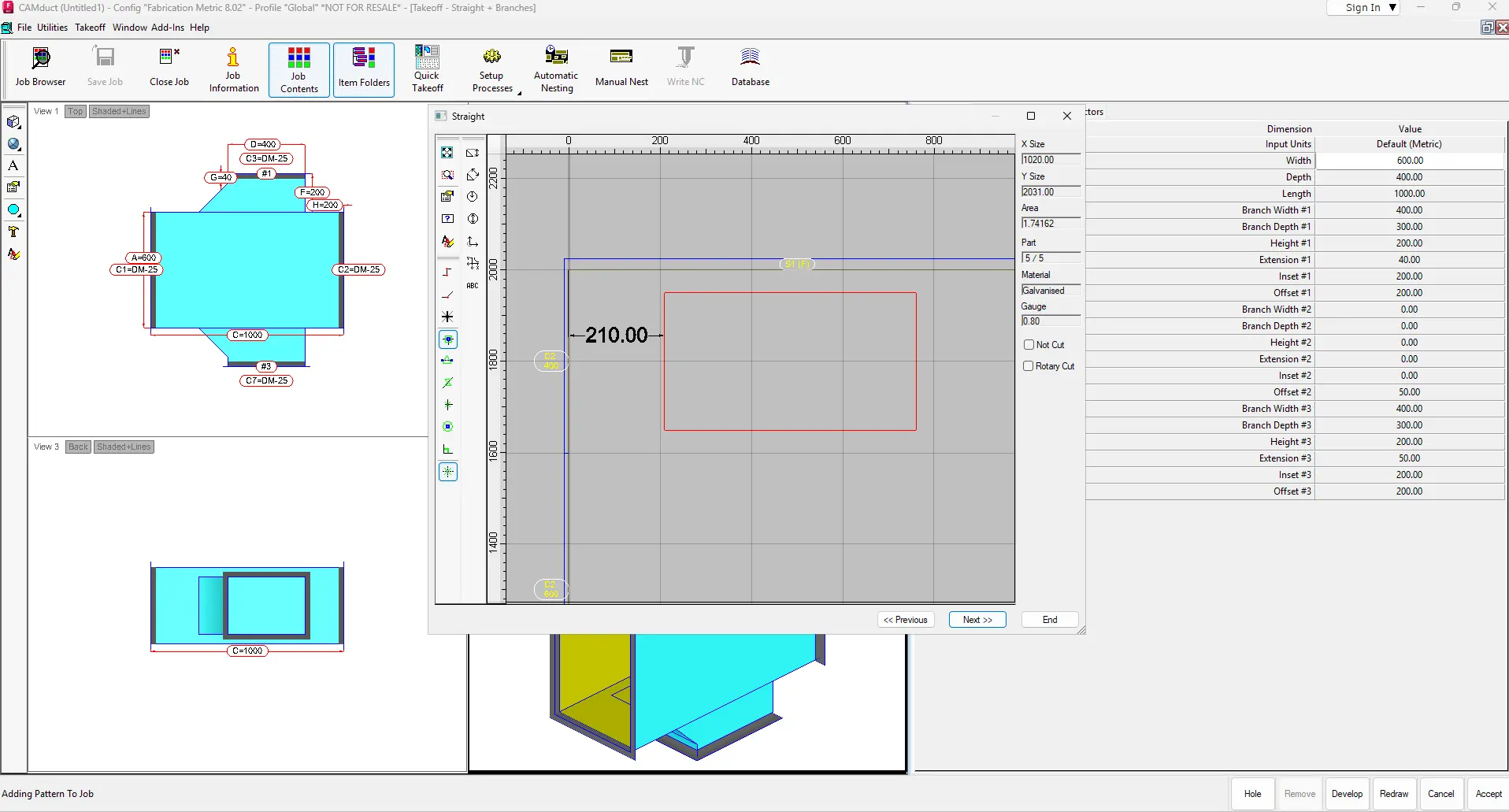
CAMduct
Autodesk Fabrication CADmep and CAMduct help MEP contractors and sheet metal teams produce coordinated ductwork, detailing and manufacturing information from a connected model through to fabrication output.
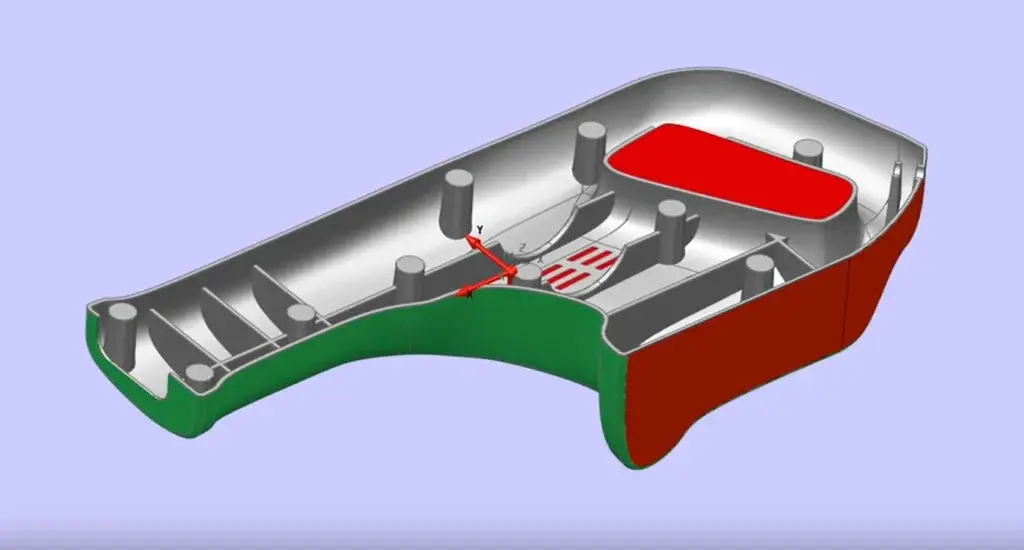
Poswershape
PowerShape supports detailed modelling for fabrication, helping teams create complex parts, prepare manufacturable geometry and refine designs for metalwork and engineered components.
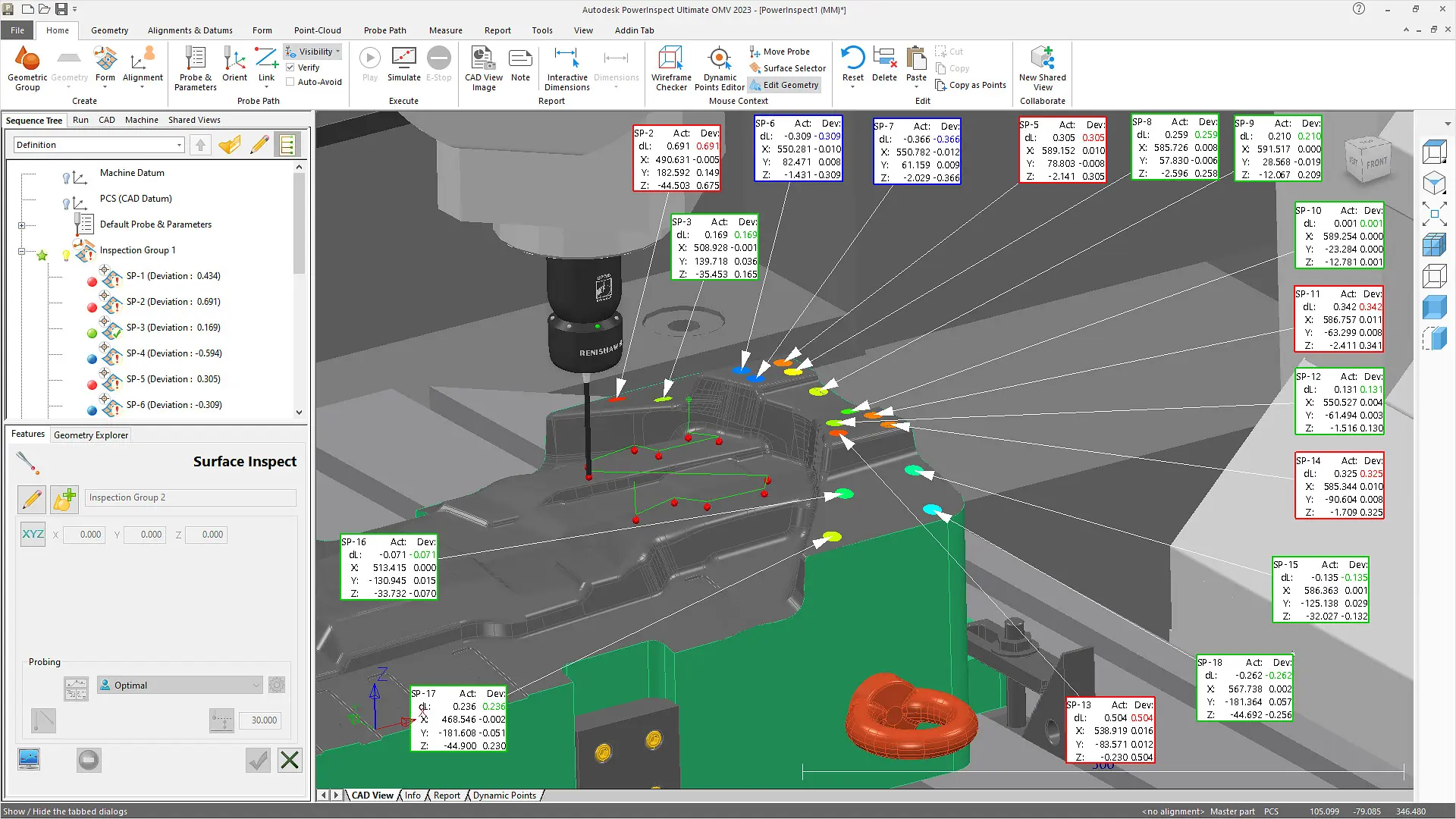
PoswerInspect
PowerShape helps fabrication teams build accurate 3D models, develop production-ready geometry and improve designs for metalwork, bespoke components and other engineered assemblies.
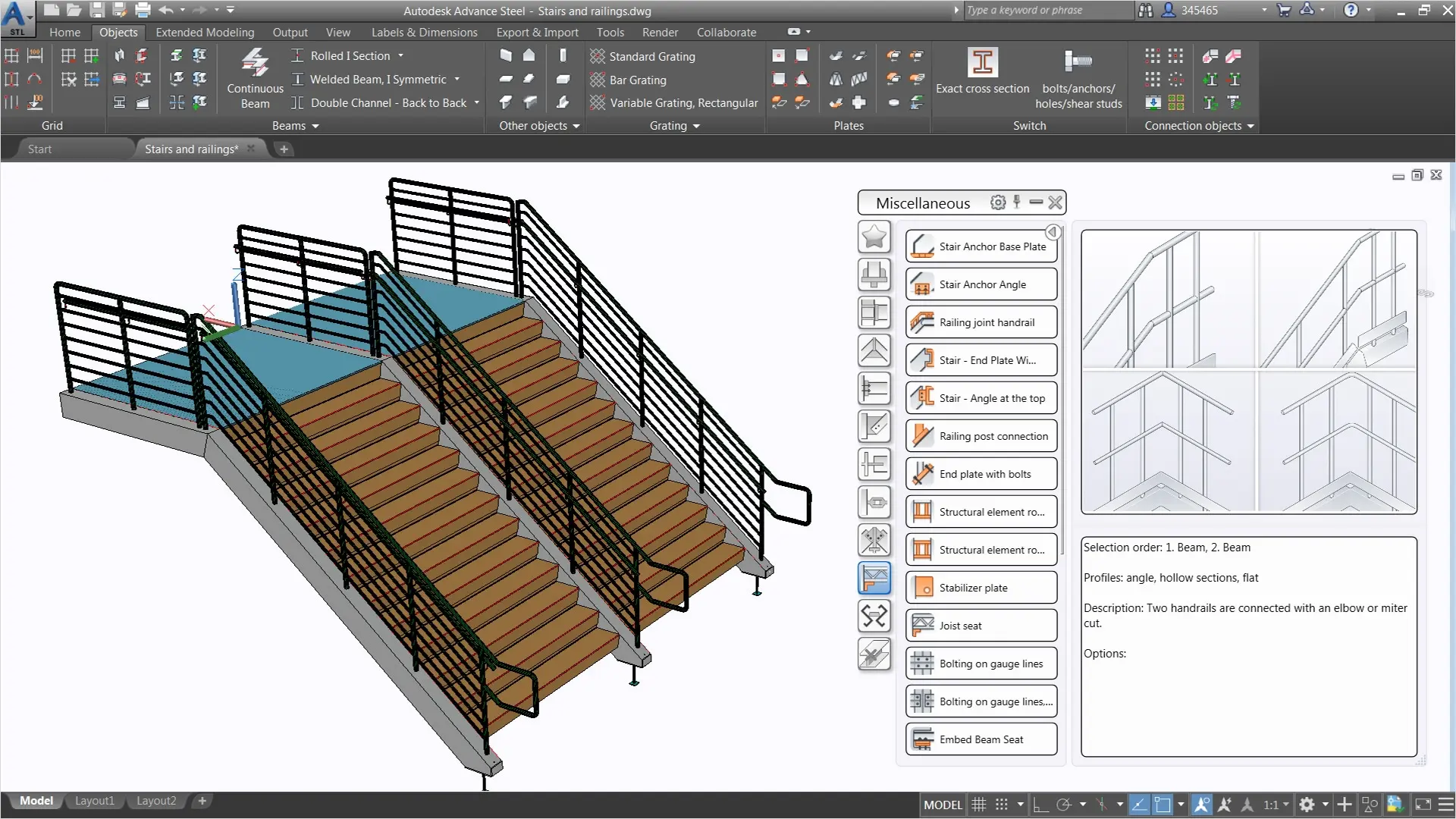
AEC Collection
The AEC Collection brings together Revit, AutoCAD, Advance Steel and Fabrication CADmep and CAMduct to support coordinated detailing, modelling and production workflows across fabrication projects.
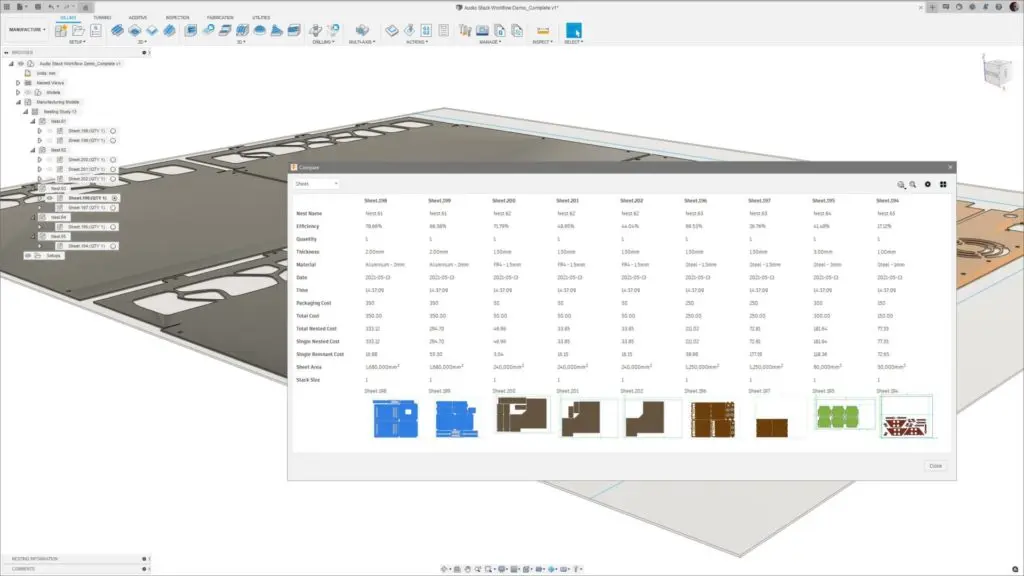
PDM Collection
The PDM Collection combines AutoCAD, Inventor, Inventor CAM, Inventor Nesting, Fusion and Navisworks to support design, detailing, manufacture and coordination for fabrication teams.
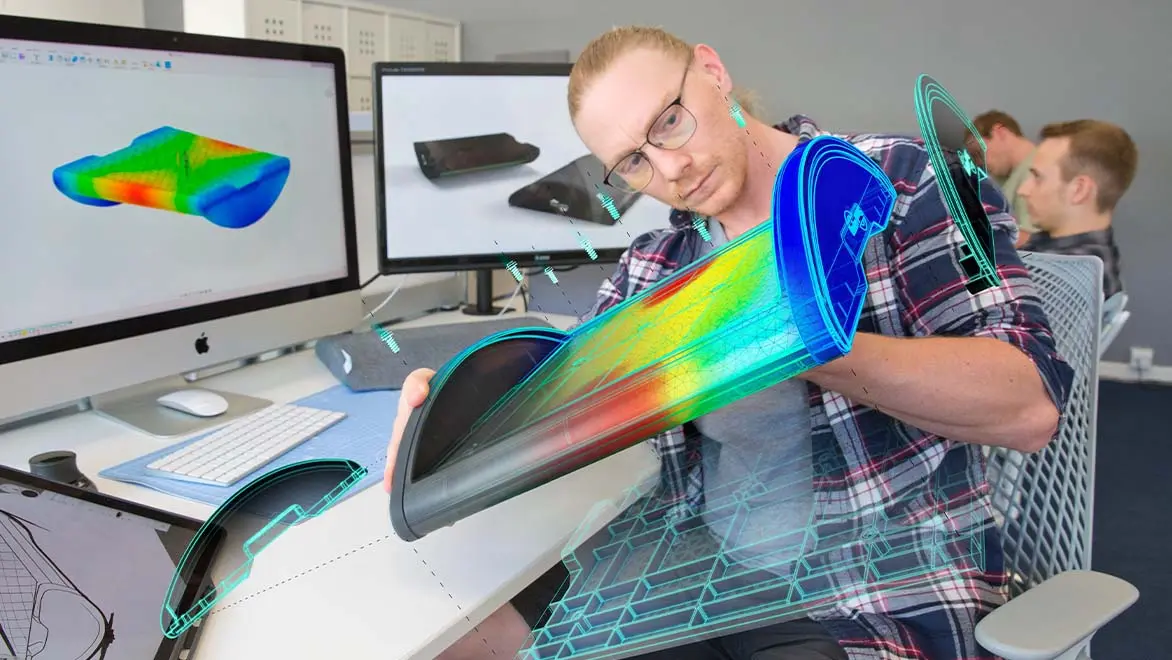
Autodesk Fusion Extensions
Fusion Extensions expand Autodesk Fusion with additional capabilities for fabrication teams, helping connect design, machining, nesting, simulation and manufacturing preparation within a more joined-up workflow. By adding specialist tools when needed, teams can develop components, test performance, refine production methods and prepare outputs for manufacture without breaking continuity between stages. This supports better coordination, clearer decision-making and a smoother path from concept development through to detailed fabrication information.
Autodesk Data Management
Autodesk data management solutions help teams keep design information organised, accessible and consistent across projects. Autodesk Vault provides secure file control, revision tracking and smoother collaboration for engineering and detailing teams, while helping reduce errors caused by duplicated or outdated documents.
For wider business and production workflows, Fusion Manage supports process management and change control, Fusion Operations helps improve visibility across manufacturing activities, and Autodesk Forma adds data-informed insight at earlier project stages. Together, these solutions support a more connected approach to information, coordination and delivery.

Feature Matrix Table
| AutoCAD LT | AutoCAD | Fusion | Inventor | PDM Collection | Advance Steel | CADmep | AEC Collection | |
| 2D drafting and documentation | ✓ | ✓ | ✓ | ✓ | ✓ | ✓ | ✓ | ✓ |
| 3D modelling and design | — | ✓ | ✓ | ✓ | ✓ | ✓ | ✓ | ✓ |
| Mechanical product design | — | ◐ | ✓ | ✓ | ✓ | — | — | ◐ |
| Structural steel design and detailing | — | ◐ | — | ◐ | ◐ | ✓ | — | ✓ |
| MEP and building services detailing | — | ◐ | — | ◐ | ◐ | — | ✓ | ✓ |
| Sheet metal design | — | ◐ | ✓ | ✓ | ✓ | — | ◐ | ◐ |
| Piping and ductwork design | — | ◐ | ◐ | ✓ | ✓ | — | ✓ | ✓ |
| Fabrication shop drawings | ✓ | ✓ | ✓ | ✓ | ✓ | ✓ | ✓ | ✓ |
| Automated bills of materials | ◐ | ◐ | ✓ | ✓ | ✓ | ✓ | ✓ | ✓ |
| Steel fabrication and connections | — | ◐ | — | ◐ | ◐ | ✓ | — | ✓ |
| MEP fabrication-ready modelling | — | ◐ | — | — | ◐ | — | ✓ | ✓ |
| CNC machining and CAM | — | — | ✓ | — | ✓ | — | — | — |
| Nesting and material optimisation | — | — | ◐ | — | ✓ | ◐ | ◐ | ◐ |
| Fabrication machine output | — | — | ✓ | ◐ | ✓ | ✓ | ◐ | ✓ |
| Engineering simulation | — | — | ✓ | ✓ | ✓ | ◐ | — | ✓ |
| Design automation and customisation | ◐ | ✓ | ✓ | ✓ | ✓ | ◐ | ◐ | ✓ |
| Parametric design configurations | — | ◐ | ✓ | ✓ | ✓ | ◐ | ◐ | ✓ |
| BIM and multidisciplinary coordination | — | ◐ | ◐ | ◐ | ✓ | ✓ | ✓ | ✓ |
| Cloud collaboration | ◐ | ◐ | ✓ | ◐ | ✓ | ◐ | ◐ | ✓ |
| Data management and revision control | ◐ | ◐ | ✓ | ◐ | ✓ | ◐ | ◐ | ✓ |
| 3D visualisation and presentation | — | ✓ | ✓ | ✓ | ✓ | ✓ | ✓ | ✓ |
Technical Comparison Matrix
| CAD Drafting & Documentation | AutoCAD LT | AutoCAD | Fusion | Inventor | PDM Collection | Advance Steel | CADmep | AEC Collection |
| Native DWG creation and editing | ✓ | ✓ | ◐ | ◐ | ✓ | ✓ | ✓ | ✓ |
| 2D drawing and annotation tools | ✓ | ✓ | ✓ | ✓ | ✓ | ✓ | ✓ | ✓ |
| Layer and linetype management | ✓ | ✓ | ◐ | ◐ | ✓ | ✓ | ✓ | ✓ |
| Dynamic block authoring | — | ✓ | — | — | ✓ | ✓ | ✓ | ✓ |
| External references / Xrefs | ✓ | ✓ | — | — | ✓ | ✓ | ✓ | ✓ |
| Paper space layouts and viewports | ✓ | ✓ | ◐ | ◐ | ✓ | ✓ | ✓ | ✓ |
| Sheet sets and batch plotting | ◐ | ✓ | ◐ | ✓ | ✓ | ✓ | ✓ | ✓ |
| Associative drawing views from 3D | — | ✓ | ✓ | ✓ | ✓ | ✓ | ◐ | ✓ |
| Section and detail drawings | ✓ | ✓ | ✓ | ✓ | ✓ | ✓ | ✓ | ✓ |
| GD&T and tolerance annotations | ✓ | ✓ | ✓ | ✓ | ✓ | ◐ | ◐ | ✓ |
| PDF and DXF output | ✓ | ✓ | ✓ | ✓ | ✓ | ✓ | ✓ | ✓ |
| 3D Modelling & Parametric Design | AutoCAD LT | AutoCAD | Fusion | Inventor | PDM Collection | Advance Steel | CADmep | AEC Collection |
| 3D solid modelling | — | ✓ | ✓ | ✓ | ✓ | ✓ | ✓ | ✓ |
| Parametric feature history | — | ◐ | ✓ | ✓ | ✓ | ◐ | ◐ | ✓ |
| Direct modelling | — | ✓ | ✓ | ✓ | ✓ | ◐ | ◐ | ✓ |
| Surface modelling | — | ✓ | ✓ | ✓ | ✓ | ◐ | ◐ | ✓ |
| Freeform / T-Spline modelling | — | — | ✓ | ✓ | ✓ | — | — | ✓ |
| 3D assembly relationships | — | — | ✓ | ✓ | ✓ | ◐ | ◐ | ✓ |
| Configurable part families | — | ◐ | ✓ | ✓ | ✓ | ✓ | ✓ | ✓ |
| Material assignments and properties | — | ✓ | ✓ | ✓ | ✓ | ✓ | ✓ | ✓ |
| Mass properties and centre of gravity | — | ✓ | ✓ | ✓ | ✓ | ✓ | ◐ | ✓ |
| Interference detection | — | ◐ | ✓ | ✓ | ✓ | ✓ | ◐ | ✓ |
| Mechanical Engineering | AutoCAD LT | AutoCAD | Fusion | Inventor | PDM Collection | Advance Steel | CADmep | AEC Collection |
| Feature-based mechanical parts | — | ◐ | ✓ | ✓ | ✓ | — | — | ◐ |
| Large mechanical assemblies | — | ◐ | ◐ | ✓ | ✓ | — | — | ◐ |
| Sheet metal bends and flanges | — | — | ✓ | ✓ | ✓ | — | ◐ | ◐ |
| Associative sheet metal flat patterns | — | — | ✓ | ✓ | ✓ | — | ◐ | ◐ |
| Weldment assemblies | — | ◐ | ◐ | ✓ | ✓ | ✓ | — | ✓ |
| Frame Generator | — | — | ◐ | ✓ | ✓ | — | — | — |
| Bolted connection design | — | — | ◐ | ✓ | ✓ | ✓ | — | ✓ |
| Shaft and gear design accelerators | — | — | ◐ | ✓ | ✓ | — | — | — |
| Tube and Pipe routing | — | — | ◐ | ✓ | ✓ | — | ✓ | ✓ |
| Cable and Harness design | — | — | ◐ | ✓ | ✓ | — | — | ◐ |
| iParts and iAssemblies | — | — | — | ✓ | ✓ | — | — | — |
| Inventor Model States | — | — | — | ✓ | ✓ | — | — | — |
| iLogic rules and configurators | — | — | — | ✓ | ✓ | — | — | — |
| Structural Steel Detailing | AutoCAD LT | AutoCAD | Fusion | Inventor | PDM Collection | Advance Steel | CADmep | AEC Collection |
| Structural section libraries | — | ◐ | ◐ | ◐ | ◐ | ✓ | — | ✓ |
| Intelligent steel beams and columns | — | ◐ | — | ◐ | ◐ | ✓ | — | ✓ |
| Parametric steel connections | — | — | — | ◐ | ◐ | ✓ | — | ✓ |
| Connection macros | — | — | — | — | — | ✓ | — | ✓ |
| Steel plates and stiffeners | — | ◐ | ◐ | ✓ | ✓ | ✓ | — | ✓ |
| Bolts, anchors and weld objects | — | ◐ | ◐ | ✓ | ✓ | ✓ | — | ✓ |
| Automatic part numbering | — | — | ◐ | ◐ | ◐ | ✓ | — | ✓ |
| Single-part shop drawings | — | ◐ | ✓ | ✓ | ✓ | ✓ | — | ✓ |
| Assembly shop drawings | — | ◐ | ✓ | ✓ | ✓ | ✓ | — | ✓ |
| Steel fabrication BOMs | — | ◐ | ◐ | ✓ | ✓ | ✓ | — | ✓ |
| DSTV / NC machine output | — | — | — | — | — | ✓ | — | ✓ |
| Steel erection drawings | — | ◐ | — | ◐ | ◐ | ✓ | — | ✓ |
| Revit structural BIM integration | — | — | — | — | — | ✓ | — | ✓ |
| MEP & Building Services Fabrication | AutoCAD LT | AutoCAD | Fusion | Inventor | PDM Collection | Advance Steel | CADmep | AEC Collection |
| Fabrication-intent ductwork modelling | — | — | — | — | — | — | ✓ | ✓ |
| Fabrication-intent pipework modelling | — | ◐ | — | ◐ | ◐ | — | ✓ | ✓ |
| HVAC service routing | — | ◐ | — | — | — | — | ✓ | ✓ |
| Fabrication service databases | — | — | — | — | — | — | ✓ | ✓ |
| Manufacturer-specific MEP components | — | ◐ | — | — | — | — | ✓ | ✓ |
| Ductwork fittings and transitions | — | ◐ | — | — | — | — | ✓ | ✓ |
| Mechanical pipe fittings and connections | — | ◐ | — | ◐ | ◐ | — | ✓ | ✓ |
| Design Line detailing | — | — | — | — | — | — | ✓ | ✓ |
| Service connector validation | — | — | — | — | — | — | ✓ | ✓ |
| Fabrication item numbering | — | — | — | — | — | — | ✓ | ✓ |
| MEP fabrication reports and take-offs | — | ◐ | — | ◐ | ◐ | — | ✓ | ✓ |
| Revit fabrication parts integration | — | — | — | — | — | — | ◐ | ✓ |
| Direct duct cutting / CAMduct control | — | — | — | — | — | — | — | — |
| CNC Machining & CAM | AutoCAD LT | AutoCAD | Fusion | Inventor | PDM Collection | Advance Steel | CADmep | AEC Collection |
| 2D / 2.5D milling | — | — | ✓ | — | ✓ | — | — | — |
| 3-axis milling | — | — | ✓ | — | ✓ | — | — | — |
| 4-axis machining | — | — | ◐ | — | ✓ | — | — | — |
| 5-axis simultaneous machining | — | — | ◐ | — | ✓ | — | — | — |
| CNC turning | — | — | ✓ | — | ✓ | — | — | — |
| Mill-turn programming | — | — | ◐ | — | ✓ | — | — | — |
| Hole recognition and drilling | — | — | ✓ | — | ✓ | — | — | — |
| Toolpath simulation | — | — | ✓ | — | ✓ | — | — | — |
| Post-processing to NC code | — | — | ✓ | — | ✓ | — | — | — |
| Tool libraries and cutting data | — | — | ✓ | — | ✓ | — | — | — |
| CAM automation and templates | — | — | ✓ | — | ✓ | — | — | — |
| Manufacturing inspection workflows | — | — | ◐ | — | ◐ | — | — | — |
| Nesting & Material Optimisation | AutoCAD LT | AutoCAD | Fusion | Inventor | PDM Collection | Advance Steel | CADmep | AEC Collection |
| Sheet metal flat pattern generation | — | — | ✓ | ✓ | ✓ | — | ◐ | ◐ |
| 2D nesting optimisation | — | — | ◐ | — | ✓ | ◐ | ◐ | ◐ |
| Inventor Nesting | — | — | — | — | ✓ | — | — | — |
| Material utilisation reporting | — | — | ◐ | — | ✓ | ◐ | ◐ | ◐ |
| DXF profiles for laser / plasma cutting | — | ◐ | ✓ | ✓ | ✓ | ◐ | ◐ | ◐ |
| Steel cutting and saw lists | — | ◐ | ◐ | ◐ | ◐ | ✓ | — | ✓ |
| Ductwork cutting pattern preparation | — | — | — | — | — | — | ✓ | ✓ |
| Engineering Simulation & Analysis | AutoCAD LT | AutoCAD | Fusion | Inventor | PDM Collection | Advance Steel | CADmep | AEC Collection |
| Basic linear static stress analysis | — | — | ✓ | ✓ | ✓ | — | — | ◐ |
| Modal / frequency analysis | — | — | ◐ | ✓ | ✓ | — | — | ◐ |
| Thermal simulation | — | — | ◐ | — | ✓ | — | — | ◐ |
| Nonlinear FEA | — | — | ◐ | — | ✓ | — | — | ◐ |
| Fatigue analysis | — | — | ◐ | — | ✓ | — | — | ◐ |
| Buckling analysis | — | — | ◐ | — | ✓ | — | — | ◐ |
| Dynamic motion simulation | — | — | ◐ | ✓ | ✓ | — | — | ◐ |
| Shape Generator mass reduction | — | — | — | ✓ | ✓ | — | — | — |
| Generative design | — | — | ◐ | — | ◐ | — | — | — |
| Tolerance stack-up analysis | — | — | ◐ | ◐ | ✓ | — | — | — |
| Robot Structural Analysis | — | — | — | — | — | — | — | ✓ |
| Structural connection checking | — | — | — | — | — | ◐ | — | ✓ |
| BOMs & Fabrication Documentation | AutoCAD LT | AutoCAD | Fusion | Inventor | PDM Collection | Advance Steel | CADmep | AEC Collection |
| Associative parts lists | — | ◐ | ✓ | ✓ | ✓ | ✓ | ✓ | ✓ |
| Structured assembly BOMs | — | ◐ | ✓ | ✓ | ✓ | ✓ | ◐ | ✓ |
| Automatic fabrication drawing updates | — | ◐ | ✓ | ✓ | ✓ | ✓ | ✓ | ✓ |
| Part marks and item numbering | — | ◐ | ✓ | ✓ | ✓ | ✓ | ✓ | ✓ |
| Cut lists and material reports | — | ◐ | ◐ | ✓ | ✓ | ✓ | ✓ | ✓ |
| Weld and bolt schedules | — | ◐ | ◐ | ✓ | ✓ | ✓ | ◐ | ✓ |
| CSV / Excel report export | ◐ | ✓ | ✓ | ✓ | ✓ | ✓ | ✓ | ✓ |
| Automated shop drawing generation | — | ◐ | ◐ | ✓ | ✓ | ✓ | ✓ | ✓ |
| BIM, Coordination & Interoperability | AutoCAD LT | AutoCAD | Fusion | Inventor | PDM Collection | Advance Steel | CADmep | AEC Collection |
| STEP import / export | — | ✓ | ✓ | ✓ | ✓ | ◐ | ◐ | ✓ |
| IGES import / export | — | ✓ | ✓ | ✓ | ✓ | ◐ | ◐ | ✓ |
| STL export | — | ✓ | ✓ | ✓ | ✓ | ◐ | ◐ | ✓ |
| IFC interoperability | — | ◐ | ◐ | ◐ | ◐ | ✓ | ◐ | ✓ |
| Revit BIM authoring | — | — | — | — | — | — | — | ✓ |
| Navisworks Manage clash detection | — | — | — | — | ✓ | — | — | ✓ |
| Navisworks 4D construction simulation | — | — | — | — | ✓ | — | — | ✓ |
| Multidisciplinary BIM coordination | — | ◐ | ◐ | ◐ | ◐ | ✓ | ✓ | ✓ |
| Point cloud coordination | ◐ | ✓ | ◐ | ◐ | ✓ | ◐ | ◐ | ✓ |
| PDM, Collaboration & Automation | AutoCAD LT | AutoCAD | Fusion | Inventor | PDM Collection | Advance Steel | CADmep | AEC Collection |
| Fusion cloud project collaboration | — | — | ✓ | — | ✓ | — | — | — |
| Fusion design version history | — | — | ✓ | — | ✓ | — | — | — |
| Vault Basic entitlement | — | — | — | — | ✓ | — | — | — |
| Vault Professional entitlement | — | — | — | — | — | — | — | — |
| Cloud document management entitlement | ◐ | ◐ | ◐ | ◐ | ◐ | ◐ | ◐ | ✓ |
| AutoLISP scripting | ✓ | ✓ | — | — | ✓ | ✓ | ✓ | ✓ |
| AutoCAD .NET API | — | ✓ | — | — | ✓ | ✓ | ✓ | ✓ |
| Inventor API / iLogic | — | — | — | ✓ | ✓ | — | — | — |
| Fusion API and scripting | — | — | ✓ | — | ✓ | — | — | — |
| Custom ERP / PLM integrations | ◐ | ◐ | ◐ | ◐ | ◐ | ◐ | ◐ | ◐ |
Complimentary Software and Services for Autodesk Software
Design Consulting offers a complete ecosystem of complementary software, training, and professional services designed to extend the power of Autodesk solutions. Alongside our training courses for tools like Revit, AutoCAD, Inventor, and Vault, we deliver expert services for design automation, CAD/BIM setup, template development, and Vault deployments and migrations. We supply software tools to enhance Autodesk workflows through intelligent automation, batch variant rendering, and real-time visualisation systems. We also develop web-based configurators and custom plug-ins that streamline product design, quoting, and sales processes. From parametric modeling to programming services, Design Consulting helps engineering and design teams unlock efficiency, consistency, and scalability across their entire digital design environment.
With this ecosystem of software and services, Design Consulting provides End to End Solutions that connect data, models, applications, systems, employees, departments, customers and suppliers, enabling seamless collaboration, streamlined workflows, and accelerated decision-making across the entire product and project lifecycle. By integrating design, automation, and digital delivery, your business becomes more efficient, reduces manual effort, saves time, and ultimately increases profitability.
Why Choose Design Consulting | Autodesk Gold Partner | Autodesk Service Provider
Design Consulting is a trusted Autodesk Gold Partner and Autodesk Service Provider. Design Consulting empowers architects, engineers, manufacturers, and builders with smart software, systems, automation, and digital tools that provide Autodesk end-to-end solutions that are connected with systems and machines. As an Autodesk Gold Partner, we deliver tailored solutions that simplify workflows, reduce costs, and drive better project outcomes.
About DC Autodesk Courses Services Configurators CRM/ERP Batch Imagery
Enquire About Autodesk Fabrication Tools
Get in touch about Autodesk software for design, analysis, optimisation, fabrication drawings and data management.
Fill out the contact form below or contact us on 1800 490 514, info@designconsulting.com.au or by live chat.