
Autodesk AutoCAD API Training Course
- 16-Hours (8 x 2-Hour Sessions) Training
- Delivered remotely over MS Teams
- Sessions are recorded and download links are provided after each session for your future use and reference.
- Pricing is based on 1-3 people. Additional people are at an additional cost of $1,100 per person.
- Volume Discounts apply for 5+ people.
- Training is usually broken up into 2 or 4-hour sessions in the morning and flexible (i.e. consecutive or Monday, Wednesday, Friday, etc.)
- Training sessions can start within 14 days of booking
- Courses are private and topics can be customised to suit
- Includes Certificate of Completion
- Training manuals are an additional $145 Ex. GST per digital manual

Autodesk AutoCAD API Training Course Introduction - Build Apps and Add-ins
The AutoCAD API Training Course provides practical instructor-led training for CAD managers, software developers, digital engineering professionals, BIM managers, CAD administrators, and advanced AutoCAD users wanting to automate drafting workflows and develop custom applications using Autodesk development technologies.
This AutoCAD API Course focuses on AutoCAD .NET development using C#, Visual Studio, and Autodesk APIs while also providing an overview of AutoLISP, VBA, and other automation technologies commonly used within AutoCAD environments. Participants learn how to create custom commands, automate drafting processes, develop plugins, manage drawing data, integrate external systems, and build applications that improve productivity across engineering and design workflows.
Whether you are looking for an AutoCAD Programming Course, AutoCAD Developer Course, AutoCAD Lisp Programming Course, or an AutoCAD VBA Programming Beginner Course, this training provides practical development skills that can be applied immediately to real-world projects.
Delivered through live remote training sessions over Microsoft Teams, the AutoCAD API Training Course combines software development principles with practical AutoCAD automation exercises to help organisations reduce repetitive tasks, standardise workflows, and improve project delivery efficiency.
AutoCAD Programming and Automation Training - LISP, C# and .NET
Develop practical AutoCAD programming skills using Autodesk APIs, .NET technologies, AutoLISP, and workflow automation tools through structured training focused on plugin development, drawing automation, data integration, and engineering productivity.
Participants attending this AutoCAD Programming Course will gain the knowledge required to automate repetitive drafting tasks, create custom applications, improve CAD standards compliance, and develop tools tailored to their organisation's requirements.
Customised AutoCAD API Development Course - Get Trained on Your Projects
Unlike traditional programming courses, this AutoCAD API Training Course can be customised around your organisation's specific workflows, automation requirements, CAD standards, and business objectives.
Participants are encouraged to bring a real project, business challenge, or automation requirement to the training. Throughout the course, attendees will learn AutoCAD API development principles while simultaneously working alongside the instructor to design, develop, and test a practical automation solution that addresses their specific needs.
This approach enables participants to gain hands-on development experience while producing a commercial outcome that can be implemented within their organisation. Typical projects may include drawing automation tools, title block automation, standards compliance checking, block management systems, attribute extraction tools, reporting solutions, database integrations, custom commands, or complete AutoCAD plugins.
By the end of the AutoCAD API Training Course, participants will not only understand AutoCAD programming concepts and development best practices but will also have working code, custom scripts, or a functional AutoCAD application that delivers immediate business value.
Who Should Attend the AutoCAD API Training Course - Programming Development
This AutoCAD Developer Course is suitable for:
- CAD Managers
- CAD Administrators
- BIM Managers
- Software Developers
- Digital Engineering Professionals
- Design Technology Specialists
- Engineers
- Drafters
- Autodesk Consultants
- Advanced AutoCAD Users
Whether you are seeking an AutoCAD Programming Course, AutoCAD Lisp Programming Course, or AutoCAD VBA Programming Beginner Course, this training can be tailored to suit your experience level and development objectives.
Topics Covered in the AutoCAD API Training Course - 2D Drawing and 3D Model Automation
- AutoCAD API fundamentals
- AutoCAD .NET development
- AutoLISP automation
- VBA concepts and legacy automation
- C# programming for AutoCAD
- Plugin development
- Custom commands
- Drawing database access
- Block and attribute automation
- User interface development
- External data integration
- Autodesk Platform Services (APS)
- Error handling and debugging
- API deployment and maintenance
Autodesk AutoCAD API Training Course Contents
Chapter 1: Introduction to AutoCAD API Development
- AutoCAD API Architecture
- Development Environment Setup
- Visual Studio Configuration
- AutoCAD Object Model
- AutoCAD .NET Fundamentals
Chapter 2: Creating AutoCAD Commands and Plugins
- Command Methods
- Plugin Structure
- Loading Assemblies
- Command Registration
- Plugin Deployment
Chapter 3: Working with Drawings and Databases
- Transactions
- Database Access
- Object Collections
- Reading Drawing Data
- Writing Drawing Data
Chapter 4: Entity Creation and Modification
- Lines, Polylines, Circles
- Text and Annotation Objects
- Block References
- Property Management
- Object Manipulation
Chapter 5: Blocks, Attributes and Standards
- Block Automation
- Attribute Management
- Dynamic Blocks
- Layer Automation
- CAD Standards Enforcement
Chapter 6: User Interfaces and User Input
- Ribbon Customisation
- Forms and Dialogs
- User Prompts
- Workflow Design
- Interface Development
Chapter 7: Data Integration and Automation
- Excel Integration
- CSV Processing
- SQL Databases
- JSON Workflows
- External Data Sources
Chapter 8: Event Handling and Batch Processing
- Drawing Events
- Object Events
- Batch Automation
- Project Processing
- Workflow Triggers
Chapter 9: Advanced Development Techniques
- Error Handling
- Debugging
- Performance Optimisation
- Reusable Libraries
- API Best Practices
Chapter 10: Custom AutoCAD API Project Development**
- Reviewing Business Requirements
- Defining Project Objectives
- Designing Application Architecture
- Developing Custom Commands and Tools
- Testing and Deployment
- Future Enhancement Planning
**Creating a custom add-in, code or scripts may take additional time than allocate within the 16-hours and can be pre-determined prior to commencement of training.
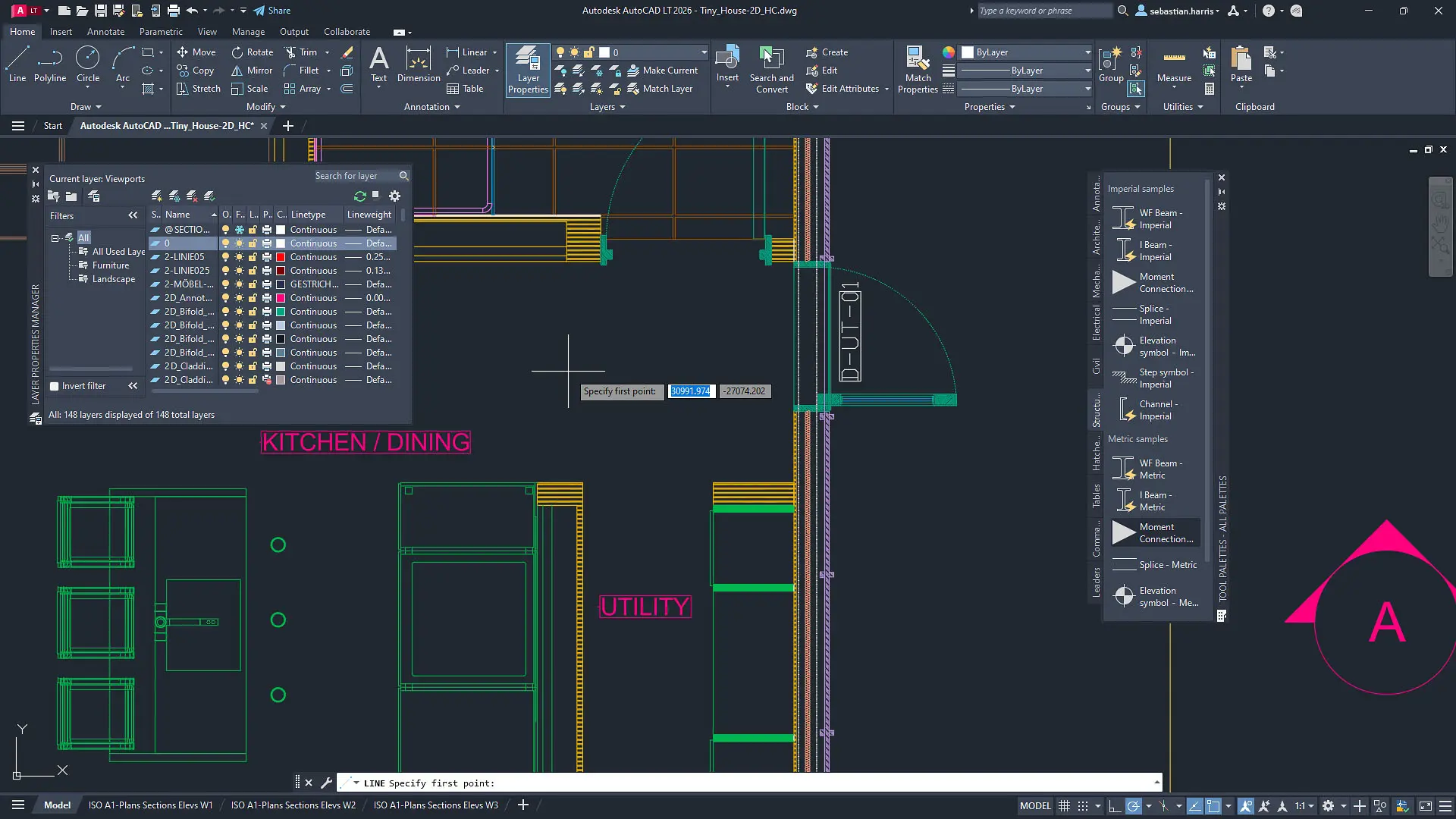
Autodesk AutoCAD API Training Course Technologies Covered - Connect CAD and Data to Systems
This AutoCAD API Course can be customised to focus on specific Autodesk development technologies including:
- AutoCAD .NET API
- C#
- VB.NET
- AutoLISP
- VBA
- Visual Studio
- JSON
- REST APIs
- SQL Server
- Microsoft Excel Automation
- Autodesk Platform Services (APS)
- Custom Plugin Development
AutoCAD API Development and Workflow Automation
The AutoCAD API enables organisations to automate drafting workflows, improve CAD standards compliance, eliminate repetitive manual tasks, and create custom tools that align with internal engineering and drafting processes.
Common applications include:
- Drawing creation automation
- Title block automation
- Block and attribute management
- CAD standards enforcement
- Layer management automation
- Reporting and data extraction
- Database integration
- Project setup automation
- Batch processing workflows
- Custom engineering applications
By the end of the AutoCAD API Training Course, participants will have the knowledge required to develop practical AutoCAD automation solutions, create custom plugins, automate drafting workflows, and implement scalable digital engineering solutions using Autodesk AutoCAD development technologies.
Autodesk AutoCAD API Training Course Prerequisites
Participants attending this AutoCAD API Course should have a good working knowledge of Autodesk AutoCAD. Previous experience with programming concepts, C#, Visual Studio, AutoLISP, VBA, or object-oriented programming is beneficial but not mandatory.
Access to Autodesk AutoCAD, Microsoft Visual Studio, and a stable internet connection is required for participation in remote training sessions. The course can be tailored for beginner, intermediate, or advanced developers depending on existing programming experience and organisational requirements.
Enrol Now in the Autodesk AutoCAD API Remote Training Course
Start your journey in custom application development, programming and CAD automation with this Autodesk AutoCAD API Remote Course. Contact Design Consulting today to book or learn more about our online and face to face training options.
Ready to Design with Precision and Speed?
Transform the way you create, visualise, simulate, and deliver designs, reports and drawings. Contact us today to explore training, services and subscription options or request a demo.
Fill out the contact form below or contact us on 1800 490 514, info@designconsulting.com.au or by live chat