

Autodesk Inventor Advanced Assembly Training Course
- 16-Hours (8 x 2-Hour Sessions) Training
- Delivered remotely over MS Teams - Contact Us for On-Site/Face to Face Training
- Sessions are recorded and download links are provided after each session for your future use and reference.
- Pricing is based on 1-3 people. Additional people are at an additional cost of $1,100 per person.
- Volume Discounts apply for 5+. Please contact us.
- Training is usually broken up into 2 or 4-hour sessions in the morning and flexible (i.e. consecutive or Monday, Wednesday, Friday, etc.)
- Training sessions can start within 14 days of booking
- Courses are private and topics can be customised to suit
- Includes Certificate of Completion
- Training manuals are an additional $145 Ex. GST per digital manual

Autodesk Inventor Advanced Assembly Training Course
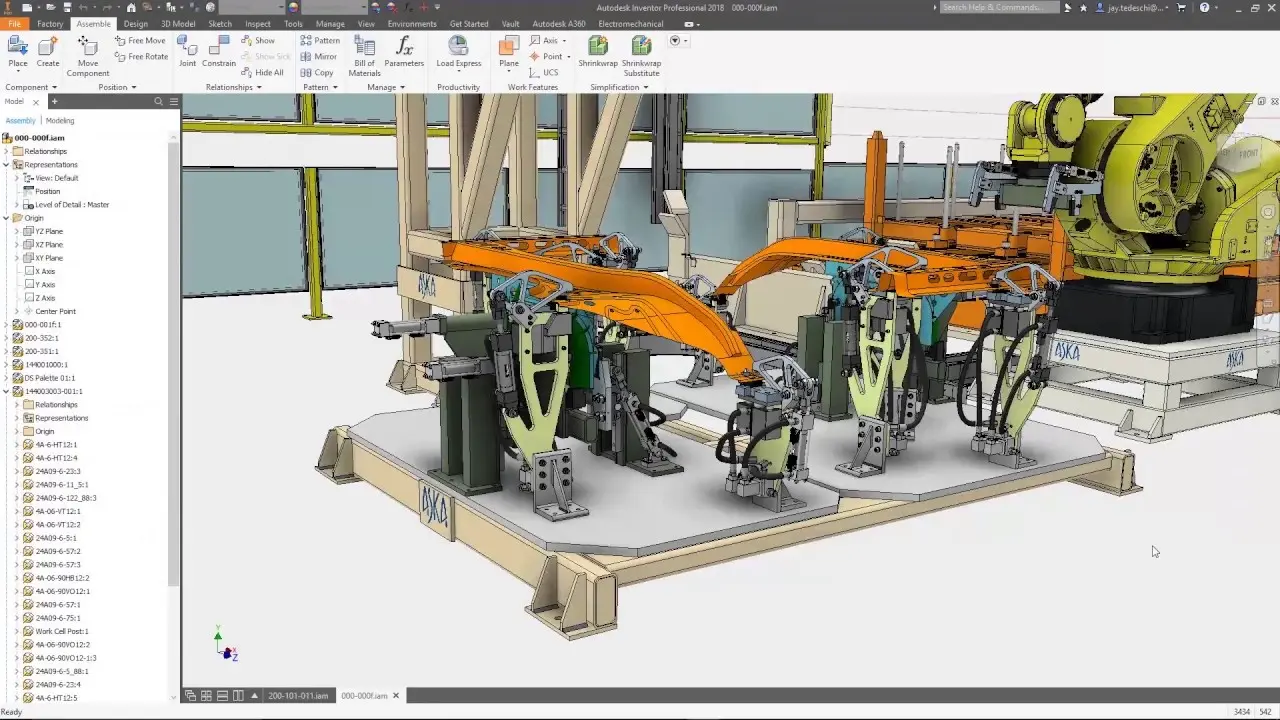
The Autodesk Inventor Advanced Assembly Training Course provides practical, instructor led training focused on advanced assembly modeling workflows used in manufacturing and mechanical engineering projects. This Inventor Advanced Assembly Training course helps designers and engineers improve productivity, manage complex assemblies, and develop intelligent workflows using Autodesk Inventor Professional.
Participants will learn advanced assembly techniques including top down design, skeletal modeling, iLogic automation, weldments, design accelerators, and large assembly management. Through hands on exercises and real world workflows, this Inventor Advanced Assembly Course builds the skills required to efficiently create, manage, and document sophisticated mechanical assemblies for manufacturing and fabrication environments.
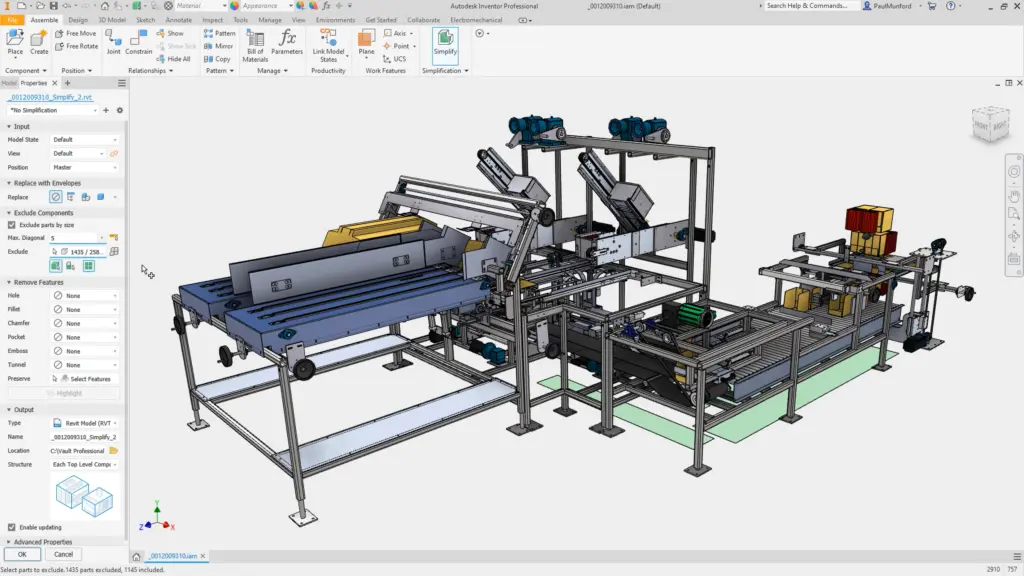
Autodesk Inventor Advanced Assembly Course - Large Assemblies, Weldments, Frame Generator, Layouts, and BOM Management Training
Develop Inventor advanced assembly modeling skills with practical Autodesk Inventor workflows focused on large assemblies, automation, weldments, layout design, and intelligent engineering documentation in this Inventor Advanced Course.
What You'll Learn - Skeletal Modelling, Top-Down Design, iMates, Constraints and Adaptive Parts
Advanced Assembly is one of our Advanced Inventor Training Courses, teaching you the following:
- Navigating advanced assembly workflows in Autodesk Inventor
- Creating top down assembly designs
- Working with skeletal modeling techniques
- Managing large assemblies efficiently
- Creating and applying iMates
- Using design accelerators and standard components
- Working with weldments and structural assemblies
- Applying positional representations and view representations
- Creating layout driven assemblies
- Automating workflows with iLogic
- Managing assembly constraints and adaptive parts
- Working with level of detail representations
- Improving assembly performance and productivity
- Producing assembly documentation and presentations
Inventor Advanced Assembly Topics Covered - Design Accelerator, Level of Detail, Model States, and Positional Representations.
- Introduction to advanced assembly workflows
- Assembly design strategies and best practices
- Top down design methodologies
- Skeletal modeling and adaptive design
- Advanced assembly constraints and relationships
- iMates and reusable assembly workflows
- Design Accelerator tools
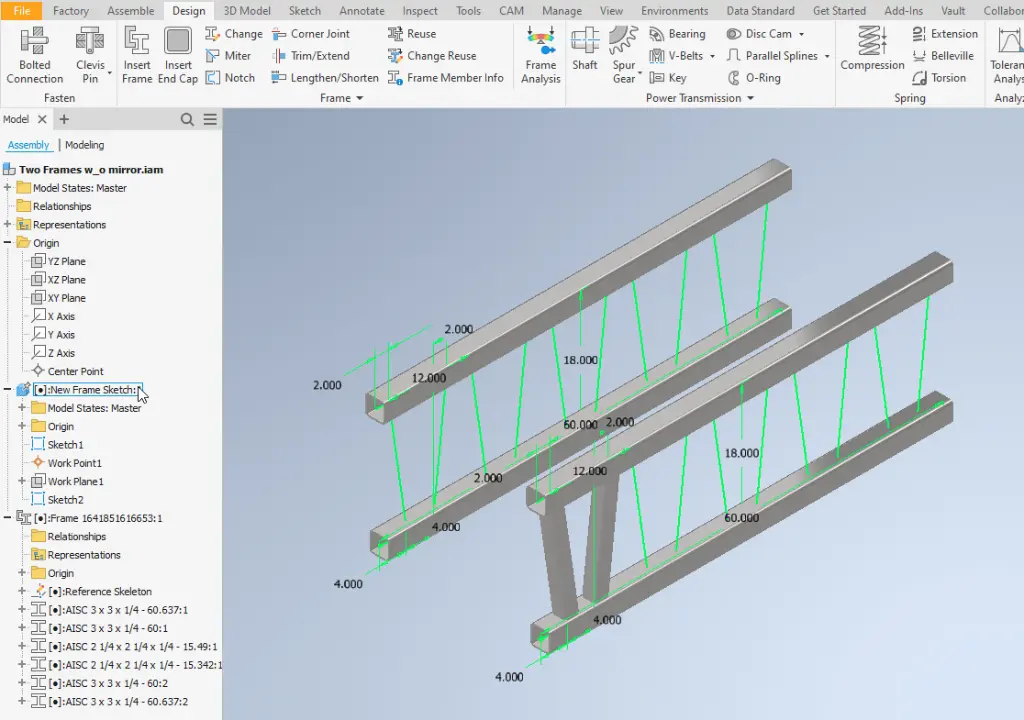
- Frame Generator and weldment workflows
- Positional representations and motion studies
- Level of detail management
- Large assembly optimization techniques
- iLogic automation workflows
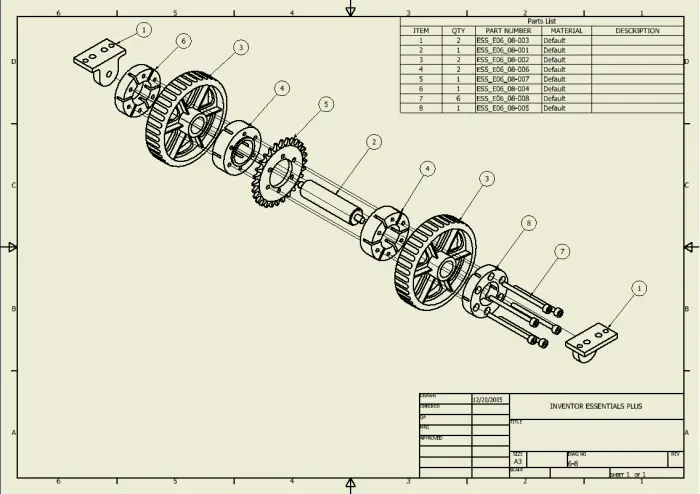
- Assembly presentations and exploded views
- Advanced drawing and documentation workflows
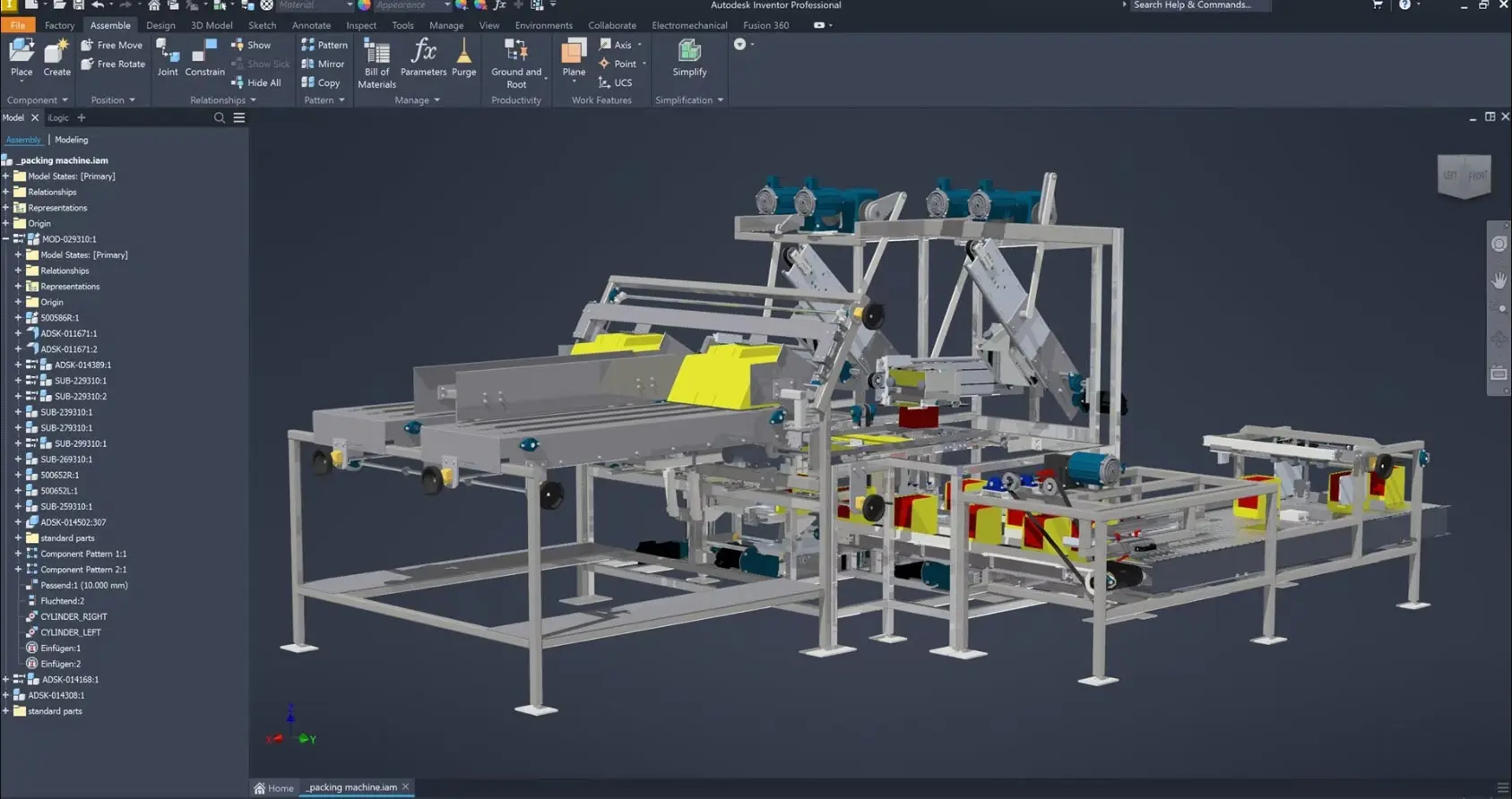
Autodesk Inventor Advanced Assembly Course Guide Contents
Chapter 1: Working Effectively with Assemblies
1.1 General Assembly Tips
1.2 Relationship Tips
1.3 Motion Constraints
1.4 Transitional Constraints
Chapter 2: Introduction to Top-Down Design
2.1 Top-Down Design Process
2.2 Top-Down Design Tools
Chapter 3: Derived Components
3.1 Derived Components
3.2 Modify Derived Components
Chapter 4: Multi-Body Part Modelling
4.1 Multi-Body Part Modelling
Chapter 5: Layout Design
5.1 Layout Design
Chapter 6: Associative Links and Adaptive Parts
6.1 Associative Links
6.2 Adaptive Assembly Parts
Chapter 7: iMates
7.1 iMates
Chapter 8: Positional Representations
8.1 Introduction to Positional Representations
8.2 Create and Edit Positional Representations
8.3 Use Positional Representations
Chapter 9: Model Simplification
9.1 Shrinkwrap
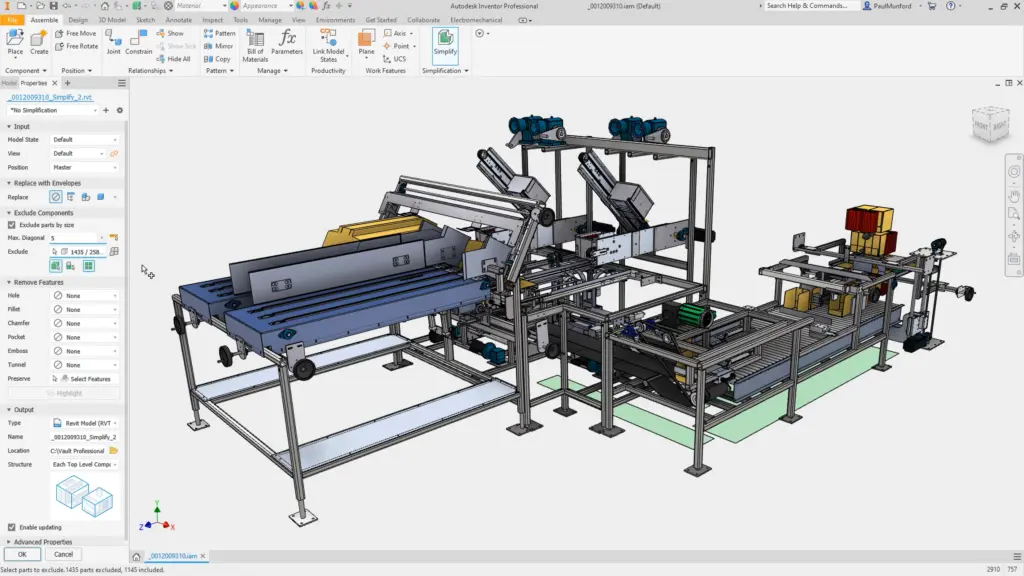
9.2 Assembly Simplification
Chapter 10: Level of Detail Representations
10.1 Level of Detail Representations
10.2 System-Defined Level of Detail Representations
10.3 User-Defined Level of Detail Representations
10.4 Using Level of Detail Representations
10.5 Substitute Level of Detail Representations
10.6 LOD Productivity Tools
Chapter 11: Design Accelerator
11.1 Design Accelerator
11.2 Generators
11.3 Calculators
11.4 Engineer’s Handbook
Chapter 12: Advanced File Management
12.1 Design Assistant
12.2 Pack and Go
12.3 Purging Old Files
Chapter 13: Inventor Studio
13.1 Rendering
13.2 Animation
13.3 Video Producer
13.4 Creating a Standard Room
Chapter 14: iAssemblies
14.1 Introduction
14.2 Create Basic iAssemblies
14.3 Create Multi-Level iAssemblies
14.4 Create iAssemblies Using Existing Assemblies
14.5 Place iAssemblies
14.6 Edit iAssemblies
Chapter 15: Frame Generator
15.1 Frame Generator
15.2 Structural Shape Author
Chapter 16: Assembly Duplication Options
16.1 Pattern Components
16.2 Mirror Components
16.3 Copy Components
Chapter 17: Working with Weldments
17.1 Working with Weldments
17.2 Fillet Welds
17.3 Cosmetic Welds
17.4 Groove Welds
Who Should Attend the Autodesk Inventor Advanced Assembly Training Course
- Existing Inventor users who require advanced training techniques
- Users of Autodesk Inventor who work with Inventor Assemblies
- Inventor users who require training on Frame Generator and Weldments
Autodesk Advanced Assembly Course Prerequisites
Participants should have completed Autodesk Inventor Fundamentals Training or possess equivalent Inventor experience. A strong understanding of parts, assemblies, and general Autodesk Inventor workflows is recommended before attending this Inventor Advanced Assembly Course.
Enrol Now in the Autodesk Advanced Assembly Remote Course
Start your journey in digital mechanical design with advanced assemblies. Contact Design Consulting today to book or learn more about our online and face to face training options.
Ready to Design with Precision and Speed?
Transform the way you create, visualise, simulate, and deliver designs, reports and drawings. Contact us today to explore training, services and subscription options or request a demo.
Fill out the contact form below or contact us on 1800 490 514, info@designconsulting.com.au or by live chat