

Autodesk Inventor iLogic Training Course
- 8-Hours (4 x 2-Hour Sessions) Training
- Delivered remotely over MS Teams
- Sessions are recorded and download links are provided after each session for your future use and reference.
- Pricing is based on 1-3 people. Additional people are at an additional cost of $550 per person.
- Volume Discounts apply for 5+ people.
- Training is usually broken up into 2 or 4-hour sessions in the morning and flexible (i.e. consecutive or Monday, Wednesday, Friday, etc.)
- Training sessions can start within 14 days of booking
- Courses are private and topics can be customised to suit
- Includes Certificate of Completion
- Training manuals are an additional $145 Ex. GST per digital manual

Inventor iLogic Training Course Introduction - VB and .NET Programming Fundamentals
The Autodesk Inventor iLogic Training Course provides practical instructor-led training for mechanical engineers, designers, drafters, CAD managers, and manufacturing professionals wanting to automate design processes and create intelligent engineering workflows within Autodesk Inventor.
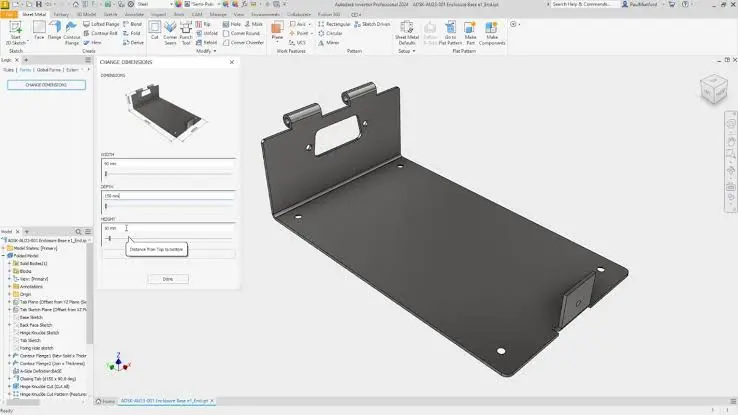
This Inventor iLogic Course focuses on using Autodesk Inventor's built-in rule-based automation tools to streamline product development, automate repetitive tasks, create configurable products, and improve engineering efficiency. Participants learn how to create and manage iLogic rules, drive designs using parameters, automate drawings and Bills of Materials, and develop intelligent workflows that reduce manual effort and improve consistency across projects.
Whether you are looking for an Inventor iLogic Training Course, Inventor iLogic Course, or Inventor iLogic Class, this training provides practical skills that can be immediately applied to engineering and manufacturing environments.
Autodesk Inventor iLogic Design Automation Training - Learn 2D Drawing Automation
Develop practical design automation skills using Autodesk Inventor iLogic through structured training focused on rule creation, parameter-driven design, product configuration, engineering automation, and workflow optimisation.
Participants attending this Inventor iLogic Training Course will gain the knowledge required to automate repetitive design processes, improve design consistency, and create intelligent models that adapt automatically to changing project requirements.
What You'll Learn - Scripting Fundamentals for Configurable Designs
- Understanding Autodesk Inventor iLogic
- Creating and managing iLogic rules
- Working with parameters and equations
- Creating configurable products
- Automating part design workflows
- Automating assembly design workflows
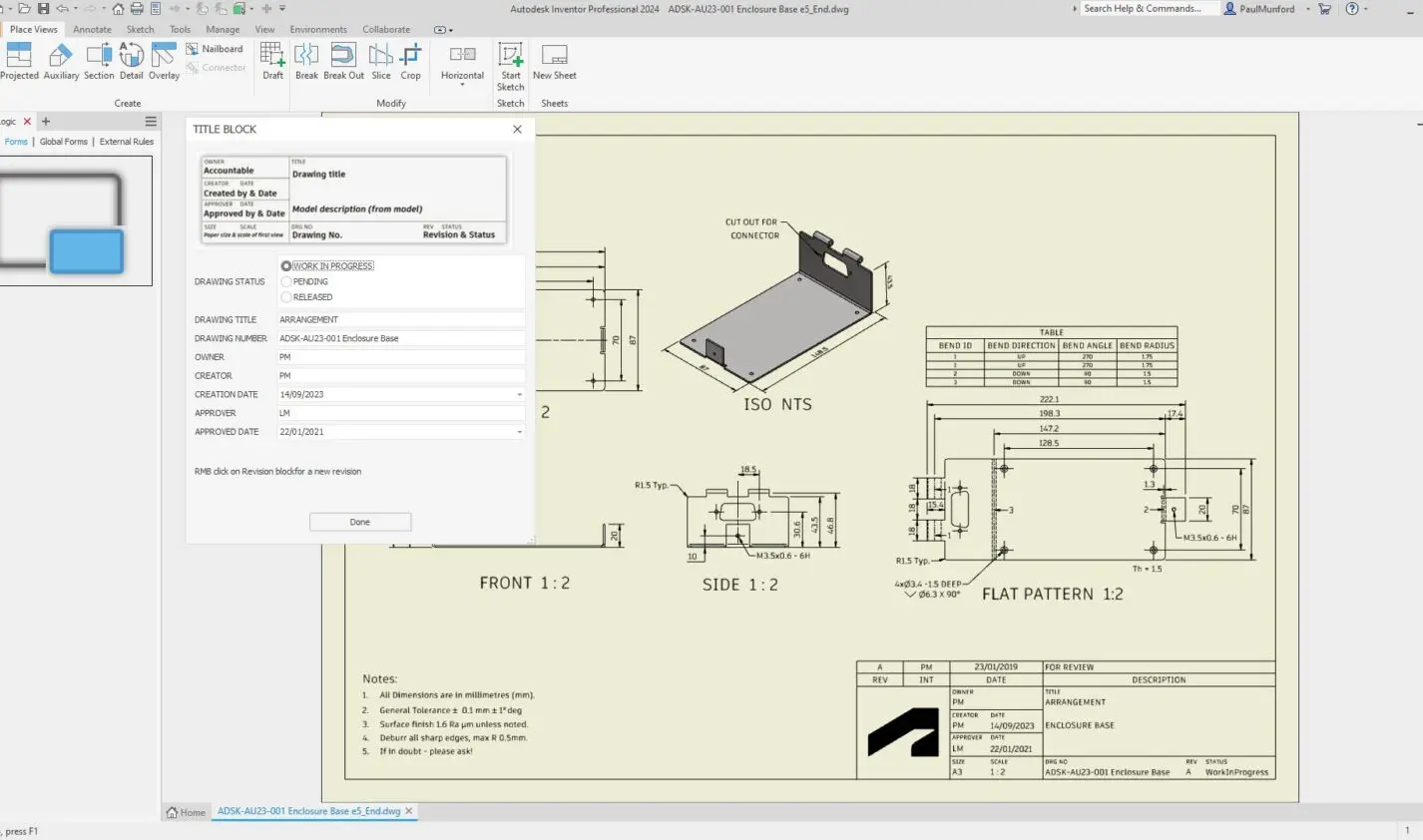
- Automating drawing updates
- Managing iProperties automatically
- Automating Bills of Materials
- Creating user forms and inputs
- Applying engineering standards through automation
- Developing reusable automation workflows
Autodesk Inventor iLogic Training Course Contents - Programming Development Essentials
Chapter 1: Introduction to iLogic
1.1 Design Automation Overview
1.2 iLogic Overview
1.3 iLogic Workflow
Chapter 2: Understanding Parameters and Equations in iLogic
2.1 Equations in iLogic
2.2 Model and User Parameters in iLogic
Chapter 3: Getting Started with iLogic
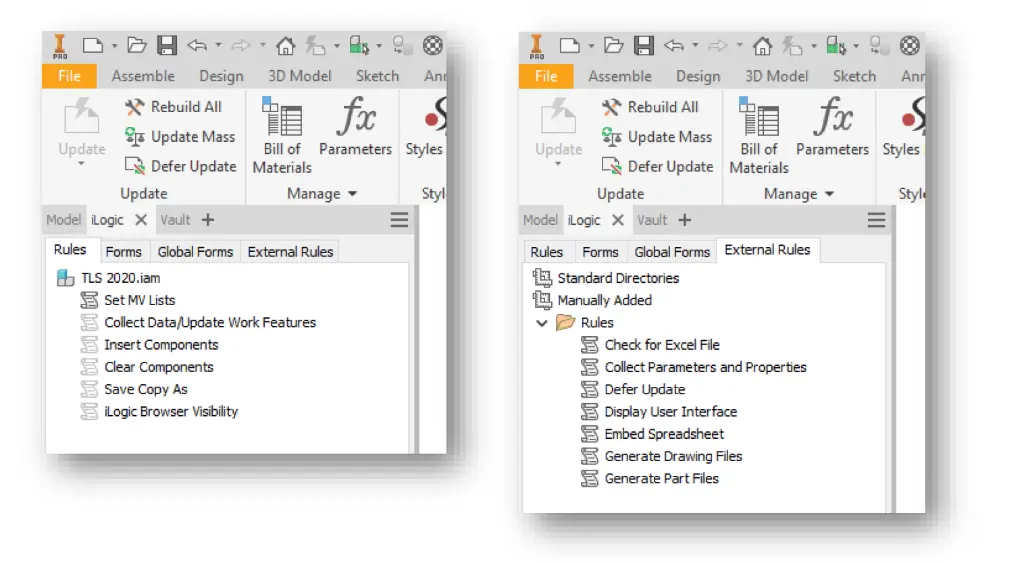
3.1 iLogic Interface
3.2 Function Overview
3.3 Rule Creation Workflow
Chapter 4: Rule Creation
4.1 Conditional Statements
4.2 Operators
4.3 Parameter Functions
4.4 Feature Functions
4.5 iProperty Functions
Chapter 5: Assembly Rules and Functions
5.1 Assembly Rules
5.2 Component Functions
5.3 Relationship Functions
5.4 iLogic Components in Inventor Assemblies
Chapter 6: Drawing Rules and Functions
6.1 Drawing Rules
6.2 Sheet Functions
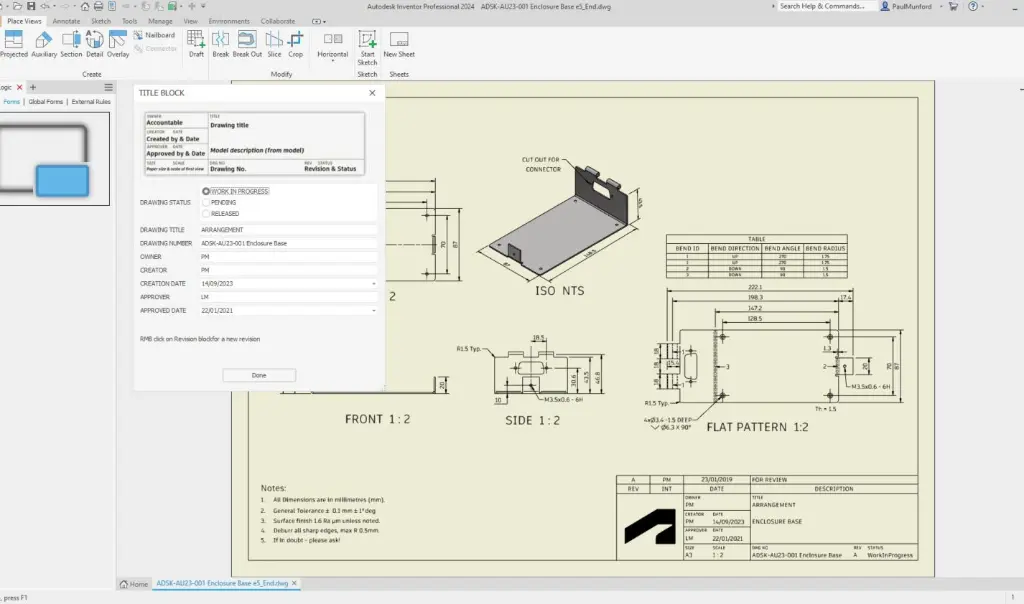
6.3 Title Block Functions
6.4 View Functions
6.5 Annotation Functions
6.6 Advanced Functions
Chapter 7: Rule Triggering and Form Creation
7.1 Event Triggers
7.2 iTriggers
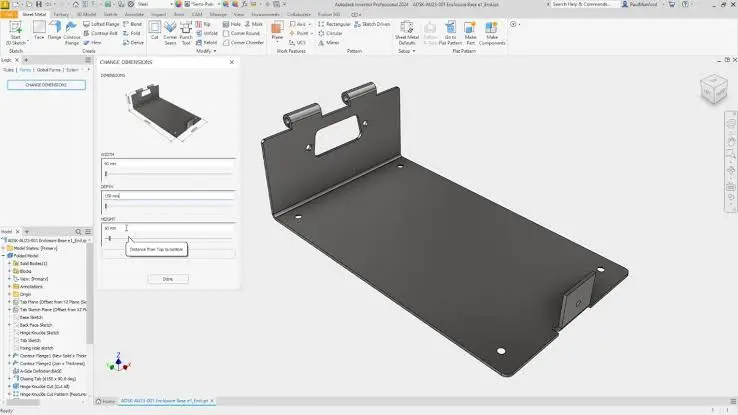
7.3 Forms
Chapter 8: Miscellaneous Features and Functions
8.1 Rule Options
8.2 Search and Replace
8.3 Wizards 8.4 Miscellaneous Functions
Chapter 9: Project Practices
9.1 Introduction to Projects
9.2 Create a Configurable Model
9.3 Create a Configurable Assembly
9.4 Create a Configurable Drawing
Who Should Attend the Autodesk Inventor iLogic Training - Get Started in Inventor 3D Model Automation
This Inventor iLogic Class is suitable for:
- Mechanical Engineers
- Product Designers
- Design Engineers
- Manufacturing Engineers
- CAD Managers
- Autodesk Inventor Users
- Product Development Teams
- Engineering Managers
- Drafting Professionals
Whether you are seeking an Inventor iLogic Course to improve productivity or implement design automation within your organisation, this training can be tailored to suit your workflows and requirements.
Customised Autodesk Inventor iLogic Training - Automate your Designs while being Trained
- Inventor iLogic Applications
- Inventor iLogic is commonly used for:
- Product configurators
- Parametric product families
- Automated drawing creation
- Engineering calculations
- BOM generation and reporting
- Design standardisation
- Manufacturing preparation
- Assembly automation
- Sheet metal automation
- Custom user forms
- Automated model updates
- Engineering workflow automation
Autodesk Inventor iLogic Training Prerequisites
Participants should have a working knowledge of Autodesk Inventor Professional and experience creating parts, assemblies, and drawings.
Previous programming experience is not required. Inventor iLogic is designed for engineers and designers who want to automate workflows using a rule-based environment without requiring software development experience.
Enrol now in the Autodesk Inventor iLogic Remote Training
Start your journey in digital Mechanical CAD design automation in this Inventor iLogic Online Course. Contact Design Consulting today to book or learn more about our online and face to face training options.
Ready to Design with Precision and Speed?
Transform the way you create, visualise, simulate, and deliver designs, reports and drawings. Contact us today to explore training, services and subscription options or request a demo.
Fill out the contact form below or contact us on 1800 490 514, info@designconsulting.com.au or by live chat