Autodesk LISP Routine Services
Custom LISP routines that turn repetitive drafting tasks into fast, consistent single commands across your Autodesk software
Design Consulting, an Autodesk Gold Partner, develops custom LISP routines that take repetitive work out of your Autodesk software. A single command can replace tasks your team repeats many times a day, including layer and block management, title block updates, annotation and drawing cleanup.
Design Consulting writes and maintains routines for AutoCAD, AutoCAD Electrical, Plant 3D, Advance Steel and Civil 3D. We can also run them in the cloud through Autodesk Platform Services Design Automation. Each routine is built around your CAD standards, so your drawings stay consistent and manual errors drop.
Design Consulting is an Autodesk Gold Partner and Service Provider, offering Autodesk Software with wide range of complimentary software, training courses and services for Autodesks Ecosystem.
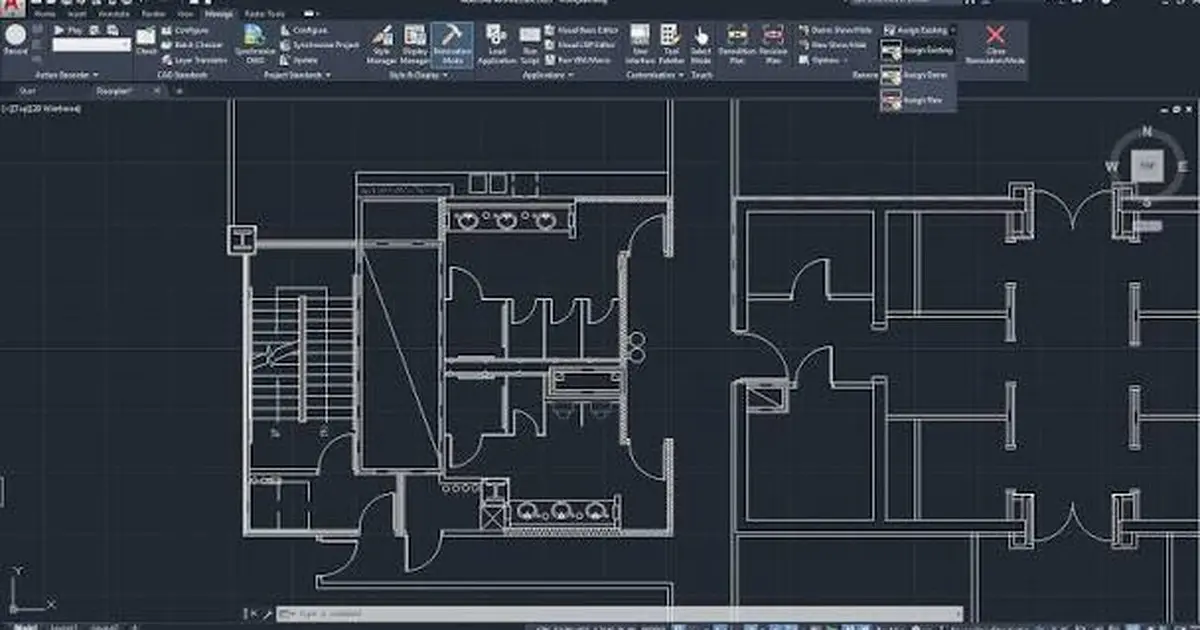
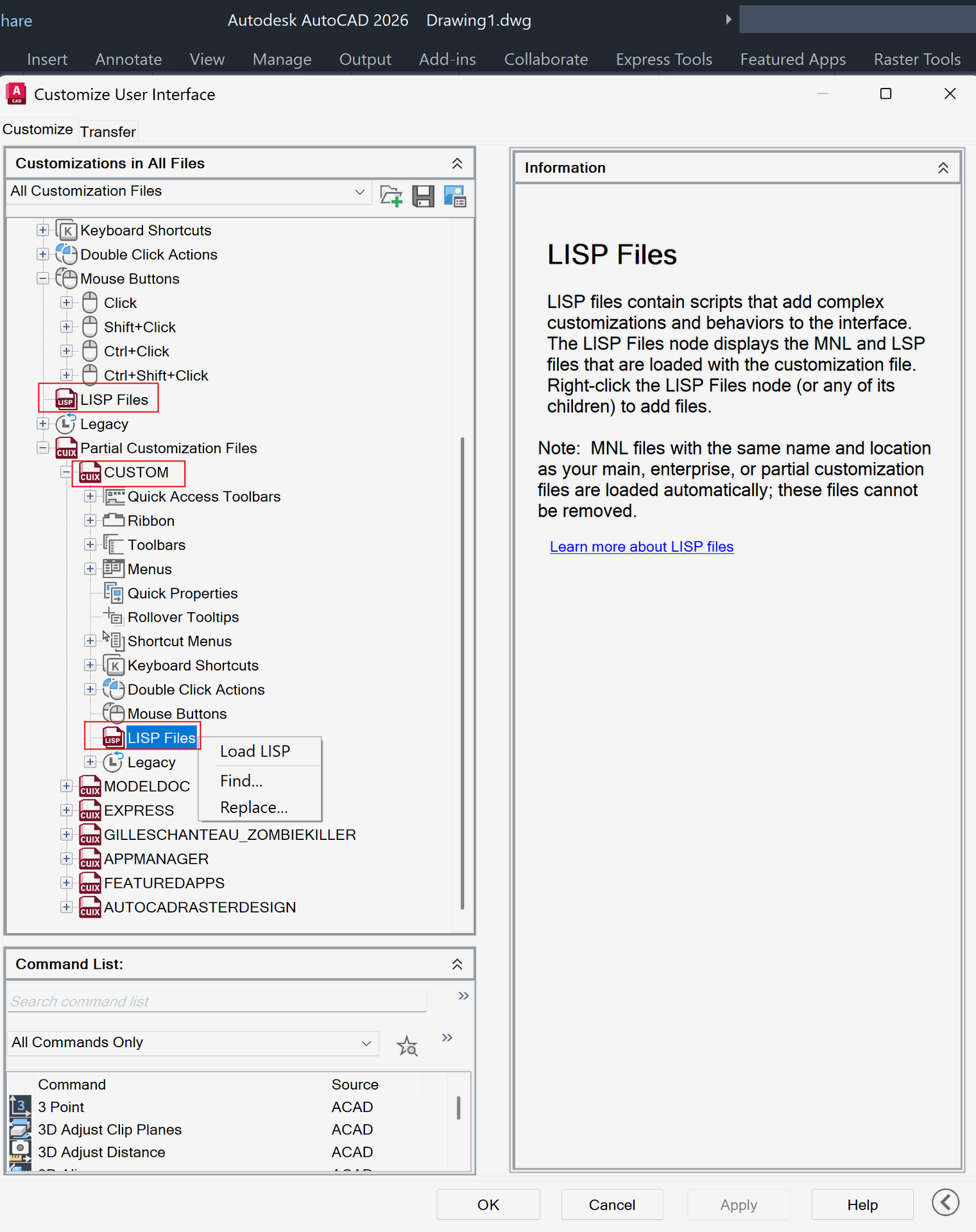
Custom AutoLISP Routine Development for Autodesk Software
Custom AutoLISP routines turn repetitive drafting into a single command. We develop LISP tools for AutoCAD and AutoCAD-based products. These tools enforce layer standards, insert and update blocks, fill in attributes and keep annotation consistent across every sheet.
Routines can also place and correct dimensions, rename and purge drawing content, and run batch tasks across entire drawing sets. That saves hours of manual clean-up on every project.
Each routine is scoped around your templates, CAD standards and workflows. We test and document it, then hand it over so your team can load and use it with confidence.
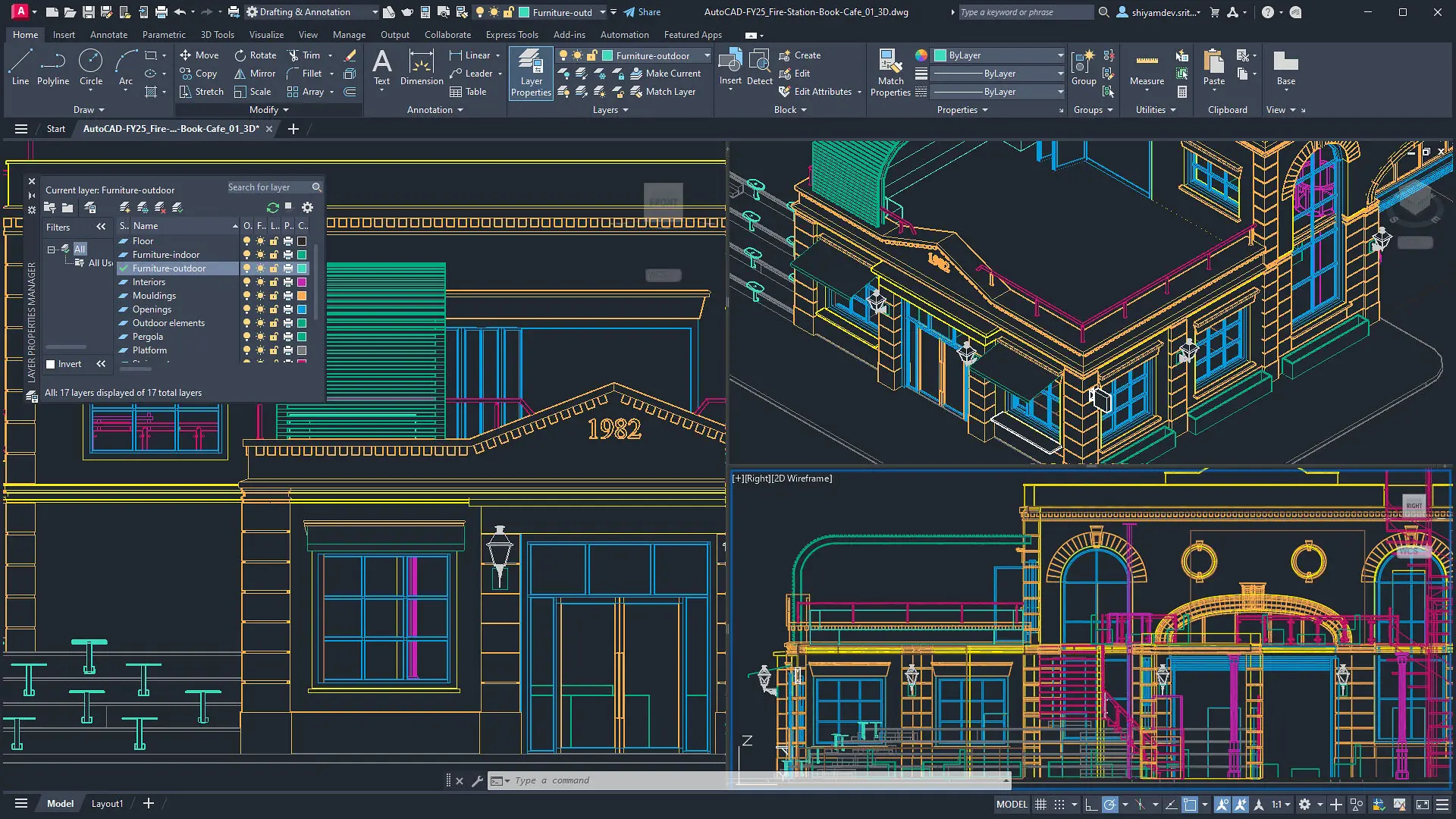
Custom LISP Routines for AutoCAD
Custom AutoLISP routines remove repetitive steps from everyday AutoCAD work. We build tools that set up new drawings from your templates, create and enforce layer standards, and keep naming, colours and linetypes consistent across every project.
Our routines also insert, update and audit blocks and attributes, place annotation and dimensions to your styles, and run batch processing across complete drawing sets. Your team no longer has to make the same edits file by file.
Every routine is scoped to your workflow, tested on your own drawings and handed over with clear documentation.
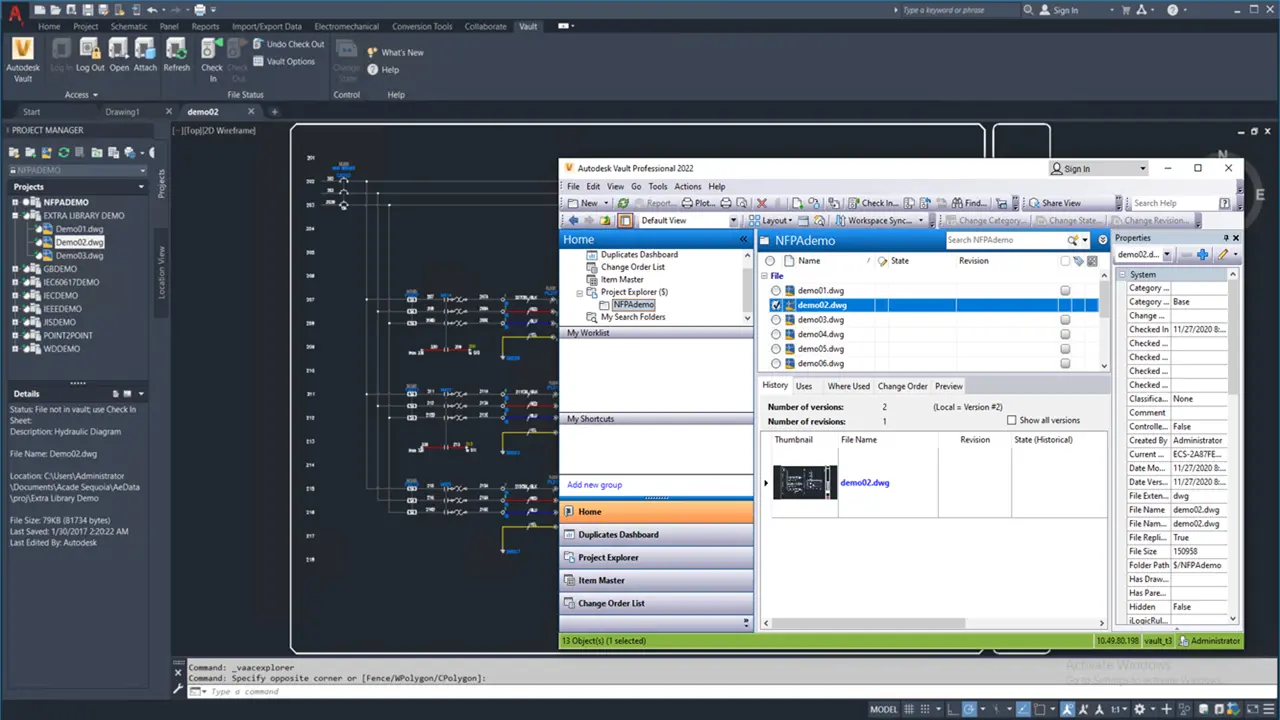
LISP Routines for AutoCAD Electrical
Our LISP routines for AutoCAD Electrical automate the schematic tasks that slow electrical designers down. Routines can insert and update schematic components, renumber wires and apply consistent wire and component tagging to your project standards.
Title block updates no longer need to be made sheet by sheet. A single command can push project details, revisions and sheet data across every drawing, then run project-wide drawing tasks and generate the reports your team relies on.
Each routine is built around your AutoCAD Electrical project setup and libraries. It is documented clearly and handed over so your team can run it with confidence.
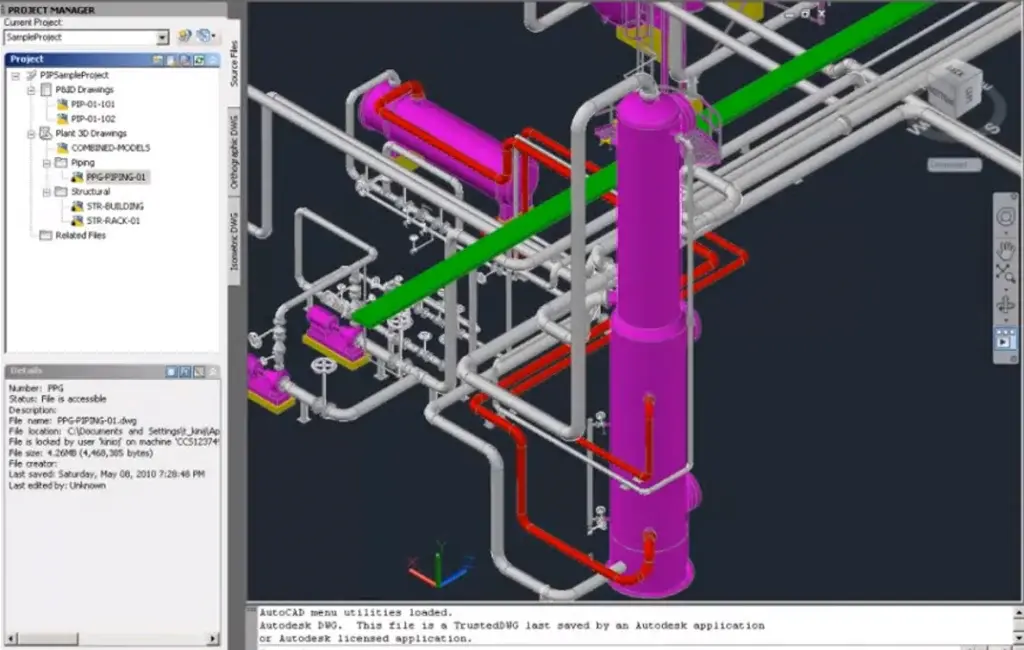
LISP Routines for AutoCAD Plant 3D
AutoCAD Plant 3D projects involve a lot of repetitive drafting. We write custom LISP routines that speed up piping layout, P&ID drafting and equipment placement. Designers spend less time on manual steps and more time on engineering decisions.
Routines can apply your project standards automatically. They check layers, line styles, tags and text so every drawing matches the spec. We also automate repetitive annotation and drawing production tasks, such as labelling, title block updates and batch output across a project.
Each tool is built around your Plant 3D project setup and handed over with clear documentation.
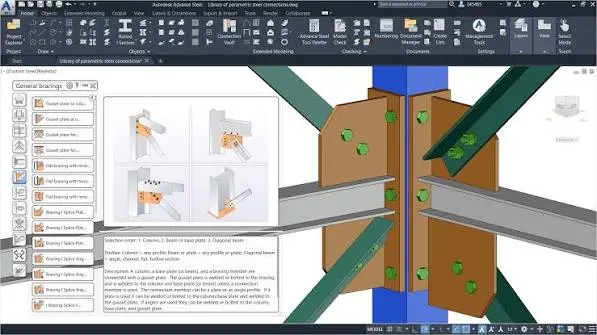
LISP Routines for Advance Steel Detailing
Advance Steel detailing involves many repeated steps: setting up drawings, placing labels and dimensions, checking styles and publishing sheets. Our custom LISP routines automate these tasks so detailers spend more time on the model and less time on manual clean-up.
Routines can prepare drawing layouts from your templates and apply consistent annotation across general arrangement and shop drawings. They can also batch plot or export output for fabrication and approval.
Each tool is built around your company standards and tested on your own projects. We hand it over with clear documentation so your team can use it from day one.
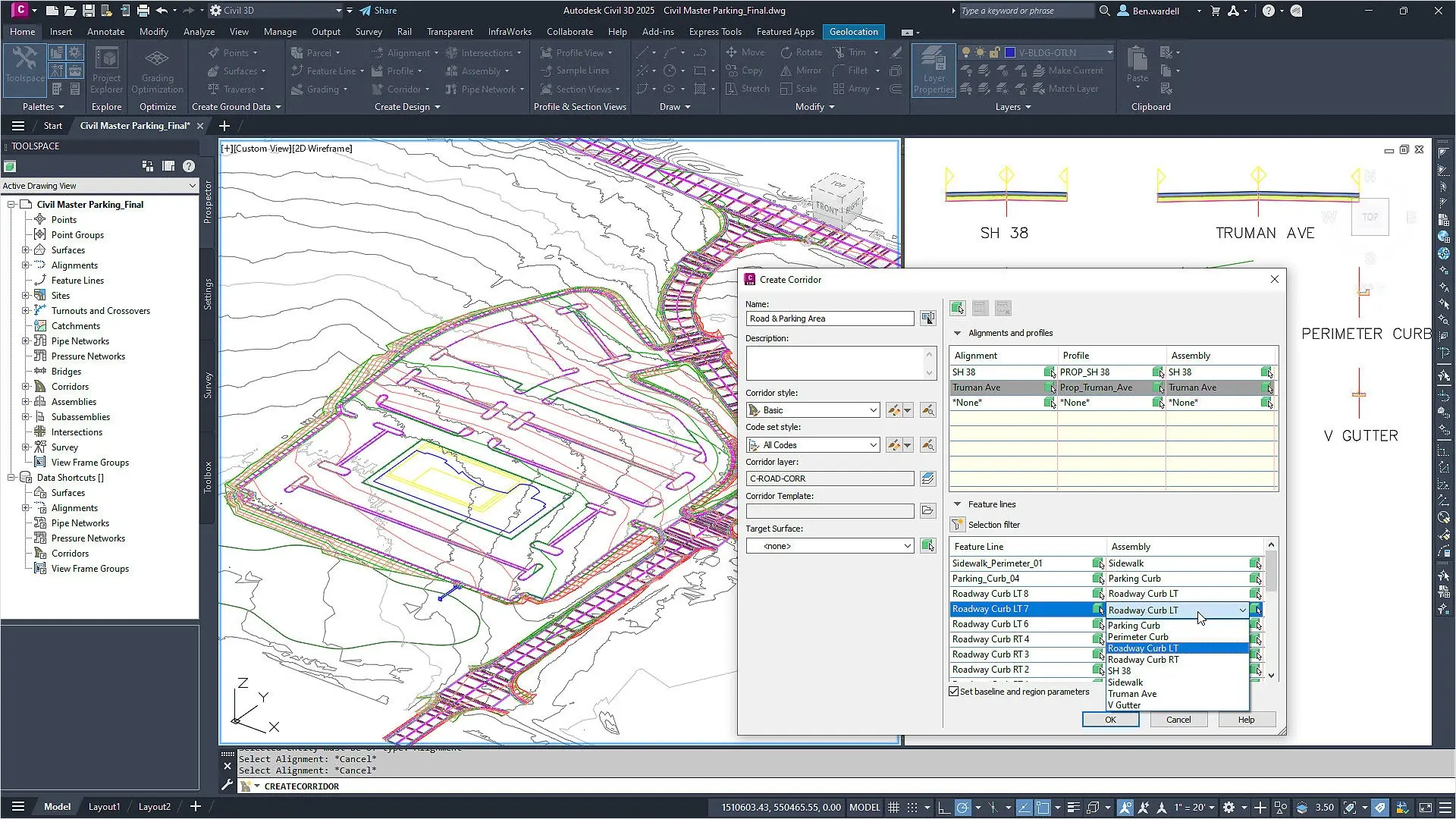
LISP Routines for Civil 3D
Our LISP routines for Civil 3D take the repetitive work out of civil design and documentation. We build tools that set up drawings from your templates, apply layer and style standards consistently, and automate labelling across alignments, profiles, surfaces and pipe networks.
Routines can also run batch tasks across whole project folders, such as updating title blocks, purging and auditing files, or plotting sheet sets. Engineers and drafters spend less time on manual clean-up and more on design.
Each routine is built around your Civil 3D templates and documented, so your team can run it confidently on every project.
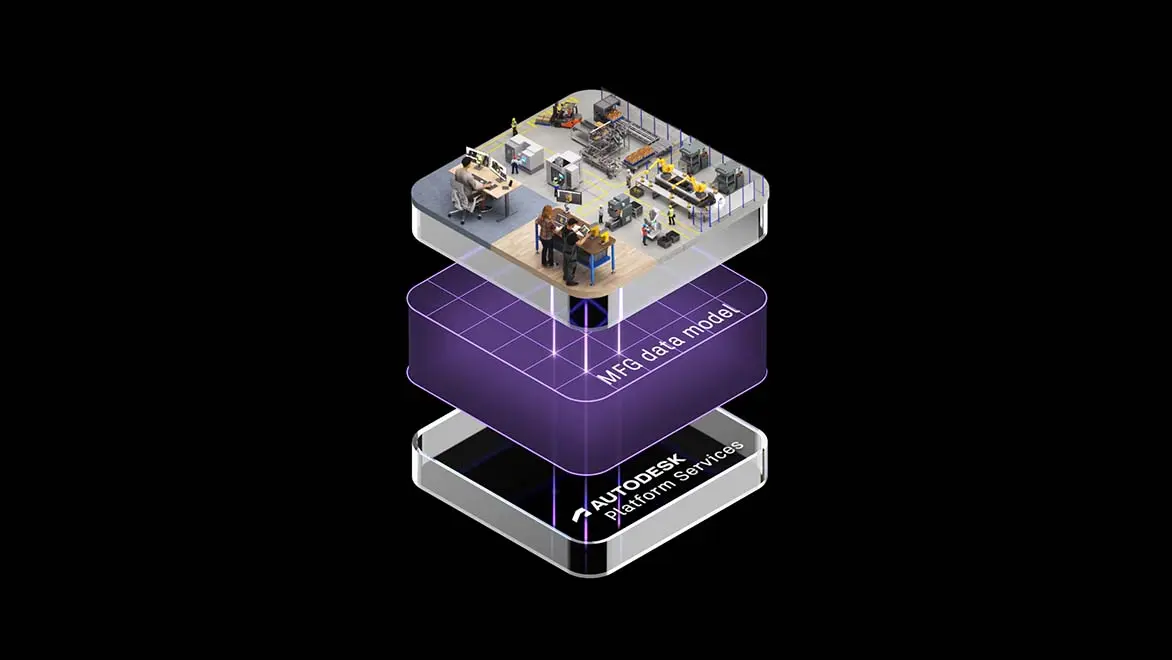
Connecting LISP Routines to Autodesk Platform Services
LISP routines automate work inside AutoCAD. Autodesk Platform Services, formerly Forge, extends that automation to the cloud. We help connect LISP-driven workflows to APS APIs so drawing data can move between desktop tools, cloud storage and web applications.
With the Design Automation API for AutoCAD, existing routines can process drawings in the cloud without a desktop session. They can run batch updates, data extraction and file conversion. The Data Management and Model Derivative APIs help you share and view design data with project teams and clients.
We assess which routines suit cloud processing and plan the integration around your systems.
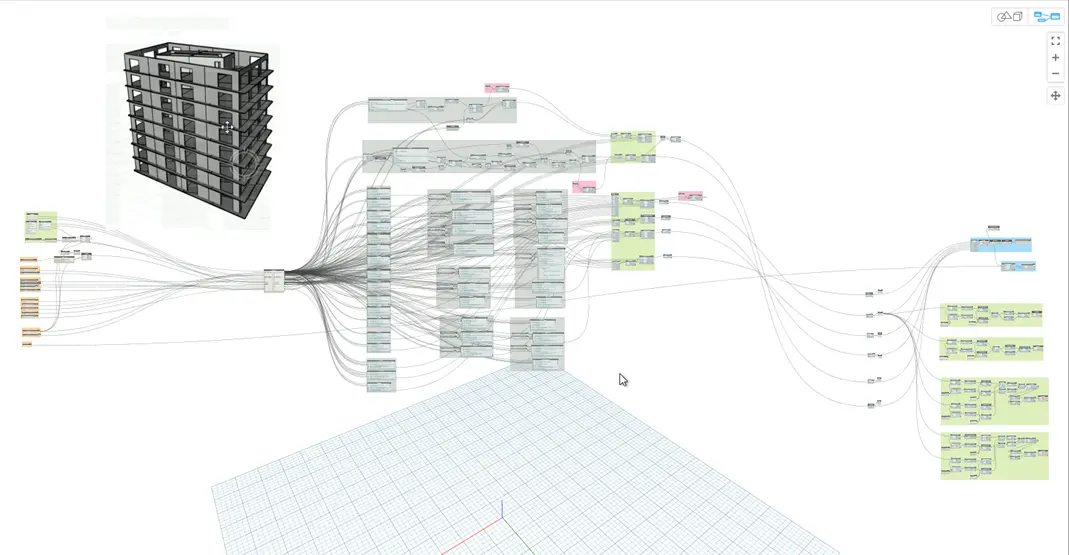
Dynamo Automation Alongside Your LISP Routines
LISP routines are a fast way to automate AutoCAD-based drafting, but some tasks suit a different tool. For Revit and Civil 3D projects, Dynamo visual programming can complement your LISP library. It handles model-based work such as placing families, generating corridor and alignment geometry, and applying parameters by rule.
We help you decide where each approach fits. We then build Dynamo graphs alongside your LISP routines so drafting, modelling and data tasks follow the same standards. Scripts are packaged for Dynamo Player, so team members can run them without editing code. They can also exchange data with Excel to validate parameters and check standards.
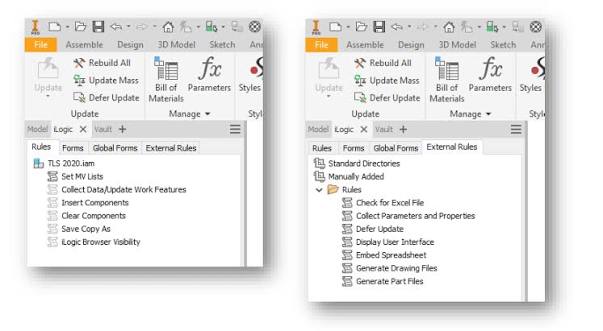
Extend Your Automation to Inventor with iLogic
When your workflows reach beyond AutoCAD into 3D mechanical design, iLogic is a natural companion to LISP automation. iLogic is built directly into Autodesk Inventor. Its rules apply your design logic to parts and assemblies, so dimensions, features and materials respond automatically to the parameters you set for each configuration.
We develop iLogic rules alongside your LISP routines so that drafting and modelling teams work to the same standards. Rules can also update drawings, iProperties and component visibility. This gives you consistent outputs from 2D documentation through to 3D product models.

When LISP Isn't Enough: C# and C++ Add-ins for Autodesk
LISP routines are ideal for automating repetitive drafting tasks, but some workflows outgrow them. When routines run slowly on large drawings, need complex user interfaces or must share data with other systems, we extend your automation with compiled add-ins written in C# and C++ using the Autodesk .NET API and ObjectARX.
We can migrate proven LISP logic into robust add-ins for AutoCAD, AutoCAD Electrical, Plant 3D, Advance Steel and Civil 3D, adding ribbon commands, dialogs and batch processing. Where data needs to move beyond the desktop, we connect your tools to Autodesk Platform Services. Every add-in is tested and documented for reliable team-wide deployment.

AI-Enhanced LISP Automation for Autodesk Software
AI brings a new layer to LISP-based automation. Paired with LISP routines, scripts and .NET add-ins, AI can help interpret drawing content, recognise layers, blocks and attributes, and suggest values before a routine runs. Tasks in AutoCAD, AutoCAD Electrical, Plant 3D, Advance Steel and Civil 3D can be completed with fewer clicks and less rework.
Through Autodesk Platform Services, AI-assisted workflows can extract data from drawings, check it against your standards and pass clean information to downstream systems. Your team stays in control. AI flags issues and proposes changes, and your LISP routines apply them consistently across every project.
Programming Development Training Courses
LISP Routine Automation for Your Autodesk Products
AutoCAD and its toolsets share a common platform, so a well-built LISP routine can remove hours of repetitive work across drafting, electrical, plant, steel and civil projects. We write custom AutoLISP routines for the products your teams use every day. Each routine matches your standards and workflows, so drawings are produced faster, with fewer errors and more consistent results.
AutoCAD
Custom AutoLISP commands for drawing setup, layer and block standards, title block updates, batch plotting and attribute extraction. Repetitive drafting steps become a single command that follows your CAD standards.
AutoCAD Electrical
LISP routines for wire numbering checks, component tagging, title block and attribute updates, and report preparation. Electrical designers can keep schematics consistent across large drawing sets.
Plant 3D
Automate repetitive piping and P&ID tasks such as tag and property updates, drawing cleanup, layer control and batch processing of project drawings. Plant designers spend more time on design.

Advance Steel
LISP tools for drawing cleanup, annotation, layer and block handling, and batch processing of detail drawings. Steel detailers move from model to fabrication documents with fewer manual steps.
Civil 3D
Routines for point and label handling, layer and style management, sheet preparation and batch drawing updates. Infrastructure teams produce consistent design documentation in less time.

Autodesk Platform Services
Run AutoLISP routines at scale in the cloud with the Design Automation API for AutoCAD. Process drawings in bulk and connect CAD outputs with your web applications and business systems.
LISP Routine Consulting Services
Because AutoCAD and its toolsets run on the same platform, one well-written LISP routine can save hours of repetitive effort on drafting, electrical, plant, steel and civil work. We develop bespoke AutoLISP routines for the Autodesk products your teams rely on daily, each one aligned with your standards and workflows, helping you produce drawings more quickly, accurately and consistently.

Routine Review and Upgrades
We review existing LISP libraries, fix errors, remove outdated code and update routines for current AutoCAD releases. Your trusted tools keep working after every upgrade.

Standards Checking
Automated checks audit layers, text styles, blocks and plot settings against your CAD standards. Issues are flagged or fixed before drawings are issued.

Deployment and Support
We document each routine, package it for easy loading across your team and support it after delivery. We adjust routines as your workflows and standards change.
Features & Benefits of Custom LISP Routines
Custom LISP routines turn repetitive commands and manual drafting sequences into fast, reliable tools that run inside AutoCAD and its specialised toolsets. Your team spends less time on routine edits and more time on design.
From a single command that fixes a recurring problem to a full suite of discipline-specific tools, each routine is built to fit your drawings, standards and day-to-day workflow.

Hours Saved on Repetitive Commands
Turn multi-step drafting sequences into a single command, so tasks like block insertion, renumbering and annotation take seconds instead of hours.

Built-In CAD Standards
Routines apply your layers, text styles, dimension styles and title block attributes automatically, keeping every drawing compliant without manual checking.

Fewer Drafting Errors
Automated tagging, calculations and attribute updates remove typos and missed edits, reducing rework before drawings go out for review.

Batch Processing Across Drawings
Apply the same changes across many DWG files at once, from layer clean-ups and plot settings to title block revisions.

Works Across AutoCAD Toolsets
Routines run inside AutoCAD-based products, including AutoCAD Electrical, Plant 3D, Advance Steel and Civil 3D, extending the software your team already uses.

Discipline-Specific Automation
Target the tasks unique to each workflow, such as wire numbering in Electrical, line annotation in Plant 3D or alignment labelling in Civil 3D.

Cloud and Data Integration
Pair LISP routines with Autodesk Platform Services to extract drawing data, connect cloud workflows and share information with other business systems.

Easy to Deploy and Use
Load routines through startup suites, custom ribbon buttons or menus, so drafters run them like native commands with minimal training.

Maintainable, Documented Code
Each routine is commented and documented, so it can be updated as your standards, software versions and project requirements change.
Common Drafting Challenges Custom LISP Routines Solve
Drafting teams working in AutoCAD and its industry toolsets often spend hours on tasks that follow the same steps every time. Small manual actions add up across drawings, sheets and projects. Every repeated step is another chance for an error to slip through.
Custom LISP routines turn those steps into simple commands that run inside AutoCAD, AutoCAD Electrical, Plant 3D, Advance Steel and Civil 3D. Where data needs to move beyond the desktop, Autodesk Platform Services can extend that automation to the cloud.

Repetitive Drafting Commands
A single LISP command can replace a long sequence of clicks for tasks like layer changes, block insertion, text updates and dimension clean-up. This saves drafters time on every drawing.

Drawing Standards Drift
Routines check and correct layers, text styles, linetypes and title block attributes automatically. Every drawing follows your CAD standards regardless of who produced it.

Manual Title Block Updates
Update revision details, sheet numbers and project data across multiple drawings at once instead of editing each title block by hand. This reduces typos and mismatched information.

Electrical Drawing Rework
In AutoCAD Electrical, custom routines can speed up wire numbering, component tagging and report preparation. They help keep schematics consistent as designs change.

Slow Plant 3D and Advance Steel Output
Automate repetitive steps in piping and steel detailing workflows, such as preparing drawing sets, applying annotations and tidying output. Deliverables are then ready to issue sooner.

Civil 3D Production Bottlenecks
LISP routines help with routine Civil 3D drafting work, including labelling, layer management and plan production tasks that otherwise take hours across large site and corridor projects.

Batch Processing Large Drawing Sets
Apply the same change to dozens or hundreds of files in one run, from purging and auditing to plotting. You no longer need to open and edit each drawing individually.

Data Locked Inside Drawings
Extract quantities, attributes and object data to spreadsheets. You can also connect drawing information to cloud workflows through Autodesk Platform Services without manual re-entry.

Know-How That Lives With Individuals
Capture your team's best drafting methods in shared routines. New staff can follow proven processes from day one, and the office relies less on a few experienced users.
The Impact and Flow-On Effects of LISP Automation
How custom LISP routines improve output, accuracy and delivery across your Autodesk design workflows
Custom LISP routines turn hours of repetitive drafting into seconds. Across AutoCAD, AutoCAD Electrical, Plant 3D, Advance Steel and Civil 3D, they apply your layer, block and annotation standards automatically. Fewer manual steps mean fewer errors, less rework and more time spent on engineering decisions.
The benefits compound downstream. Consistent drawings shorten checking and approval cycles and reduce queries from site.
- Right first time: G-code that matches your controller, axis layout and tool changer, so programs run as expected with less manual editing at the machine.
- Consistent output: standard program headers, safe-start blocks, tool numbering and work offsets applied to every job, whoever creates the toolpaths.
- Machine-specific support: correct handling of multi-axis moves, probing cycles, canned cycles, coolant codes and sub-spindle operations across milling and turning centres.
- Reduced risk: fewer hand edits mean fewer mistakes on the shop floor, less scrap and a lower chance of damaged tooling or fixtures.
- Simpler maintenance: when a machine or process changes, one updated post keeps every programme aligned rather than requiring jobs to be corrected individually.
- Clearer documentation: set-up sheets that align with the posted code, giving operators accurate information before cutting begins.
Complimentary Software and Services for Autodesk Software
Design Consulting offers a complete ecosystem of complementary software, training, and professional services designed to extend the power of Autodesk solutions. Alongside our training courses for tools like Revit, AutoCAD, Inventor, and Vault, we deliver expert services for design automation, CAD/BIM setup, template development, and Vault deployments and migrations. We supply software tools to enhance Autodesk workflows through intelligent automation, batch variant rendering, and real-time visualisation systems. We also develop web-based configurators and custom plug-ins that streamline product design, quoting, and sales processes. From parametric modeling to programming services, Design Consulting helps engineering and design teams unlock efficiency, consistency, and scalability across their entire digital design environment.
With this ecosystem of software and services, Design Consulting provides End to End Solutions that connect data, models, applications, systems, employees, departments, customers and suppliers, enabling seamless collaboration, streamlined workflows, and accelerated decision-making across the entire product and project lifecycle. By integrating design, automation, and digital delivery, your business becomes more efficient, reduces manual effort, saves time, and ultimately increases profitability.
Why Choose Design Consulting | Autodesk Gold Partner | Autodesk Service Provider
Design Consulting is a trusted Autodesk Gold Partner and Autodesk Service Provider. Design Consulting empowers architects, engineers, manufacturers, and builders with smart software, systems, automation, and digital tools that provide Autodesk end-to-end solutions that are connected with systems and machines. As an Autodesk Gold Partner, we deliver tailored solutions that simplify workflows, reduce costs, and drive better project outcomes.
About DC Autodesk Courses Services Configurators CRM/ERP Batch Imagery
Discuss LISP Routines
Tell us which Autodesk software your team uses and the repetitive tasks slowing your drafting down.
Fill out the contact form below or contact us on 1800 514 490, info@designconsulting.com.au or by live chat