Autodesk Inventor iLogic Services
Custom iLogic rules that automate repetitive design, drawing and data tasks in Autodesk Inventor
Autodesk Inventor iLogic lets you embed rules directly in your parts, assemblies and drawings, so repetitive design, drawing and data tasks run automatically. Our team writes custom iLogic rules that update geometry, complete drawing details and keep model data consistent, removing hours of manual work from every project.
Each rule is built around your company standards and the way your engineers already work in Inventor. The result is faster turnaround, fewer errors and designs that stay consistent from the first model to the final release. We develop, test and support rules for Inventor teams of every size.
Design Consulting is an Autodesk Gold Partner and Service Provider, offering Autodesk Software with wide range of complimentary software, training courses and services for Autodesks Ecosystem.
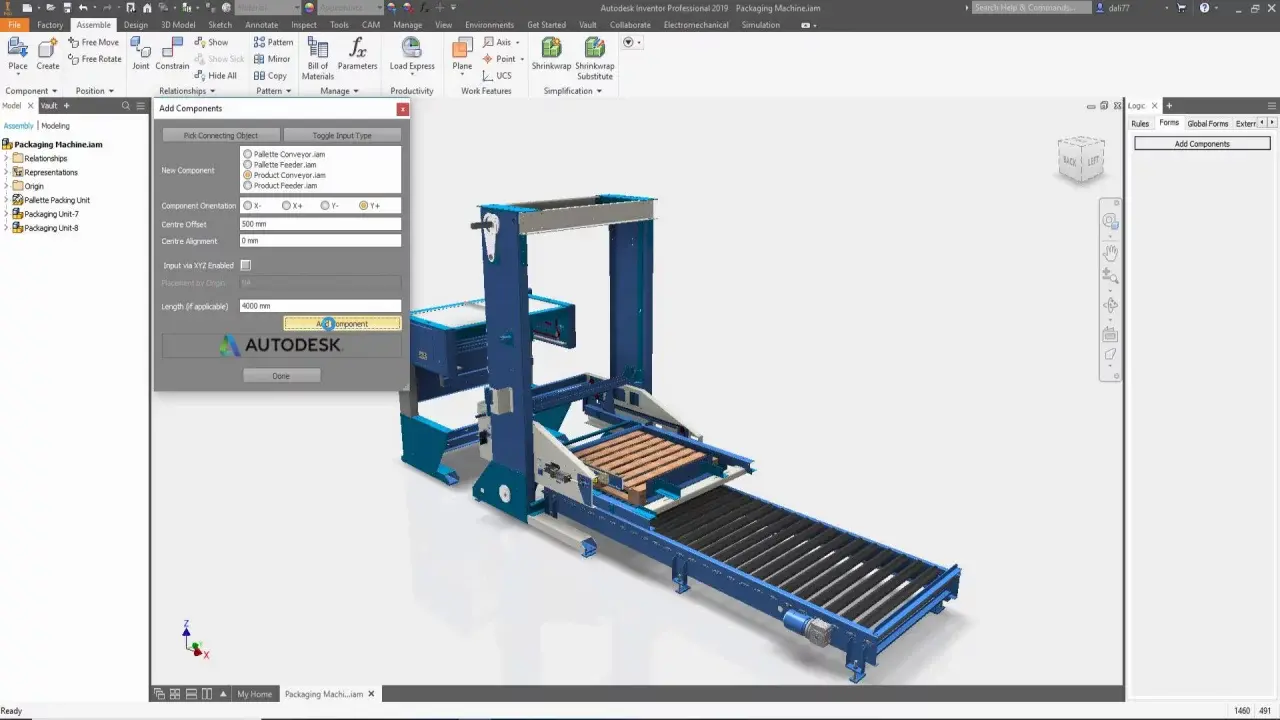
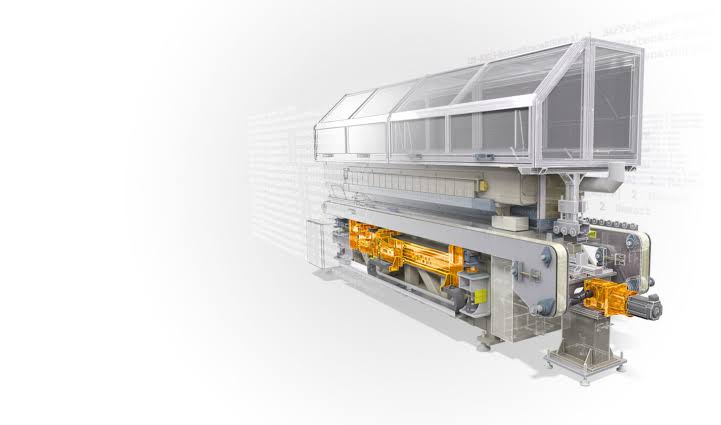
Inventor iLogic 3D Design Automation for Parts and Assemblies
Autodesk Inventor iLogic turns your design intent into rules that build and update 3D models automatically. We write iLogic rules that drive part and assembly geometry from key inputs. Dimensions, features and components then respond consistently every time a value changes.
Rules can suppress or activate features, swap components, set constraints and resize patterns across assemblies. This replaces hours of manual remodelling with a controlled, repeatable process.
Each rule set is built around your existing Inventor models and standards. We test it on real designs and document it so your engineers can maintain it with confidence.
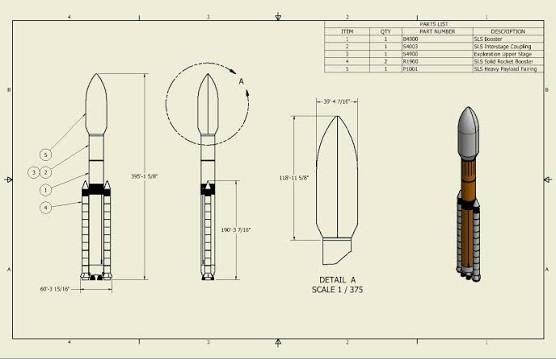
2D Drawing Automation with Inventor iLogic
Drawings often take longer to produce than the model itself. Our iLogic rules create and update Inventor drawing views automatically. Base, projected, section and detail views are placed at the right scale and position for each part or assembly.
Rules can add key dimensions, balloons, notes and parts lists. They then fill in title blocks from iProperties, so revision, material and author details always match the model.
When the design changes, the drawings update with it. Your team spends less time on manual drafting and produces consistent, standards-compliant documentation across every project.
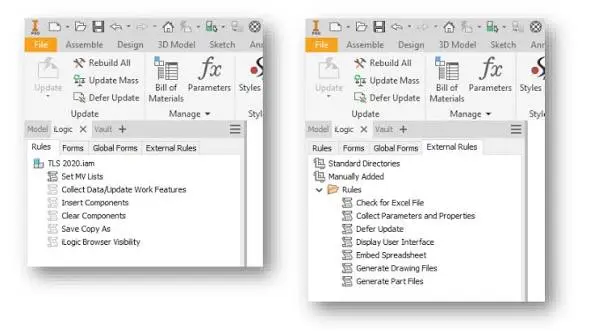
iProperties and Parameter Automation
Our iLogic services automate how Autodesk Inventor reads, writes and synchronises iProperties and model parameters. Rules can populate part numbers, descriptions, materials and custom properties from naming conventions, user input or calculated values, so every file carries consistent data.
Parameters stay aligned across parts, assemblies and drawings. iLogic can push key dimensions from a master file, update linked values when designs change and convert units or formats to match your standards.
Consistent properties mean cleaner title blocks, reliable downstream data and better search in Autodesk Vault, with less manual checking before release.
Automated File Management with iLogic
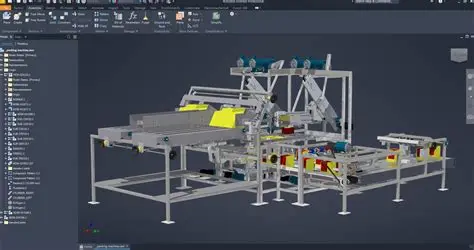
Manual file handling slows Inventor teams and introduces errors. We develop iLogic rules that automate file naming, saving and copying. Every part, assembly and drawing follows your company conventions without relying on memory or manual checks.
Rules can build file names from iProperties or parameters and save new files to the correct project folders. They can also copy designs with references updated. Exports to PDF, DWG, DXF and STEP can run automatically on save, so your deliverables stay current.
If your team uses Autodesk Vault, we align the rules with your data management setup so automated files stay organised and easy to find.
iLogic Forms & User Interfaces
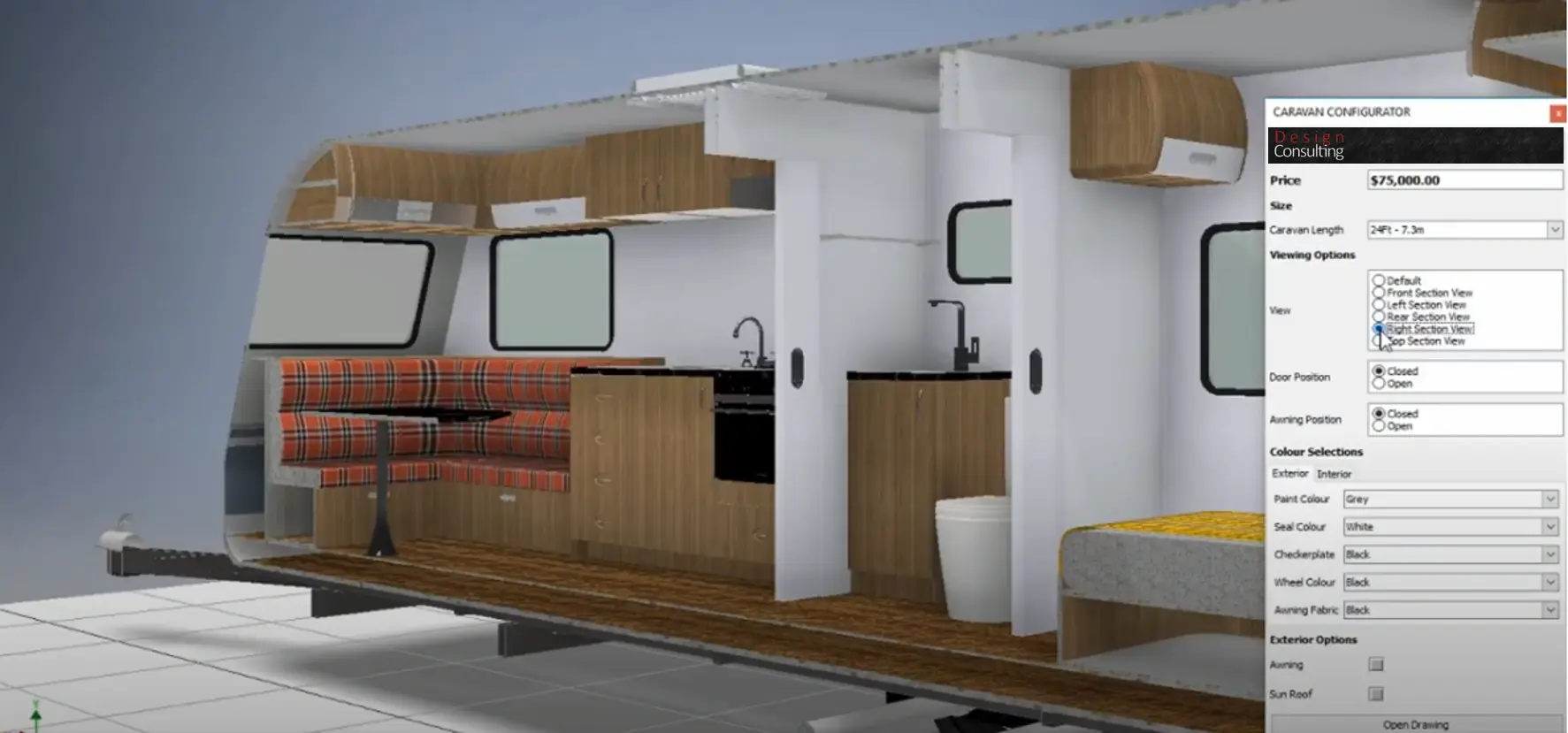
Not every user should need to open the rule editor to produce a correct design. We build custom iLogic forms that put the right inputs in front of designers, sales staff and engineers, so they can configure parts and assemblies without touching rules, parameters or model features.
Forms can include dropdowns, sliders, checkboxes, images and grouped tabs, with values validated before they reach the model. Fields can show or hide based on earlier choices, guiding users through each option in a logical order.
Each interface is tested with your team and documented, so new users can work confidently from day one.
Excel & Database Integration for iLogic
iLogic can read from and write to Excel spreadsheets. Your team can then drive Inventor parameters from a familiar, controlled source. We build rules that pull dimensions, materials and configuration values from linked workbooks, so changing a single cell regenerates the correct model and drawing.
Some data lives in a database or business system. In that case we connect iLogic rules to it to look up part numbers, standard components and lookup tables, and to send design data back out.
Every connection is documented and tested against your templates. Design data stays consistent across engineering, purchasing and production.
Product Configuration & Variants with iLogic Rules
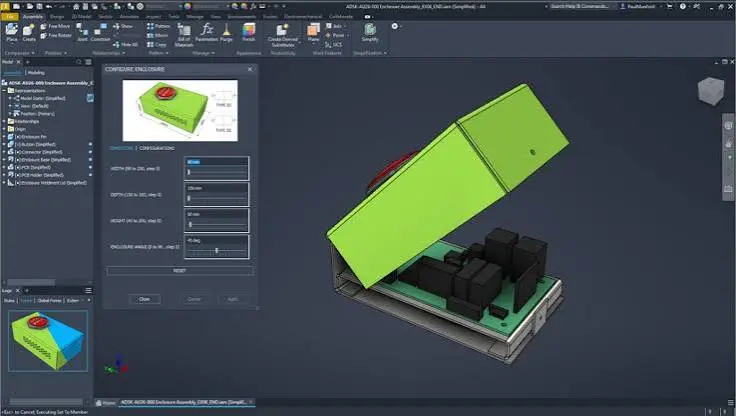
Many manufacturers build the same product in dozens of sizes and option combinations. Remodelling each variant by hand is slow and invites errors. We build rule-based configurators in Autodesk Inventor that turn a set of inputs into a complete, valid product variant.
iLogic rules drive key parameters, suppress or include features and components, swap parts for selected options and apply design constraints, so only buildable combinations are produced. Your engineering knowledge is captured once and reused on every order.
We start by mapping your product range, options and dependencies, then design the rule structure around them.
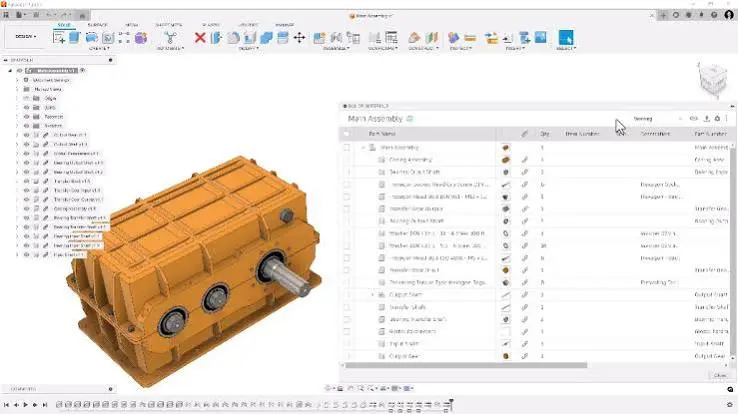
Bill of Materials (BOM) Automation with iLogic
Manual BOM editing in Inventor is slow and error-prone, especially across large assemblies and frequent revisions. We build iLogic rules that populate BOM fields from iProperties and parameters. They also set BOM structure, such as phantom, reference and purchased items, and apply consistent part numbering as the design changes.
Rules can also check for missing descriptions, duplicate part numbers or unassigned materials before release. They then export structured or parts-only BOMs to Excel or CSV in the format your purchasing or ERP team expects. The result is accurate, release-ready BOM data with less rework.
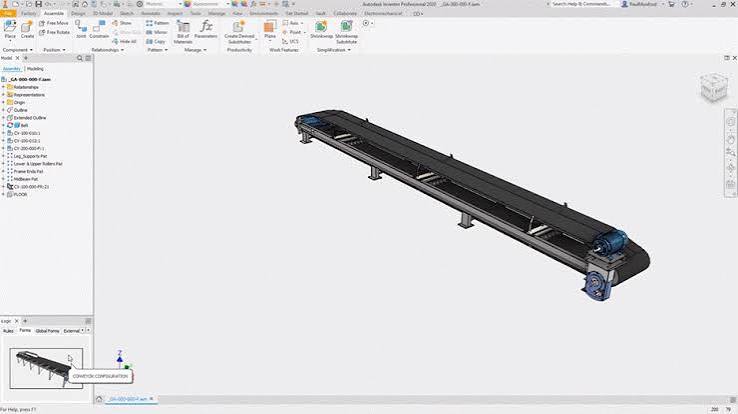
Manufacturing Automation: From Inventor Model to Production Files
Once a design is approved, preparing it for production often starts again by hand. We write iLogic rules that generate manufacturing outputs directly from your Inventor models. Sheet metal flat patterns, DXF files for laser and plasma cutting, and STEP files for suppliers are then created the same way every time.
Rules can apply your naming conventions, save exports to the right folders, include bend and material data, and run across whole assemblies in one pass. Your shop floor receives accurate production data sooner. Manual exports are reduced, and so is the risk of sending out-of-date files.
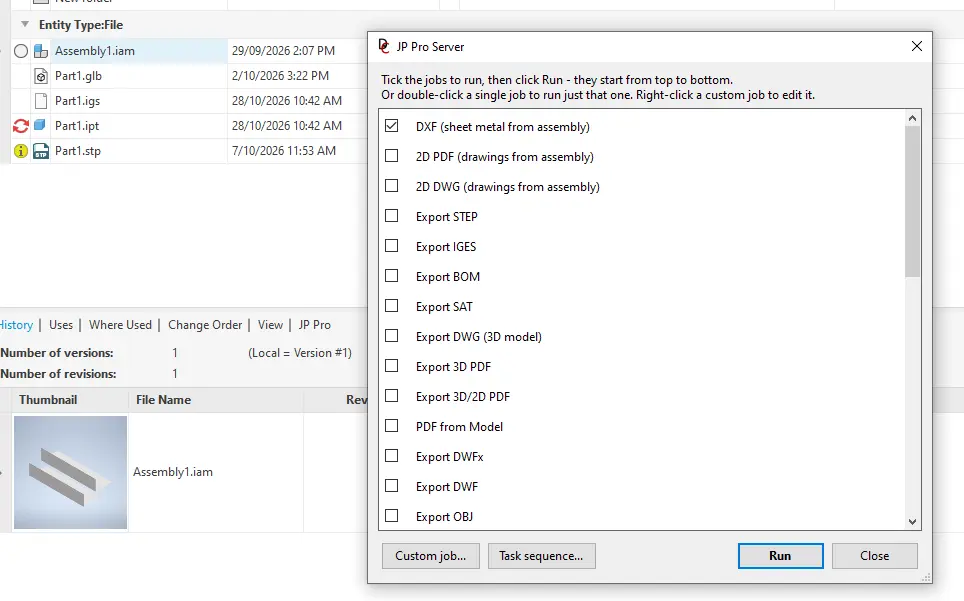
Batch Processing and Task Automation for Inventor
Updating hundreds of Inventor parts, assemblies and drawings one at a time wastes engineering hours and invites inconsistency. We build iLogic batch tools that open, process and save files across entire folders or project structures in a single run. These tools apply rule changes, refresh iProperties, replace title blocks and update parameters without manual intervention.
The same routines export drawings to PDF, DWG and DXF, generate STEP files for suppliers and log the results so nothing is missed. For larger workloads, we schedule tasks to run overnight or hand them off to Vault job processors. This keeps your workstations free while repetitive processing runs in the background.
Design Validation & Quality Control with iLogic
iLogic rules can check Inventor models and drawings against your design standards before anything is released. Rules can confirm that required iProperties are filled in, materials come from an approved list and parameters sit within allowed ranges. On drawings, they can check title block fields, sheet sizes, styles and dimension standards.
When a rule finds a problem, it flags the error with a clear message so the designer can fix it at the source. Checks can run automatically on save or before release. This reduces rework, rejected drawings and costly mistakes reaching the shop floor.
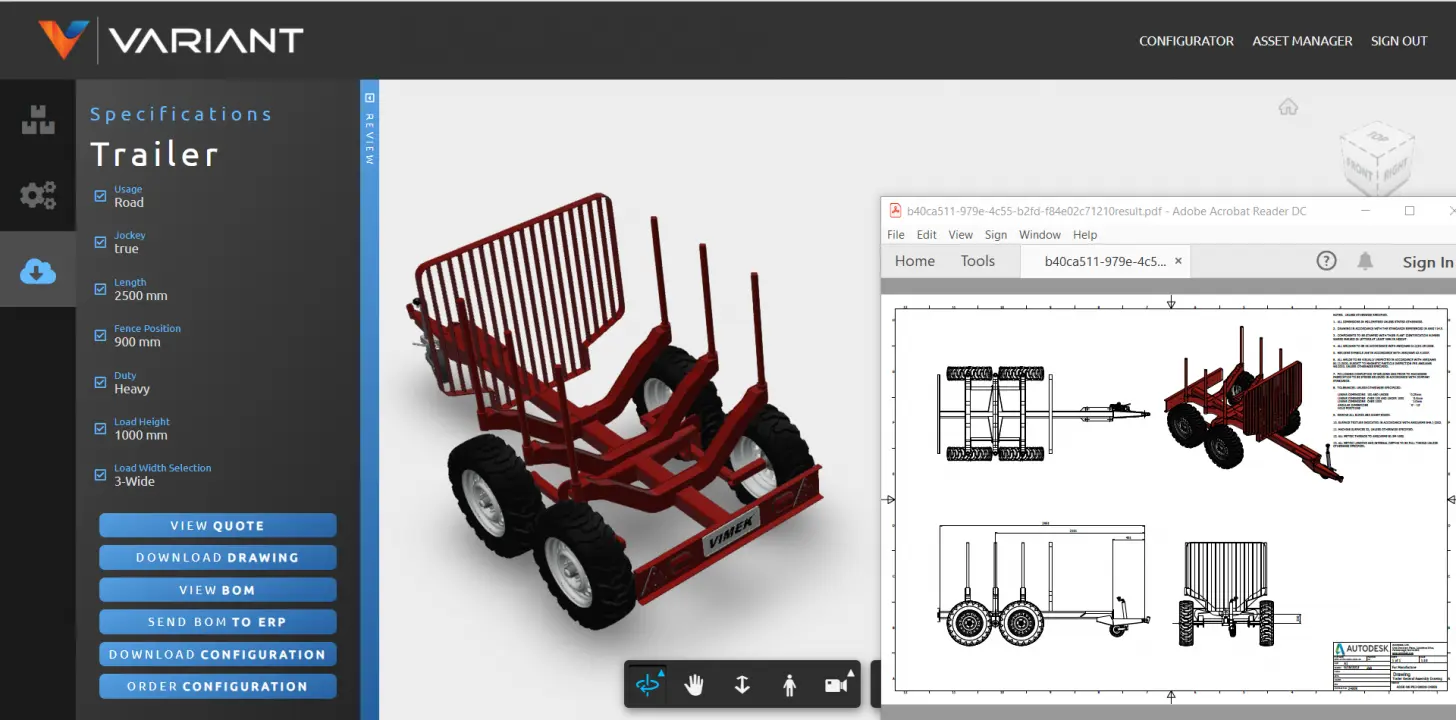
Autodesk Platform Services for Inventor iLogic
Autodesk Platform Services (APS) takes Inventor iLogic automation beyond the desktop. With the Design Automation API for Inventor, your rules and configuration logic can run in the cloud. They generate models, drawings and outputs without a local Inventor session. This supports web-based configurators, sales tools and portals that produce accurate engineering data on demand.
We connect iLogic workflows to APS APIs for data management, model translation and viewing. Files move securely between Autodesk cloud storage, online viewers and your business systems. Where possible we reuse your existing rules, so engineering logic stays consistent from the desktop to the cloud.
Custom iLogic Development and Ongoing Support
Every Inventor team works differently, so off-the-shelf automation rarely fits. We write bespoke iLogic rules around your products, standards and workflows. These range from simple parameter logic to multi-rule assemblies. We also review existing rules, tidy legacy code and document how each rule works.
As Inventor versions change, rules need attention. Our ongoing support covers rule maintenance, version upgrades, troubleshooting and enhancements as your designs evolve. Your engineers get a direct line to iLogic specialists. Training is also available to build in-house skills, so your automation keeps delivering value long after it is deployed.
Programming Training Courses
iLogic Consulting Services
iLogic adds rules-based automation to Autodesk Inventor, helping engineering teams capture design intent and automate models, drawings, iProperties and BOMs. We develop, review and maintain iLogic rules that follow your standards, from simple part logic to full product configurators, forms and Excel-driven workflows.

iLogic Rule Development
We write custom iLogic rules and forms that automate Inventor parts, assemblies and drawings, so repetitive design tasks run consistently and in line with your engineering standards.

Rule Review and Training
We audit your existing iLogic code and Inventor workflows, identify automation opportunities and train your team to create, run and adapt rules with confidence.

Ongoing Support and Maintenance
We document, test and update your iLogic rules for new Inventor releases and changing standards, keeping your automation reliable as products and projects evolve.
Common Inventor Design Challenges iLogic Automation Solves
Engineering and design teams in Autodesk Inventor often rebuild similar parts, update drawings and re-enter the same data on every job. Each manual step slows delivery and is another chance for errors to reach the shop floor.
iLogic embeds rules directly in your Inventor parts, assemblies and drawings. Your design knowledge becomes repeatable automation that responds to parameters, standards and customer requirements.

Repetitive 3D Modelling
Rebuilding similar parts and assemblies by hand wastes engineering hours. iLogic rules drive geometry from parameters, so new sizes and layouts generate in moments.

Time-Consuming Drawing Updates
Updating views, dimensions and title blocks after every change delays release. Automated drawing rules keep 2D documentation in step with the 3D model.

Inconsistent iProperties and Parameters
Missing part numbers, descriptions and materials cause confusion downstream. iLogic fills in and standardises iProperties and parameters across every file.

Manual File Naming and Management
Saving, renaming and copying designs by hand creates duplicates and broken references. Rules apply your naming conventions and organise files automatically.

Complex Product Variants
Configuring custom options one order at a time is slow and error-prone. iLogic forms let users select options and produce accurate variants quickly.

Inaccurate Bills of Materials
Hand-edited BOMs drift from the actual design. Automated BOM rules control quantities, structure and properties, so purchasing and production work from correct data.

Retyping Data from Spreadsheets
Copying values between Excel and models invites typos. iLogic reads and writes spreadsheet and database data, so designs update directly from the source.

Design Errors Reaching Manufacturing
Rule breaches are often found too late. Validation rules check sizes, clearances and standards as you design and flag issues before release.

Fragile Rules and Knowledge Silos
Automation that only one person understands is a risk. Structured, documented iLogic development and support keeps rules maintainable as your team and products grow.
The Impacts and Flow-On Effects of Inventor iLogic Automation
How iLogic rules lift productivity, accuracy, delivery and team capacity across your Autodesk Inventor workflows
iLogic rules automate repetitive Inventor tasks, from generating parts and drawings to updating iProperties, parameters and BOMs. Design rules are applied consistently every time. This reduces manual errors, rework and checking effort and gives engineers more time for design decisions.
The benefits flow downstream into accurate manufacturing data, faster configuration and more predictable delivery. Your team also gains capacity for more projects.
- Right first time: G-code that matches your controller, axis layout and tool changer, so programs run as expected with less manual editing at the machine.
- Consistent output: standard program headers, safe-start blocks, tool numbering and work offsets applied to every job, whoever creates the toolpaths.
- Machine-specific support: correct handling of multi-axis moves, probing cycles, canned cycles, coolant codes and sub-spindle operations across milling and turning centres.
- Reduced risk: fewer hand edits mean fewer mistakes on the shop floor, less scrap and a lower chance of damaged tooling or fixtures.
- Simpler maintenance: when a machine or process changes, one updated post keeps every programme aligned rather than requiring jobs to be corrected individually.
- Clearer documentation: set-up sheets that align with the posted code, giving operators accurate information before cutting begins.
Features & Benefits of Custom iLogic Automation
Custom iLogic rules turn repetitive Autodesk Inventor tasks into automated, rule-driven processes that run the same way every time. Models, drawings and data update in minutes, so your engineers spend less time on manual edits and more time on design.
Every rule set is built around your products, standards and manufacturing processes, so the automation fits how your team already works in Inventor.

Faster Design Turnaround
Automate repetitive modelling, drawing and update tasks so new parts, assemblies and variants are produced in minutes rather than hours, freeing engineers for higher-value design work.

Consistent CAD Standards
Rules apply your naming conventions, iProperties, materials and drawing standards the same way on every run, keeping models and documentation aligned with company requirements.

Fewer Errors and Less Rework
Rule-based logic removes manual data entry and checks design limits automatically. Mistakes are caught before drawings reach the shop floor, which means fewer costly corrections.

Reusable Rule Libraries
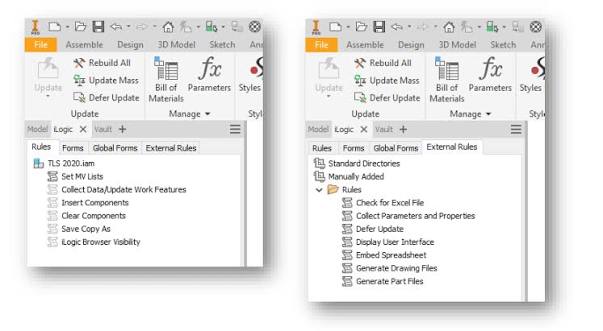
Write a rule once and reuse it across products, projects and teams. External rules become a growing library of proven automation your whole engineering department can rely on.

Data-Driven Configuration
Drive dimensions, features and component choices from parameters, Excel or databases, so changing inputs updates the model automatically and product variants are simple to generate.

Accurate Drawings and BOMs
Drawings, part lists and bills of materials update automatically with each design change, so manufacturing and purchasing always work from current, consistent information.

Connected Cloud Workflows
Extend iLogic with Autodesk Platform Services to share Inventor data with web configurators, cloud workflows and business systems beyond the desktop.

Simple Forms for Every User
Custom iLogic forms give designers clear inputs and options, so anyone can run complex automation in a few clicks without editing code or understanding the underlying rules.

Documented and Maintainable
Each rule is structured, commented and documented, making it easy to update as your products, standards and Inventor versions change over time.
Complimentary Software and Services for Autodesk Software
Design Consulting offers a complete ecosystem of complementary software, training, and professional services designed to extend the power of Autodesk solutions. Alongside our training courses for tools like Revit, AutoCAD, Inventor, and Vault, we deliver expert services for design automation, CAD/BIM setup, template development, and Vault deployments and migrations. We supply software tools to enhance Autodesk workflows through intelligent automation, batch variant rendering, and real-time visualisation systems. We also develop web-based configurators and custom plug-ins that streamline product design, quoting, and sales processes. From parametric modeling to programming services, Design Consulting helps engineering and design teams unlock efficiency, consistency, and scalability across their entire digital design environment.
With this ecosystem of software and services, Design Consulting provides End to End Solutions that connect data, models, applications, systems, employees, departments, customers and suppliers, enabling seamless collaboration, streamlined workflows, and accelerated decision-making across the entire product and project lifecycle. By integrating design, automation, and digital delivery, your business becomes more efficient, reduces manual effort, saves time, and ultimately increases profitability.
Why Choose Design Consulting | Autodesk Gold Partner | Autodesk Service Provider
Design Consulting is a trusted Autodesk Gold Partner and Autodesk Service Provider. Design Consulting empowers architects, engineers, manufacturers, and builders with smart software, systems, automation, and digital tools that provide Autodesk end-to-end solutions that are connected with systems and machines. As an Autodesk Gold Partner, we deliver tailored solutions that simplify workflows, reduce costs, and drive better project outcomes.
About DC Autodesk Courses Services Configurators CRM/ERP Batch Imagery
Discuss Your Automation Project
Tell us how your team uses Autodesk Inventor, the repetitive design and documentation tasks you want to automate, and how iLogic can streamline your workflows, improve accuracy and reduce manual effort.
Fill out the contact form below or contact us on 1800 514 490, info@designconsulting.com.au or by live chat .